Desertcart purchases this item on your behalf and handles shipping, customs, and support to SINGAPORE.
🎬 Elevate your stream with pro-level clarity and control — don’t just show up, stand out!
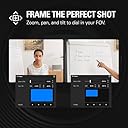
The Elgato Facecam MK.2 is a premium Full HD webcam designed for serious streamers and professionals. Featuring a Sony CMOS sensor, it delivers uncompressed 1080p60 video with HDR support for vibrant, natural colors. Its Camera Hub software offers DSLR-like customization, while a built-in privacy shutter ensures security. Compatible with major platforms like OBS, Zoom, and Teams, it’s the ultimate tool for flawless, professional-grade video content.


| ASIN | B0CW1S7XP5 |
| Antenna Location | Gaming |
| Are Batteries Included? | No |
| Best Sellers Rank | #82,537 in Computers & Accessories ( See Top 100 in Computers & Accessories ) #279 in Webcams |
| Box Contents | Elgato Facecam MK.2 |
| Brand | Elgato |
| Brand Name | Elgato |
| Camcorder Type | Webcam |
| Colour | Black |
| Compatible Devices | Personal Computer, Smartphone |
| Country of Origin | USA |
| Customer Reviews | 4.3 out of 5 stars 1,539 Reviews |
| Effective Still Resolution | 2.1 MP |
| Effective Video Resolution | 1080 Pixels |
| Exposure Control Type | Automatic |
| File Format | JPEG |
| Flash Memory Speed Class | C10 |
| Flash Memory Type | SDXC |
| Flash Memory UHS Speed Class | 6 |
| Flash Memory Video Speed Class | V6 |
| Focus Type | autofocus, manual |
| Form Factor | Compact |
| Global Trade Identification Number | 00840006669227 |
| Has Image Stabilization | No |
| Image Aspect Ratio | 1.5:1 |
| Image Stabilization Type | false |
| Item Dimensions D x W x H | 16D x 9W x 10H Millimeters |
| Item Weight Unit of Measure | 0.09 Kilograms |
| Lens Type | Zoom |
| Manufacturer | Corsair |
| Maximum Aperture | 2.8 f |
| Maximum Display Resolution | FHD |
| Minimum Aperture | 1.5 f |
| Model Name | Elgato Facecam MK.2 |
| Model Number | 20WAC9901 |
| Network Connectivity Technology | USB |
| Photo Sensor Technology | CMOS |
| Product Features | Face Detection |
| Sensor Type | CMOS |
| Shooting Modes | Automatic |
| Style Name | Facecam MK.2 |
| Supported Audio Format | AAC, MP3 |
| Supported Image Format | JPEG |
| UPC | 840006669227 |
| Unit Count | 1 Count |
| Video Capture Format | MP4 |
| Video Capture Resolution | 1080p |
| Water Resistance Level | Not Water Resistant |
| Zoom | Digital |
M**I
Finalmente una webcam fatta per chi fa live – nitida, veloce, senza sorprese
Uso la Elgato Facecam solo per le mie live su Twitch e YouTube, e posso dire che è la prima webcam che mi ha davvero convinto. L’immagine è super nitida, fluida, con colori naturali, e soprattutto non ha lag. Si vede subito che è pensata per chi fa contenuti seri, non è la classica webcam da videoconferenze. Uno dei punti forti è che non ha messa a fuoco automatica ballerina: resta fissa, quindi niente sfocature improvvise durante la live se ti muovi un po’. E se usi luci come la Elgato Key Light, la qualità dell’immagine fa davvero un salto – sembra quasi una mirrorless. L’app Camera Hub ti dà un controllo totale: puoi regolare esposizione, ISO, contrasto, nitidezza… e tutto resta salvato direttamente nella cam, anche se la scolleghi. Una chicca che non ti fa perdere tempo ogni volta che accendi il PC. ⸻ ✅ Cosa mi è piaciuto: • Qualità video eccellente per essere una webcam • Immagine fluida e stabile, senza autofocus fastidioso • Software semplice ma completo • Funziona benissimo anche con OBS e Streamlabs • Costruzione solida e look professionale ❌ Cose da sapere: • Non ha microfono integrato (ma se streammi, tanto usi già un mic serio) • Serve una buona luce per rendere al massimo (tipo una Key Light) ⸻ 🎥 In sintesi La Facecam di Elgato è fatta apposta per chi vuole una webcam di livello alto per streaming. Nessun impazzimento con le impostazioni, immagine chiara e stabile, qualità superiore alla media. Se vuoi un aspetto più professionale in live, questa è la scelta giusta.
E**Ü
Düşük Kalitede Mükemmel Görüntü
Düşük ışıkta gayet güzel görüntü vermekte. Elgato Camera Hub ile daha ince görüntü ayarları yapabilirsiniz. Şu anki fiyatına göre üst düzey kalite.
C**8
Pricey but worth it
Its a good webcam. Sure a bit pricey but worth it in the long run. Use it for my stream on twitch and overall quality is good. But you need a nvidia card to use some of the background stuff, but you can still use a greenscreen with a amd card so its fine really not missing much. Overall a good purchase to upgrade your stream with
S**Y
The best Webcame you,ll ever have .
An absolute beautiful, amazing Camera, the 1080 FHD 60Fps looks like 4k 120 fps holy i love it .
P**O
Very nice mid-level cam
I've been using a Logitech Streamcam since its release and have mostly liked it. It works great in good conditions, but shifted to a more enclosed area with very little natural lighting. And ever since doing that, I've had trouble with it washing out the picture if there's artificial light, or being too dark if there's not. I have a mostly Elgato lighting set up (2 key lights and a light strip) as well as a stream deck. The Logitech has never had good software, but that wasn't a big deal until recently. Given the streamcam was good enough. I am teach undergraduate and graduate students almost entirely online, so I wasn't needing a professional setup, just for meetings, zoom, and recording videos (using xsplit with a small video of me in the corner of a presentation). Recently, the lighting frustration bothered me more and more and I saw this Mk.2 release. I decided to try it out and see if it was an improvement. Yes, yes it was very much. While the lighting isn't perfect, the overall quality is so much better I have no regrets at all about shifting to a similar range alternative. The low light works great, the overall image and recording is better, and the software is far and away more user friendly. I can control many functions through my stream deck, making for more dynamic adjustments on the fly in presentations, online live sessions, etc. Comes with a pretty thick 3.0 USB cable, but if you have a USB C slot in your computer you're wanting to use you'll need to buy your own. Which I did. But having only the 3.0 makes this useable for even older setups.
Trustpilot
1 week ago
2 months ago