Desertcart purchases this item on your behalf and handles shipping, customs, and support to SINGAPORE.
🚀 Power-packed Mini PC: Big Performance, Tiny Footprint!
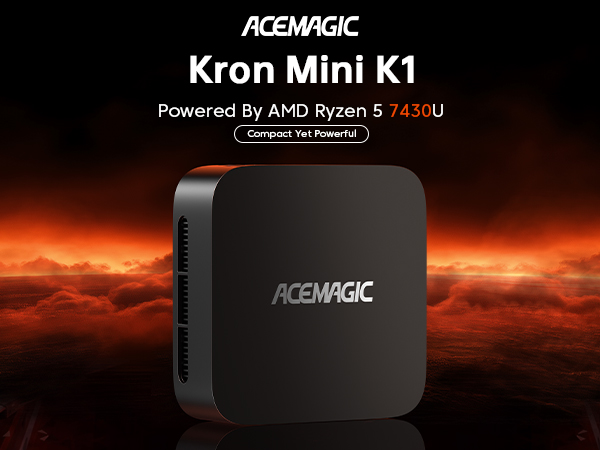
The ACEMAGICIAN Kron Mini K1 is a cutting-edge mini PC featuring the 2025 Enhanced AMD Ryzen 5 7430U processor with 6 cores and 12 threads, delivering up to 4.3GHz turbo speeds. Equipped with 16GB DDR4 RAM and a 512GB NVMe SSD, it supports up to 4TB of expandable storage via dual M.2 slots. Its AMD Radeon Vega 7 graphics enable crisp 4K output across three simultaneous displays via HDMI, DisplayPort, and USB-C. With WiFi 6, Bluetooth 5.2, dual Ethernet ports (including 2.5Gbps), and a silent cooling system, this compact powerhouse is designed for professionals seeking high performance, versatile connectivity, and a minimalist workspace solution.


| ASIN | B0CY4ZM18N |
| Additional Features | Mini pc |
| Aspect Ratio | 16:9 |
| Best Sellers Rank | #1,838 in Computers & Accessories ( See Top 100 in Computers & Accessories ) #45 in Mini Computers |
| Brand | ACEMAGICIAN |
| CPU Model | Ryzen 5 |
| CPU Model Number | 7430 |
| CPU Model Speed Maximum | 4.3 GHz |
| CPU Speed | 4.3 GHz |
| Cache Memory Installed Size | 16 GB |
| Cache Size | 16 GB |
| Color | black |
| Compatible Devices | Keyboard, Mouse, Printer, Speaker |
| Connectivity Technology | Bluetooth, HDMI, Wi-Fi |
| Cooling Method | Copper Alloy Heat Dissipation and Silent Control Chip |
| Customer Reviews | 4.4 out of 5 stars 1,888 Reviews |
| Display Resolution Maximum | 3840 x 2160 pixels |
| Display Type | LCD |
| Graphics Card Description | Dedicated |
| Graphics Card Interface | Integrated |
| Graphics Card Ram | 16 GB |
| Graphics Coprocessor | AMD Radeon Vega7 |
| Graphics Description | Dedicated |
| Graphics Ram Type | DDR4 SDRAM |
| Hard Disk Description | SSD |
| Hard Disk Interface | Solid State |
| Hardware Interface | Bluetooth, USB |
| Human-Interface Input | Keyboard, Mouse |
| Item Weight | 0.99 kg |
| Keyboard Layout | QWERTY |
| Language | English |
| Manufacturer | Shenzhen CYX Industrial Co., Ltd. |
| Memory Clock Speed | 3200 MHz |
| Memory Slots Available | 2 |
| Memory Speed | 3200 MHz |
| Memory Storage Capacity | 512 GB |
| Model Name | K1 |
| Model Number | K1 |
| Model Year | 2021 |
| Native Resolution | 3840 x 2160 |
| Number of Component Outputs | 2 |
| Operating System | OS 11 Pro |
| Personal Computer Design Type | Mini PC |
| Power Consumption | 40 watts |
| Power Plug Type | Type C |
| Processor Brand | AMD |
| Processor Count | 8 |
| Processor Series | Ryzen 5 |
| Processor Socket | FP6 |
| Processor Speed | 4.3 GHz |
| RAM Memory Installed | 16 GB |
| RAM Memory Technology | DDR4 |
| RAM Type | DDR4 SDRAM |
| Ram Memory Maximum Size | 16 GB |
| Resolution | 3840 x 2160 |
| Screen Size | 1 |
| Security Features | Basic security features |
| Speaker Type | External Speakers Required |
| Specific Uses For Product | Business, Education, Everyday Use |
| Specification Met | WiFi 6, Bluetooth 5.2, FCC, ROHS, CE |
| Style Name | 7430U 16GB 512GB |
| Total Number of HDMI Ports | 1 |
| Total Thunderbolt Ports | 2 |
| Total Usb Ports | 6 |
| UPC | 734038894866 |
| Video Output | HDMI, USB Type-C, DisplayPort |
| Video Output Interface | HDMI, DisplayPort, Type-C |
| Video Processor | AMD |
| Wireless Compability | 802.11ax |
| Wireless Network Technology | Wi-Fi |
| Wireless Technology | Wi-Fi |
J**O
A super mini PC at a super price
Tl;dr highly recommended. Background: I was looking to replace my existing very large tower PC (c. 2015) with something that was a) more up-to-date and b) less power consuming. To be clear, I have been transitioning to an M1 MacBook Pro and QNAP NAS, and I no longer need to do image and video processing on the PC. So my mid-level nVidia GPU and lots of hard drives were no longer requirements. I was willing to give up the BluRay writer as well. But the Windows PC was still an important part of my multi-level backup strategy. Namely, I keep a copy of all photos, videos and documents on the PC, synchronized using GoodSync from my NAS, and from there I let Backblaze handle cloud backup. (Backblaze won’t sync from network shares.) The Ace Magician AM06 Pro had a number of appealing features for me. The tiny size was, of course, a big asset. And I do mean tiny. The ability to add a 2.5 inch SSD was mandatory. And the second NIC allowed me to connect my QNAP NAS directly to the PC using 2.5GbE. While this was a step down from my previous 10GbE NIC, that was no longer really necessary. While there are other mini PCs that have a 2.5GbE NIC now, there are very few that have a second NIC, let alone at this price. Oh, and price, which in this case equates very nicely to value. I ordered the mini PC, and my experiment began. Before I ordered a large SSD, I wanted to see if this was going to work for me. I plugged in the DisplayPort to one of my monitors that had a free DP connection, connected my Logitech mouse and keyboard using their dongle, plugged the 1GbE into my home LAN, and we’re off to the races. Right out of the box, the system came up in seconds, running the Windows 11 OOBE. A few questions later and the system connected to my Microsoft account. Everything seemed fine, so I started with any Windows updates that might be available. There were only a few, so I let that process complete. At this point, I made no changes to the BIOS and no changes to the default Windows configuration. Now I needed to add Hyper-V support, and I expected to need to change a BIOS setting or two. But no, not necessary, virtualization support was already enabled! I moved a VM over from my other system - with some difficulty that had nothing to do with the mini PC, but I got it sorted out. Then I connected and configured a private network for the 2.5GbE NIC to my QNAP directly, Jumbo frames enabled. No problems there. I ran a short stress test and I could hear the fan spin up. It’s not a pleasant sound, but I don’t plan on stressing the PC. The next day I came back to continue on the transition, and found the PC had shut down. Oh, no! Very curious, I determined it was after exactly 3 hours of idle time. Hmm, I had disabled sleep. But crafty Microsoft, the power plan still had hibernation set for 180 minutes. Grr. Set to Never now. A few more days, and it was time to move on to phase 2: add a 4TB SSD. I know the description says that 2TB is supported but I could not think of why the limit (and I have 40+ years in the storage business under my belt). Suddenly a sale price directly from WD appeared, and I proceeded with that. Adding it was a little hairy - the ribbon cable (included) to the motherboard connector looked fragile, and took some care. I knew that at first (before any power applied) I didn’t have it just right and I took my time until I got it. Power up, perfect, no issues, 4TB now available. I won’t go into great detail about the rest of my configuration other than to say after 10 days, the old tower was powered down, the new AM06 Pro handling everything I needed. I think you get the point now. My experience has been overwhelmingly great. In the process, my constant power load dropped by more than 60W as reported by my UPS - this was expected. But no review is complete without some “cons”: The power switch. I can’t tell you how many times I inadvertently touched it and my system shut down. I had to device an approach to make sure this didn’t happen again. My “Server Rack” (photo) keeps me - and more importantly, my cat - from hitting it. I hope Ace Magician does not repeat that design. It looks cool, but asking for trouble. I should drop a star for this, but I won’t :) The power supply. OK, this is not going to cost them a star. When you have such a small PC, the big brick with detachable cord is out of place. I started looking for a tiny USB-C GaN charger to replace it. My first try (a 3 port unit) didn’t go so well as it shut down in 30 seconds every time I powered it up. Someone on the minipc forum tried a bunch of these and found the one that worked: a single USB-C port, Anker Nano II 65W. Same overall rating as the supplied PS. The actual power draw of the PC (in my use case) is more like 20-30W. But this is important: the new GaN charger - added just today - is far more efficient, and switching to it dropped another 20+W from my overall total. Wi-Fi performance. Meh. I don’t care, I don’t need it, you might. I disabled in Windows. A second NVMe slot would be “nice to have”. EDIT: One additional note The included VESA bracket did not work for me as I have my monitors mounted on arms. If you are considering mounting behind a monitor, you might need a different sort of bracket. Back to my conclusion: buy it. Incredible value. Seriously. Addenda: Summary of changes I made from out-of-the-box configuration 1. Disabled hibernation! I blame Windows 11 for this, it was not a default in Win10. 2. One BIOS setting: After a day or so, I could hear the fan spin up sometimes. Poking around in the BIOS, I found fan control was set to “Manual” and there were optional settings. But I figured I would try “Automatic” before getting too geeky, and that’s worked well for me. No more whining! 3. Disabled the Wi-Fi NIC (in Windows). 4. Removed Chinese fonts. No offense, it’s just not one of my languages and I don’t expect to learn it.
H**S
Excellent performance, expandability, and value for the money!
This is a review of the Ace Magician AM06 PRO (Ryzen 5 5600U) Photos included with review: 2 photos show size comparison to common items (a mouse and a 3.5" hard disk). 2 phots showing available ports. 1 Photo shows location of internal components. 2 photos show how to properly install the SATA drive cable. The Hardware This system utilizes an AMD Ryzen 5600U CPU. This CPU packs a surprising punch for a CPU that sips so little energy. It's amazing what AMD has accomplished here. This CPU has 6 cores and 12 threads. It also includes AMD Radeon graphics. Others have already commented on the raw performance metrics, so I'll concentrate on providing general information and a few tips for getting the most out this system. General System Information Please see the first two photos that illustrate how compact this system really is. You will find the usual compliment of ports on the system which include two USB 3 ports, one USB 3 type C port, two USB 2 ports, HDMI, Display Port, and a 3.5 mm audio jack . One unique design feature that AceMagicians have incorporated is the inclusion of not just one, but two Ethernet adapters, including one 2.5 Gbps and one 1 Gbps port. Why might this be helpful? There are several possible scenarios, but for me, I often perform testing using Windows Hyper-V. If I had only one Ethernet adapter, then I would need to share that adapter between the VMs and the primary installation of Windows. My preference is to NOT share the adapter. By having two adapters, I can assign one to my VMs and have a separate adapter available for exclusive use by the main OS. So having this feature available on a mini PC is very welcome. In addition, it just makes sense to have a 2.5 Gbps Ethernet adapter on modern systems with SSDs. Transferring data between machines with SSDs can easily saturate a 1 Gbps Ethernet so this extra speed is very welcome and matches well with a system containing SSD storage. I also like the fact that this system has a microphone built-in. That is something typically missing in most mini PCs. It allows for one less having to be plugged into the system. Another nice touch is the fact that the power connector is a USB-C type connector. That's really helpful for people like me who are always carrying USB-C power adapters around with them already. TIP: You may find that some standard off the shelf USB-C power adapters may not work to power this system. In my testing with several different adapters, I found that some of them would power the system on initially, but the system would shut down within a few seconds of being turned on. I found that the latest line of Anker GaN and GaN prime adapters (available here on Amazon) work fine with this system. When purchasing an adapter, make sure that it has a minimum of 65W output power and that it supports 19V (20V) output. I suggest a unit with a single USB-C output because plugging in a second device may momentarily interrupt power to the Mini PC which you obviously do not want to happen while it is running. What's really amazing is how all this processing power and all these ports are incorporated into such a small case. As you look through included images, take note of the size of this system in relation to some common items such as a pair of glasses and a computer hard disk. Initial Setup The initial setup of the system is very quick and simple. AceMagicians have preinstalled a pristine, clean, Windows 11 Pro installation on this system with no bloatware. I really appreciate this because it makes ensures that you have Windows running at peak efficiency without a bunch of stuff that you will never use slowing the system down. TIP: After you get the system up and running, make sure that you have an internet connection. I would suggest allowing the system to install all available Windows updates. Once updates are done, open an elevated command prompt and then run these commands: MD C:\Exported_Drivers pnputil /export-driver * C:\Exported_Drivers This will make a backup copy of all system drivers. I would suggest copying or moving that folder to a thumb drive, external HD, etc. for safekeeping. Then, if you ever perform a fresh installation of Windows, you can simply open Device Manager, right-click on the computer name at the top of the device tree, select "Add drivers", and point it to your backup copy of the drivers. This will install all the drivers. Note that when the display driver is being installed, the screen may go blank for a few seconds. This is normal. Expandability Clearly, AceMagicians has thought about servicability with this system. Simply loosen four phillips type screws on the bottom of the unit and the bottom cover pops right off. There is no need for any prying, wedging, or force of any kind. With the bottom cover removed, access to the SSD and RAM is extremely simple. This system utilizes dual channel DDR4 3200 Mhz SODIMMs and can be expanded to 64 GB, should you wish to do so. Note that the SSD is an NVMe module with a 2280 form factor. Beneath the SSD is the Realtek WiFi module which can be upgraded should you wish to do so. My personal preference is to use an Intel AX210 WiFi 6e module. TIP: The system comes with ribbon cable to SATA connector to allow you to add a 2.5" disk in addition to the M.2 SSD that is already installed. However, my system came with no instructions for installation. Reasons for Purchasing a Mini PC There are many reasons to consider a Mini PC: 1) The complete system is a very cost-effective solution. This system is very reasonably priced. Why spend a fortune on a computer when you can purchase an entire system in a small box at an affordable price? 2) More than enough speed and power to rapidly accomplish all the tasks that most people perform. A Mini PC is ideal for people who use Word processing, browse the web, perform some mild to mid-level gaming, perform photo and video editing, and much, much more. It is true that if you want to play the latest, cutting-edge, high-end games, you will need more power than a Mini PC will offer, but that is not the case for many individuals. 3) Space savings: It's almost difficult to explain just how remarkably small these systems are. It's probably best to look at some of photos that I have included to get a really good sense of the size. Because of the small size, these units will occupy very little space on your desk. Since they include a VESA mount, they can also be directly attached to the back of any monitor with a VESA mount. In that case, they will occupy no desk space! 3) Energy efficient: Because these systems are so energy efficient, they won't drain your wallet. 4) Expandability: Many persons are surprised at the level of expandability that such a small system can provide. This system comes with 16GB of RAM, which is a generous amount more than sufficient for most tasks. However, if you wish, this system may be expanded up to a whopping 64GB. As for storage, a 512GB NVMe SSD is included with the system. However, even here you have options. A 2.5" drive can also be added to the system and the NVMe could be swapped for a larger unit if so desired. 5) External connectivity: This system allows the connection of up to 3 monitors simultaneously using the DisplayPort, HDMI, and USB-C connectors. Naturally, you will also have access to additional devices via the USB ports. Even network connections are plentiful with WiFi and Bluetooth, as well as both a 1Gbps Ethernet port AND a 2.5Gbps Ethernet port. Summary I can whole-heartedly recommend this system. My initial thinking was that I could use it for some offline data storage and some very light tasks, but after realizing how much better the performance was compared to what I expected, I decided to promote this system to a more important role in my digital life. If you are considering a Mini PC, I think that you will be pleasantly surprised by the performance and value that this little beauty provides.
L**I
Great value
I’ve been using this mini PC for a couple of weeks now, and I’m really impressed. It’s fast, boots up in seconds, and handles everyday tasks without any issues. It barely takes up any desk space, and it’s surprisingly quiet. Easy to set up.
S**.
Issues With HDMI, Linux, But Very Good Otherwise
I bought this mini PC to use as a Linux computer. When it arrived, I got rid of the Windows 11 installation and installed Linux, and it turns out that the MT7902 Wifi chip on the PC is not currently supported in Linux, there is no driver for it. I'm not the most advanced Linux user, but there is a 3rd party driver that I tried and failed to install. Ethernet worked OK, so it can still connect to the internet that way, but that's something to note if you're interested in using it for Linux. Also, strangely only the included HDMI cable seems work with this computer (I tried 2 others), and it only worked on my older 1080p monitor, not my 4k TV I tried to hook it up to. Not sure why that is, but when it didn't work there was just a black screen. This is what I'm taking a star off for. Other than that, the computer is fast, quiet while running, and very compact. The packaging it came in was nice, and overall was a very good deal.
F**D
The Acemagician AM06 Pro mini-PC packs a lot of features and performance into a tiny footprint
I recently purchased the Acemagician AM06 Pro and have been so impressed with this little machine I decided to give it a thorough review for those out there who may be considering buying one. This was a replacement for a 7th generation Intel NUC I used for media streaming and light gaming on my living room TV and I couldn’t be happier with my purchase. Specs The specs of this mini-PC are extremely impressive considering the cost. The PC come with an AMD Ryzen 5 5600U processor (6 cores / 12 threads, 16MB L3 Cache, and boosts up to 4.2 GHz), built in Radeon RX Vega 8 graphics, 16GB high-speed DDR4 ram, a 512GB NVMe SSD, and the ability to add an additional 2.5” SATA hard drive. I/O for the system includes 1 x HDMI Port, 1 x DP Port, 1 x 2.5Gbit and 1 x 1Gbit RJ45 LAN, 2 x USB 2.0 Ports, 2 x USB 3.0 Ports, 1 x USB Type-C Port, and one audio-in/out jack. The HDMI port, Display Port, and USB Type-C Port can all be used to drive a monitor, so you could use this mini PC in a three monitor setup if you wanted. The timings for the memory in this system according to CPU-z are 22-22-22-52 @ 3200MHz running in dual channel. The case measurements for this mini-PC are about 5.19” square and is approximately 2.13” tall. Build quality The build quality of this machine if very good. The system is easy to open (4 screws) and upgrade the memory or storage if desired. The whole thing weights just over a pound (1lb 4oz) and just feels solid sitting in my hand. I think the design of the case looks great and I really like the subtle red glow around the power button. Performance The performance of this PC is amazing and blew my NUC out of the water. In Cinebench R23 I got 7124 in the CPU multi core benchmark, and for the Unigine Valley graphics benchmark I got a total score of 1822 at high settings, 720p, and 2x anti-aliasing. At 1080p I got a total score of 926 at high settings and 2x anti-aliasing The Radeon RX Vega 8 graphics chip in this system is one of the better integrated graphics chip designs out right now and it has opened up a lot more titles I can now play from my Steam library on my living room TV. The NVMe for this mini-PC is pretty zippy too, in Crystal Disk Mark I got around 2050MB/s reads and 1550MB/s writes. Power / Sound The fan on this mini-PC is whisper quiet. I recorded the fan noise with my iPhone dB sound meter from about a foot away and got around 36 dB when it was at idle. Under load when running the Cinebench R23 benchmark, it climbed and bounced between 39 and 40 dB. The power draw on the PC was just 6W at idle and 37W when running the Cinebench R23 CPU benchmark. Final thoughts Overall, the Acemagician AM06 Pro mini-PC packs a lot of features and performance into such a tiny footprint. I’m completely happy with purchase and wouldn’t hesitate to recommend it to a friend. Hope this helps anyone out there thinking about buy one. Cheers.
M**M
Broke after 7 months - NVME drive completely failed - No way to reinstall OS
This initially worked pretty well. Support for gaming is modest, but you could play some things on Steam with a lot of the graphics features disabled. That was understood as a limitation of the technology and cost factors. Then, the computer hard locked in the middle of a game. Would not boot. Dumps into BIOS screen. No hard drive detected (the NVME SSD). They give you no OS disk or means to boot the computer via another means. They only have the mostly useless 'restore' section on your existing drive as part of their preloaded OS. Since the hard drive was toast, there was no way to use the computer without another drive. I even put the NVME into a USB enclosure/reader on another computer. It does not register as a mass storage device. I even put it into one of my laptops and it sees a device, but nothing accessible, no partition table, no disklabel, no means to add one, no way to run a scan of the sectors - nothing. I tried viewing it on both a Windows PC and a Linux PC that has more tools to view devices. The thing is dead in the water. Replacement NVME equivalents are nearly $100 these days. This was for my son who saved up his money for months to buy this budget PC. It was a 'teachable moment' for him about backups and that some manufacturers just ship sub-par products that will break soon after you get them. It's been several cases of tablets that won't recharge in under a year, and now this, again in under a year. I happened to have an older hard drive I could install via USB to get this working again, but it's a slower disk and I have no Windows operating system I can use to install this from as the manufacturer doesn't give you anything to restore your computer. You are paying for the OS when you buy this, but they give you nothing to restore it in the case of total hardware failure. I installed Linux (Ubuntu 26.04 LTS) from USB stick, but then the wifi isn't supported natively for the Mediatek 7902 chipset. There were some workarounds posted by people, but for the manufacturer to say Linux is supported is disingenuous. The Linux kernel v7.1 (very recently released a few months ago, but after 26.04 released) I was able to install afterwards via USB stick from another computer and then install that overtop Ubuntu 26.04's existing 7.0 kernel (which had no wifi driver support natively). But, now I have to be careful when updates happen because it can undo the kernel updates. You aren't going to use a livecd from any major Linux distribution and get the wifi working without some work on this PC. Effectively I have for my son a working PC, but with hokey workarounds and repurposed hardware I happened to have since buying storage these days is cost-prohibitive. My advice is to find a manufacturer who will ship you the OS that you pay for with the PC so you can restore it in the event of a hardware failure. Even if they sent a replacement NVME 512g SSD (doubtful if they would since I 'opened the PC'), there's no way to get Windows 11 back on it. If they pre-loaded it again, I'd be back at the same place - having to go find another sufficiently large external drive to backup the computer just to keep a snapshot of the initial OS for restoring later (something I should have done when I first helped my son set this up). Frustrated, and was up all night trying to get my son's PC back to 'semi-working'. Terrible experience.
L**S
Great computer to run Linux on!
Can't go wrong with this mini PC. I buy a lot of these for my older customers that needed to upgrade from Win 10. I install Linux Mint 22 on it for them, and they use it like they had it for years. Linux works great on this system, easy to set up in just a few minutes. It's fast and you won't regret getting these mini's to do all your office work and evens some games.
R**W
Awesome MIni with Plenty of Power! (fan did need replacement)
This thing has been a great add to my setup. It is very quite and the performance has been great. I did have a fan issue and the support from AceMagician has been great. They offered the replacement fan at no extra cost. They stand behind their product for the long term.
ن**ل
حجم صغير و ممتاز
جميل جدا وخفيف
J**A
Excelente custo benefício
Um "super computador". É muito pequeno. Fixei ele atrás do Monitor. Liguei dois monitores (suporta 3, mas não testei a terceira saída, USB C. Mas atende muito bem as necessidades diárias. Configuração muito boa, memória e processador satisfatórios. Excelente custo benefício. Melhor do que um Gabinete enorme. Claro, não é um PC gamer. Se você precisa de um PC para coisas normais da vida, eu recomendo fortemente Ressalva: o Windows 11 Pro que vem no produto não tem suporte para português brasileiro, apenas português de Portugal
P**S
Aarzel niet om aan te schaffen. Erg goed.
Prachtige mini pc. Zou voortaan niet anders willen. Niet alleen voor de ruimtebesparing maar ook omdat je geen 'bak' meer voor of naast je hebt staan. Er is van alles op aan te sluiten en als je niet genoeg hebt aan usb poorten kun je nog een usb hubje erbij kopen. Systeem start binnen no time op. Alles werkt razendsnel. Heb bv een fotobewerkingsprog wat op een vorige pc nogal lang duurde om op te starten. Nu staat het in no time klaar om mee te beginnen. Dus ook tijdwinst. Echt een aanrader om te kopen.
A**.
Für meine Zwecke ausreichend und eigentlich ein super Gerät.
Ich bin sehr zufrieden mit dem Rechner. Einfach genial sind die Abmaße - der Rechner braucht so wenig Platz, das ist eine wahre Freude. Für mich war diese Kompaktheit, neben der Leistung und dem sehr günstigen Preis ein wichtiger Kaufgrund. In der Praxis: Einrichtung, Kompatibilität, Geräuschpegel: -Das Gerät bzw. Windows ist schnell eingerichtet -sämtliches Zubehör funktioniert einwandfrei, auch das, was nicht mit dabei war (Mouse, Tastatur, Bildschirm, Gamepad). Die Kompatibilität ist also top. -das Booten ist schnell -das Gerät läuft sehr leise bis nicht hörbar, es wird aber etwa lauter, wenn es ans Limit gebracht wird, was eigentlich eher bei aufwendigeren Programmen der Fall ist. Störend ist das Betriebsgeräusch des Lüfters aber keines Falls. Programme: -Surfen im Internet und Steaming funktioniert gut. -Ältere (Retro-Games) und einfache Spiele funktionieren, aber neuere, die eine separate Grafikkarte benötigen nicht. Die Onboard-Grafik ist für Spiele einfach nicht ausgelegt. Falls ihr zocken wollt, solltet ihr lieber zu einem Gaming-Computer greifen - meine Empfehlung. Aber achtet einfach auf die Systemanforderungen der Spiele und dann könnt ihr das schonmal ungefähr einschätzen. Demos gibt's für solche Zwecke ja meist auch. -Für Office-Anwendungen sollte das Gerät durchaus eine passable Leistung bereitstellen. -Videotelefonie funktioniert gut Zusätzliche Info zum Review: Ich habe den Computer nie wirklich im Dauereinsatz, sondern benütze ihn nur vereinzelt, da er für mich nur eine Ergänzung zu meinem Mac darstellt. Ich kann also nur zum Betrieb von bis zu 4 Stunden am Stück eine Auskunft geben, da ich mehr nicht benötigte. Fazit: Für meine Zwecke ist der Rechner mehr als ausreichend und dabei ist er super-kompakt. Kauft den Computer nicht, wenn ihr ein Gaming-Gerät erwartet oder generell Anwendungen verwendet, die eine separate Grafik-Karte benötigen. Wer nur einfache Anwendungen benützt, die den Grafikchip nicht zu sehr beanspruchen, der kann hiermit nicht viel falsch machen.
M**Y
Excellent
Excellent
Trustpilot
5 days ago
1 month ago