Desertcart purchases this item on your behalf and handles shipping, customs, and support to SINGAPORE.
🚀 Elevate your home office with smart, speedy, and sustainable printing!
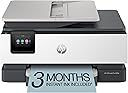
The HP OfficeJet Pro 8135e is a versatile wireless all-in-one inkjet printer designed for home offices and small businesses. It delivers fast printing speeds up to 20 ppm black and 10 ppm color, enhanced by AI-driven print optimization for flawless documents. Featuring a 2.7-inch touchscreen, automatic duplex printing, and a 225-sheet tray, it streamlines your workflow while supporting eco-friendly practices with 45% recycled plastic construction. The HP Smart app enables seamless mobile printing, scanning, copying, and faxing, backed by robust security and a 3-month Instant Ink trial to keep you effortlessly stocked.


| ASIN | B0CFM7BTW8 |
| Additional Printer Functions | All In One |
| B&W Pages per Minute | 20 pages_per_minute |
| Best Sellers Rank | #8,456 in Office Products ( See Top 100 in Office Products ) #42 in Inkjet Computer Printers |
| Brand | HP |
| Built-In Media | HP 923 Setup Black Ink Cartridge; HP 923 Setup Cyan Ink Cartridge; HP 923 Setup Magenta Ink Cartridge; HP 923 Setup Yellow Ink Cartridge; Power Cord; Regulatory Flyer; Ink Caution Flyer; Setup Poster; Reference Guide |
| Color | Light Cement |
| Color Depth | 24 bits_per_pixel |
| Color Pages per Minute | 10 pages_per_minute |
| Compatible Cartridge | Original HP cartridges with HP chips or circuitry |
| Compatible Devices | Laptops, PC, Smartphones |
| Connectivity Technology | Ethernet, USB, Wireless |
| Control Method | App |
| Controller Type | Android |
| Customer Reviews | 3.8 out of 5 stars 3,722 Reviews |
| Display Type | touchscreen |
| Duplex | Automatic (standard) |
| Hardware Interface | Ethernet, USB |
| Initial Page Print Time | 18 seconds |
| Ink Color | Black, cyan, magenta, yellow |
| Item Dimensions D x W x H | 13.29"D x 18.12"W x 9.17"H |
| Item Type Name | Inkjet printers |
| Item Weight | 19 pounds |
| Manufacturer | HP |
| Maximum Copies Per Run | Up to 99 copies |
| Maximum Copy Resolution Black and White | 1200 x 1200 dpi |
| Maximum Copy Resolution Color | Up to 600 dpi |
| Maximum Copy Speed Black and White | 12 pages_per_minute |
| Maximum Media Size | 8.5 x 11.7 in |
| Maximum Print Resolution Black and White | 1200 x 1200 rendered dpi dots_per_inch |
| Maximum Sheet Capacity | 225 |
| Maximum print Resolution Color | Up to 4800 x 1200 optimized dpi on HP Advance Photo Paper 1200 x 1200 dpi input dots_per_inch |
| Model Name | New Version |
| Model Number | 40Q35A#B1H |
| Model Series | 8130 |
| Number of Ethernet Ports | 1 |
| Number of Trays | 1 |
| Other Special Features of the Product | Forest First product with HP+; FSC Certified Packaging; Contains ocean-bound recycled plastic; 45% post-consumer recycled plastic; Recyclable through HP Planet Partners, HP Instant Ink eligible; Automatic document feeder; Touchscreen; Quiet mode; Print over VPN with HP+ |
| Output sheet capacity | 60 |
| Paper Size | 8.5 x 11;8.27 x 11.7;8.5 x 14;7.16 x 10.12; inches |
| Power Consumption | 4.45 watts |
| Print media | Paper (plain) |
| Printer Connectivity Type | Ethernet, USB, Wireless |
| Printer Output Type | Color |
| Printer Type | Inkjet |
| Printing Technology | Inkjet |
| Processor Count | 1 |
| Resolution | 4800 x 1200 |
| Scanner Type | Flatbed, 1-sided ADF |
| Series Number | 8130 |
| Special Feature | Forest First product with HP+; FSC Certified Packaging; Contains ocean-bound recycled plastic; 45% post-consumer recycled plastic; Recyclable through HP Planet Partners, HP Instant Ink eligible; Automatic document feeder; Touchscreen; Quiet mode; Print over VPN with HP+ Special Feature Forest First product with HP+; FSC Certified Packaging; Contains ocean-bound recycled plastic; 45% post-consumer recycled plastic; Recyclable through HP Planet Partners, HP Instant Ink eligible; Automatic document feeder; Touchscreen; Quiet mode; Print over VPN with HP+ See more |
| Specific Uses For Product | Home |
| Total USB 2.0 Ports | 2 |
| Total Usb Ports | 2 |
| UPC | 196337163942 |
| Unit Count | 1 Count |
| Warranty Description | One-year limited hardware warranty with option to extend to two-years with acceptance of HP+ Offer. For more info please visit us at support.hp.com . |
| Warranty Type | One-year limited hardware warranty with option to extend to two-years with acceptance of HP+ Offer. For more info please visit us at support.hp.com . |
| Wattage | 100 watts |
T**G
Printer Quality
This is a great option for in-home business printers. The ink is automatically delivered through the device's built-in messaging. I print a lot of documents, and this printer has held up well.
L**H
I would avoid this printer.
Update, no longer 5 stars: It’s not been a good experience. I went to print double sided one day. It jammed every time. I contacted support did everything they asked. They sent me a list of places I could take the printer to for repair. I found one in a neighboring city. Waited for a reply. Took several days to a week. They don’t service residential printers. Okay so contacted support again. Again went through all the steps with them. Each time taking at least an hour. We gave up printing double sided. Then it started only printing in black and blue ink even though not low on ink. Went through an hour of support. Got hat fixed but running 3 clean out cycles of the ink jets. Yay. But then it started jamming again every time we printed anything. It became useless. Spent another hour with support. They sent me a new printer because it was still under warranty. Tried setting up new printer. Got this weird blue screen of death. Did another hour of tech support. Sending another replacement printer. But you have to keep running to Fed Ex because you only have 2 business days to return the printers or they will charge your card. Which is fine. I am happy to at least not have to pay for a new printer. Disappointed in this model and I’m not holding out much hope that the new one arriving today will work. 5-star review: Great so far. Our HP we’ve had for a while broke (started jamming). So we needed a new one. This is our third HP Instant Ink printer we’ve owned. I’ve also given 2 as gifts! Did a little research and this is what I needed. Set up was super easy. I love that this is a much lower profile than my last one and it looks nice and modern! Love the color as well. Set up was a breeze. Easier than any of my other ones. Was able to simply switch it out in HP Instant Ink as well. The ink cartridges are quite small on this one compared to my other one so that should be interesting. But they’ve never let me run out of ink yet, so I think we are good. We use Mac’s and iPhones so it was almost plug and play. Software updated quickly. Printing from the computers and the phones in less than 15 minutes! Software also updated.
K**S
Budget friendly all in one printing device
The HP OfficeJet Pro 8130e is an all in one unit that prints, copies, scans and has fax capabilities. I chose this printer as a home consumer with medium volume printing needs who wanted the ease of a Wi-Fi connection for printing from my various devices. Setup was relatively straightforward with the included quick start guide which directed me to download the HP Smart app. Connecting to my network was effortless and through the step by step setup guide in the app I was printing my first page in under ten minutes. This device is in the family of HP+ printers (as indicated by the letter e at the end of the model number). HP+ is an optional program that provides a few "features" but the one that stood out to me was the inability to use third party ink if activated so I opted to decline HP+. You will want to do your own research before making a decision on this. The print quality and speed are impressive for an inkjet printer that is not a dedicated photo printer. See my attached photo for a comparison of a high quality print sheet image compared to the actual printed version. Some quality is lost in photo printing, but again, this is not a dedicated photo printer. I wish the ink cartridges had a higher page yield (cartridge yield is approximately 500 pages from black and 400 pages from each color). To be fair, I own a b&w laser printer and am spoiled by the longevity of a toner cartridge but I have always preferred high yield cartridges for their convenience and cost savings. Overall I am pleased with this printer given its cost vs performance. Time will tell how it holds up and how long the ink actually lasts. I have not yet experienced any of the issues outlined in other reviews and will update my review if I do.
S**S
Great Printer for Home Office Use: Excellent Print Quality, but Some Features Need Improvement
The connection was straightforward; I used the Quick Start Guide on my phone, scanning the QR code and following all the instructions. It was easy and understandable. However, when I was installing the ink cartridges, the instructions were not very clear. I had to refer to the Reference Guide to understand a bit more. But it didn’t take more than a minute or two to get it done. The connection to my home Wi-Fi was very simple, and the alignment was also easy. The online guide asked me to print the “WiFi Quick Start Guide,” which I did, and I just followed all the instructions. It took me about 10 minutes or less to set it up and have it ready to print. I like that it has the option to send a fax via mobile. I haven't tried it because faxes are not commonly sent nowadays, but it could be useful if needed. I tested scanning a document and found the configuration for scanning very difficult. I followed the steps indicated by the QR code until it started asking for information about my email passwords, email security settings, and other things that I don’t understand because I’m not an IT expert. So, I tried using my email and adding it. The final result was that I couldn’t send myself an email with the scanned document. I found it very difficult and didn’t want to try again because I can easily scan a document using my mobile and send it to any email in an instant. I set up the printer on my computer to start printing the documents I need for my work, and the result was as expected after purchasing a printer. The setup was super easy and fast. I sent the document to print, and the print quality was very good and quick. For now, and according to what I need, which is to print my documents, the printer works very well. There’s also the possibility to set up a “Smart Ink” application and configure free ink purchases for 3 months. After this, you need a payment plan for the ink. Honestly, I’m not interested in doing this because I want the freedom to buy ink when I need it, and I don’t want to be sent and charged according to a predetermined schedule. In conclusion, I like the printer; it prints very well, and the printer and Wi-Fi setup (not the scanner or fax) have been easy and quick. It prints with good quality and does exactly what I need at home.
B**N
Ink is expensive for refills.
Good price and works well. Only negative is it uses ink pretty fast, but produces good copies.
W**N
Easily the best printer I've ever owned
Printers have historically been the bane of my existence however this printer does everything that it was supposed to do. Configuration was surprisingly simple and effective and the three-month free ink program is a no-brainer.
J**S
Nope! Wouldn't Buy Again
I don't love it. It's been hard to pair to my computer and phone for printing. It seems poor quality compared to my last HP printer. The ink goes sooooo fast!! I just do not like how it operates. The size is perfect. Not too big to have on the counter. The quality is great when the ink is full enough to print but like I said the ink goes so fast I rarely get a good quality print. Steer clear of this printer.
N**S
Terrible - DO NOT BUY
This is a TERRIBLE printer. First, the plastic is so thin that I thought I was going to break it when I opened it to load the ink. Second, when it prints, it is L-O-U-D! My experience: Right out of the box, I used the app (God, I wish manufacturers would stop requiring an app for every setup) to set it up. When it tried to print a test sheet, the paper jammed. I cleared that and tried again, and again and again (6x total) before I got it to successfully feed a sheet. When it did, nothing printed, and it gave me "paper tray is open" error (it wasn't). Cleared it all again, and on the fourth attempt, it finally printed... but again, "paper tray is open" error again. Then I tried to print from my computer - paper jam... FML. I connected it to my laptop via a USB cable, but it wouldn't recognize the connection and kept trying to connect via WiFi (way less reliable). That was enough! I couldn't return this thing fast enough. What a PoS. DO NOT BUY THIS PRINTER. I replaced it with a Brother printer that worked seamlessly right out of the box. I used to be an HP loyalist, but they have simply devolved to producing cheap crap. I will never by HP again.
W**N
A great printer/works well
Came quickly. Was fairly easy to set up. Good value.
N**L
Outdoes all other printers!
I’m really impressed with this printer! It can print from anywhere in the house, which is super convenient. The installation process was quick and easy, and it fits well in compact spaces — it's small but not too small, which is perfect for my setup. The only downside is that the paper tray is a bit shallow. If you print often, you’ll need to refill the paper more frequently than I’d like. Other than that, it’s a fantastic printer that does everything I need. Highly recommend this printer — especially for those looking for space-saving options and seamless printing from anywhere in the house!
T**.
Useless
Just awful. Took forever to connect and set up, 2 hours later it finally printed a test page and I was able to use it for some light printing same day. A week later, it only printed blank pages. No amount of diagnostics (said all was fine), testing, setting, reconnecting, unplugging, adjusting, printer head cleaning, rebooting modem, HP Smart app etc would get it to print a page with black or colour ink. I even got disconnected from the chat bot people on line while trying to get this resolved. Printer was a week old, inks were brand new and full. Eventually got an open door error - which it wasn't. Have to return this. Shame really.
P**C
Accessoires d’imprimante
Mini cartouches d’encre et le prix est quand même assez élevé
C**N
Out of the box and running HP Officejet Pro 8135e
It has some weight, I carried it home from the postal outlet, driving is smarter! Replacing a much older model that died. The setup is a little different, use the online helps. The format for scans is different. The image is better. A multi-page scan will produce a scan for each page and not one long multi-page the old machine produced. Generally good thinking, you might put a post-it note on the machine in plain view with your Wifi code so others can get their devices linked without chasing after you again and again.
Trustpilot
1 month ago
2 months ago