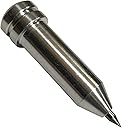


Etching/Engraving Precision Tip Tool for Maker & Explore (Standard)
Product ID: 56234097
Details
- BrandChomas
- MaterialAluminum
- ColorSilver
- Active Surface Area120 square
- Operation ModeManual
📏Accurate Design
🔧Precision Tip
⚙️Versatile Use
🎨 Craft Your Vision with Precision!
The Etching/Engraving Precision Tip Tool is designed for makers and creators who demand accuracy and versatility. This tool seamlessly integrates with Maker & Explore devices, allowing for intricate designs and durable results. Perfect for both novice and experienced users, it empowers you to bring your creative visions to life.
| ASIN | B078WDT29K |
| Active Surface Area | 120 square inches |
| Best Sellers Rank | #281,250 in Arts, Crafts & Sewing ( See Top 100 in Arts, Crafts & Sewing ) #797 in Jewelry Making Engraving Machines & Tools |
| Brand | Chomas Creations |
| Brand Name | Chomas Creations |
| Color | Silver |
| Customer Reviews | 4.5 out of 5 stars 858 Reviews |
| Included Components | precision tip |
| Item Weight | 0.01 Kilograms |
| Manufacturer | Chomas Creations if ordered from Ellie Belle or Wear the Music |
| Material | Aluminum |
| Material Type | Aluminum |
| Model | 4336822421 |
| Operation Mode | Manual |
| Part Number | CC-CM-PT |
| Print media | Card stock |
| UPC | 726714979240 |
| Warranty Description | Lifetime warranty |
J**E
Works perfectly on explorer 2
I did 2 “cuts”, but after just one cut the engraving looked great. I made sure to purchase directly from the creator, Chomas Creations. It was a few dollars more than other sellers on here, but it was worth it to make sure I was getting an authentic piece and not something from China that may have damaged my Cricut.
A**E
Great.
Love it. Use it for my Cricut 2 for engraving.
K**L
Have to keep an eye on the tip but works wonderfully!
I use this in my Cricut Explore 3 (after warranty expires) and it works beautifully but I do have to keep an eye on the tip. It works loose!
O**I
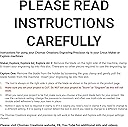
Works as intended but must use the settings listed on the directions only
This Chomas etching/engraving Precision tip worked well in the Cricut maker for engraving acrylic disks. The engravings were sufficiently deep and clear with one "cut". However, you must use the exact settings recommended in the directions that comes with this tip or the Maker will not recognize the tip and won't work. I could have purchased the actual Cricut engraving tip then just used the regular Cricut settings for engraving but I saw this tool recommended on a few different videos. However, I don't know what the difference is in performance between this Chomas tool and the actual Cricut engraving tip. I'm reading that this Chomas tip has a finer point and therefore can do finer engraving but I can't verify this claim myself.
M**E
Nice
Works in explore 3
H**E
Great Engraving Tool
I used with my Cricut Explore Air 2. I did not need any other tool or adapter for it to fit in the holder. I followed the instructions that came with it. I did a multicut. You definitely need to use a strong sticky mat. I colored over it with an enamel marker, let it sit for a minute, then rubbed off the excess so the marker inside the engraved wording remained to give contrast. This worked great for our TopGun party.
J**Z
No instructions
No instructions or anything included?
N**N
Works well!
Used an explore air 2 and it worked wonderfully. Took a bit to figure out placement on mat, but got it finally. Used cardstock+ setting and ran cut 2Xs for insurance and did the job! Just make sure the tip is screwed in tightly before you begin.
Trustpilot
1 week ago
3 weeks ago