Desertcart purchases this item on your behalf and handles shipping, customs, and support to SINGAPORE.
⚡ Power Your Home with the Future of WiFi – Speed, Security & Style in One!
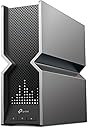
The TP-Link Archer BE800 is a cutting-edge WiFi 7 tri-band router delivering up to 19 Gbps combined speeds with advanced features like dual 10G WAN/LAN ports, 8 high-performance antennas, and an interactive LED display. Designed for large homes and tech-savvy users, it supports EasyMesh for seamless whole-home coverage, robust security with HomeShield, and flexible wired connectivity options, making it a future-proof powerhouse for demanding networks.


| ASIN | B0C4VZWTM7 |
| Antenna Location | Gaming, Home |
| Antenna Type | Internal |
| Best Sellers Rank | #85 in Computers & Accessories ( See Top 100 in Computers & Accessories ) #11 in Computer Routers |
| Brand | TP-Link |
| Built-In Media | Power Adapter, Quick Installation Guide, RJ45 Ethernet Cable, Wi-Fi 7 Router Archer BE800 |
| Color | Black/Gray |
| Compatible Devices | Gaming Console, Personal Computer, Smart Television, Smartphone, Tablet |
| Connectivity Protocol | Wi-Fi |
| Connectivity Technology | Wi-Fi |
| Control Method | App, Voice |
| Controller Type | App Control, Voice Control |
| Coverage | Large Home (4+ Bedrooms) |
| Customer Reviews | 4.0 out of 5 stars 522 Reviews |
| Data Transfer Rate | 19 gigabits_per_second |
| Frequency | 6 GHz |
| Frequency Band Class | Tri-Band |
| Global Trade Identification Number | 00840030706974 |
| Item Dimensions L x W x H | 11.87"L x 10.32"W x 3.78"H |
| Item Highlight | 12-Stream 19 Gbps | 2×10G + 4×2.5G Ports | LED Screen, 8 High-Performance Antennas | VPN, Easy Mesh, HomeShield, Private IoT |
| Item Type Name | Router |
| Item Weight | 4.8 pounds |
| LAN Port Bandwidth | 2.5G/10 Gbps |
| Manufacturer | TP-Link |
| Maximum Upstream Data Transfer Rate | 10000 megabits_per_second |
| Mfr Part Number | Archer BE800 |
| Model Name | Archer BE800 |
| Model Number | Archer BE800 |
| Number of Antennas | 8 |
| Number of Items | 1 |
| Number of Packs | 1 |
| Number of Ports | 7 |
| Operating System | RouterOS |
| Other Special Features of the Product | Access Point Mode, Guest Mode, QoS, WPS |
| RAM Memory Installed | 2 GB |
| Router Network Type | hybrid |
| Security Protocol | WPA/WPA2-Enterprise (802.1x), WPA2, WPA3 |
| Special Feature | Access Point Mode, Guest Mode, QoS, WPS |
| UPC | 840030706974 |
| Warranty Description | 2 year manufacturer |
| Wi-Fi Generation | Wi-Fi 7 |
| Wireless Communication Standard | 802.11.be, 802.11ac, 802.11ax, 802.11g, 802.11n |
| Wireless Compability | 802.11.be, 802.11ac, 802.11ax, 802.11g, 802.11n |
G**S
Performance improved after updates and fast.
Updates I changed all my cat 7/8 cables and also call my service provider to check the landline outside. It turned out that the land line was bad so it is not Tp-link devices after all. Also there is also issue with the coaxial cable so it was replaced too. After I updated the firmware everything runs smoothly. I guess the combinations of different issues is making it so hard to diagnose. Worst of all is the main line outside the house which was bad. The only downside is Tp-link vpn feature is not not good compare to some other routers inluding mini and travel routers I purchased before. That is one thing that need to add. Old review Not sure what is going on but it seems like Tp-link routers are getting worst. I have the old tp-link 1800 and later Deco 60x3 (my house). I also bought Deco 50 (on another parent's house) The first old tp-link has a limited bandwidth and needs constant reset once the ram is full due to activity and the Deco 60 has a constant disconnect which is bad for vpn. At first my pfsense is running good as a main router with Deco 60 as a secondary. Not sure what is going on suddenly both routers when acting as main routers are having issues. The pfsense I believe it is due to some addon security which I need to check again. The Deco 60 (3 devices) constant connection drop is bad for my vpn which I am using for work. So, I am trying this BE 800 bust not even 10 minutes later I am having even a worst issue. It couldn't be my cable modem because the Internet is on and this Be800 is not getting the dynamic ip of all sudden. I have to reboot both devices several times to get my connection back. The plus side is it has extra ports in contrast to the Mesh routers Deco 60 but my connection couldn't go beyond 700 Mbps which is original 1 gbps before using this new router. For Deco 50 I don't have any issue with it. I haven't buy a 10gbps switch but I do have server with multiple 10 gbps ports. I was thinking create a virtual pfsense server from it. I replaced all my cables with new cat 8 and few cat 7. Cat 8 is very cheap and on sale, so why no but it doesn't resolve the issue. I will keep it for a week and if the connection is dropping still, I will ask for a replacement. If that doesn't work I will simply refund it. cable modem -> 1st map -> Be800 ->direct connection desktops, laptops and phones -> Slow and Internet drop. When the first map failed or having issue, this second one is obviously having the same issue. 2nd Map -> Be800 -> Deco 60 -> Tp-ink 1800 -> devices -> Be800 -> pfsense -> devices -> Be800 -> switch -> tplink gb switch switch -> router switch -> desktops, laptops
P**H
Best MESH I've Run Across in terms of Speed and Stability!
First step is I updated each of the two BE800's firmware. Setup with the phone app was easy. No teachiness really need than the basics in the software walkthrough. Results: I have 2 BE800's set up in a mesh. One on each floor of my house. I can get 1.1Gps (1.3Gbps Comcast line) standing on my deck through several walls & stucco (1.3Gbps inside of my house) where the router is on the other side of the house. In comparison, the Costco Deco 11000, with all 3 in a mesh, only gives me 400-500 Mbps on my deck, with the 3rd node right next to my sliding door. There's a guy on YT that compared the range and speed of the TPLinks (BE, GE lines) and the $650 ginormous "King of Kings" $600+ Asus ROG external antenna router and the BE800 was nearly as good (I got my BE800 on discount for $258/each...VERY happy with their speed and stability.....I just wish the software was deeper for my nerdiness). BTW, there's no "variant" of equipment mix that has allowed me to get consistently above 1Gbps anywhere inside my house aside of 2 BE800's in a mesh. I've tried the Deco 11000 of course, but also 2 BE 550's, and 1 BE550 with a monster GE800. It seems that having the SAME software and EXACTLY SAME(!) equipment offers the best stability and speeds to communicate with each other efficiently in Mesh. The BE800 is larger than the BE550 and thus larger antennas, and I think that it makes a BIG(!) difference. I finally feel I'm getting the internet speed I'm paying for with the two BE800's. So I'm thoroughly pleased. I'll update the review if ANYTHING other than great performance changes. (BTW, I'm not impressed with Mesh tech, per say, when you have 3 or more units. If you're walking around, you're inevitably connected waaaay too long to the weaker node before jumping to the next. That jump will likely result in your VOIP phone call dropping/stalling. It's a PITA. I literally have to turn the device WiFi off and on again so I get the strongest node. In comparison, with the two BE800s and its giant internal antennas, the strong range cuts a huuuge swath and thus no bouncing from node to node...it acts more like an access point for the 2nd floor, without having to manually switch WifI names...which is the whole point of Mesh....the "auto" thing. Also, having 3+ nodes in a chain (i.e. node 3 to 2, 2 to 1 Primary router) causes more lag as the signal speed echoes getting to the main router. A simple test was watching Youtube TV on my deck. When hitting the 10 second backwards button 3 or more times on my Macbook, the stream would lag and wheel starts spinning waaay too long, almost to the point where I have to close the browser. With the 2 BE800's I can quickly hit the backwards button countless times and acts PERFECTLY/SNAPPILY! Again, less "node lag" (and much more speed!) as I have two same model, super powerful units doing the communication! )
K**N
Works good, for an hour. Then doesn't.
If you have your own modem and have Xfinity Don't waste your time. I hope this thing up relatively easy to do and it worked for an hour and a half maybe 2 hours and then went into a down arrow, smiley face LED display. It would not reset to factory no matter how long you held it. I called the company The response time is quick You put in your phone number to call you back within 15-20 minutes. Told him what happened he walked me through it we got it hooked up again, it worked for an hour and a half maybe two hours and then went right back to the down arrow LED display. Maybe it doesn't like a dynamic IP address, maybe Xfinity doesn't like TP-Link. Not sure but one day screwing around with this is about all I can do. You enjoy wasting more than a day of your time or might be for you.
R**G
Easy setup and great performance.
Fantastic... setup was pretty easy and performance is great. I had my internet upgraded from 1gig to 2. I needed a new router as my old one would not do 2gig. I intially went with my ISPs wifi mesh routers and wifi speed was underwhelming to be nice and customizations were next to none. I ordered the TP-Link and the performance is 100% bettter and coverr my 2800ft house with no probelms. I'm getting WiFi speeds around 1.4 gig. down and 900mb up. I would recommend. Wifi 7 works well. Early on but 0 issues here.
R**G
It is OK, but the LED panel is a clown town accessory.
Set up and config is as easy as I've ever seen. This replaces my Orbi RBK763 with two remote nodes, and it was likewise simple, and even so the TP-Link wins in the set up race. It is fast too, now that I've moved from async Coax (Xfinity - gig down, 50m up, when was often 5-600 down, and 35 up) to synchronous fiber (Rapid Fiber -2G up, 2G down). 12 years of my career was as a EE, and my last 14 was as a data center designer/implementer, so I've had my hands in the world since early (slow) dialup, through coax, twisted pair CAT wires, and fiber plants with multi-mode and single-mode. With that background I still look at and review consumer products as though I was a first time home person attempting to set up their own router and wifi configs. Of course the folks who write the software should build their solutions with two forks, from which you can select; I have no experience with routers and wifi, to I'm an experienced user and want full set up and control. For the new user it should be a question based, with minimal or a split window view. On one side you answer simple questions, on the other side it should show the user how their question populated the set up (if they have an interest in learning more about their router, or the cause and effect). Where the router falls down a bit is the wifi signal. No one in my home has a device with a wifi 7 radio (our TV is 6, I have a Z Fold 5, my wife has an iPhone 15 Pro, our appliances are all 3 years old, the wifi on my desktop is 4 years old, and out laptops are 1-3 years old). Even so, we've noticed speed improvements while connected via wifi. But the throw (distance you get reliable wifi connectivity) is not great. While it is better than the Orbi base as a stand alone device, I am still going to have to add a couple nodes to get improved coverage. We live in a 30x71' home, with wood construction, but a metal roof. So at just over 2,100 sq ft you'd hope for whole home coverage, but no. The LED display - I'm certain this has a target demographic, but when your router is in a main room, it is both annoying and distracting. I've not dug into the setting deep enough to see if there is a disabled setting, but there is a button on the front to disable them. This works until the router processes an update, and is reset to on after any reboot. A little background. I have a penchant to use Netgear routers/modems (pick your preferred term) for probably 10-12 years, so for me to move to TP-Link was a big step. Kind of like starting to eat a food you've not had a taste for your whole life. On the other hand, when I look at my stack of unmanaged switches all of them are TP-Link. They've been around for a very long time and make reliable products. While I'm not yet fully satisfied with the product, it is doing it's job talking to the world, and only a little weak on the throw of wifi. I'm hoping to attach my Orbi mesh nodes, since this TP-Link says it is mesh friendly. I take that to mean it will use other mesh products without a problem?
T**N
Great Customer Service
Update as Feb. 2026: I am happy to update that BE24000 (Archer BE900) unit has been flawless for about 5 months and very satisfied. I just upped the rating to full 5 stars given my experience with this new unit. I will see how it goes during hot summer although I now have the mentioned laptop cooler pad under the router in case there is any ventilation/cooling issue. Update as of September 2025: TP Tech Support reached out to offer an upgraded model of BE24000 (Archer BE900) unit as a replacement with free RMA of the older unit. Some hiccups in getting the new unit, but at the end I received and set up the new unit (upgraded model, BE24000). Two things I now have different in the setup beside a newer model: 1) I put USB laptop cooling fans under the router (also on the modem in case) as my house gets pretty hot during summer days; 2) I am not attaching the USB Backup Drive used for file shares and Time Machine for a MacBook. It performs great on the first day. Time will tell its stability and reliability, and I will update that. Although it took a while with much interruption in my family's critical internet needs (remote work, school, etc.), I am glad that I may be able to put all those behind. For TP-Link Tech Support's effort and great courtesy, I am bumping up the star rating. Most of all, they changed my mind on the brand. Bought this back in October 2024 when it was almost close to $400 to get WiFi 7 and faster speed with multi-Gig port. Then, after about 8 months of use, all of a sudden it started dropping some wireless devices mostly 2.4G ones first. Was able to access the router management GUI through a PC ethernet connection as well as through Tether mobile app, but soon not accessible. Some 5G and 6G mobile devices still worked fine for a while. 2.4G shows up in the available network list but fails to connect. Tried to connect to 2.4G from my phone (was connected to 5G and working fine), but it also failed. At this point, it will fail to connect if I switch back to 5G WiFi on my phone. Anything that was still connected would work until it was manually disconnected and try to reconnect. At reconnect, it will fail to get IP address: DHCP failure. This is the same for wired PC if I disconnect and reconnect the ethernet, failing to get IP address from the router's DHCP. I have been troubleshooting this from trying various different router settings based on TP-Link community and working with TP-Link Tech Support, but nothing worked. For a while I thought it was some sort of thermal failure as this started on a very hot day and it repeated on hot days, but the other day it did it again when it was quite cool and even with cooling fan that I put underneath it. TP-Link Tech Support escalated this to their Engineering Team, but I got tired of this and am inclined to forget about several hundreds of dollars and hours and days of troubleshooting this piece of junk and throw it into the e-waste dump. Absolutely disappointed and frustrated. I put my old ASUS router, slower, but stable and consistent. I will not buy another TP-Link product.
S**I
Powerful Router with Rich features and future proof.
I'm not an expert but understanding computers and thermal degradation issues related to almost any electronic equipment is important. Setup is intuitive via the Tether App. There has been some complaint related to instability in the early stages after release but I think that trough firmware upgrades most of those are gone. My first week was a bit annoying with the router slowing down or disconnecting but once I added the AC Afinity coolings fans stability was achieved. In my opinion despite the negative feed back it's great router and if you have new gadgets that uses wi-fi 7 or 6G youll see the benefits.
D**.
Fast When You're Close To It, But Not Worth The Money
This is typical TP-Link. A budget product that is packaged to look and perform like a high-end product. The first time going through the setup on their Tether app, the setup failed. It worked on the second attempt. Took about 30 minutes total, which is wholly unacceptable for a router at this price point. The speed when you have full signal strength is awesome, however random devices get dropped all the time. On my iPhone 17 Pro Max, internet gets dropped as soon as the signal hits 2/3 bars. My Liftmaster garage door opener loses connection for random amounts of time about 3-4 times per week and it's only about 20ft from the router, albeit through 1 wall and 1 floor. The usable range isn't great because of this issue. It does not appear to automatically switch devices between 2.4GHz and 5GHz for better range, like my older (and cheaper) wifi 5 or 6 Asus router, which provided usable wifi for my entire 2100sqft house plus the majority of my .59acre yard. This TP-Link router loses usable signal within 20ft of stepping outside. The 6GHz band has to be a separate wifi network from the 2.4GHz and 5GHz bands and has such horrid range, I disabled it within 2 hours of setup. I'm sure the throughput on it is incredible, but only if you're in the same room. My 850mbps internet is also not fast enough to need the 6GHz band. The screen on the front is kinda fun to play with for the first couple days and the Tether app allows you to change settings even when you're not connected to the router directly, which is a nice touch. I would only recommend this to someone with a small house, who does not use a lot of smart devices.
B**O
Excelente
Es una excelente marca para router para transmisión a altísima velocidad, es el mejor hoy en el mercado en Enero del 2024.
A**I
اقوي جهاز راوتر جربته الي الان
اقوي جهاز راوتر جربته الي الان بدون مشاكل
S**N
Speed Monster - Highly Recommended
Were using standard Du's Linksys Modem and reaching 600 mbps, now with TP, i can get 950 mbps. Huge speed gain for me However interface is a bit basic, for flagship model i woud expect more functionality
M**I
قوة الاشارة
من افضل الراوترات التي عرفت فقط السعر شوي غالي بس يستاهل وخاصة أهل الاعاب إلكترونية سريع جداً وممتع لمشاهدي الأفلام
B**R
Amazing speed and performance.
One of the best wifi 7 routers in the market hands down. Amazing performance, fast speed and strong connection.
Trustpilot
4 days ago
1 month ago