Buy anything from 5,000+ international stores. One checkout price. No surprise fees. Join 2M+ shoppers on Desertcart.
Desertcart purchases this item on your behalf and handles shipping, customs, and support to SINGAPORE.
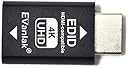
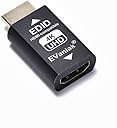
How to Fix PS5 120Hz Not Showing with EDID Emulator?Step1:Select Performance Mode&Disable HDCP.Step2:Rest on Resolution option.Plug the Edid emulator to PS5.If the screen is black,press X----press down(or up)----press X.This is a blind operation to adjust the resolution to 1080P.done.. Review: Fixed my Windows issue! - These EDID emulators are exactly what I needed. I run a SFF with 4 outputs going into an HDMI switch with PiP. After upgrading to a 75" Samsung TV, Windows was constantly rearranging the PiP windows when I shut the TV off, something that did not happen with my older 65" Samsung. These EDID emulators do exactly what they're meant to do, and make Windows think that the monitors are always there. No more rearranging when I turn the TV back on! Review: Perfekt für 1440p und mehr - Vielleicht kennt ihr das ja (warscheinlich aber nicht) ihr habt ne HDMI Matrix; Switcher; Split. Mit eigener EDID. Die meisten Videokomponenten gehen von 1080 (FHD) über 1200 (WUXGA) direkt zu 2160 (UHD) d.h. obwohl 1440 (QHD) technisch kein problem darstellt lässt Windows einen die Auflösung nicht auswählen weil die EDID sagt "QHD? Kann ich nicht". Und da kommen diese kleinen Helferlein ins Spiel. Entgegen der meisten EDID Emulatoren sind mehr Auflösungen unterstützt und der 1440p Monitor kann endlich wieder auch mit voller Auflösung laufen. Man sollte halt nur grob wissen was man tut. Wählt man eine Auflösung die höher ist als der monitor oder von dessen scaler nicht unterstützt wird gibt's auch kein Bild.


| ASIN | B07YMNDZT8 |
| Best Sellers Rank | #263 in HDMI Cables |
| Customer Reviews | 4.2 4.2 out of 5 stars (1,930) |
| Date First Available | October 14, 2019 |
| Item Weight | 1.76 ounces |
| Item model number | 3ª Generrtion |
| Manufacturer | Evanlak |
| Product Dimensions | 1.6 x 0.8 x 0.5 inches |
P**5
Fixed my Windows issue!
These EDID emulators are exactly what I needed. I run a SFF with 4 outputs going into an HDMI switch with PiP. After upgrading to a 75" Samsung TV, Windows was constantly rearranging the PiP windows when I shut the TV off, something that did not happen with my older 65" Samsung. These EDID emulators do exactly what they're meant to do, and make Windows think that the monitors are always there. No more rearranging when I turn the TV back on!
F**N
Perfekt für 1440p und mehr
Vielleicht kennt ihr das ja (warscheinlich aber nicht) ihr habt ne HDMI Matrix; Switcher; Split. Mit eigener EDID. Die meisten Videokomponenten gehen von 1080 (FHD) über 1200 (WUXGA) direkt zu 2160 (UHD) d.h. obwohl 1440 (QHD) technisch kein problem darstellt lässt Windows einen die Auflösung nicht auswählen weil die EDID sagt "QHD? Kann ich nicht". Und da kommen diese kleinen Helferlein ins Spiel. Entgegen der meisten EDID Emulatoren sind mehr Auflösungen unterstützt und der 1440p Monitor kann endlich wieder auch mit voller Auflösung laufen. Man sollte halt nur grob wissen was man tut. Wählt man eine Auflösung die höher ist als der monitor oder von dessen scaler nicht unterstützt wird gibt's auch kein Bild.
H**S
me sorprendio lo que hace facil
execelentes
G**W
Awesome
They work like a charm so far.
K**N
This is a Godsend
I have several monitors, and I never shut my PC off. So when I'm done with it, I just shut the LCDs off. Problem is, any open windows get all messed up because when you turn a monitor off the EDID information is lost and Windows freaks out and changes res. REALLY annoying. I put these on each monitor and now absolutely nothing happens when I power down the monitors. Sooooo nice! Windows stay right where they were when I shut them off. They are SO worth the money. Speaking of money, these were cheap. I kept seeing EDID emulators running ~$80 so when I saw these as a three pack for thirty bucks cheaper I was, to put it mildly, wary. However they feel like quality parts and perform the job admirably. No problem either with my one monitor I run at 2160p/60hz. So these are simply a good deal :)
Trustpilot
2 weeks ago
1 month ago