🖋️ Transform your iPad into a creative powerhouse with the Paperlike 2.1 – where digital meets the timeless feel of paper!
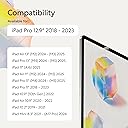
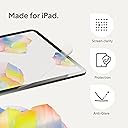
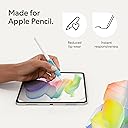
The Paperlike 2.1 Screen Protector for iPad Pro 12.9” (2018-2023) uses advanced Nanodots technology to simulate a real paper texture, enhancing precision for writing and drawing. At just 0.095mm thin, it’s optimized for Apple Pencil responsiveness while protecting your screen with scratch-resistant and smudge-proof properties. The package includes two protectors and tools for a bubble-free installation, designed for durability and maintaining screen clarity over time.


| ASIN | B0BJKPQNYH |
| Best Sellers Rank | #55 in Tablet Screen Protectors |
| Customer Reviews | 4.0 4.0 out of 5 stars (7,102) |
| Date First Available | October 20, 2022 |
| Item Weight | 0.353 ounces |
| Item model number | PL2A-12-18-2 |
| Manufacturer | Paperlike |
| Product Dimensions | 11.01 x 6.82 x 0.5 inches |
R**9
Installation is a bliss (when you order from paperlike)
I was really looking forward to writing on my iPad and feeling like I was writing on paper. The reviews, for those few, who can get it on,are great, so I took the bullet. I wasted 40$ and 2 paperlike protectors. First steps of the installation are easy enough, like any other protector. But once you go to remove "2" aka "paperlike side" you are done, the whole thing comes off, paperlike and "foil" I took my time, was not in a rush, watched the video 3x before attempting it on my own. The paperlike came off both times. It's not worth it if you can't get it installed. You waste money, energy and end up with the same glass screen to started with. I wish I could have gotten it on, but the other reviews are right. Installation is hard, and may be 1/3 of them work out for a great experience. So disappointed UPDATE: I updated from 1 star to 5 stars. This is why... 1. Customer service is amazing, they contacted me after my initial review and sent me a replacement for free. It arrived in 2-3 days, so fast and efficient at no extra cost. 2. I realized it's not paperlike's fault. It comes down to storage/Amazon/heat. I believe the first one I got from Amazon wasn't stored properly and the two films were practically melted together, so they came off together. The paperlike I got from the company itself was a bliss of an installation. I followed the same steps as before, but ran into absolutely zero issues. 3. It really feels like you are writing on paper! And also like you are flipping real pages in a way? It has a different feel when scrolling through pages (left/right) that's similar to paper ..you just have to try it, hard to explain lol Only con is the slight opacity it brings to the screen. About 5-10% opacity, but Ill get used to it cause the trade off it's absolutely worth it. Biggest lesson here, order directly from paperlike, follow the video and you'll have no issues ...and if you do, they got your back ;)
R**L
Updated -- installation tip
My original review is below. I had a hard time with installation due to dust and air bubbles. I complained that there was no tool included to remove air bubbles, so when I was trying to eliminate them by pressing them out with my fingers, the sticky side of the protector was exposed to the air too long and I ended up getting a lot of dust particles. Paperlike read my review and sent me a replacement protector and also advised me to use something like a credit card to press out the bubbles. And they explained that they do not include a tool in order to reduce waste since most people will have a card / ID of some sort. I totally support this. I used a card to install the replacement screen and it worked like a charm. The protector is perfect now. I'm not sure why my first one was scuffing, but so far I'm not seeing that problem with the replacement. --- Original review: The first screen I installed had so many bubbles in it and seemed to draw in lint from the environment, had to discard. I install screen protectors regularly. With these, you have to lay them down really fast or you end up with lint. But installing fast means you don't have the opportunity to press or the air bubbles and no tool is provided for this purpose. I installed the 2nd screen more to my satisfaction but I'm finding that it scuffs easily despite me storing my ipad in a laptop sleeve and the scuffs don't come off with cleaning. They are not scuffs caused by my Apple Pencil. I have no idea what they are, but I store my other iPad the same way and have never experienced this. I have another iPad for work and I installed a cheaper matte screen protector from an "off" brand and it has none of these problems. I went with the "nicer" protector for my personal iPad, but I feel like I wasted my money on this and will just have to buy another set of cheaper matte protectors. Can't seem to get any customer support since I've "used" these by installing them. Not a fan of wasting $45 plus the cost of protectors that I know will work. Goes to show that marketing efforts don't always equal quality.
H**O
Excelente producto, una experiencia de escritura genial
D**S
Not only makes it possible to write using the Apple Pencil, it gets rid of glare, smudges and fingerprints. Very easy to install as well.
A**I
I just got mine. I watched the guide once and followed all the steps diligently. Worked perfectly fine for me from the first try. Super clear instructions and an amazing packaging and branding! Loved it!
A**.
Writing on the iPad after installation is better than before. However, I still see my face on it, which I don’t like.
J**N
Application is a bit finnicky and difficult to apply perfectly, recommended to apply in a steamy room (After a hot shower). The product itself is very good, provides texture for the pen but is also very smooth compared to competitors, does scratch easily and is visible, but you wont notice it much when drawing.
Trustpilot
2 months ago
2 weeks ago