


Buy anything from 5,000+ international stores. One checkout price. No surprise fees. Join 2M+ shoppers on Desertcart.
Desertcart purchases this item on your behalf and handles shipping, customs, and support to SINGAPORE.
🚀 Elevate your home network—fast, stable, and effortlessly smart!
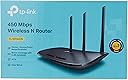
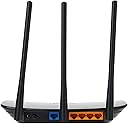
The TP-Link TL-WR940N is a high-performance wireless N router delivering up to 450Mbps on the 2.4GHz band, equipped with 3 external antennas for enhanced coverage and stability. It features 4 fast LAN ports, easy WPS setup, IP-based bandwidth control, parental controls, guest Wi-Fi, and VPN support, making it ideal for seamless HD streaming, gaming, and secure home networking.




| ASIN | B003Y5RYNY |
| Antenna Location | Security |
| Antenna Type | Fixed |
| Best Sellers Rank | 64,350 in Computers & Accessories ( See Top 100 in Computers & Accessories ) 473 in Routers 2,107 in PC Accessories |
| Box Contents | Installation Instructions, Tp-Link Tl-Wr940N V3 Wireless N450 Home Router |
| Brand Name | TP-Link |
| Colour | black |
| Compatible Devices | Smartphone, Tablet |
| Connectivity Protocol | Wi-Fi |
| Connectivity Technology | Wi-Fi |
| Control Method | App, Touch |
| Controller Type | Ios |
| Coverage | Far-reaching 2.4 GHz Wi-Fi coverage for 3 Bedroom Houses |
| Customer Reviews | 4.2 4.2 out of 5 stars (22,117) |
| Data Transfer Rate | 450 Megabits Per Second |
| Frequency | 2.4 GHz |
| Frequency Band Class | Single-Band |
| Global Trade Identification Number | 00755263230564, 00845973051464, 06935364051464, 06935364092887 |
| Has Internet Connectivity | Yes |
| Is Modem Compatible | No |
| Item Dimensions L x W x H | 14.5L x 23.1W x 3.6H centimetres |
| Item Part Number | TL-WR940N |
| Item Weight | 299 g |
| LAN Port Bandwidth | 10/100 megabits_per_second |
| Manufacturer | TP Link |
| Manufacturer Part Number | TL-WR940N |
| Maximum Upstream Data Transfer Rate | 100 Megabits Per Second |
| Model Name | Tl-Wr940N |
| Model Number | TL-WR940N |
| Number of Antennas | 3 |
| Number of Ports | 7 |
| Operating System | Microsoft Windows 98SE, NT, 2000, XP, Vista or Windows 7, Windows8/ 8.1/10, MAC OS, NetWare, UNIX or Linux |
| Other Special Features of the Product | Parental Control, QoS, Wps |
| Router Firewall Security Level | High |
| Router Network Type | Wireless |
| Security Protocol | WPS |
| UPC | 845973051464 |
| Unit Count | 1.0 count |
| Voltage | 9 Volts |
| Wi-Fi Generation | Wi-Fi 4 (802.11n) |
| Wireless Compability | 802.11n |
F**N
Great product, easy installation, great value.
Very quick delivery, quick and painless installation- plug and play virtually. Installed as a replacement for an ageing and temperamental wireless router. The router forms part of a large house wired and wireless network serving an area which just falls outside of reliable reception for the main wireless router. I expected, from previous experience, to have to jump through lots of hoops with the settings to achieve a working system. However it literally was plug and play, all worked immediately with only the SSId and password needing to be set up on its web page. This has proved how inadequate my previous router was, no more drop outs and fast loading on Amazon fire stick and chrome cast adapters and stable video streaming. And at such a low price! Highly recommended.
I**F
Works perfectly and very easy setup.
Bought this so I can network wirelessly in my flat using the buildings wifi as without it all devices have a separate IP Address. With this link it localises all my devices and boosts the signal in my flat to boot... win win. Signal strength is very good with no loss of speed that I can discern. Streams 4K video and Hi Res audio with ease as it did before & as I mentioned earlier my signal strength has actually improved in certain areas due to the signal now coming from the link and not the external unit my building uses for the residents. As for the setup it’s literally just a case of plugging in an ethernet cable (included) from the socket on the wall to the single blue input on the back of the link then wait a few seconds for the lights on the front of the link to come on and then using the password on the bottom pairing all your gizmos and gadgets to it. It’s that simple.
J**N
Cheap as chips and works well enough but don't expect awesomeness
If you want a cheap wireless router, this is pretty good. You can extend your existing wifi network, or add another access point, or just turn off the wifi and use it as a cheap ethernet (but mediocre) router. You get what you pay for: it's very flimsy and the aerials will pop off if you drop it. Also, and most importantly, it only has 100Mbit ports so if you use a provider like Gigaclear (like I do, running at 300Mbs) you won't see more than about 80Mbs from it. For connecting to an existing wifi network with typical fibre broadband speeds it's fine and works well enough. But don't expect it to be a powerhouse if you need higher speeds or a more complex network. These days, a mesh wireless network is the way to go. It's more expensive but definitely worth it.
J**B
Very easy to set up and works flawlessly
This is a great quality product and I'm extremely impressed with it, particularly at it was under £20 !! It was very easy to set up and has been working spot on since I installed it. I have set it up as a WAP (Wireless Access Point). I have a network cable going to an outbuilding that I use as an office. I connected this device to the cable which had two major benefits. It gave me a unique wireless network for that building and as there is one input (ethernet in) and five outputs so it also acts as a network hub at the same time. This can also be used as a router or a wireless repeater too. Five stars - for the price, I'm going to get another one for my house just to set up a separate network for my smart home gadgets.
M**T
The cheaper tp300 is better!
I have this and the lower model TP 300. The TP300 is better! This on drops connection and causes all sorts of wifi problems since I've used it. It really struggled when under heavy use (4 different TVs watching online content plus phones). But the tp 300 didn't, yet this was supposed to be better! I made sure the WiFi signal was not in conflict of any others near by but it didn't help. Well, at first I believed it was Virgin that was the problem but since connecting my PS4 and kids PS3 to the box with a wired connection using a passthrough plug I've had no problems at all. Now I'm back to full HD viewing, with no buffering or terrible resolution on amazon, Netflix, YouTube etc. Those tp passthrough plugs also came in handy to set up a WiFi router for the garden as it saved me running a network cable through the house. I do worry about them if lightening struck the hose though. I lost my first computer due that many years ago.
S**T
Easy to set up
THIS IS USED TO RUN M/S AND ANDROID - HAVE NOT CONNECTED TO PRINTER YET, BUT GÒD ENOUGH SO FAR
R**I
Reliable Router with Excellent Features
I purchased the TP-Link TL-WR940N Wireless N Cable Router recently, and it has exceeded my expectations. The setup was a breeze, and I had my home network up and running in no time. The WPS button made connecting devices a snap. This router delivers a strong and stable Wi-Fi signal throughout my home, even in the far corners. With 450Mbps speed, streaming and online gaming are seamless. The four fast LAN ports are a welcome addition, making wired connections a breeze. I'm particularly impressed with the parental control feature, which helps me manage my kids' internet usage. The guest Wi-Fi is handy for visitors, and the VPN support adds an extra layer of security. The UK plug was a nice touch, ensuring compatibility. Overall, the TP-Link TL-WR940N is a reliable router with great features, and I've enjoyed every aspect of it. If you're looking for a hassle-free and high-performing router, this is a fantastic choice.
A**W
Good Coverage and easy to set up
Changed my virgin media router into Modem only mode and then connected to this via network cable, changed all security to what I wanted etc and up and running in 5 mins. Decent wifi coverage in my 1900's (sturdy) house despite thick walls etc. Works almost seamlessly with 4 tplink powerline adaptors the vast majority of the time - the powerline adaptors sometimes lose their home membership until rebooted but nothing to do with this device I don't think. Very good product and good VFM. well worth the investment
B**T
I picked this up to use as an access point in a bedroom somewhat removed from the main wifi source in the house, but wired with ethernet. I have several devices, like a VOIP phone and Roku plugged into it, and via wifi an Amazon firestick, a smart TV in the room below, and our cellphones to it, and it provides a really good strong signal and throughput. I have not had to restart it at any time due to problems -- it just keeps going, and going, and going. It was my first TP-Link device, but I have since bought other items from them.
C**S
De tp link w 940 en is een simpele router/ accesspoint die simpel is te installeren. Werkt perfect, goede zend sterkte. Ik gebruik hem als accesspoint. Ook mogelijk om verschillende apparaten bekabeld aan te sluiten ( 3 poorten) enige nadeel wat verouderde beveiliging. Updaten via tp link site goed.
B**E
I purchased this router a week ago, so I cannot comment about the longevity of it. I'm out of my element when it comes to IT since I don't really know what I'm doing or what to look for when it comes to IT-related devices, network, etc., but I took a chance on this since the reviews were pretty good overall. I was worried about the many poor reviews and the chance that I'd get one that didn't work, but I haven't been disappointed. I had a Cisco Linksys router that needed to be replaced which is why I bought this one. My connection is SO much better with this router. I would constantly get buffering and connection problems with Netflix and Plex, and my wifi status on both my laptop and Surface would switch to "Limited" pretty often. Even browsing on my phone was a pain and often I'd have to turn off the wifi. It got much, much worse over the last month. For now, though only a week old, this router has been great. The set up was quick and easy. I did it myself (and I'm not super tech savvy) within five minutes or so. The only problem I had with the set up was the cable that came with it; it didn't work. I swapped it with one I had lying around and it worked just fine. I was able to easily log into to the router using the internet and set up a static IP for my NAS (with A LOT of help from Google searches!) and that's worked well so far. I had no problem connecting all my devices and I have not experienced any problems with my connection. I have been able to watch things on Netflix with no buffering, no stopping for "internet connection" issues, no problems whatsoever. My download speed is also much faster. My phone can say connected to my wifi and I can browse quickly with no issues. It is seriously night and day with my connection. I understand it seems like this router is fantastic when it was actually the old one was just poor from the start, but for the money this router seems to be pretty great. I'm assuming this router acts like a router is supposed to so I have no complaints thus far. Once I've had it for a few months, I'll post an edit to this review stating whether it still works well or not at all as some people have claimed.
A**A
Je l'ai acheté pour compléter ma box (trop souvent échangée !) pour avoir des adresses fixe pour mon Jeedom. Rien à reprocher.
P**H
I installed 3 of these, and each one worked well as WiFi extender and stand alone router
Trustpilot
1 month ago
4 days ago