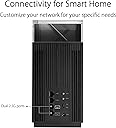
🚀 Elevate your home network to pro-level speed and security — because buffering is so last decade!
The ASUS ZenWiFi Pro AXE11000 is a cutting-edge tri-band WiFi 6E mesh system designed to blanket up to 6000 sq.ft and 6+ rooms with ultra-fast 11000 Mbps speeds. Featuring dual 2.5G WAN/LAN ports, exclusive ASUS RangeBoost Plus for extended coverage, and lifetime commercial-grade AiProtection Pro security, it ensures a seamless, secure, and future-proof home network experience.


| ASIN | B09QRLZMMH |
| Antenna Location | Home |
| Antenna Type | Internal |
| Best Sellers Rank | #66,554 in Computers ( See Top 100 in Computers ) #927 in Routers |
| Brand | ASUS |
| Built-In Media | Power Adapter, Quick Start Guide, RJ-45 Cable, Two ZenWiFi Pro ET12, Warranty Card |
| Compatible Devices | Laptop, Personal Computer, Smart Television, Smartphone |
| Compatible devices | Laptop, Personal Computer, Smart Television, Smartphone |
| Connectivity Protocol | Wi-Fi |
| Connectivity Range | 6000 Square Feet |
| Connectivity Technology | Wi-Fi |
| Control Method | App |
| Controller Type | App Control |
| Coverage | up to 6000 sq.ft and 6+ rooms |
| Customer Reviews | 4.3 out of 5 stars 515 Reviews |
| Data Transfer Rate | 11000 Megabits Per Second |
| Frequency | 6 GHz |
| Frequency Band Class | Tri-Band |
| Frequency band class | Tri-Band |
| Has Internet Connectivity | Yes |
| Has Security Updates | Yes |
| Is Electric | Yes |
| Is Modem Compatible | No |
| Item Type Name | Router |
| Item Weight | 3.31 Pounds |
| LAN Port Bandwidth | 2500 Mbps |
| Manufacturer | Asus |
| Maximum Upstream Data Transfer Rate | 11000 Megabits Per Second |
| Mfr Part Number | ZenWiFiProET12 |
| Model Name | ET12 (B-2-PK) |
| Model Number | ET12(2-PK) |
| Model name | ET12 (B-2-PK) |
| Number of Items | 1 |
| Number of Packs | 2 |
| Number of Ports | 4 |
| Operating System | ASUSWRT |
| Other Special Features of the Product | Internet Security, WPS |
| Router Firewall Security Level | Advanced |
| Router Network Type | wireless |
| Security Protocol | WPA3 |
| Special features | Internet Security, WPS |
| UPC | 195553360104 |
| Unit Count | 2 Count |
| Voltage | 110 Volts |
| Wi-Fi Generation | WiFi 6E |
| Wireless Compability | 802.11a, 802.11ac, 802.11ax, 802.11g, 802.11n |
| Wireless communication standard | 802.11a, 802.11ac, 802.11ax, 802.11g, 802.11n |
D**E
Best Wireless solution currently available.
I am a cyber security engineer but in my past i have been a network and wireless engineer and so sure i tend to look for the best solutions for bragging rights, however there are more useful features here than bragging rights. First of all i want to say i previously had the Asus Rog Rapture AX11000, so NOT a cheap router by any means, it was a "tri band" 11000Mbps router and top of the line a few years ago, however after moving into our new house, we realized we had a signal issue. Now as a wireless engineer the first thing i have to tell you is to ignore the "square footage" advertisements on routers, of course there are a ton out there that advertise up to 6000 square foot coverage, but this is talking strictly in an open space without walls. It isnt just walls that affect your signal either, how the walls are made, what is in them and even furniture in your room can affect your signal. One thing people do not realize is that a wireless signal can sometimes penetrate through a floor/ceiling better than it can an internal wall. This being said, our old router barely made it halfway from one side of the house to the other on a single floor and our house is under 2500sq feet total. This Router set is PERFECT because the two devices allow full coverage even with complicated floor plans. We set our primary router on one side of the main floor, and the aimesh node (second device) on the other side of the same floor. We now have full coverage on ALL floors as you can see from the images, even in the farthest reaches of our basement or top floor (separated by brick walls and several other internal walls as well as the floor) we never drop anywhere below 500Mbps and have great full signal strength everywhere. The last three pictures are from our backyard outside the house over 300mbps outside 50 feet away, 130Mbps is outside about 150 feet away from the house and the 46Mbps is outside about 200 feet away from the house. The other features are great, there is not much configuration needed for a first timer, just plug your main device into your modem and download the app, create a name and password for each wireless network and keep defaults of everything else. Literally just turn on and plug the second node in somewhere within range of the first router and it auto configures it. Thats it - just plug them in, name and password protect the networks and you are good to go. For those who want to play a bit, there are a lot of cool features, you can choose which network to use for the backhaul between nodes, or even set a priority (use 6hz if available, then 5 then 2.4 or only 5 and 2.4, etc). There are tons of cool features including smart VPN AND PARENTAL CONTROLS AND MONITORING, Mac filtering, built in firewall, QOS to prioritize gaming, or media, or work/business (Per band). Hardware features: one 2.5Gb WAN port and one 2.5GB Lan port (can be used for a wired backhaul between nodes or as an uplink directly to a critical device like media server or backup) and two other 1Gb lan ports for other uplinks on each. Pros: Amazing speed, Amazing configuration, Incredible security, Awesome features, INSANE range, BEAUTIFUL LOOKING DEVICES (These things look super slick and modern sitting on a shelf or counter) NO external antennas to worry about breaking off and replacing (like the 8 $25 antennas on the rog rapture and other asus routers), REDICULOUSLY EASY to set up and configure, VERY consistent speed and range, bragging rights for top tech, great support, 2 year warranty, easy scalability. SCALABLE, RELIABLE, SECURE. Cons: No USB on the back of the devices like other Asus routers (great for network attached media devices), Cost prohibitive: EXTREMELY expensive ($900 for this set) although you DO get two devices, the price will probably prevent several potential customers from going with this solution.
D**Z
WIFI 6E Aún no compatible con MacBook Pro 2023 (Al menos en México)
UPDATE: Con la última actualización de MacOS Sonoma (7 de Marzo 2024) ya me dejó conectarme a la red Wifi 6E. ----- A pesar de que la laptop ya trae WIFI 6E y el router tiene una red de 6GHZ, la laptop no ve la red y no se puede conectar a ella, solo a la Wifi 5 y 2.4 Según revisando con MacOs Sonoma se soluciona para algunos aparatos y actualizando el firmware del router a la versión beta lo soluciona en otros, lamentablemente eso no funcionó en mi caso. Salvo eso, el producto esta muy bien, seguramente en alguna actualización futura ya podrá ver la red. UPDATE: Es un tema de la computadora, compré otro aparato que también soporta wifi 6E y este aparato si puede ver la red, es un tema que la laptop se actualice y ya pueda usar la nueva red.
M**5
Expensive, but currently one of the best wifi mesh systems.
Cons: An expensive purchase but that one-time upfront cost is somewhat mitigated by the inclusion of a lifetime subscription of anti-malware tools and other services to protect your home network (including substantial parental controls). With other routers/manufacturers it’s a monthly subscription for those extras. Pros: Everything else minus the price tag. We went from a cheaper Linksys setup that had an app with only the most basic functionality, a mesh system that would drop out on us a lot and when it did work, the speeds were mediocre at best. Compared to that system this ASUS is night and day. To put it into perspective, we are in a 3000+ sq. ft. house with some old furniture that does a good job of obstructing signals: when comparing the 4 ASUS nodes we have now to the 6 we were using with Linksys, our wifi speeds have doubled in all scenarios (both wireless and wired) with just as good if not better range. As far as tech support we haven’t needed any yet so can’t comment on that side of things, but I suppose it’s a positive if you don’t need tech support in the first place so I’d put this down on the Pros list too. You really do get what you pay for here with the Asus ZenWifi Pro AXE11000 (Tri-band). Based on personal experience I highly recommend this if you have the money, already have a fast ISP plan but your actual wifi speeds and coverage are lacklustre. The two nodes you get per set/box would suffice for a small to average house/apartment, four or more (2 sets+) if it’s a larger house, business, office, etc.
D**T
Problem with Late Model Samsung Phones and Tablets - FIXED
EDIT: The firmware released on 11/28/22 seems to have resolved the issue with certain Samsung devices. As promised, upgraded to 5 stars! Original Review: I purchased this to replace another very expensive mesh solution that was giving me no end of grief. The hardware is attractive and seems to be full-featured; the firmware is highly configurable and has a very comprehensive and fast UI. To date it's been far less troublesome than the mesh solution it replaces, with one significant fault: A Samsung Tab 8 Plus cannot connect to any ET12 child node on the 6GHz band. It can connect to the parent node, however. And other users have reported issues with certain Samsung devices besides just the tablets. ASUS claims my issue is a hardware issue and has asked me to RMA it. I don't believe that's the case since I can swap the child for the parent node and get the same results ... I connect fine to the parent but not the child. Amazon is replacing the unit for me based on ASUS' RMA request, but I'm not confident this will resolve the issue. I will update this review once the replacement is installed with any successes/failures. EDIT: The latest exchange of emails with ASUS regarding the 6E/Samsung connection issue. First, my reply to yet another identical list of generic troubleshooting steps: This is the EXACT SAME LIST of things ASUS has sent me EVERY TIME. I've worked through them MULTIPLE times. The problem is a very specific one that affects users of certain Samsung devices. It is VERY repeatable. Can you find someone at ASUS with a Samsung Tab S8, S8 Plus, S8 Ultra, Z Fold 3 or Z Fold 4 and actually TRY IT FOR YOURSELVES and stop annoying your customers with the same rote response every time? If not, bump the issue up to Engineering/Development so that someone actually pays attention to it? ASUS' Response: My name is Jxxxxxx Sx. First and foremost, thank you for your patience while we completed our review and research of this issue. We apologize for the delay, and are grateful for the opportunity to continue to assist you. With the escalation that was made for this concern, here is the response from our higher team. Please be advised that our RD team verified the issue in the lab and it seem the problem could be related to the android version on the 3rd party device, it is recommended that you report this issue to Samsung and check for possible firmware update. Please keep in mind that we are available for any future questions or concerns, so please reach out to our technical support team here: Chat with Us . This will allow us to gather more details on the description of the issue you are experiencing directly, especially on more complex and targeted situations. And my response: Sounds like they're passing the buck. I have a few problems with this response: I had no issues connecting my tablet @ 6GHz to my previous 6E mesh solution, a NetGear Orbi RBKE963. I could connect to both the router and its satellites and roam between them. The Orbi had other issues that made it an unsatisfactory solution, so I returned it and replaced it with your ET12 mesh system. My tablet connects successfully every time to the ET12 parent node, regardless of which unit is operating as the parent. It fails consistently on the child node, again, regardless of which is operating as the child. I verified this with two separate pairs of ET12s. My tablet and phone are on the same version of Android and are running the latest version available. While there may be a hardware difference in the radios, it's not one that other vendors appear to be incompatible with. If your engineers are convinced that Samsung is doing something wrong, it would be helpful if they would work with Samsung directly to find a solution, rather than make your customers do all the work. Or at the very least, provide some technical detail as to what is different in the child node's "handshake" that might cause the Samsung tablet to fail. They're obviously not exactly the same and would give us some ammunition for working with Samsung if ASUS is not willing to do it themselves. The ET12s have otherwise been stable and are performing very adequately. I've had none of the connection drops experienced with the NetGear RBKE963. If the 6E functionality worked properly, the ET12s would rate 5 stars ...
S**.
excellent router
I just upgraded my router to this one. NO regret. Very easy installation, and set up. I put one at basement, and one at living floor. Now connection speed is fast and steady. This will be an excellent investment, and I highly recommend this product to anyone who want an upgrade. I am writing this review for extension for 90 day warranty of this router
Trustpilot
1 week ago
2 days ago