Desertcart purchases this item on your behalf and handles shipping, customs, and support to SINGAPORE.
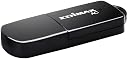
🚀 Upgrade your Wi-Fi game with Edimax’s sleek, speedy, and secure mini adapter!
The Edimax EW-7811UTC is a compact dual-band USB Wi-Fi 5 adapter delivering up to 433Mbps on 5GHz and 150Mbps on 2.4GHz. It features advanced WPA3 security, easy one-click WPS setup, and broad OS compatibility including Windows 11, Mac OS, and Linux. Perfect for professionals seeking fast, reliable wireless connectivity in a portable form factor.


| ASIN | B00FW6T36Y |
| Best Sellers Rank | #465 in USB Computer Network Adapters |
| Brand | Edimax |
| Built-In Media | CD-ROM, EW-7811UTC, Quick Installation Guide |
| Color | Black |
| Compatible Devices | Laptop |
| Compatible Operating System Family | Linux, Windows |
| Customer Reviews | 4.1 out of 5 stars 875 Reviews |
| Data Link Protocol | USB |
| Data Transfer Rate | 300 megabits_per_second |
| External Testing Certification | CE, FCC |
| Global Trade Identification Number | 00807030511649, 04710700929766 |
| Hardware Interface | USB 2.0 |
| Item Weight | 0.01 kg |
| Manufacturer | Edimax Computer Company |
| Mfr Part Number | EW-7811UTC |
| Minimum Required Operating System Version | Windows 11 |
| Model Number | EW-7811UTC |
| Number of Items | 1 |
| UPC | 649659022980 807320174158 163121435400 767531981658 132018353721 807030511649 172304354940 102931028969 803982889706 012300424769 782386478603 760350971879 809385682265 731215276088 848012927119 809186287492 |
| Unit Count | 1 Count |
| Warranty Description | Two years |
J**R
Edimax EW-7811UTC = Winner, winner, chicken dinner!
This adapter is cheap, easy and fast. As with most computer products I ignored the included CD and simply downloaded the driver from the Edimax website. Installation was quick and easy on my Windows 7 system. I connected easily to my Asus RT-AC66U wireless router which is located about 20 feet away, thru 1 wall, in the next room. I am connecting only on the 5GHz band and the EW-7811UTC only supports 1 spatial stream so I am limited to 433Mbps maximum, which is fine for my needs. Unless you are routinely moving multi-gigabyte files around on your LAN, I don't really see a need for more capacity than this. I have used this wireless adapter for downloading files, streaming videos (Netflix, Hulu, Amazon Prime), online MMO gaming, and voice over IP (VOIP). Everything worked flawlessly. You could spend more and get a higher capacity wireless adapter, but really, this is likely all you need. UPDATE 12-15-2015: I have used the AC600 adapter for 10 months in my windows 7 computer and it has worked perfectly. I decided I wanted to upgrade the wireless in my other computer, a windows 10 media PC, from the built-in 2.4GHz wireless g to 5GHz wireless AC. I went to the Edimax website to find out if I needed to download a driver. The website said that the support is already baked in to Windows 10 so no driver was required. I turned off the pc, plugged in the adapter , and rebooted the pc. I then turned off the built in wireless g adapter and switched to the Edimax AC600 adapter in Windows 10 network settings. The adapter is working fine.. I am posting this update because so many people seem to have trouble with this adapter recently and are making sweeping statements about this device's capabilities. My experience has been that this usb AC600 adapter has worked easily and reliably with both my window 7 and windows 10 machines. I will be buying a second one as an upgrade to my media pc.
L**J
Auto Plug N Play
I have a 17-year-old Dell Optiplex 380 desktop without a wifi card. I ordered this USB stick, plugged it in and installed Zorin OS. Internet appeared automatically and continues with no drops. Highly recommended.
P**J
First one died after 3 weeks
First off this little device is quick. It connect to my Netgear R6300 V1 Router at 430Mbps. I'm surprised it's this quick especially since it's only a usb 2 device (USB 2 is capable of 480Mbps that is shared with all of your USB devices). Installation was fairly easy since they included the drivers on a cd. however, to make things easier just go to the edimax website and download the drivers straight from the website. I was using this on a laptop that had an Intel 6230N card. The speed increase was more than noticable and it's more stable as well. ultimately though, the card died after three weeks. Since I got the card from Hometown I only had the options of returning it so I returned it and bought another one. The new one was working before I bought an Intel 7260 which connects at a whopping 866 Mbps and it doesn't take up a usb slot or stick out either. For old laptops and for desktop this is the adapter to go with. For laptops that are up to 4 years old you could probably just upgrade your card to the Intel and get better speeds that way. Overall this adapter is nice to have around the house just in case, but I have already made a new Driver cd with the latest drivers from the website. I suggest you do the same. If my new adapter dies on me again I'll update this review again.
E**E
This Edimax EW-7811UTC JUST WORKS (and the D-link DWA-171 is junk)
Linux Installation: Depending on the age and specifications of your computer, you may be looking for a wireless adapter that is faster than what the factory gave you. I have a Lenovo G-series laptop that is not that old, but it came equipped with an internal wifi adapter that operates on the 802.11N protocol and gives me a wireless connection speed of 72 Mb/s. For $14.40 (as of 6-16-18) with Prime delivery you can buy the following adapter and boost your speed to 434 Mb/s with very little hassle. Edimax EW-7811UTC AC600 Dual-Band USB Adapter Available at Amazon with Prime for $14.40 IMPORTANT NOTE: I have specified the Edimax EW-7811UTC AC600 Dual-Band USB Adapter in this post because I have several of them running and because they run reliably by simply installing the rtl8812au-dkms software. I have tried higher speed adapters claiming 600, 800, 1200, and 1300 Mb/s from Edimax and other manufacturers and have had nothing but problems. Sometimes they run unreliably. Frequently "nano" sized adapters overheat and die. So, this 600AC adapter delivering a reliable 434 Mb/s in a compact package is my compromise, and I am completely satisfied with it. This has been my experience, and your mileage may vary! This adapter will not work "out of the box" because the Linux kernel doesn't support the chipset. Why? I have no idea. But it is easy to get it up and running. The best method is to open the Synaptic package manager and type "rtl88" in the search field. The search will show you rtl8812au-dkms and allow you to install it in the normal manner. If you use the Synaptic or other software installer that came with your distribution, you will be assured that the version of rtl8812au-dkms is compatible. When you install rtl8812au-dkms, it will incorporate the rtl8812au chipset driver into your kernel and also run depmod and everything else to get you up and running. Depending on the speed of your system, it may take a minute or two to complete. It seems like forever, but that's normal. When it is completed, insert or re-insert your USB adapted, and it should start working immediately and also work the every time you reboot your system. NOTE: You don't want both the internal wifi adapter and the external USB adapter working at the same time. They interact in unpredictable ways and can cause problems loading web pages. Find your way to "Edit Connections..." and change the settings of the adapters under the General tab. Activate the box marked "Automatically connect..." for the external USB adapter, and deactivate the "automatic" box for the internal adapter. That's it, and you've gone from 72 Mb/s up to 434 Mb/s for under $15.
Z**S
802.11ac adapter lacks durability
UPDATE 2021: Kept losing internet connection for months. It wasn't until I started looking at windows log files that I figured out this device was routinely dropping connections out of the blue. When I tested the bandwidth everything seemed normal. After looking at some possible other issues, decided to replace this unit with an older Cisco wi-fi dongle. The problem disappeared immediately. Have gone weeks without losing a connection. I've lived with the intermittent dropped connections for years and now it appears this device was the cause of it. Because of the lack of durability, can't recommend this device any longer. ----------Original review------------- Bought this to utilize my new 802.11ac router. The Windows 7 or 8 operating system doesn't recognize this device so it's not plug and play but it does come with a driver disk and I was able to easily install the driver on Windows 7 and Windows 8.1. Once installed the adapter worked just great. Using the 5Ghz I do notice that as I move farther away from the router I do start to lose bars. I'm guessing this is because of it's small size and a combination of using the higher frequency through walls. I have a ASUS RT-AC66U router with three antennas and it broadcasts pretty well in my home and is truly centrally located. If you are going to purchase this item for use in the the 5Ghz range, you may want to investigate the specs with regards to distance from source. This purchase has worked great for me but my router is centrally located. I did look at the 2.4Ghz performance and I was getting 5 bars on my laptop wherever I went through my house. only in the 5Ghz range did I see a drop in performance but it didn't seem to affect my connection speeds at all.
B**D
After adding the wonderful TRENDnet TEW-818DRU Wireless AC1900
Original Review: After adding the wonderful TRENDnet TEW-818DRU Wireless AC1900, I ordered the Edimax EW-7811UTC AC600 Dual-Band USB Adapter to enable my 2-Year old HP Laptop running Windows 8.1 64-bit operating system to take advantage of the much higher speed "AC" WiFi. That was a BAD mistake, I'm unable to successfully install a driver that works for this device. I downloaded the driver for Windows 8.1 - EW-7811UTC_Windows_driver_1.0.1.6. After several attempts to install and reinstall the driver for Windows 8.1 downloaded from www.edimax.com, the Edimax EW-7811UTC Adapter still doesn't have a working driver. Device Manager displays the following. Intel WiUSB USB0IF x HCI USB Host Controller > Properties Device status "This device is not working properly because Windows cannot load the drivers required for this device. (Code 31) {Operation Failed} The requested operation was unsuccessful. I sent a support request to EDIMAX. _____________________________________________________ 15-July-2014 - Review Update: Edimax AC600 Wireless LAN USB Adapter issue resolution. _____________________________________________________ I received the following instructions from Edimax support. The latest driver for EW-7811UTC can be downloaded here. http://www.edimax.us/download/drivers/Win81/EW-7822UAC_1.0.1.9.zip [ Note: Don't worry about the filename. It is a common driver for both EW-7811UTC and EW-7822UAC ] Here's some steps for you to follow: . uninstall driver/utility installed previously . remove the EW-7811UTC from your computer, i.e. unplug it . unzip the downloaded file into a temporary directory . run the setup.exe file . after that, if reboot is required, do so . plug the EW-7811UTC back again . go to Control Panel (Category view) > System and Security > System > Device Manager . make sure you see our adapter can be found under "Network adapter" there (see below) _____________________________________________________ After following instructions from Edimax support. > Network adapters > Edimax AC600 Wireless LAN USB Adapter <: is missing > Other devices > 8-2.11n WLAN Adapter <: is present but not working. 8-2.11n WLAN Adapter Properties Device status: The drivers for this device are not installed. (Code 28) There are no compatible drivers for this device. I clicked to update driver software and clicked on the downloads folder. Windows installed and displayed the following. "Update Driver Software - Edimax AC600 Wireless LAN USB Adapter". "Windows has successfully updated your driver software". "Windows has finished installing the driver software for this device:" "Edimax AC600 Wireless LAN USB Adapter" After completion of the steps above, Device Manager updated the list of devices, now the following is displayed correctly. > Network adapters > Edimax AC600 Wireless LAN USB Adapter <: Added!!! > Entered WiFi Key: xxxxxxxxx Wi-Fi 2 Status Connection IPv4 Connectivity: Internet SSID: Speed: 260 - 325 Mbps _____________________________________________________ The issue is now resolved after completing the additional steps above. The Edimax W-7811 UTC AC600 now allows my HP Laptop to access both 11AC (5GHz Band) in addition to the 11n (2.4GHz Band). The speeds anywhere from 30% to 60% of the stated maximum speeds depending upon the distance from the Router and received signal strength. I can only give a *** rating due to the additional effort required to get an updated driver and also the additional troubleshooting steps required to successfully update the driver.
J**T
This works on my Linux laptop, it's older does not have faster connection on Wi-Fi internal
I ordered this for an older laptop, that would not recognize faster connections, once I got the driver installed for Linux, it worked just fine. But that process was not just plug and play, you had to understand what you were doing to get the driver installed. Linux is not like Windows.
E**I
A blessing for OS X Yosemite users, longer install for PC (but fix posted here)
As a Hackintosh owner, I did some research to see if the adapter would be compatible, and it most certainly was. Getting it to work with Windows was something else, but I'll explain and post my fix here Hackintosh: Installation was super easy (tested on Yosemite 10.10.4). You can click on "Customize" and intentionally omit a few things, but not knowing what parts of the software that they were I left everything in tact. When you boot up, select your WiFi point, save it as a profile, and you're gold! When you reboot again the software will find the WiFi point, load the profile and connect automatically. This works MUCH better than the 10.10 drivers from Hackintosh Zone (which is still a nice fix). Windows (8.1): I had downloaded the drivers from Edimax first (since they were most likely newer than the ones on the mini-CD). No matter what I could not get a connection. I tried old drivers, new drivers, etc. Here is the solution that worked for me: 1. Get updated drivers from TP-Link website or install them from the mini-CD. You can use your old WiFi adapter if you need to download them, or simply get them from another computer and put them on a flash drive, then transfer it to your PC. 2. Go into Control Panel --> Device Manager. It will show up as "Edimax AC600 Wireless LAN USB adapter" with the yellow warning triangle next to it. 3. Right-click it and select "Update Driver Software". Select "Browse my computer for driver software". 4. The next screen asks you what location to search for it. Ensure that the checkbox "include subfolders" is checked. If you've installed the drivers via the Mini-CD, select the entire CD. If you've installed it via download, select the location where you downloaded it to (flash drive or hard drive). Then click "Next". 5. Let the installer run its course, and you should be good to go.
S**X
Practico adaptador, las primeras impresiones son buenas
Genial manera de mejorar la conectividad inalámbrica de tu PC o Laptop. Para los que no estén muy bien enterados, la mayoría de los equipos móviles previos al 2015 utilizan el estándar WiFi "N" que permite una conexión inalámbrica de hasta 150 Mbps usando la radiofrecuencia de los 2.4 Ghz, recientemente la alianza WiFI lanzo una actualización del estándar llamada "AC" que triplica la velocidad de conexión y utiliza la banda 5 Ghz que tiene menos interferencias de otros dispositivos, evidentemente para tener los beneficios del nuevo estándar AC es necesario tener un router compatible, de otra manera la única razón para comprar el Edimax AC600 seria si falla la tarjeta interna de tu equipo y reemplazarla te es difícil o costoso. En Windows 10 es Plug & Play por lo que no se necesita instalar driver alguno, probablemente para versiones mas antiguas sea necesario hacerlo, el adaptador es detectado rápidamente y en menos de un minuto aparece en conectividad de red para escoger una señal inalámbrica. Es compatible con señales 2.4 Ghz y 5 Ghz, con velocidades de hasta 150 Mbps y 450 Mbps respectivamente en condiciones ideales,obvio que si el router esta lejano la velocidad disminuirá proporcionalmente a la distancia, por diseño las redes 5 Ghz tienen menos alcance a si que no te debes sorprender si te detecta conexiones de 2.4 Ghz con "mas barritas" usualmente va ser el caso, aun así una señal 5 Ghz "media" ofrece menor latencia y mas ancho de banda que una señal "alta" en 2.4 Ghz. El rango en general no es maravilloso, aunque es de esperarse ya que no ofrece antenas externas, sin embargo parece más decente que el de otras tarjetas wireless de tamaño pequeño. Algunas reseñas de Amazon USA reportan que el producto se vuelve problemático o simplemente muere tras unos meses de uso, estare al pendiente y si llegara a pasar modificare esta reseña de manera acorde, de momento todo parece funcionar a la perfección. En conclusión es una buena opción si compraste un router "AC" nuevo y quieres aprovechar la velocidad adicional en una laptop o PC que solo tenga conectividad "N".
J**P
De bons débits et des pilotes open source qui fonctionnent bien sous Linux
J'ai changé ma clé pour profiter de l'arrivé de la fibre, les débits sont bons avec la norme AC 5Ghz. J'ai choisi celle la car le constructeur propose des pilotes open source pour Linux (c'est la seule clé à ma connaissance) et ils fonctionnent bien
A**R
It works
Small, fast and does the job on Windows. Have yet try on Linus Ubuntu. .
J**L
De lo mejor
Un wifi dual banda,Coge mucha velocidad ,trae CD driver para una sencilla instalación,es pequeño así q ocupa poco espacio,una muy buena opción para los q no tenemos manera de coger la banda 5g con la de nuestro equipo
A**A
Recommend but tricky installation for Win10
It was hard to make it works with Windows 10, first I had installed the driver and software from the cd but it didn't work, then I unplugged the wireless Edimax and uninstalled the software and the driver and restarted the windows, afterthat I just plugged the Edimax and it worked !!!! Except the installation process, everything is working very well and the speed meets my needs, it's around 150 Mbps from a room different than the router's room.
Trustpilot
2 weeks ago
2 weeks ago