


Desertcart purchases this item on your behalf and handles shipping, customs, and support to SINGAPORE.
⚡ Print Fast, Connect Anywhere, Label Like a Pro!
The Brother QL-810W is a professional-grade thermal label printer delivering ultra-fast printing speeds of up to 110 labels per minute at 300dpi. Featuring dual connectivity via WiFi and USB, it supports seamless printing from Windows, Mac, and mobile devices. With vibrant black and red printing capabilities and a durable cutter designed for up to 300,000 die-cut labels, it’s perfect for office professionals needing reliable, high-quality labels for packages, badges, and files—without the hassle of ink or toner.


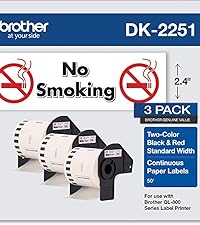


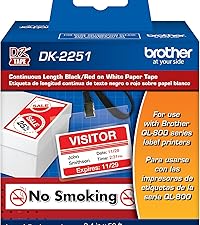


| ASIN | B01MTWGMRR |
| Additional Printer Functions | Print Only |
| B&W Pages per Minute | 110 ppm |
| Best Sellers Rank | #15,998 in Office Products ( See Top 100 in Office Products ) #54 in Desktop Label Printers |
| Brand | Brother |
| Built-In Media | Brother QL810W Label Printer, P-touch editor software and driver, AC power adapter, USB cable, DK1201 and DK2251 starter rolls |
| Color | Black, White |
| Color Depth | 1 bpp |
| Color Pages per Minute | 40.0 |
| Compatible Devices | Laptops, PC, Smartphones |
| Connectivity Technology | USB |
| Control Method | App |
| Controller Type | Android, iOS |
| Customer Reviews | 4.3 out of 5 stars 1,097 Reviews |
| Dual-sided printing | No |
| Duplex | Simplex |
| Global Trade Identification Number | 00012502646334 |
| Hardware Interface | USB 2.0 |
| Ink Color | Black, Red |
| Item Dimensions D x W x H | 5"D x 9.2"W x 5.7"H |
| Item Type Name | Color Laser Printer |
| Item Weight | 2.4 Pounds |
| Manufacturer | Brother |
| Maximum Copy Resolution Black and White | 300 dpi |
| Maximum Copy Speed Black and White | 1 ppm |
| Maximum Media Size | 2.4 x 1200 inches |
| Maximum Print Resolution Black and White | 300 dpi |
| Maximum Sheet Capacity | 1 |
| Model Name | Model: QL810W |
| Model Number | QL810W |
| Model Series | QL |
| Other Special Features of the Product | Ultra Fast, Wireless |
| Paper Size | Up to 2.4 Inches |
| Power Consumption | 810 Watts |
| Print media | Labels |
| Printer Connectivity Type | USB |
| Printer Output Type | Monochrome |
| Printer Type | Thermal |
| Printing Technology | Thermal |
| Processor Count | 1 |
| Resolution | 300 x |
| Special Feature | Ultra Fast, Wireless |
| Specific Uses For Product | packages, envelopes, file folders, Name badges, postage |
| Total USB 2.0 Ports | 1 |
| Total Usb Ports | 1 |
| UPC | 012502646334 |
| Unit Count | 48.0 Ounce |
| Warranty Description | 2 year warranty |
| Warranty Type | limited warranty |
| Wattage | 810 watts |
M**R
Great printer for PCO's Check-in App
We bought three of these printers to go with PCO's Check-In system. We've been using them for almost 6 months. The only problem we had is where one of the printers is located with spotty wifi connections. There is no ability to hardwire the printer, so make sure you have good access points near the printer. Pros: - Easy set up on MacBook with Brother's driver - Connects easily with Planning Center Online's Check-In application - Quality design - Prints quickly - Cuts automatically - Large power brick with long cords - Includes printer to USB jack for a printer cable for easier setup Cons: - If you have spotty internet, you will need to make sure you set the printers up as Static IP Address - No hardwired ethernet cable option (only WiFI) - It would be nice if it has a display screen when you have an error and for set up I highly recommend this Brother printer for anyone who is looking to do digital sign-in and print sticker labels with PCO's Check-In system!
N**.
Great product, Easier to use than Dymo!
Much better than a Dymo! Easier to install, customer support exists! Dymo is a vacuum orifice. IT SUCKS!
C**.
Brother Label printer
Easy to set up and works great!!
S**R
Endless Network Connection Issues
I bought two of these printers for our church to use with Planning Center Check Ins to print labels for children in our programs. We had previously used two Brother QL-720NW printers which performed very well on Wifi with the check ins app. These printers have put us through 3 months of agony as they randomly disappear from connection in the Check Ins app, particularly when there is a long line of people trying to check their children in. I am no amateur when it comes to network troubleshooting. We have hired firewall experts and followed all recommendations for making this work, including port settings, firewall settings, network settings(separate VLAN), and troubleshooted all potential issues with access point radio 2.4 GHZ. Tested exhaustively. They show up in the planning center app and invariably disappear. I know about the sleep setting and it is turned off. Two times when I had the printers connected to my PC to check the settings they stopped communicating through the USB cable. I contacted Brother Support and after explaining all of this to two separate agents the result was giving me a support number to call. I will call the number soon when I have time but I don't to be honest have high hopes of getting any kind of satisfaction from this transaction because what I need is our church's money back since I have already ordered the bluetooth model, which allows me to avoid the network nightmare altogether, which is what I should have purchased in the first place, but I had no idea this would occur since the previous models were very stable on our network. I am sure this review makes me sound probably a bit crazy but this has been the worst experience with tech equipment I have ever had as far as troubleshooting and repeated failure to perform and I have been buying equipment for tech use for many years.
T**H
Dificult to connect but once you do, its all good
Driver should have come with the software but it does not. finding software is not straight forward. P-Touch software does not recognize serial number. Must use serial you find on google, otherwise p-touch soft will not install. Otherwise no complains.
S**J
Great little printer
This printer was a little tricky for me, a not so tech savvy person, to set up, but works great! When you change the paper roll you have to instruct the printer in which paper you are installing but other than that, it’s a great little printer.
A**O
Great little printer
Got this printer to label product with an easy interface from phone or computer (over wifi), it delivers and works great. I've had it for a few months now and have no complains, it simply just works. I don't do heavy printing, about 600 or 700 labels a month, works like a champ!
J**N
Excellent Fast and easy-to-use printer
Prints really fast It easy to change label type and the printer detects the label stock - so the software knows what the label area is. The software has lots of existing templates to start with. Also like the label rolls have 100's of labels not 10's so you won't run out.
N**M
superó mis expectativas
Excelente para imprimir etiquetas rojo y negro, es súper práctica y fácil de usar.
O**S
Muy útil 100x100 recomendable
El producto cumple con sus funciones y muy práctica
T**A
Igual ao anúncio
Eficiente, bom custo beneficio.
E**O
Couldn't install
I am base in UAE and Im having difficulty installing this machine. Im teying to follow instructions but doesn't go through
J**Z
No llego completo el articulo
En ningún lugar dice que es re manufacturada y además de que tardó demasiado en llegar venía incompleta pues no trae eliminador de corriente y tiene algunos rayones
Trustpilot
2 weeks ago
3 weeks ago