Desertcart purchases this item on your behalf and handles shipping, customs, and support to SINGAPORE.
⚡ Upgrade your rig, dominate the game — faster, cooler, safer.
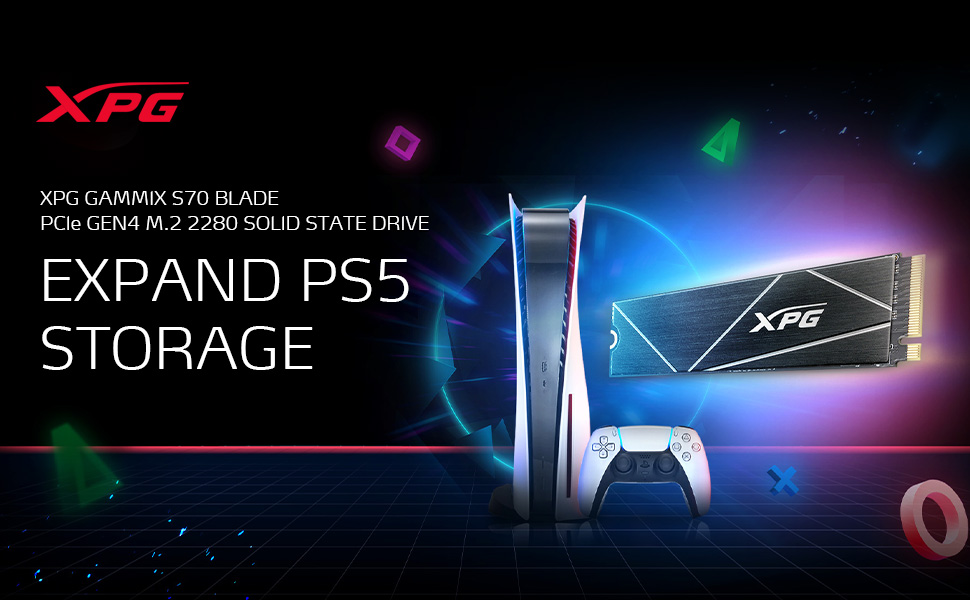
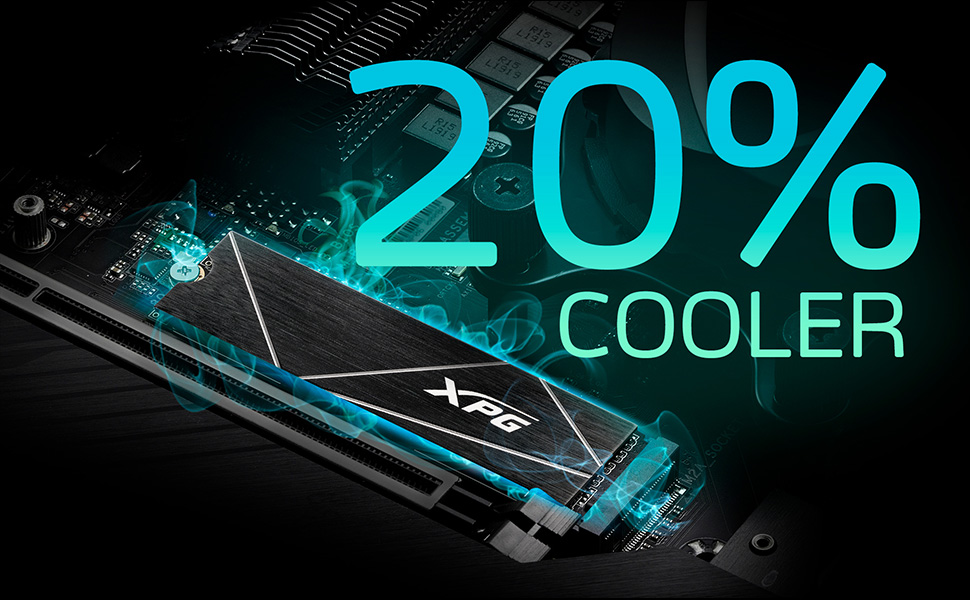
The ADATA XPG GAMMIX S70 BLADE 1TB is a PCIe Gen4x4 NVMe M.2 SSD delivering blistering read/write speeds up to 7,400/6,400 MB/s. Designed for high-end gaming and 3D graphics, it features a high-temp aluminum heatsink that reduces temperatures by 20%, AES 256-bit encryption, and advanced error correction for reliable data integrity. Compatible with PS5 and PCs, it offers up to 2TB storage in a compact form factor, backed by a 5-year warranty.


| Asin | B093DP3X4H |
| Best Sellers Rank | 57,054 in Computers & Accessories (See Top 100 in Computers & Accessories) 288 in Internal Solid State Drives |
| Box Contents | SSD |
| Brand Name | XPG |
| Cache Memory Installed Size | 1 TB |
| Color | Black |
| Compatible Devices | Desktop, Gaming Console, Laptop |
| Compatible Video Game Console Models | Sony PlayStation 5 |
| Customer Package Type | FFP |
| Customer Reviews | 4.6 4.6 out of 5 stars (10,453) 4.6 out of 5 stars |
| Data Transfer Rate | 7400 Megabytes Per Second |
| Digital Storage Capacity | 1 TB |
| Enclosure Material | Metal |
| Form Factor | M2 |
| Global Trade Identification Number | 04711085933065 |
| Hard Disk Description | Solid State Drive |
| Hard Disk Form Factor | 8 Centimetres |
| Hard Disk Interface | PCIE x 4 |
| Hard Drive Size | 1 TB |
| Hardware Connectivity | PCIE x 4 |
| Hardware Platform | Mac, PC |
| Installation Type | Internal Hard Drive |
| Item Dimensions L X W X Thickness | 8L x 2.2W x 0.4Th centimetres |
| Item Weight | 0.4 Ounces |
| Manufacturer | ADATA |
| Manufacturer Part Number | AGAMMIXS70B-1T-CS |
| Media Speed | 6400 Megabytes Per Second |
| Model Name | GAMMIX S70 BLADE |
| Model Number | AGAMMIXS70B-1T-CS |
| Network Connectivity Technology | PCI Express 4.0 |
| Number Of Items | 1 |
| Product Features | Playstation 5 Compatible, Read/Write Speeds up to 7400/6400MB/s, Works with NVMe 1.4 |
| Product Warranty | 5years |
| Read Speed | 7400 Megabytes Per Second |
| Specific Uses For Product | Business, Gaming, Personal |
| Unit Count | 1.0 count |
| Upc | 842243025484 |
User
Stick It In The Slot - Memory Expands
Updated review to include my experience after many many months of regular use testing and a lot of playing directly from the SSD recently!I got this to get more memory for my PS5. And My PS5 has more memory now! 😱Easy to install, even for someone who hates to fiddle with tech like me.⬆️ 6203 MB/s transfer rate showed for meWhich means I can swap games back and forth from console storage to The Blade in next to no time which is just incredibly handy, a real quality of life upgrade.Updated my review because I've recently been playing a lot of God of War which I'd had installed since getting the console, but had not got round to playing, and just noticed yesterday that I've actually been playing it directly from the the Gammix SSD that i'd only been using to move games around to free storage space on the console previously. NOW THE IMPORTANT QUESTION! How has it coped? Well, It's working a treat, it hasn't overheated even in the hot weather after many hours of Godly combat and at least 40,000 instances of the words "Boy!" And "I do not know" have passed without it stuttering even once. This experience is from when I hadn't even noticed I was playing the game from the Gammix storage, so it's speed is obviously still going strong now for load times and smooth gameplay. I've since carried on playing direct from the he SSD with full confidence, as it would seem silly to swap it back to console storage now I'm nearly finished with the game.So games do play perfectly from it, it's just as fast, if not faster than the internal SSD. And weirdly my PS5 runs cooler with this in use rather than the internal SSD!(The added storage is installed right by the massive air intake corner, so maybe this is why)P.S I did install the heatsink, but after I'd taken the photo and I didn't want to open it back up just to take another pictureIf like me, you need more memory for an ever expanding digital catalogue because Sony tricked you into going digital by selling out of Disc Edition Consoles over and over again, and you need more space, and you hate deleting and redownloading games, then this is perfect. It really is 👍If you want to play for a good few hours non stop from your added SSD storage, then as I've discovered that clearly works too! 😁Just don't forget to hydrate if you are playing for a long time...And blink 👀Updated my review from 4 stars to 5 stars as it's served me well ⭐⭐⭐⭐⭐
User
PS5 2TB storage
This ssd is great with the PS5. Buying from Amazon with the 13% discount put it just under £300 pounds. I bought the x box series x storage which was only 1 TB and cost £230 when it first came out. So I don’t think the price is that bad considering you get 2TB. I believe that this ssd is the one of the fastest and not the most expensive compared to the other brands. It’s very easy to install. The hardest part I found was taking the ps5 cover off. The ssd has a heat sink with it. You basically have tape that comes of the heat sink then goes onto the ssd card. I would suggest that you fit the ssd into the ps5. Straight forward u tube has many guides so can not go wrong. Then once ssd is in the slot. Take the tape off and stick the heat sink to the surface if the ssd. Job done.Then restart the ps5 and you are promoted to format the new ssd. That’s it basically 2 TB more space. Well worth it. I moved 3 games from the main ps5 hard drive to the new ssd. Very quick to transfer over. Spider-Man miles MORALES/ASSASSINS CREED VALHALLA/ BLACK OPS COLD WAR. Over 300MB game size. Took a few minutes to transfer over. From playing the games from the new ssd I feel it may even be a bit quicker that the main ps5 SSD. I would make the purchase and not sit on the fence. I have a feeling that once there stock has gone. It will probably like getting a ps5 very hard.
User
Great storage upgrade for a ps5
Great purchase at a very fair price, for what is one of the faster 1tb ssds available for under £200. Ordered and the surprisingly small pack arrived around 3 days later. Not to bad for this time of yearTook around 5 mins to strip down, install and rebuild the ps5. The (tiny) drive was easy to fit and sat in snuggly.The supplied blade heat shield was straight forward to add on, with no confusion over the direction or placement of the sticky pad, which felt secure, covering the main controller and memory chipsBooted up and the quick test was showing read speeds over 6 200 mbs. Which is pretty much around the current ps5 internal limit. As far as I understandOverall a great drive, no issues and would recommend (the fact the drive shows as the full 1tb in the ps5, was an added bonus)
User
Fully Compatible With PlayStation 5
I bought this 2TB SSD after watching a video about the brand on YouTube. It seemed to have a lot of positive feedback on there plus the reviews on here were very positive as well. I was impressed with the price as it had a voucher which brought it down to a more manageable £289.22 instead of £340.26. It took me less than 5 minutes to install the SSD (which also comes with a heatsink) into the PlayStation 5 and after an initial format, it was fully functional within another minute or so. Transfering games is effortless and fairly quick, depending on the size of the game. I purposely filled it with as many games as possible to see if there was any slow down or problems but I can say that's there's no drop in performance. Overall I can highly recommend this SSD for its price, ease of installation and it's as quick as the internal SSD.
User
Enhance Your Gaming Experience
The 1TB M.2 NVMe SSD for PS5 is an excellent investment for gamers looking to enhance their gaming experience. This SSD offers great value for money, providing ample storage space at an affordable price.One of the most significant advantages of this SSD is that it allows PS5 games to run smoothly off the SSD itself, without any lag or delays. This means that you can enjoy your games with lightning-fast load times, ensuring a seamless gaming experience.Overall, the 1TB M.2 NVMe SSD for PS5 is an excellent choice for gamers who want to take their gaming experience to the next level. It provides ample storage space, improved performance, and a smooth gaming experience - all at a reasonable price. If you're looking to upgrade your PS5, this SSD is definitely worth considering.
User
Excellent performance to price ratio
Work well on GNU/Linux:Non-Volatile memory controller: ADATA Technology Co., Ltd. Device 5370 (rev 01) (prog-if 02 [NVM Express])Subsystem: ADATA Technology Co., Ltd. Device 5370Control: I/O- Mem+ BusMaster+ SpecCycle- MemWINV- VGASnoop- ParErr- Stepping- SERR- FastB2B- DisINTx+Status: Cap+ 66MHz- UDF- FastB2B- ParErr- DEVSEL=fast >TAbort- <TAbort- <MAbort- >SERR- <PERR- INTx-Latency: 0, Cache Line Size: 64 bytesInterrupt: pin A routed to IRQ 68NUMA node: 0IOMMU group: 15Region 0: Memory at fcb30000 (64-bit, non-prefetchable) [size=16K]Region 4: Memory at fcb20000 (64-bit, non-prefetchable) [size=64K]Expansion ROM at fcb00000 [disabled] [size=128K]Capabilities: [40] Power Management version 3Flags: PMEClk- DSI- D1- D2- AuxCurrent=0mA PME(D0-,D1-,D2-,D3hot-,D3cold-)Status: D0 NoSoftRst+ PME-Enable- DSel=0 DScale=0 PME-Capabilities: [50] MSI: Enable- Count=1/1 Maskable+ 64bit+Address: 0000000000000000 Data: 0000Masking: 00000000 Pending: 00000000Capabilities: [70] Express (v2) Endpoint, MSI 00DevCap: MaxPayload 512 bytes, PhantFunc 0, Latency L0s unlimited, L1 unlimitedExtTag- AttnBtn- AttnInd- PwrInd- RBE+ FLReset+ SlotPowerLimit 75WDevCtl: CorrErr+ NonFatalErr+ FatalErr+ UnsupReq+RlxdOrd+ ExtTag- PhantFunc- AuxPwr- NoSnoop- FLReset-MaxPayload 256 bytes, MaxReadReq 512 bytesDevSta: CorrErr+ NonFatalErr- FatalErr- UnsupReq+ AuxPwr+ TransPend-LnkCap: Port #0, Speed 16GT/s, Width x4, ASPM L1, Exit Latency L1 <64usClockPM- Surprise- LLActRep- BwNot- ASPMOptComp+LnkCtl: ASPM L1 Enabled; RCB 64 bytes, Disabled- CommClk+ExtSynch- ClockPM- AutWidDis- BWInt- AutBWInt-LnkSta: Speed 16GT/s, Width x4TrErr- Train- SlotClk+ DLActive- BWMgmt- ABWMgmt-DevCap2: Completion Timeout: Range ABCD, TimeoutDis+ NROPrPrP- LTR+10BitTagComp+ 10BitTagReq- OBFF Not Supported, ExtFmt- EETLPPrefix-EmergencyPowerReduction Not Supported, EmergencyPowerReductionInit-FRS- TPHComp- ExtTPHComp-AtomicOpsCap: 32bit- 64bit- 128bitCAS-DevCtl2: Completion Timeout: 50us to 50ms, TimeoutDis- LTR+ 10BitTagReq- OBFF Disabled,AtomicOpsCtl: ReqEn-LnkCap2: Supported Link Speeds: 2.5-16GT/s, Crosslink- Retimer+ 2Retimers+ DRS-LnkCtl2: Target Link Speed: 16GT/s, EnterCompliance- SpeedDis-Transmit Margin: Normal Operating Range, EnterModifiedCompliance- ComplianceSOS-Compliance Preset/De-emphasis: -6dB de-emphasis, 0dB preshootLnkSta2: Current De-emphasis Level: -3.5dB, EqualizationComplete+ EqualizationPhase1+EqualizationPhase2+ EqualizationPhase3+ LinkEqualizationRequest-Retimer- 2Retimers- CrosslinkRes: Upstream PortCapabilities: [b0] MSI-X: Enable+ Count=66 Masked-Vector table: BAR=0 offset=00002000PBA: BAR=0 offset=00003000Capabilities: [d0] Vital Product DataNot readableCapabilities: [100 v2] Advanced Error ReportingUESta: DLP- SDES- TLP- FCP- CmpltTO- CmpltAbrt- UnxCmplt- RxOF- MalfTLP- ECRC- UnsupReq- ACSViol-UEMsk: DLP- SDES- TLP- FCP- CmpltTO- CmpltAbrt- UnxCmplt- RxOF- MalfTLP- ECRC- UnsupReq- ACSViol-UESvrt: DLP+ SDES+ TLP- FCP+ CmpltTO- CmpltAbrt- UnxCmplt- RxOF+ MalfTLP+ ECRC- UnsupReq- ACSViol-CESta: RxErr- BadTLP- BadDLLP- Rollover- Timeout- AdvNonFatalErr-CEMsk: RxErr- BadTLP- BadDLLP- Rollover- Timeout- AdvNonFatalErr+AERCap: First Error Pointer: 00, ECRCGenCap+ ECRCGenEn- ECRCChkCap+ ECRCChkEn-MultHdrRecCap- MultHdrRecEn- TLPPfxPres- HdrLogCap-HeaderLog: 00000000 00000000 00000000 00000000Capabilities: [148 v1] Alternative Routing-ID Interpretation (ARI)ARICap: MFVC- ACS-, Next Function: 0ARICtl: MFVC- ACS-, Function Group: 0Capabilities: [158 v1] Secondary PCI ExpressLnkCtl3: LnkEquIntrruptEn- PerformEqu-LaneErrStat: 0Capabilities: [178 v1] Physical Layer 16.0 GT/s <?>Capabilities: [19c v1] Lane Margining at the Receiver <?>Capabilities: [1b4 v1] Single Root I/O Virtualization (SR-IOV)IOVCap: Migration- 10BitTagReq- Interrupt Message Number: 000IOVCtl: Enable- Migration- Interrupt- MSE- ARIHierarchy+ 10BitTagReq-IOVSta: Migration-Initial VFs: 32, Total VFs: 32, Number of VFs: 0, Function Dependency Link: 00VF offset: 1, stride: 1, Device ID: 5208Supported Page Size: 00000553, System Page Size: 00000001Region 0: Memory at 00000000fcb34000 (64-bit, non-prefetchable)VF Migration: offset: 00000000, BIR: 0Capabilities: [1f4 v1] Latency Tolerance ReportingMax snoop latency: 1048576nsMax no snoop latency: 1048576nsCapabilities: [1fc v1] L1 PM SubstatesL1SubCap: PCI-PM_L1.2+ PCI-PM_L1.1+ ASPM_L1.2+ ASPM_L1.1+ L1_PM_Substates+PortCommonModeRestoreTime=10us PortTPowerOnTime=10usL1SubCtl1: PCI-PM_L1.2- PCI-PM_L1.1- ASPM_L1.2- ASPM_L1.1-T_CommonMode=0us LTR1.2_Threshold=32768nsL1SubCtl2: T_PwrOn=10usCapabilities: [20c v1] Vendor Specific Information: ID=0001 Rev=1 Len=038 <?>Capabilities: [244 v1] Data Link Feature <?>Kernel driver in use: nvmeKernel modules: nvme
User
Great for Playstation 5 memory extension.
I have recently installed this within my Playstation 5 memory expansion slot, and the process was easy and without stress. You can find many videos on Youtube showing the XPG GAMMIX S70 BLADE PS5 installation process, which I highly recommend.
User
Highly Recommend
Great SSD, bought almost two years ago and have had 0 issues. Runs very cool and has included heatsink which is handy if your motherboard doesn’t have one included.
User
For Ps5
I bought this item for my ps5. It works great. Its a great deal from amazon ae, for only 440dhs because its a open box, but the great things is it works perfectly on my ps5. Thanks amazon.
User
Kick #ss 2TB, faster than PS5 than built-in SSD
Kids love it, they notice the 2TB is faster than PS5 than SSD.Super fast copied 40GB in around 6 seconds ( from built in PS5 SSD to ADATA XPG GAMMIX S70 Blade 2TB)Also a noticeable difference in installing a game (Ratchet Clank) to the XPG as we had to delete it to make room previously from the built in SSD.Cant monitor the heat, left the PS5 cover on to avoid dust build-up.
User
El ssd nvme m.2 más óptimo para ensamblar tú primera PC
Considero que el ssd es muy bueno debido a su bajo costo referente a sus especificaciones comparado con otros que hay en el mercado. Con una exelente velocidad de escritura y almacenamiento, su coste es igual o incluso menor a ssd de menores características lo cual lo vuelve la mejor alternativa para tú primer ensamble de una PC gamer.
User
This SSD Is Legit For PS5/Best Bang For Your Buck
I originally sat on getting an SSD because they were so pricey. I get the 1TB SSD aren’t to steep in price but I feel like with PS5 and next gen 1TB isn’t enough and will take all that space up quickly. Especially if you are a gamer like myself. Plus I had a external 2TB hard drive(from the PS4 generation) granted you could only play PS4 games on it and store PS5 games but not play them. I finally pulled the trigger seeing the 2TB XPG Gammix S70 Blade was on sale for $249. Had some Christmas money to spend so out of pocket I paid maybe $125. This thing is a beast and worth my money if you ask me. I didn’t use the heat sink that comes with the SSD and instead opted to get the MHQJRH M.2 2280 SSD Heatsink, Double Sided Heat Sink With Thermal Silicone Pad For PC/PS5. The only part that was difficult was putting the heatsink and SSD together and installing it into the PS5 and even that isn’t very difficult. There are a lot of how to videos online and even on Amazon. The heatsink I mentioned has a video of someone installing that heat sink with a SSD and I went off that. Worked like a charm and I was able to install it my first try. When you boot your PS5 your prompted with a message saying you have a M.2 SSD and it needs to be formatted. I formatted it and I was given a read speed of 6270. Which is 700 more than the SSD on your PS5 motherboard. When I went to settings and checked the storage it was there with my external hard drive and it said I had 2.05TB free. Good to see that you actually get 2TB and a tad bit more. First thing I did was transfer games from SSD to SSD. I took Horizon Zero Dawn moved it from internal to the newly installed SSD and it transferred in 10 seconds. No joke 10 seconds. Than I took The Uncharted Collection from my external hard drive and transferred it to the new SSD that one took a bit longer due to the external not being no where near as fast as a SSD but even that took about 7-10 minutes. Last I took three games from my library Hollow Knight, Darksiders 3 and Far Cry 6 and installed them(not transfer actually install from scratch) and those three games took about 20 minutes tops. That being said this is a affordable SSD and it is legit in speed. I played Horizon Zero Dawn and Far Cry 6 and load times were identical to the mother board SSD. Can’t complain I’m a happy camper with my purchase. I now have the internal SSD of 667GB with a 2TB extra storage installed along with a external hard drive giving me 4.6TB of space. Which I personally think is more than enough to last the PS5 generation. That being said do yourself a favor and get this product it’s worth every penny if you ask me. Hardest part is the installation process but even than, it’s not that difficult.
User
Bon qualite
C'est un très bon SSD en termes de vitesse et de refroidissement. Je l'ai d'abord utilisé pour PlayStation puis je l'ai transféré sur mon ordinateur et après 2 ans d'utilisation sur les deux plateformes, je peux facilement dire qu'il offre de belles performances.
Trustpilot
3 days ago
2 months ago