Desert Online General Trading LLC
Dubai, United Arab Emirates
Desert Online General Trading LLC
Dubai, United Arab Emirates
![LINKUP - Ultra PCIe 4.0 X16 Riser Cable [RTX4090 RX6950XT x570 B550 Z690 Tested] Shielded Extreme High-Speed Vertical Mount Gaming PCI Express Gen4 | Dual Reverse Connectors (18cm) Designed for ITX](https://m.media-amazon.com/images/I/718A0EKUS2L.jpg)


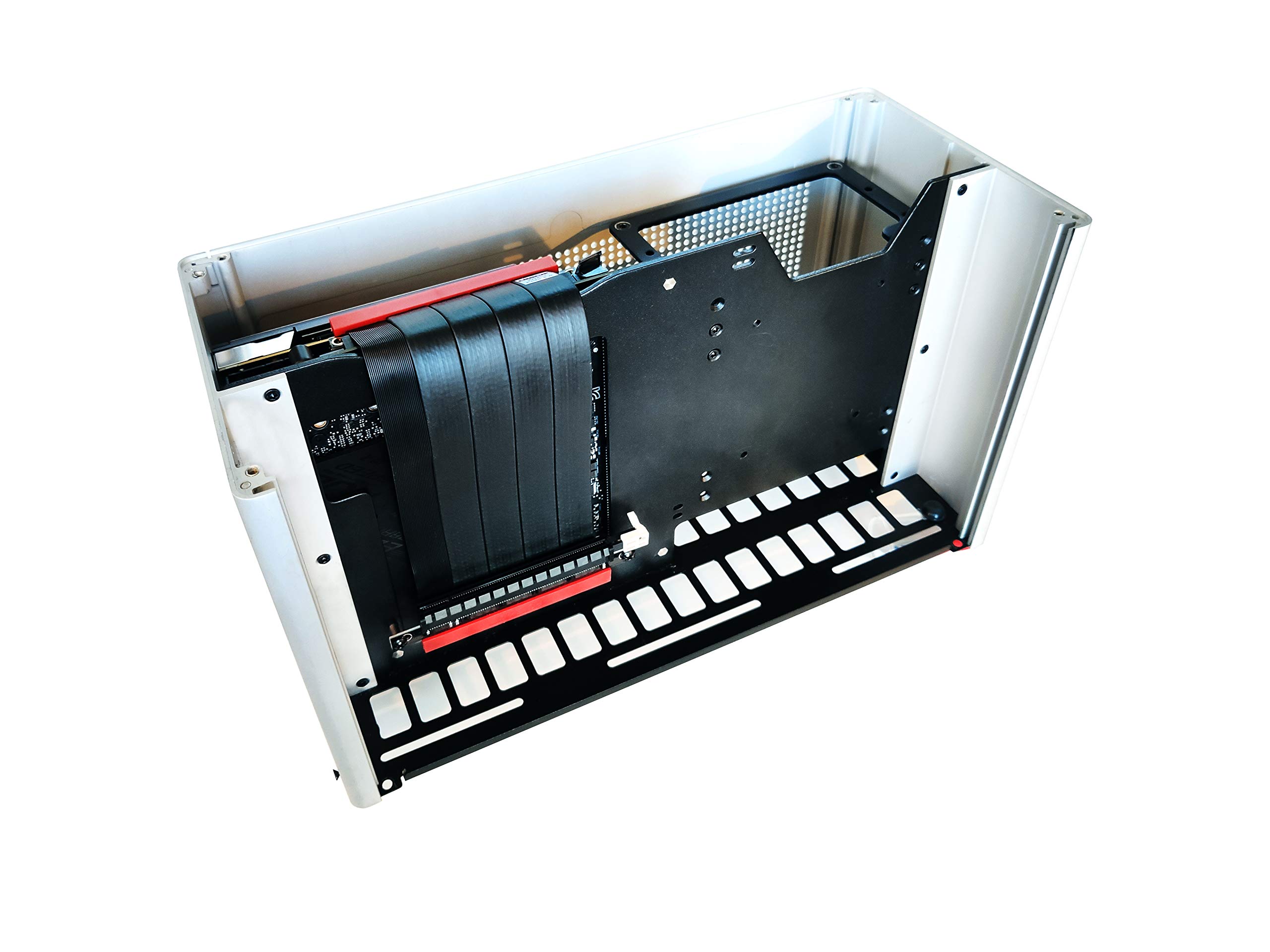


🚀 Elevate your ITX rig with shielded speed and flawless GPU flex!
The LINKUP Ultra PCIe 4.0 X16 Riser Cable is a high-performance, 18cm shielded extension designed for vertical GPU mounting in compact ITX builds. It delivers true PCIe 4.0 speeds up to 64GB/s with individual laneway shielding to prevent interference, ensuring stable, error-free operation with top GPUs like RTX4090 and RX6950XT. Featuring dual reverse connectors and premium gold-plated contacts, it supports a wide range of motherboards and GPUs, backed by a 1-year warranty and premium support.


| Manufacturer | LINKUP Technology Inc. |
| Part number | PCIE4EXT11VV-018 |
| Item Weight | 81.5 g |
| Package Dimensions | 21.5 x 14.3 x 2.4 cm; 81.65 g |
| Item model number | PCIE4EXT11VV-018 |
| Size | 18cm |
| Colour | (Ultra) Dual Reverse Sockets |
| Style | (Ultra4) ITX Double Reversed |
| Shape | Flexible rod |
| Amperage Capacity | 40 Amps |
| Item Package Quantity | 1 |
| Specification met | Pcie 4.0 |
| Special Features | Extreme High-Speed, Individual PCIE Laneway Shielding |
| Batteries included? | No |
| Batteries Required? | No |
A**N
Perfect
Decent product, does the job and looks good too.
M**E
Worked like a charm
I needed to replace my old PCI 3.0 riser that came with my PC case as I was getting frequent errors that I suspected were related to it.Installed this riser and I was able to set my 3070 to PCI gen 4 instead of GEN 3 (PC would not boot with Gen3 selected and previous riser).since then, my issues have been resolved machine has been rock steady.
R**N
Works well at Gen4 x16
The media could not be loaded. The Linkup cable and is easy to fit and secured well. No issues were had with Gen 3 vs Gen 4 performance.
C**R
Works perfectly. Compatible with Lian-Li GPU riser (Lancool 2)
After upgrading to new Ryzen CPU and RTX 3080 I found the original Lian-Li cable that came with their riser would only support PCI-E 3.0 - although there is some difference I would rather be getting the full performance after the significant investment.Took a chance on this fitting after looking at the pictures to figure out the compatibility with my existing riser and decided to give it a go.Needed a tiny bit snipped from the end of the PCB where the screw mount is, literally a couple of MM too long to fit the Lian Li riser. Cable is a bit more flexible than the original one but perfect length for my setup too.BIOS and Windows both report FULL PCI-E 4.0 support in GPU-Z/HWINFO on my setup:Ryzen 5800XAsus ROG Crosshair VIII HeroAsus RTX 3080 TUF OCOnly knocked a star off due to the cost, I think it's expensive for the comparison to the PCI-E 3.0 versions which are available from about £20.
G**Y
Perfect 4.0 Riser Cable
The media could not be loaded. Found the time to add my Riser Cable n im happy with the results even if my fans are close to the glass.I had to mod my Corsair 7000d case to fit the Gigabyte 4070 master in.Be great if case companies made tempered glass doors with air holes.Happy with the purchase although clearly a rip off price, taking advantage of 4.0 specs.
R**U
You need to get this to avoid the hell i have been through ¬!!
Update: I upgraded to a rog monitor and I cant run 100hz without a crash, at 90hz it works but if you connect another monitor it crashes fast ! I don't think it can really handle the bandwith...Thank you for making this cable ! Upgraded from a corsair one, but i tested several they don't work on PCIE 4.0 !A few months back I decided to move from a I9 9900k, Aorus master, and Rtx 2080ti to AMD and I bought a Strix 570 F mb, a Ryzen 3950x a Msi 6800xt GPU and paired them all up with 32 gb 3600 corsair.2 X M.2 Samsung pro pcie 4.0I kept getting crashes, assumed its the CPU ( and it was a bit) as was getting errors on top of errors and a unstable system. ( the CPU had a few issues, tested on a friends system and it kept crashing, unstable at stock speed and Ram stock ! .. )Upgraded to 5950x and system seemed better, but sometimes refused to boot (Cpu errors and white light).Bought a crosshair hero Viii (used) , 1 boot achieved after 5 resets and 2 power offs, worst after long period being off ! Assumed its a faulty MB as the errors were different.Changed to x570 Aorus master, that one flat out refused to boot, tried different ram, same thing.Changed to another Crosshair Hero Viii, this one worked much better but still hard to get it started, eventually I tried the pcie on gen 3 and worked but with a lot of whea errors. (occt test)Was at the point where I thought it must be another bad CPU, honestly weeks of stress, I have build a lot of systems in my life and I do have a bit of I.T. knowledge..Stuck the new pcie riser cable today and so far very stable and no errors, just make sure you push it in well as I didn't the first time.The cable is well built but the red accent ruins the look, PLEASE MAKE IT BLACK !Lets see how it works and ill update !
L**N
Expensive but it works
I got this to replace the stock riser cable in my SSUPD Meshlicious after upgrading my RTX 2070 to a 4070.With the old cable I had poor performance in games and the system was pretty unstable. With the new cable, it's solid as a rock. More money than I would have liked to spend on a cable, but it solved my problem.The mounting holes with the correct spacing for the Meshlicious seemed a little bit undersized for the existing mounting screws, but it installed ok in the end.
X**Z
Not PCIe X16. Disappointed!
Looks amazing but unfortunately I can’t make it to be PCIe X16. Only X4 Gen 4.0. Indeed is a Gen 4.0 cable, but pointless. The ad states is PCIe X16 Gen 4.0 but got very disappointed when I booted it up and checked in GPU-Z.I have X570 Dark Hero VIII, Ryzen 7 5800 X3D and Asus Rog Strix 3090 OC. I’m afraid I have to return it after 3 hours of use.
Trustpilot
1 month ago
1 week ago
![LINKUP - Ultra PCIe 4.0 X16 Riser Cable [RTX4090 RX6950XT x570 B550 Z690 Tested] Shielded Extreme High-Speed Vertical Mount Gaming PCI Express Gen4┃Dual Reverse Connectors (18cm / 7") Designed for ITX](https://images-na.ssl-images-amazon.com/images/I/718A0EKUS2L._AC_UL116_SR116,116_.jpg)