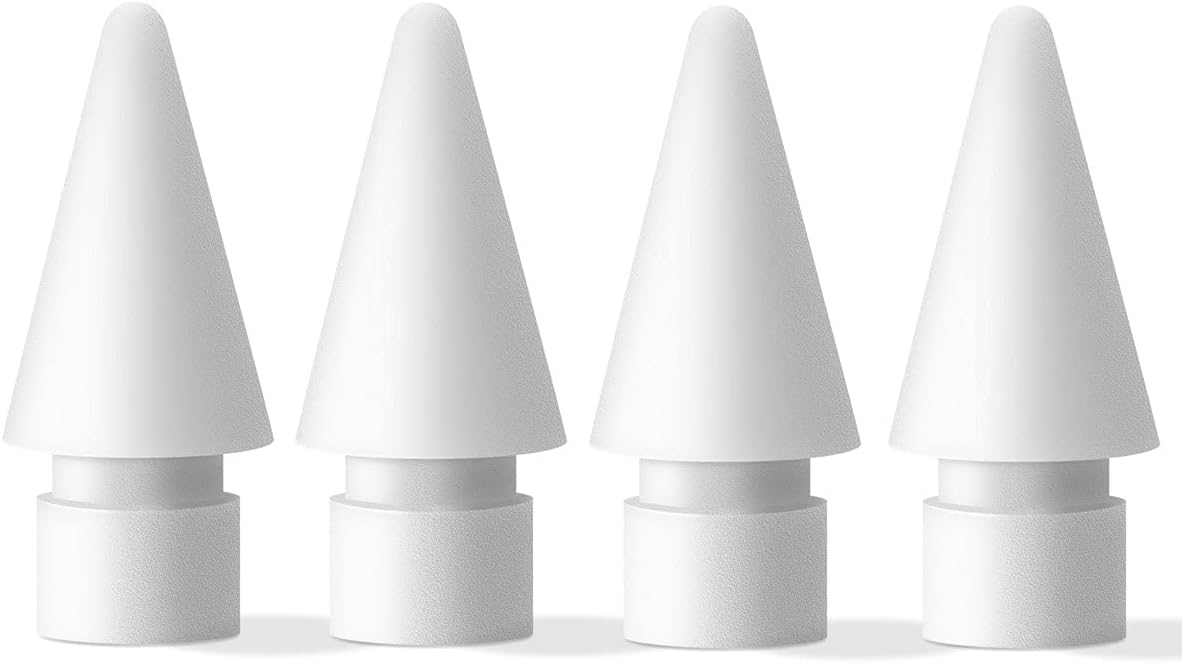
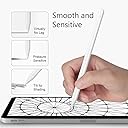
✍️ Elevate your Apple Pencil game—write, draw, and create in silent smoothness!
MJKOR Soft Noise Reducing Tip Replacement set includes 4 high-sensitivity nibs compatible with Apple Pencil 1st and 2nd generation. Designed to reduce noise and provide a smooth, paperlike writing and drawing experience without lag or scratches. Durable and resistant to wear, these tips enhance precision and comfort, making them ideal for note-taking, sketching, and coloring on iPads with glass screen protectors.


| ASIN | B093KQLYDX |
| Best Sellers Rank | #7,343 in Cell Phones & Accessories ( See Top 100 in Cell Phones & Accessories ) #195 in Styluses |
| Customer Reviews | 4.3 4.3 out of 5 stars (973) |
| Date First Available | April 27, 2021 |
| Item Weight | 0.634 ounces |
| Manufacturer | MJKOR |
| Package Dimensions | 2.09 x 1.3 x 0.35 inches |
N**E
Very nice upgrade for note-takers and artists
Purchased these MJKOR tips to see what the difference would be since I have only used the ABS plastic tips included with my Targus pencil. Wow this is impressive, Interesting as well: these feel so buttery smooth. As if my tempered glass screen protector were a thin layer of Mrs.Butterworths. I wouldn't compare it to paper exactly, it's hard to explain until you feel it. A real pencil and paper, or chalk and blackboards, has a little "grit" feel when writing. These tips however, provide resistance while yet being smooth as glass. It slows down your motions using a little bit of smooth friction, which helps when drawing long lines or curves slowly. It has also helped reduce jittery lines and helps my notes and sketches look smoother. The tips are being used on a Targus pencil for 9th Gen iPad (gen 1 pencil) with tempered glass screen protector. I have also since purchased a different brand which claim to be a true Shore 60 Hardness 2B, and they are not as resistant as these MJKOR tips. I can write faster with the other tips. I would guess these MJKOR feel like a Shore 50? Just a bit softer than the claimed "true 2B". So I actually like going back and forth between both to see what works best for quick note-taking, and sketching/drawing. But overall, very pleased with these MJKOR tips.
S**R
Absolutely PERFECT for Coloring!
After spending over $1k on a new iPad I didn’t want to use a matte screen protector because they noticeably dull the beautiful definition that I’m paying extra money for. So after ditching the Paper Like Feel matte protectors I decided to use a glass protector and these replacement tips on the Apple Pencil 2. I tried out ALL the available replacements tips and tip covers I could find and this is the PERFECT combo! None felt right until I got these Soft Noise Reducing Tips by MJKOR. And WOW! I’m so glad I did. They are a bit more expensive but I’m not going to cheap out on tips after shelling out the money for an iPad! The amount of resistance is just perfect. No noisy tapping, lagging or sliding across the screen. They are absolutely perfect for coloring and drawing. I’m a pen aficionado and I love gel pens and how the just smoothly roll across paper. Well these have the same effect. So buttery smooth across the screen. And I’m not sacrificing the beautiful colors and definition that the newer iPads are known for. I bought extra because I never want to be unable to find them. As far as for note taking and precision drawings I haven’t used them for that yet the majority of my time is coloring. So I can’t say how well they are for that function. The key to keeping them rolling is a clean screen. I use a microfiber cloth several times a day and the tips keep on rolling!
S**A
Great choice if you don’t mind replacing every couple of months
Really great set if you’re looking for soft nibs. They are easy to put on fit well, and are like butter on the screen. They write great, and are sensitive to the screen with no lag. Great functionality.The only downside- you get 2 for $10 and they’re gonna wear down if you have a high grit paper screen protector. I found that the silicone covers I got while looking for softer nibs are a cheaper option and work surprisingly well. Overall these work great and are designed well.
M**K
Very nice
Background: I have severe neuropathy and shaky hands, so I need to steady the pen while drawing. Screen protectors are not an appealing option. For some types of line work the app's brush stabilizer option is great. For sketching and painting it's awful. I'm using these on an Apple Pencil Pro. I've been trying out a small variety of pen tips and silicone caps. I'd definitely recommend these over the other options. 2B is good. Maybe some brands have softer, like 4B or 6B—I've heard of that but haven't seen any. These 2B worked well. I get the smoothest line—when drawing a long, slow one—with a silicone cap over the original Apple pen tip. But with those there's the trade off that they wear out quickly (maybe after an hour) and work loose, like an old stretched out sock. These 2B tips didn't give me the smoothest slow line but were a good compromise for both vigorous work and precise work. (Also, in some drawing apps I've found I have to press a lot harder to make a mark with the silicone caps. And by comparison the silicone caps have a lot of drag, if that bothers you.) I suspect these will get the most use out of the options I've tried. Very nice.
A**R
Good but they wear out quick
I like them better than the Apple default tips. They don't cause as much noise, add some friction to my pen strokes, and are much better than the slippery pen tips from Apple. But man, do they wear out quick. I should preface that I use the Apple pencil pretty much every day for several hours as a digital artist so they might wear out quicker because of that. But with my constant use of them, I time the tips becoming glitchy and unusable by the end of 1 month or 2. Still, I would buy them again. If you are an artist, buy them in bulk.
N**Y
Great nib replacement
I use this nib to write notes on my iPad. They feel softer than the original Apple nibs. The writing experience on the iPad feels much better. They're less expensive than other options, and I'm happy I got them. No more tapping as I write, and a more pencil-on-paper-like experience.
K**N
Good tips but might require often replacement.
I love that it truly feels like writing on paper. However, as other reviews mentioned the tips seems to be worn out very fast. I used it for 2 or 3 times but already observe the tips worn out. So, if you're looking for true paper like tips on glass screen. This is for you. But keeps it in mind that you might have to replace it quite often.
J**.
These are exceptional. Looking for tips that don’t make that tit tat tit tat sound when you write? These are them. I was sceptical but found a review buried in here saying these stop the noise. It genuinely does (not silent - but 80% quieter). I don’t know why Apple doesn’t supply them as standard as these are SO MUCH better.
M**K
I'm returning these - they are exactly the same type of hard plastic as the original pencil 2 tip. That would be fine if I was looking for an original tip replacement, but I wanted what was advertised by this product: a softer tip that made the writing experience more realistic. In the attached image, can you guess which is the "soft" tip? Apple Original on the left, these on the right. They are both hard plastic.
D**.
These are not noiseless, soft or pencil like. Pretty much feel like the original tip. Still work well as replacement tip but just not as advertised.
S**E
The tips are just as hard as the original apple tip, made no difference at all.
L**E
These are not noiseless and do not feel any different to regular tips. These would be good if you are looking to replace apple pencil tips, like for like, but if you are looking for noiseless, softer tips they are not as decribed.
Trustpilot
3 weeks ago
2 days ago