Desertcart purchases this item on your behalf and handles shipping, customs, and support to SINGAPORE.
📠 Go Paperless, Stay Connected, Fax Smarter!
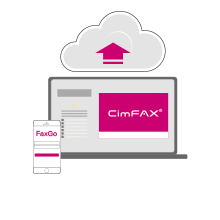
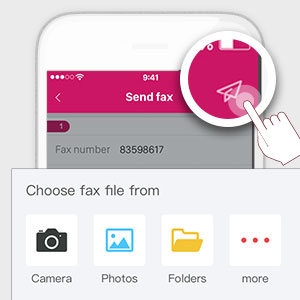
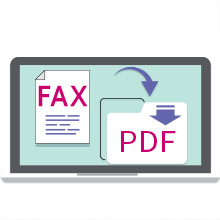
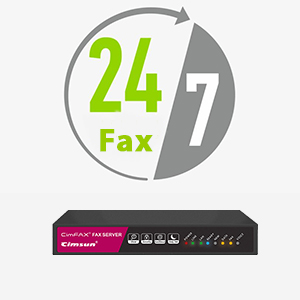
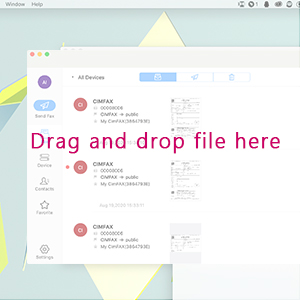
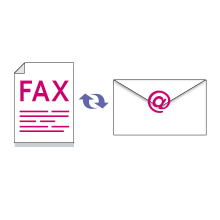
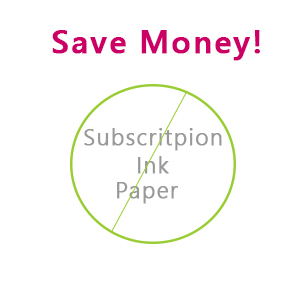
The CimFAX A5 Paperless Fax Machine is a compact, energy-efficient fax server that enables seamless sending and receiving of faxes remotely via PC or mobile devices. Supporting up to 5 users, it stores up to 5,000 pages in 256MB memory, offers 24/7 operation with automatic PDF archiving and email forwarding, and integrates easily with popular software. Its secure 128-bit encryption and eco-friendly design eliminate paper and ink costs, making it the ultimate modern fax solution for busy professionals.


| ASIN | B00WJXFDO4 |
| Additional Printer Functions | Fax |
| B&W Pages per Minute | 20 ppm |
| Best Sellers Rank | #127,093 in Office Products ( See Top 100 in Office Products ) #2 in Fax & Multifunction Devices |
| Brand | CIMSUN |
| Color | black |
| Color Depth | 24 bpp |
| Color Pages per Minute | 1 ppm |
| Colour | black |
| Compatible Devices | Smartphones, Tablets |
| Connectivity technology | Ethernet |
| Control Method | Remote |
| Controller Type | windows |
| Customer Reviews | 4.1 out of 5 stars 186 Reviews |
| Dual-sided printing | Yes |
| Duplex | Automatic |
| Global Trade Identification Number | 06959805100016 |
| Hardware Interface | Ethernet |
| Ink Color | BLACK |
| Item Weight | 1.1 Pounds |
| Manufacturer | CIMSUN |
| Maximum Copy Resolution Black and White | 240 dpi |
| Maximum Copy Resolution Color | 1200 dpi |
| Maximum Copy Speed Black and White | 20 ppm |
| Maximum Media Size | A5 |
| Maximum Print Resolution Black and White | [EST] 1200 dpi |
| Maximum Sheet Capacity | 150 |
| Maximum print Resolution Color | 1200 dpi |
| Model Name | CF-C2102 |
| Model Number | CF-C2102 |
| Model Series | CF |
| Model name | CF-C2102 |
| Number of Ethernet Ports | 1 |
| Number of Licenses | 5 |
| Number of Trays | 2 |
| Other Special Features of the Product | Portable |
| Paper Size | 21 centimeters |
| Print media | Unknown |
| Printer Connectivity Type | Ethernet |
| Printer Output Type | Monochrome |
| Printer Type | Thermal |
| Printing technology | Thermal |
| Processor Count | 1 |
| Resolution | 600 x 600 |
| Scanner Type | Flatbed |
| Series Number | 2102 |
| Special features | Portable |
| Specific Uses For Product | Remote faxing, paperless office, environmentally friendly, faxing via telephone line or high-quality VoIP line |
| Wattage | 5 watts |
A**P
Great Fax Solution
I was concerned that the A5 might not be enough machine for our needs. I was concerned that this might not be a good solution because it seems like the whole tech industry has moved away from software-based fax on PCs (and for no apparent reason). I was mildly encouraged by the fact that this device's 4 and 5 star reviews come from folks who seem to be legitimately tech-savvy, while its 2 and 1 star reviews come from folks who obviously aren't. We were pretty desperate to achieve a paperless fax solution in one of our offices so I risked the money and time required to try this thing. Setup was ridiculously easy. I downloaded the CIMFax software from their website, not from the included CDROM. I made it grab an IP Address via DHCP. The software found it on the network automagically. It works great. The thing is as reliable, as a raw fax device, as the HP MFP devices we were looking to replace with a paperless solution. It works great. The software doesn't have to be running on the PC for faxes to be reliably received, it just has to be running to notify any terminal users of faxes received. It works great. The faxes come into the PC in PDF Format. The faxes sent out can be multiple documents glommed into one outgoing fax operation. It works great, recovering from voice calls and partial faxes or error-condition faxes where some problem occurred on the sender-side. This thing is just phenomenal.
V**R
Great product.
This little box is fantastic! It’s easy to set up and configure. Works perfect in my office. I love the right click to fax and auto export. Makes fax sending and archiving much easier. And it doesn’t need any more fax modem to work with. Better than those expensive fax software. I highly recommend this product!
A**H
Excellent device for faxing and receiving faxes.
Very easy to set up and works impressively well even with VOIP. Amazing customer service which is very responsive with instant messaging. Would recommend to any organizations that may require faxing which is compact and very efficient and paperless.
C**N
Surprisingly Easy to Use
As a retired person, I deal at times with medical organizations and they can’t email scripts or other documents due to U.S. privacy regulations. I looked at traditional fax machines and I remember all of the paper wasted on spam. And, when you need to receive a fax, the paper would be gone due to prior faxes and spam. Enter Cimfax. It’s a server that sends and receives faxes electronically — no paper! I pride myself on being technically astute, but I think I’ve lost my edge given that I’m no longer challenged on a daily basis. Enter Anrey, who is patient and so pleasant. She helped me with a few issues that I should’ve known the answers to. She walked through the problem and was able to address the issue quickly. A year later, I thought there was a connectivity issue with the server, but in going through the process with Anrey on the phone, we realized it was my iPhone that caused the issue, as the iPad was able to connect seamlessly. Anrey is definitely an asset to Cimfax and I hope they recognize her value. Summary: Good product and good technical support.
Q**Q
The last (hopefully) fax machine you'll ever need.
This device was employed at a medical practice that receives roughly around 2000- 3000 pages of faxes a month (more on this later). As a relatively new practice we tried to go digital as much as possible. This led us to first trying fax machines that used client software to export faxes from the machine to a file server (in this case Brother pc-fax rx). The problem with this is the client was unstable and would constantly crash, so after enduring that for a few years (made a script to restart the program when it crashed) we decided to move on. On to the next thing. Online fax companies, the worst decision for an (apparently) high volume fax business. We were pitched an unlimited plan from company V. Great! Sign us up! Unfortunately the salesperson neglected to mention in the fine print "unlimited" means below 500 faxes a month. Refer to the number I gave for faxes above. Overages, all the overages. Frantic searching for an alternative ensues. Enter Cimfax. Setup was honestly the worst part of the experience. Do yourself a favor and just have their customer service rep remote into your computer to get the IP address set up. Not sure why it isn't set to DHCP as default but it is what it is. I repeat, save yourself the aggravation and just have their rep remote in and configure it. Consider it part of the setup process if you're too arrogant to ask for help. Their rep was very nice and accommodating 10/10. Just do it. (I used Skype chat, remote in was done via TeamViewer) Once it was successfully connected to the network I was given instructions on how to do Fax to Email and Export Faxes to server (as PDF). I opted for sending faxes to our file server and sending to email if the file server is down (nice feature). I should mention there is a client side app but once the fax server is pointed to your file server the client does not need to be run (moot point if the computer you're running the client on is also your file server). Would have been great if it could integrate directly with online storage options but that does not seem to be an option at this point though I haven't played around with that yet. I currently have it set to export to a Google drive folder on a computer, not elegant but it works. We have also used the remote fax feature which does require the client to be installed. Works great once ports are forwarded. Zero issues. So as of this initial writing 8/21/17 it has been roughly a week since CimFAX was up and running. No issues (yet). It is quietly chugging away pushing faxes to where they need to be and in PDF format. As a good fax server should. No monthly fees, no overages, no gimmick, no incessantly crashing client. I didn't know a fax machine could cause me to feel relief but, for now, CimFAX has done so. TL:DR Pros: - Small - Works (for now) - PDF conversion - Remote feature - No monthly fees - Excellent customer service Cons - Initial setup Will update with any issues after a month.
Trustpilot
1 day ago
3 weeks ago