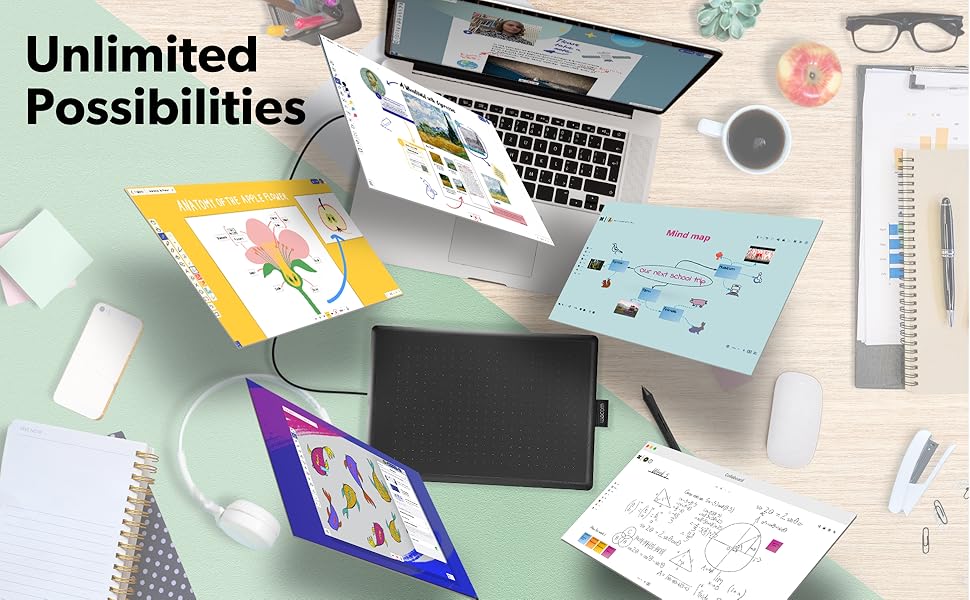
🎨 Unlock your creative edge with precision and portability
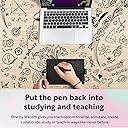
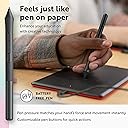
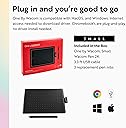
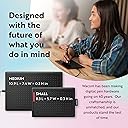
The One by Wacom Small Graphics Drawing Tablet offers a compact 8.3 x 5.7 inch active area with 2048 pressure sensitivity levels via an ergonomic, battery-free pen. Certified to work seamlessly with Chromebook, Mac, and Windows, it’s designed for students, educators, and creators seeking a reliable, portable, and precise digital drawing experience backed by Wacom’s 40+ years of expertise.


| Active Surface Area | 6 inches x 3.7 inches |
| Asin | B07S1RR3FR |
| Best Sellers Rank | 144,394 in Computers & Accessories (See Top 100 in Computers & Accessories) 195 in Graphic Tablets |
| Box Contents | Digital Pen, USB Cable |
| Brand Name | Wacom |
| Colour | Black |
| Compatible Devices | Laptop (Chromebook) |
| Customer Reviews | 4.5 4.5 out of 5 stars (8,574) 4.5 out of 5 stars |
| Display Type | LED |
| External Testing Certification | Não aplicável |
| Global Trade Identification Number | 00753218985835 |
| Item Dimensions L X W | 21.1L x 21.1W centimetres |
| Item Weight | 440 Grams |
| Manufacturer | Wacom Technology Corporation |
| Manufacturer Part Number | CTL472K1A |
| Model Name | RM |
| Model Number | CTL472K1A |
| Native Resolution | 1920x1080 |
| Network Connectivity Technology | USB |
| Number Of Items | 1 |
| Operating System | Mac OS, Windows |
| Pressure Sensitivity | 2048 Levels |
| Product Features | Portable |
| Software Update Supported To Date | unknown |
| Target Audience | Student, Artist |
| Upc | 753218985835 |
User
Great piece of kit
This works well and is more accurate than a mouse. Some systems have features where you can use the pen and that makes it really simple. Can even log into windows 11 with it and not get errors
User
Just does not work as expected
Just does not do what was expect
User
Disappointing
This is a basic tablet. Really basic. And fort that, it's expensive.If you're ever used a "grown up" graphics tablet, or something like an Apple pen, do not mistake this for cost effective alternative.Most of all, DO NOT BUY THIS if you want to use it as anything more than a glorified mouse. I'd hoped to use this with Inkspace, Wacom's own handwriting recognition software. You'd think it would work. Why wouldn't it? It doesn't. And there really is little excuse for that.I'm going to give this to my 8yr old, because at least she can use it as a toy .... which is what it is.
User
not easy to set up and died after 5 months
driver doesn't always recognise the tablet. took while to get it to work. stopped working after 5 months. now it's passed return period, Wacom wouldn't honour the warranty because I have moved to a different country.
User
Solid hardware ruined by some pathetic drivers and software.
To be honest, it would be an easy 5 with some simple changes - especially at this price point.If you plug it in with no drivers, it's fine... mouse mode, actually quite usable.The trouble starts when you actually try to use Wacom's awful software:- changes behaviour of your normal every day mouse- causes crashes in standard windows stuff like whiteboard every 2-3 mins- applying settings in their software usually doesn't "apply" anything.First major sin:It replaces Windows' mouse driver with its own inferior driver, which wrecks your mouse speed and acceleration. You can never quite get the pointer ballistics right after this point. For this alone it gets a 1.It has no business interfering with other pointing devices, less so nerfing them.Feels very amateurish.Second major sin:Their own config utility is barely functional.By default it'll map to "absolute mode" (e.g. any point on the pad maps to a particular point on the screen). But I have 3. So everything comes out about 6 times wider than it should.It's supposed to let you correct this, or map to a particular screen, but it doesn't actually work.Setting it to a single monitor causes the mouse to flicker endlessly back and forth. So you're best off in mouse mode (e.g. the default thing that happpens anyway without any drivers present)A window pops up on startup "wacom desktop centre", with links to e.g. "set up your device".Those links don't work. They're completely unclickable on mouse or tablet.Actually that's a lie "register your device" works... obviously.Almost any time you apply a setting in the setup software, it doesn't actually apply settings.You have to wiggle one of the sliders about for it to register that something's changed.I also found that the windows whiteboard was constantly (every few mins) crashing with this driver installed. So no. Not using it.What does this mean?Reasonable to assume that nobody's testing these software releases at Wacom's end, and for me that's a huge security concern. What else could sneak into this software unchecked?The real kicker is that there's a free, open source alternative driver kicking about on Github.And it works really well.A bunch of people in their spare time wrote a much better driver than the one you're about to pay for.Good points:- feels very nice to write on- the accuracy is great- the size isn't awfulBut they don't really deserve your money for these scummy practices.Hard pass.
User
Amazing
Not to hard to get a hang of! I’m a uni student for fashion so this is a dream to work with when I’m doing digital illustrations on photoshop would highly recommend if you are a student (or have a hobby) in using photoshop for digital illustrations! it’s made my life so much easier!
User
Love it
Nice product
User
Excelente para fotógrafos
La compré para utilizarla en Photoshop . Cumple con todas mis expectativas para el retoque de retratos . Justo por mi trabajo no requiero algo grande y el tamaño de esta es excelente ya que la puedo poner en cualquier parte . Incluso transportar .
User
Good for gaming as well.
Use it to play osu! and its great. Super light weight and easy to store since its so small. Very reactive and doesn't have delay. Didn't use it for art that much but it is definitely a good budget choice if you want to get into ous!
User
Great quality
Works great but feels a bit small for me
User
WOW
The One by Wacom Drawing Tablet is an excellent choice for artists, students, and anyone looking to create digital artwork with ease. The medium size provides a comfortable drawing area while still being compact enough to fit on a desk or carry with you.The tablet offers smooth, accurate pen control and a natural drawing experience that feels very close to using traditional paper. The pressure-sensitive pen responds well to different drawing styles, making it great for sketching, illustration, photo editing, and note-taking. Setup is simple, and the tablet works reliably with many creative software programs.I appreciate the lightweight design, durable build, and user-friendly features. Whether you are a beginner learning digital art or an experienced creator needing a dependable tablet, the One by Wacom is a practical and high-quality tool that delivers excellent value.
Trustpilot
3 days ago
1 day ago