

Desertcart purchases this item on your behalf and handles shipping, customs, and support to SINGAPORE.
🎮 Level up your nostalgia with HD clarity and modern ease!
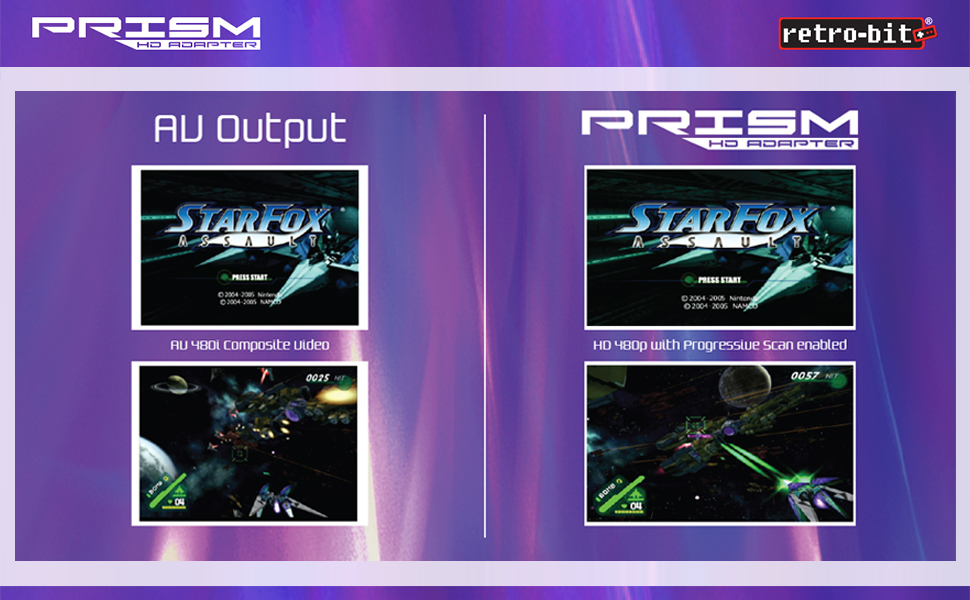
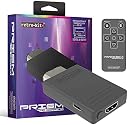
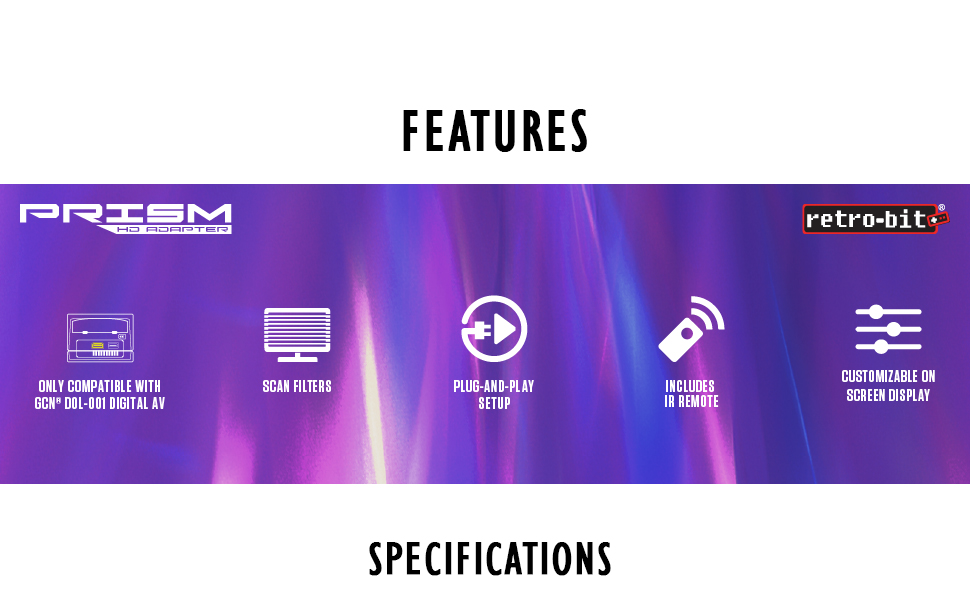
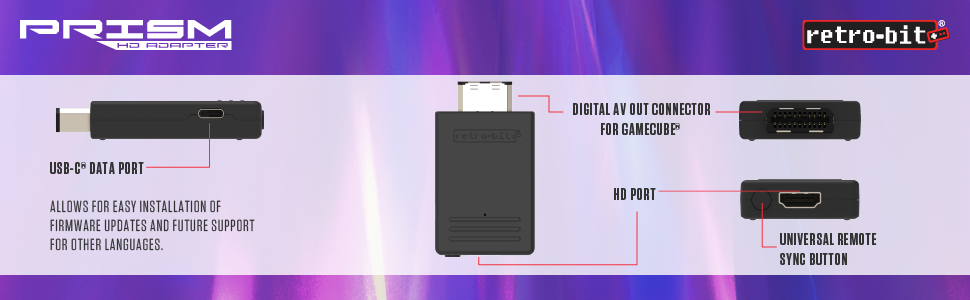
The Retro-Bit Prism HDMI Adapter seamlessly converts your GameCube's AV output to crisp 1080p HDMI, featuring USB-C for firmware updates, customizable on-screen display, and an IR remote for easy control—making classic gaming effortlessly stylish and future-ready.
| ASIN | B08WBQL4VM |
| Best Sellers Rank | #2,341 in Video Games ( See Top 100 in Video Games ) #2 in GameCube Consoles #15 in GameCube Accessories #131 in PlayStation Legacy Systems |
| Brand | Retro-Bit |
| Color | black |
| Compatible Devices | Television |
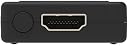
| Connector Type | HDMI, USB Type C |
| Current Rating | 1 A |
| Customer Reviews | 4.6 4.6 out of 5 stars (845) |
| Finish | Hdmi |
| Item Dimensions | 5.51 x 0.79 x 6.69 inches |
| Item Weight | 1.44 ounces |
| Manufacturer | Retro-Bit |
| Mfr Part Number | 849172013063 |
| Model Number | 849172013063 |
| Number of Items | 1 |
| Number of Ports | 1 |
| Package Quantity | 1 |
| Power Plug Type | No Plug |
| UPC | 849172013063 |
| Unit Count | 1 Count |
A**M
Amazing resolution, puts cheap converters to shame!
This was money well spent! Seriously, I was using a scrappy $13 converter that made Twilight Princess look like Vaseline was smeared all over the TV and the game was so dark that I had trouble seeing some areas. But this converter is like putting on proper glasses for the first time after having been used to bad eyesight! It even took me 30 minutes to adjust and get used to the sharpness and great resolution. The remote allows for image tweaks. I set the tv to a 4:3 aspect ratio and it looks perfect. Still doesn't beat a good old CRT, but this is still fantastic.
G**D
Best resolution for GameCube DOL-001 model
The game cube is always was criminally under rated. Probably one of the best features that never was was the digital out for the original DOL-001 model (the port on the left shown above). While nintendo intended for this port to be used with component cables in 2024 we can use this for high quality picture output to HDMI at 480p (state of the art for 2001). The adapter has a relatively low profile sticking out slightly beyond the handle on the game cube. The device even has USB C for easy install of firmware updates. The resolution looks great with the photo being taken on a 65" OLED screen. My only complaints (and they are minor) are 1. The device uses a remote for changing options which terrifies me that I may loose it and not be able to make changes (it is working fine with settings out of the box.) 2. The device lacks extra support such as the GCHD MKII which plugs into both VGA and Digital ports for a more stable connection or the vent clipped bracket on the Kaiko adapter. That being said for the price I can live without the extra stabilizing devices.
B**T
Does what is says, adds HDMI to GameCube
You need to have the right model of Gamecube to use this (DOL-001) you can tell if your Gamecube can use this because there will be a second "digital out" port next to the SNES-style video port on the back. If you have that second port, you can use this. I have two Gamecubes, one of them it worked perfectly in, the other one was fiddly and I had to move the device around a bit to get it to be recognized. This is of course a problem with my Gamecube and not the device, but the reason I bring it up is this device is big and hangs out of the back of the gamecube so it can be a little finicky, if you get this and don't get a picture right away, fiddle around with it because it might still work. Be warned that despite the picture being digital, it is 480 lines of resolution and most games are interlaced, the picture just did not look as good as I thought it would, even knowing this limitation. However again this is a problem with the Gamecube and not this adapter, the picture is still much better than S-video and you can use it on a modern TV. If you really want a better picture for your gamecube games, there are software emulation options. It comes with a remote control that lets you change around options. It has a few useful options like the ability to output a framed widescreen image. But I didn't need to change anything to get best use of this device.
A**A
No complaints so far
Works perfectly for my GameCube, just plug it in and didn’t need to do anything, video quality is so much better over the one I got from Walmart “onn Composite AV to HDM converter”
T**R
Buy This - Don't Cheap Out on Others!
Got a GameCube in Japan and had no clue what the best way to get that image into my modern TV. I went on Amazon, picked a $20 adapter that needed it's own power supply, that was advertised to work with SNES, N64, and GC via composite out. When I plugged it in, the image quality was poor, colors washed out, gross taring. Then I did my research and found the Retro-Bit Prism. The Retro-Bit Prism doesn't need an external source of power. It connects through the digital port that came on all first series GC units instead of the composite. It comes with a little remote control that allows you to adjust all the settings. When I plugged it in, I added scan lines, and boy it was night and day improvement over the other adapter. Colors are vibrant, the image looks great considering there is no upscaling. All I have to do is learn Japanese and I'll be all set. Now, I accept that it's not going to look like modern gaming systems and if I want to improve the image more, I'll need to get an upscaler. Right now, I'm happy with how it is. Good news; the upscalers I'm looking into work well with the Retro-Bit Prism so it'll be an easy transition. Highly recommend!
L**Z
It Factor!
This adapter delivers!! It's a must buy It's like seeing Gamecube games in a whole new light. Metroid Prime looks beautiful in 2026!!
D**6
So much better than the hdmi adapter that plugs into the other video port
I originally went cheap on the HDMI adapter that plugs into the analog video out on the Gamecube (using the same adapter for N64 and SNES also) but this is far superior the picture looks so much better and everything is brighter without even messing with any settings.
L**N
Fantastic
Very skeptical about price. But it works very well. There's lot of options on it i don't understand. But the games were about unplayable before. Changing the screen to 4:3 was better than the 16:9. Now originally I was using am the analog av port with composite ends, and it plugged into a composite to hdmi adapter. (Cheap one) and it helped. But with this new device I can play full screen much clearer than before. Probably even better than original.
K**E
Top HDMI Adapter für die GameCube
Hi, ich muss sagen ich bin sehr positiv überrascht, der Adapter liefert mindestens die gleich Qualität wie früher an den analogen TV, hab schon 2 andere Adapter versucht aber die waren nix in manch spielen war das Spiel zu dunkel um alles zu erkennen. Mit diesem Adapter kein Problem , hab nun 3-4 Woche warten müssen aber es hat sich gelohnt. Da mein TV nur HDMI kann bräuchte ich hier für eine Lösung und bin hier fündig geworden. Man sollte für den Adapter ein USB-C Netzteil zu Verfügung haben, dies hat ja jeder ihredwo. Kann hier nur weiter empfehlen.
A**X
La mejor actualización para tu GC
Compra obligatoria para cualquier coleccionista de GC. La mejora en el vídeo es significativa y se aprecia a primera vista, ahora bien, tendrás que trastear un rato en las opciones para optimizar bien la imagen. La única pega es lo que otros usuarios mencionan: el chinoso mando a distancia que trae. Deja bastante que desear en un producto con este rango de precio.
B**N
Great piece of kit for the price it’s definitely worth it
This is a great product and works great for the GameCube if you have 2 ports on it as this makes all games look so great without sacrificing quality or performance. Sound is great from my tv and connects very easy; makes plugin and play worth the price.
M**L
Gör precis det den ska!
Riktigt bra! Funkade rätt ur lådan och ger superfin bild. Bra för mig som inte orkar sätta mig in i massa inställningar och bara vill att det ska funka.
D**M
GameCube games never looked so good!
I have a PAL GameCube (I'm from the Netherlands) and after a lot of review-videos on Youtube I decide to go for it and I should've done this a lot earlier!! My games never looked better! I have a 32 inch LG LK6100 TV and the colors really pop on my screen, I have attached a photo of that too. It's important to note that PAL region consoles and games have interlacing. (480i, 576i) and the Prism HD has a line doubler that adds de-interlacing. personally I have turned that option off during the setup of the Prism because it made fonts overal jittery and a bit shaking. turning the line doubler off eliminates that ''issue'' many people won't even notice it unless they're close up to the screen but since my gaming room is really small, I noticed it straight away. after the whole setup of turning off line doubler in every mode I made sure to save the settings. I didn't even alter the colors or vibrancy. it really looks great out of the box! I recommend this to everyone that wants to make the Gamecube look better on a modern screen! if there are some downsides to this product it must be the lack of an HDMI cable but you can pick one up for really cheap here on amazon. I used the Twozoh HDMI slimline cables and they work perfectly! And also, the adapter clicks in the Digital AV port of the Gamecube, while it isn't really necessary I would have prefered that it would come with a small support bracket just like the Bitfunx includes. I have found a model of it online and a friend 3D printed it out for me so it's all good now. not really bad downpoints but I had to mention it.
Trustpilot
1 month ago
2 weeks ago