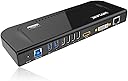
Desertcart purchases this item on your behalf and handles shipping, customs, and support to SINGAPORE.
๐ Elevate your workspace โ connect, charge, and conquer with Wavlink!
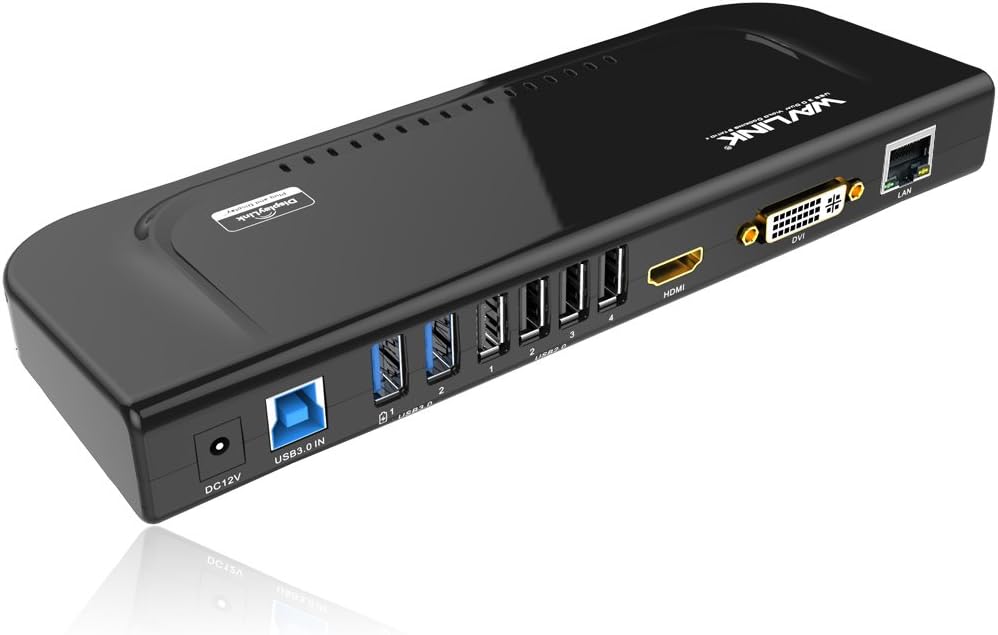
The Wavlink Universal USB 3.0 Docking Station transforms your laptop into a multi-port powerhouse with dual video outputs (HDMI and DVI/VGA), six USB ports including two SuperSpeed USB 3.0, and a Gigabit Ethernet port. Compatible with Windows and macOS, it supports high-resolution dual monitors and fast data transfer, making it an essential hub for professionals seeking streamlined productivity and seamless connectivity.


| ASIN | B072B96243 |
| Best Sellers Rank | #38,133 in Computers ( See Top 100 in Computers ) #580 in USB Hubs |
| Brand | WAVLINK |
| Color | USB 3.0 Docking Station-Black |
| Colour | USB 3.0 Docking Station-Black |
| Compatible Devices | Desktops, Hard Disk Drive, Headphones, Keyboards, Laptops, Monitors, Mouse, Printers, Speakers |
| Compatible devices | Desktops, Hard Disk Drive, Headphones, Keyboards, Laptops, Monitors, Mouse, Printers, Speakers |
| Customer Reviews | 4.3 out of 5 stars 375 Reviews |
| Hardware Interface | Ethernet, HDMI, USB, USB 1.1, USB 2.0, USB 3.0, VGA |
| Hardware interface | Ethernet, HDMI , USB, USB 1.1, USB 2.0, USB 3.0, VGA |
| Input Voltage | 12 Volts (DC) |
| Item Dimensions L x W x H | 34.5L x 6W x 15.2H centimeters |
| Item Weight | 238 Grams |
| Manufacturer | WAVLINK |
| Mfr Part Number | RC-UG39DK4-UK |
| Model Number | RC-UG39DK4-DEFBA |
| Number of Items | 1 |
| Number of Ports | 12 |
| Product dimensions | 34.5L x 6W x 15.2H centimeters |
| Total Number of HDMI Ports | 1 |
| Total USB ports | 6 |
| Total Usb Ports | 6 |
| UPC | 603983495117 |
| Unit Count | 1.0 Count |
X**I
Good docking system but not working for mini mac wifi
I used it for my mini mac.the mini mac loses wifi when plug the docker in
O**R
Works like a charm!!!
I have been looking for a docking station for my MacBook Pro M2 which works with DisplayLink. This dock worked absolutely well. It was truly a plug and play since I already had displaylink installed. I am able to connect two external monitors in extended mode on my Mac now. The box contained all the needed converters as well along with Dock. DVI to VGA, DVI to HDMI and Type c to USB.
M**.
Compatible with windows and linux
I know it uses displaylink chipset, which is going to compatible with both windows and linux, and also one of the major reasons to drive me get this product. I have both windows and Linux systems, from work and home, constantly unplug and plug all the cables is really annoying, I'm glad this product works across both platforms. Now I can plug the network cable, keyboard and mouse, display, etc. everything on this dock and just need to run single and the only one usb cable back to the computer and everything is connected! Yes, one cable needs to be replug across different laptops instead of multiple cables. Very good product which brings convenience. There is one to note which is true across all usb display products... the extra display is for productivity like web design or word processing and the like, not for display or gpu intensive like gaming or constant video watching which is not the usb display products intended for. Great and recommended multi-ports full features docking including usb hub, extra display, gigabit Ethernet and audio.
D**S
Dual Screen set up With MacBook Air M1
Very Good product,,, Connect two external monitor with my MacBook Air M1,,,, work well,,,
P**H
Works perfectly for triple (or even 4!) monitors
My main purpose to have this is to setup 3+ monitors for a laptop, and it works. You can have multiple modes - to extend, mirror, and even mix with them (Extend to one, mirror two, etc.). When do extend mode, you have up to 3 different working areas. This is ideal for spreadsheet, coding or graphic design. If your laptop equipped with extra HDMI port like mine, I can have up to 4 standalone monitors (this is confirmed by my setup). This product does what it supposes to. Edit: To install the driver, the manual inside the box is NOT clear at all, it is hard to follow their instruction. You should search by the model # and locate the latest version of software to download. If anything missing, that would be a stand for it to do vertical mode. I saw they do have the stand in Asian version. Too bad they don't supply it in the US.
Trustpilot
2 days ago
5 days ago