Desertcart purchases this item on your behalf and handles shipping, customs, and support to SINGAPORE.
๐ Upgrade your home network โ stream, game, and connect without compromise!
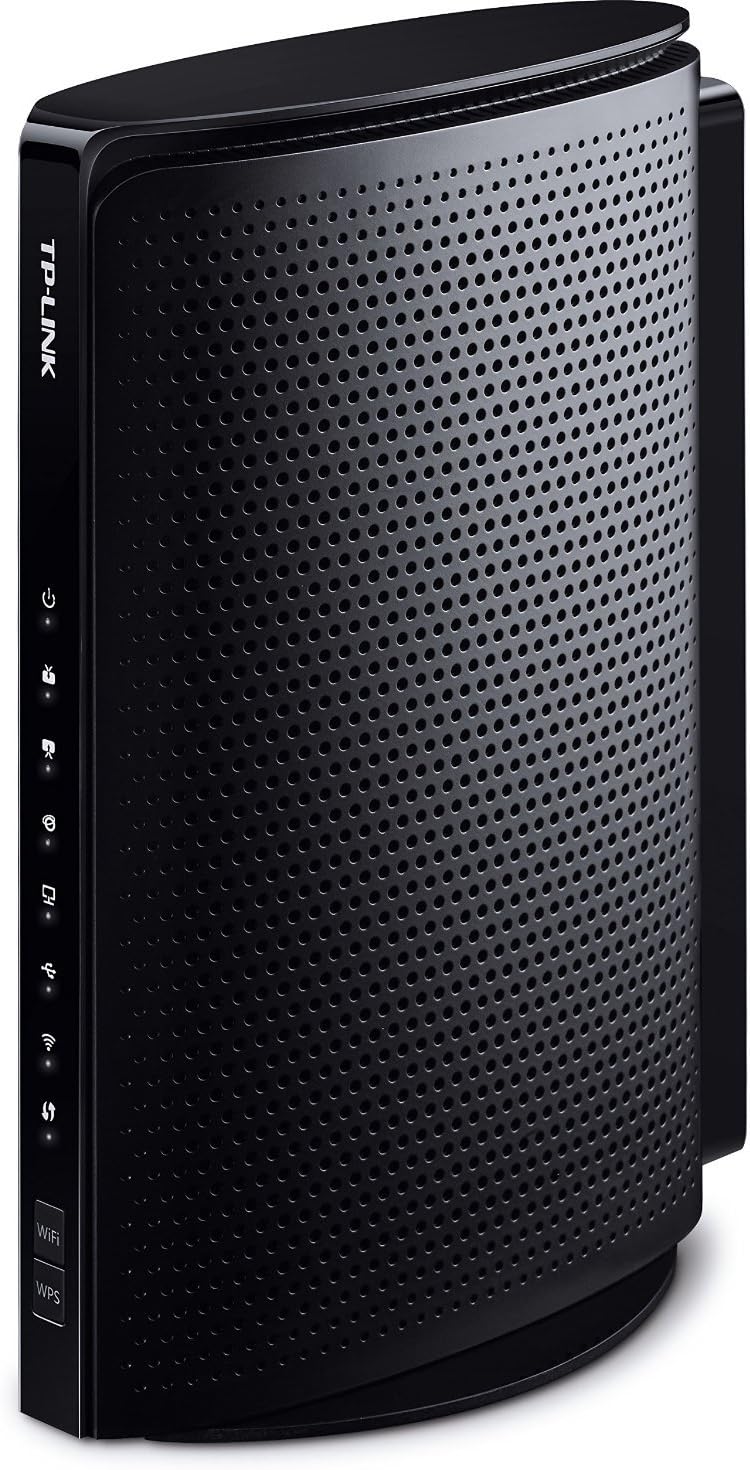
The TP-Link TC-W7960 is a DOCSIS 3.0 cable modem router delivering up to 343Mbps download and 143Mbps upload speeds. Certified for major US cable providers like Comcast XFINITY and Spectrum, it supports 8x4 channel bonding and Wi-Fi 4 (802.11n) at 2.4GHz with speeds up to 300Mbps. This 2-in-1 device eliminates rental fees by replacing your ISP modem and router, backed by a 2-year warranty and 24/7 technical support.


| ASIN | B01EO5A3RQ |
| Antenna Location | Home, Small Office |
| Antenna Type | Internal |
| Best Sellers Rank | #60 in Computers ( See Top 100 in Computers ) #1 in Routers |
| Brand | TP-Link |
| Built-In Media | TC-W7960, Ethernet Cable, Power Adapter, Quick Installation Guide |
| Color | Black |
| Compatible Devices | Personal Computer |
| Compatible devices | Personal Computer |
| Connectivity Protocol | Wi-Fi, Ethernet |
| Connectivity Technology | Ethernet, Wi-Fi |
| Control Method | Touch |
| Controller Type | Switch |
| Coverage | Home coverage |
| Customer Reviews | 3.8 out of 5 stars 1,998 Reviews |
| Data Transfer Rate | 300 Megabits Per Second |
| Frequency | 2.4 GHz |
| Frequency Band Class | Dual-Band |
| Frequency band class | Dual-Band |
| Global Trade Identification Number | 00845973093860 |
| Has Internet Connectivity | Yes |
| Has Security Updates | No |
| Is Modem Compatible | Yes |
| Item Dimensions L x W x H | 14.2L x 14.2W x 5.8H centimeters |
| LAN Port Bandwidth | 240 megabits_per_second |
| Manufacturer | TP-LINK USA |
| Maximum Upstream Data Transfer Rate | 68 Megabits Per Second |
| Mfr Part Number | TC-W7960 |
| Model Name | TC-W7960 |
| Model Number | Cable Modem Router |
| Model name | TC-W7960 |
| Number of Antennas | 2 |
| Number of Ports | 2 |
| Operating System | Windows 10/8.1/8/7/Vista/2013/2008, OS X 10.4 or later (Ethernet Connection Only) UNIX and Linux |
| Other Special Features of the Product | WPS |
| RAM Memory Installed | 128 MB |
| Router Firewall Security Level | basic |
| Router Network Type | Cable |
| Security Protocol | WPA2-PSK, WPA3 |
| Special features | WPS |
| UPC | 845973093860 |
| Unit Count | 1.0 Count |
| Wi-Fi Generation | Wi-Fi 4 (N) |
| Wireless Compability | 802.11a/b/g/n |
| Wireless communication standard | 802.11a/b/g/n |
P**H
Product is garbage
I am having problems running Netflix on my Xbox One S with this modem/router combo. I've reset the router/modem, reset my Xbox, tried port forwarding, tried a DMZ, etc. I used a hotspot from my phone and the Xbox works fine with Netflix. I've received no help from the support team after contacting them. I will not buy a TP Link product again. UPDATE: If you have any problems with XBOX or a game console you need to connect it to the Guest Network. TP link tech support was very helpful. Here are the step by step instructions that they provided me that work: After logging in, please follow these steps: 1. Click "Advanced" at the top 2. Click "Wireless 2.4G" on the left 3. Click "Guest Network" on the left 4. Make sure the both "Allow guests to see each other" and "Allow guests to access my local network" are checked 5. Check the box that says "Enable Guest Network" 6. In the "Name (SSID)" field, type the preferred name of your network. We recommend giving it a slightly different name than your main network, so your XBOX can easily identify it. 7. For Security, select "WPA/WPA2-Personal" 8. In the Wireless Password box, type in your current Wi-Fi password 9. Click "Save" and wait a few moments 10. Click the "Reboot" asterisk in the top right to reboot the router and apply the changes.
A**R
It works
works great
P**R
Great Router, Easy SetUp, No calling Comcast.
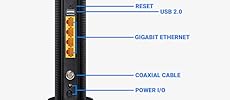
I purchased this as my Xfinity modem/router has been giving me problems for nearly a year. It would work for months without incident, then I'd have days where my connection would drop. It was pretty random, so the few times I called Comcast, they'd reset the router and all would be well for a few weeks. Last week, it started dropping its signal every 10-15 minutes. Now that I work from home, I couldn't take it anymore. Rather than have a tech come out, a friend insisted it wasn't my internet connection but my router. She pointed me in the direction of this router as it's the same router she set up for her 62 year old mother and mom has had zero issues. I was concerned I wouldn't be able to make it work properly, I'm tech savvy in the respect that I can handle SEO an onlne marketing.. but technical issues that run the gamut of hooking things up are not my thing. I'm a plug and play kind of girl (Mac user).. so I'm very accustomed to plugging in things and I'm done. I was worried about the setup process. But, I opened the box, followed the one sheet instructions and BOOM I'm connected. Here's what I did: 1. Opened the box and connected the coax cable from my infinity router into the back of the TP Link Right out of the box - I appreciated how much smaller the unit was in comparison to the large and clunky Xfinity wifi/modem 2. Plugged the power cord in 3. Pressed the small button beneath the power cord to turn the router on. 4. Although my personal computer is a Macbook Air (no ethernet port). My work laptop is a Dell.. so I plugged the ethernet port into that. 5. The one sheet instructions led me to the TPLink site where I logged in (username: admin/password: admin) 6. I waited for all of the lights to light up. (They are not bright.. the lights are no brighter or intrusive than the light on my AppleTv) 7. When I unplugged my ethernet and was wireless, when I tried to go to a web page I was taken to the Xfinity setup page. 8. Entered my Xfinity username and password 9. Xfinity told me I was done and connected. Things got slightly tricky for me when I went back in to change my Wireless name and password. But I quickly realized it made more sense to change the wireless name and password while connected via the ethernet cable. That was it. I'm now surfing the internet wirelessly again with great speed. I live in the city with tons of routers around me and I'm experiencing no issues or slow downs. I was also able to connect my work laptop to the wireless network via a VPN with no issues. If I could set this thing up... anyone can! It took me about 20 minutes.
L**Y
Maybe we are golden maybe not
I have tried to like this modem/router but it is making it hard to. First issue was after setting it up, that part was actually painless thankfully, I went to connect my usb printer to the router to give access to all the wireless devices we have without having to go and buy a new wireless printer. The modem no matter how much I tried was unable to see the printer when plugged in. Thinking it was the usb port attached a thumb drive and router saw it just fine and was easily able to access it. So it is just the printer and the printer controller I am thinking. Next after having this a few months and trying different channels and settings still get slow speeds with any real world applications, online games, videos, firestick, stutters and stops and disconnects. Reboot modem/router and they work well for a while, 20 minutes to a week. Tonight my laptop wouldn't connect no matter what I tried till I finally rebooted the modem then it will connect but is very slow. No firmware updates on the TP Link website, basic forum with no mods noted. And right now I am wondering what to do with this modem router if channel changes doesn't help Contacting the manufacture and changing the channel and a couple other settings per their recommendation hasn't done a thing. This "modem" has gotten worse since I wrote the intial review and for the last three days it stays connected about five minutes at a time disconnects for a few seconds and comes back. Hard to online game like that or to watch study videos for the NCLEX review. So we are going back to paying the cable company every month to rent a modem from them. I am done with this piece of JUNK!!!!
L**S
Good - Easy to set up - Works out of ...
12-MONTH UPDATE Have had it for more than 12 months now, so it more than paid for itself. However, wifi connections kept getting dropped. So, I have now paired it with a Google WiFi Router and the pair works perfectly now to give me reliable and fast wifi internet all over my home. โ Original Review Follows โ Summary I bought this because it was cheaper than 12 months of rental from Comcast. Good - Easy to set up - Works out of the box with Comcast/Xfinity - Good speed (more than what Comcast provides with my level of subscription) Bad - I had to reset this every few days when my wifi devices get discounted - WiFi connection speed were lower than the wired connection NOTE: As my name implies, I intend to update my reviews throughout the lifetime of this product. I will update this review with changes I experience with this product as I encounter them. Thank you for reading.
Trustpilot
1 month ago
1 month ago