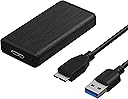
![Sabrent USB 3.0 mSATA II or III/6G SSD Enclosure Adapter [Support UASP] (EC-UKMS)](https://m.media-amazon.com/images/I/81QketcqueL.jpg)

🚀 Unlock lightning-fast external SSD power anywhere, anytime!
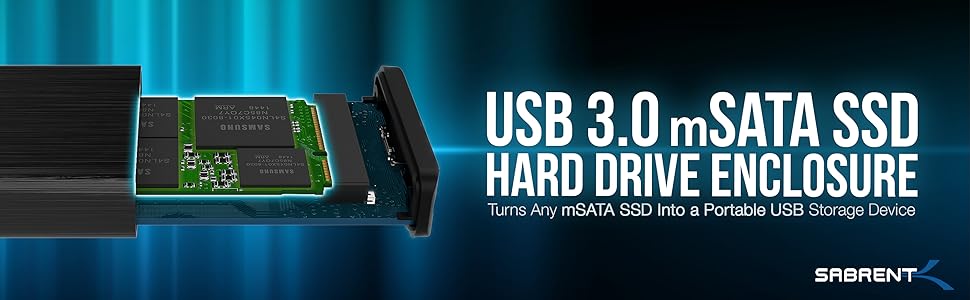
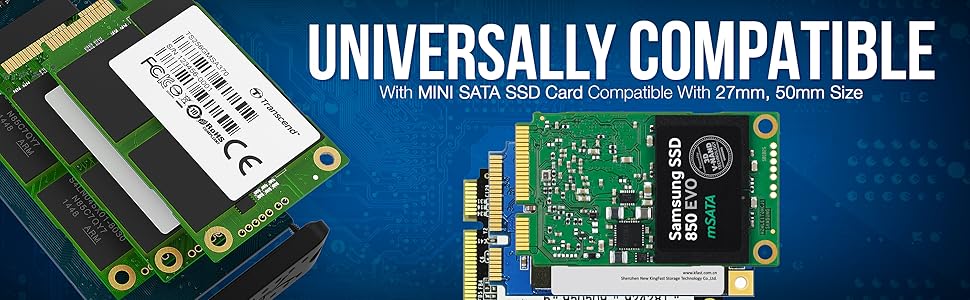
The Sabrent USB 3.0 mSATA SSD Enclosure (EC-UKMS) is a compact, durable aluminum adapter supporting 25mm and 50mm mSATA II/III SSDs. It delivers blazing 5Gbps transfer speeds with UASP support, requires no drivers, and features hot-swappable plug-and-play convenience. Its sleek, pocket-sized design makes it an essential tool for professionals seeking portable, high-performance external storage.


| ASIN | B00LRZPNHM |
| Are Batteries Included | No |
| Best Sellers Rank | #40,837 in Computers ( See Top 100 in Computers ) #174 in Enclosures |
| Color | Black |
| Compatible devices | Desktop, Personal Computer, Laptop, Tablet, Smartphone |
| Connectivity technology | usb |
| Customer Reviews | 4.4 4.4 out of 5 stars (2,544) |
| Data transfer rate | 5 Gigabits Per Second |
| Date First Available | 21 October 2014 |
| Global Trade Identification Number | 00819921011565 |
| Hard disk form factor | 2.5 Inches |
| Item Weight | 36.8 g |
| Item model number | EC-UKMS |
| Item weight | 1.3 Ounces |
| Manufacturer | SABRENT |
| Material | Aluminum |
| Max number of supported devices | 2 |
| Product Dimensions | 8.13 x 1.27 x 4.06 cm; 36.85 g |
| Series | EC-UKMS ASIN |
| UPC | 819921011565 719040111392 |
B**R
Using as an external hard drive on an old iMac, fantastic purchase
Paired with a 2TB Sabrent Rocket Q NVMe PCIe M.2 2280 SSD as an external hard drive for a 2017 27in iMac. I've left a review for the SSD which tells the story but basically this is a fantastic enclosure. Solid brushed metal, feels very high quality and safe. Moving parts are smooth and it seals very well. Inserting the new drive took seconds and it is extremely solid. Sat on my desk now powering my iMac, very pleased with this purchase.
B**I
Compact and stylish
Bought this to utilise a drive from an old laptop. Very simple to install the drive with clip fasteners and two small screws to secure the case shut. This looks just as good as some third party external SSDs with a Sabrent branded case and cable. Its speed is as per the SATA standard. Only one thing is it gets very hot over big transfers but I guess it's better the case is radiating this rather than killing the drive.
D**L
Satisfied
After only a few days with this, so far I am satisfied. The enclosure that I received does not have the tabbed cable socket and notched proprietary cable, which is good. Installing the SSD took seconds. The instructions don't mention anything about the two included heat pads; put each in position without adhesive, then close the door. Choose the one that feels like the right amount of resistance/pressure when closing the door, not too tight. Then peel the adhesive backing and install the pad. I am using the enclosure as an external boot disk for OS X, and it is working well so far. Long term edit: the enclosure has never had a problem. For whatever reason, probably the SSD I bought, this combination doesn’t come close to the speed potential for Thunderbolt, but it is still much faster than using the original internal hard drive in my computer.
4**P
Good quality
Great product
E**M
Very good deal
Very good deal
H**M
Nice Enclosure BUT..
The port is not flat with the surface of the enclosure, you cannot fit any cable, only the cable coming with it.
S**D
Quality is really good, easy to install
No thermal pad inside, with Lexar 620 3x4 gen, I'm getting speeds of Read 1400mb/s write 1100mb/s
A**S
Defective item
Hi, I got item item and tried to extract the data from my mSATA drive. The computer does not show any drive. It seems, the adapter is not working. Any idea how to fix it? Else, I have to return it.
E**D
Él adaptador es de muy buena calidad, en mí opinión: Ventajas: El case es de metal. Soporta protocolo UASP. Funciona en Distros GNU/Linux. Cable de buena calidad. Tiene manual y desarmador. Desventajas: Solo he notado que se calienta mucho la case al formatear la SSD.
W**R
Helps you recover data from the internal SSD of Laptop, whose Motherboard got damaged. Remove SSD from the Old Laptop, insert SSD carefully inside the SSD Enclosure and attach it to a functioning Laptop. Copy data from the SSD to the functioning Laptop.
X**X
This Thunderbolt 3 NVME M.2 SSD drive enclosure has been a solid, passively cooled, reliable workhorse for many years now, I have taken it on planes, trains, and to many different states in many different conditions. THIS IS NOT WATERPROOF, however it is very durable, and has not overheated on me. I keep PC Games and photos and videos on mine and it's quite fast. The enclosure features a completely tooless design, which has aided in drive formatting and setting up new windows images or cloning drives from my laptop. Seriously this was a great buy and I should have reviewed it sooner, worth every penny.
E**B
Preso questo enclosure per nvme perché thunderbolt e assicura una velocità di 40gbs, non ce ne sono molti in giro e soprattutto molti riportano la velocità senza specificare che magari è condivisa tra più porte presenti sul dispositivo. In questo caso la porta thunderbolt è unica e rende perfetta l'accoppiata con qualsiasi Mac o iMac in circolazione. PRO: - Dimensioni: appena oltre la grandezza di un nvme 2880 - Facilità di installazione: si apre attraverso un anello che ruota e l'nvme va inserito nel connettore e fermato con un comodo gancetto all'altra estremità - Materiali: scocca in alluminio, robusta e ben fatta, perfette le finiture, ma si sa che Sabrent non sbaglia - Velocità: il chip gestisce perfettamente anche i dischi con velocità oltre i 5000mbs, ovviamente da il meglio di sé, se utilizzato con cavo e connessione thunderbolt CONTRO: - Temperatura: sotto stress la scocca raggiunge temperature elevate, nonostante sia fornito un kit con un pad di pasta termica da applicare (in due spessori) - Peso: essendo la scocca in metallo, il peso non è dei più leggeri, complessivamente accettabile ma non il più leggero in commercio - Compatibilità: è compatibile solo con nvme m2 formato 2880! Attenzione al disco che volete installare.... - Costo: corpo in alluminio, connessione thunderbolt 3/4 e marchio probabilmente spingono il prezzo un po sopra la media; ma si sa che la qualità si paga CONCLUSIONI: un enclosure perfetto sotto quasi tutti gli aspetti, non per tutte le tasche, ma se cercate un contenitore per nvme thunerbolt 3/4 perché possedete un computer di casa Apple e volete sfrutture appieno la velocità di trasferimento, non ci sono molte alternative valide sul mercato. Voto: 9
E**�
Variante mit Thunderbolt 3 Ich wollte für meinen neuen iMac ein schnelleres Laufwerk, da dieser nur ein lahmes Fusion Drive eingebaut hat. Da ich während der Garantie aber das Gerät nicht öffnen wollte, musste eine externe SSD her. Sinnvoll ist da nur eine Kombination von schneller NVMe SSD und einem Thunderbolt 3 Gehäuse. Das Gehäuse ist sehr hochwertig, massives dickes Aluminium. Es lässt sich ohne Schraubendreher öffnen und mithilfe der Thermo-Pads kann man die SSD auch über das Gehäuse kühlen. Das war bei der von mir gekauften Samsung 970 Evo Plus auch dringend nötig. Diese SSD ist unglaublich schnell (3.500) und verbraucht entsprechend viel Strom. Da sowohl der Stromverbrauch, als auch die dadurch bedingte Hitze ein Problem sein können und die Samsung 970 Evo Plus in der Vergangenheit mit Mac-Computern Probleme bereitete, war ich auf das Ergebnis gespannt. Aber kein Problem, die aktuellen Evo Plus haben bereits die neue fehlerfreie Firmware drauf, ein Update war nicht nötig. Es lief sofort einwandfrei. Die Stomverdorgung reicht und die Wärme wird sicher über das massive Gehäuse abgeleitet. Der iMac ist nun eine Rennmaschine. Gibt es auch Kritik? Naja, das Sabrent-Gehäuse könnte schneller sein. Die SSD schafft 3500, das Gehäuse nur 1500. Ich kann die Geschwindigkeit der SSD also nicht ausschöpfen. Aber intern würde der iMac auch nur 2000 schaffen. Die SSD ist einfach deutlich schneller als die Chipsätze der genutzten Geräte. Dennoch werde ich die SSD nach dem Ende der Garantie in den iMac einbauen. PS: Ich habe das Fusion Drive gelöscht und getrennt. Die interne 28 GB SSD nutze ich nicht, die 1 TB HDD nutze ich als Time Machine Backup-Laufwerk. Das funktioniert einwandfrei. Ich arbeite also ausschließlich mit der SSD über Thunderbolt 3. Aus dem iMac ist dadurch ein Formel 1 Rennwagen geworden. Ohne Garantieverlust.
Trustpilot
1 month ago
2 weeks ago