Buy anything from 5,000+ international stores. One checkout price. No surprise fees. Join 2M+ shoppers on Desertcart.
Desertcart purchases this item on your behalf and handles shipping, customs, and support to SINGAPORE.
🌐 Upgrade to the future-proof mesh that keeps your whole home connected, secure, and lightning fast!
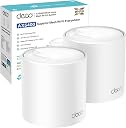
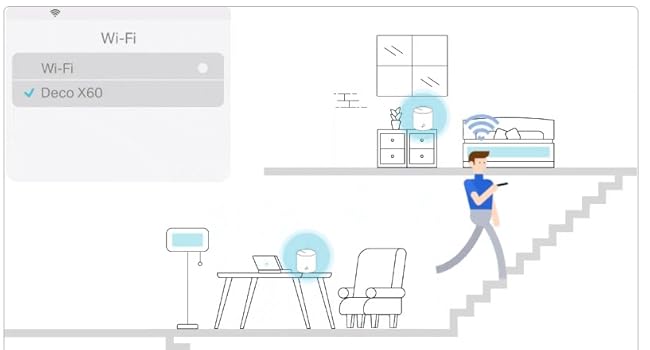
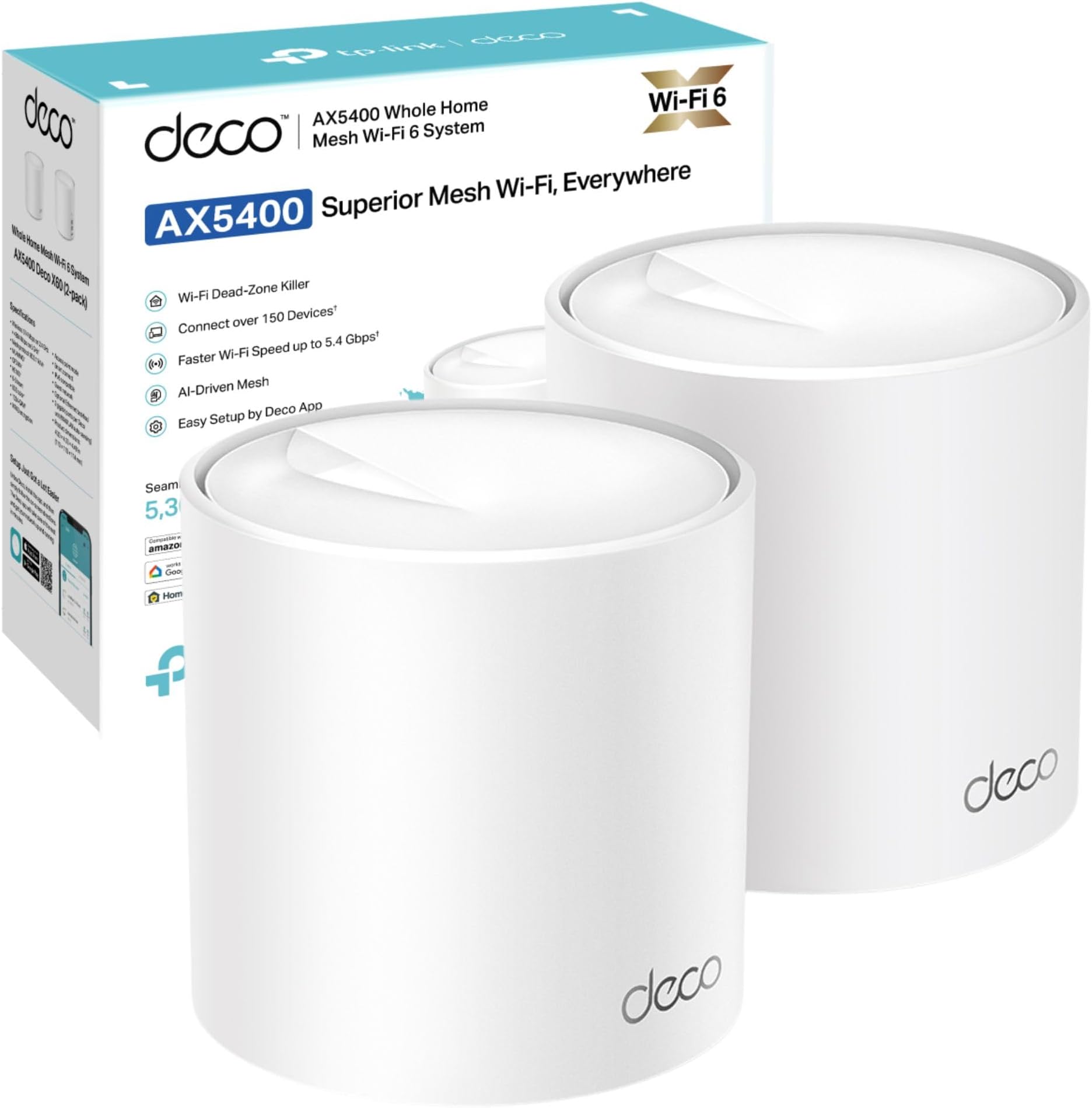
The TP-Link Deco X60 (3-pack) is a WiFi 6 mesh system delivering ultra-fast AX5400 dual-band speeds and expansive coverage up to 7,100 sq ft. Powered by a 1 GHz quad-core CPU and AI-driven mesh technology, it ensures seamless roaming and optimized performance across multiple devices. Featuring TP-Link HomeShield for advanced network security and parental controls, plus easy setup via the Deco app and Alexa compatibility, it’s designed for modern smart homes demanding reliable, high-speed connectivity everywhere.


| ASIN | B08759W2P7 |
| Antenna Location | Home |
| Antenna Type | Fixed |
| Best Sellers Rank | 1,284 in Computers & Accessories ( See Top 100 in Computers & Accessories ) 6 in Whole Home & Mesh Wi-Fi Systems |
| Box Contents | 1 RJ45 Ethernet cable, 3 Power adapters, Deco X60(3-pack), Quick Installation Guide |
| Brand | TP-Link |
| Brand Name | TP-Link |
| Colour | White |
| Compatible Devices | Laptop, Personal Computer, Smart Television, Smartphone, Tablet |
| Compatible devices | Laptop, Personal Computer, Smart Television, Smartphone, Tablet |
| Connectivity Protocol | Wi-Fi |
| Connectivity Range | 7100 Square Feet |
| Connectivity Technology | Wi-Fi |
| Control Method | App |
| Controller Type | Amazon alexa |
| Coverage | whole home |
| Customer Reviews | 4.4 out of 5 stars 851 Reviews |
| Data Transfer Rate | 3000 Megabits Per Second |
| Frequency | 5 GHz |
| Frequency Band Class | Dual-Band |
| Frequency band class | Dual-Band |
| Has Internet Connectivity | Yes |
| Is Modem Compatible | No |
| Item Dimensions L x W x H | 11L x 11W x 1.4H centimetres |
| Item Weight | 2.54 Kilograms |
| LAN Port Bandwidth | 10/100/1000 |
| Manufacturer | TP-Link |
| Manufacturer Part Number | Deco X60(3-pack) |
| Maximum Upstream Data Transfer Rate | 574 Megabits Per Second |
| Model Name | Deco X60 |
| Model Number | Deco X60(3-pack) |
| Model name | Deco X60 |
| Number of Antennas | 3 |
| Number of Ports | 2 |
| Operating System | Linux |
| Other Special Features of the Product | Alexa Compatible |
| Product Warranty | 3 Years |
| Router Network Type | wireless |
| Security Protocol | WPA3 Personal, WPA2 Personnel |
| Smart Home Compatibility | Smart Home Compatible |
| Special feature | Alexa Compatible |
| Unit Count | 1.0 count |
| Wi-Fi Generation | WiFi 6 |
| Wireless Compability | 802.11ax |
| Wireless communication standard | 802.11ax |
O**9
Blistering and stable performance
I bought these to replace my previous five BT Whole Home Mini mesh WiFi system disks. Virgin have recently upgraded our broadband to 1 GBS and I wanted a WiFi 6 system to make the best use of it. The TP Link Deco units are bigger than the BT Mini disks, cylinder shaped but no more obtrusive and easy to hide. They feel solid and well built, much more so than the BT disks. Installation of the main unit was easy and involved downloading the Deco App onto my Android phone, then following the instructions and plugging in the power and Ethernet cables. The satellite units were equally easy to connect using the Ap. One thing I learned from my BT disks is to initially install mesh satellites in the same room as the master and then move them to their final location - it avoids all sorts of problems. Having changed the SSID and password the system was fully working and picked up all the static WiFi devices in the house. A speed test on the main unit produced a download speed of over 500Mbs to my Android phone and 50Mbs upload - blistering, and at least twice as fast as my previous system. The satellite units tested at 400Mbs down and 45Mbs up. I've gone down from five BT disks to three TP Link cylinders but the signal is far more powerful and covers the whole five bedroom house. The worst coverage area speed tests at 35Mbs down and 30Mbs up which compares well with the best performance I was getting from the BT Mini Disk system. Essentially, the WiFi signal is stable and reliable throughout the house despite using two fewer access points. Video conferencing is stable and playing videos from the internet produces a smooth replay experience. In my experience WiFi 6 on the Deco units produces a smooth no fuss service. The only downside is that the Deco units are not cheap, albeit much cheaper than some of the opposition. Also, I'm not a massive fan of the way the Ap is layed out. TP Link used to be a model of ease and clarity in its control software but finding stuff in the Deco ap is not as easy. It's all there, but not particularly obvious or easy to find. I had to use the (excellent) help system just to find the screen to change the SSID. You should not have to hunt round for important settings or need to press obscure icons. Having said that, the installation routine was easy and worked well and the quirky Ap does not detract from the excellent WiFi 6 performance.
S**I
Brilliant and easy!
The TP-Link Deco X50 AX3000 Whole Home Mesh Wi-Fi System is a fantastic choice for anyone looking to enhance their home network. With its sleek design and easy setup, this system provides robust, seamless coverage throughout your entire home. The Wi-Fi 6 technology ensures fast, reliable connections for all your devices, even in larger households. The Deco app is user-friendly, making network management simple and intuitive. Overall, it's a great investment for improving your internet experience.
Y**Z
Great coverage and speed but poor in other areas
For those who aren't good with tech, these are fairly easy to install and set up thanks to the app. WiFi speed and coverage works just as advertised, there are no longer any slow spots around my home. However I did come across some issues. You can't pick manual WiFi channels and the network optimization kept picking channel 13, meaning some devices like the Ring Doorbell couldn't connect as it can only use channels 1 to 11. Rebooting the Deco usually resets the channel between 1 to 11 but usually interfering with other networks, eg a neighbour's WiFi. I've contacted TP-Link support and they have replied they'll update this to avoid this issue in the future. I suggest running these in access point mode instead of router mode, in router mode, while it did work, had some small issues where occasionally the internet stalled and sites wouldn't properly load. Using my own router and then setting the Deco into access point mode solved these weird quirks. For the average user, you'll be defaulting to this mode anyway, but for an advanced user who doesn't use the router/modem supplied by their internet provider, use a decent router with it.
M**R
Fixed our wifi issues
Up to now I have always used a separate router to handle the network side of things as I find the ones provided by your broadband provider are a jack of all trades and a master of none. They tend to get quite hot and when that happens the connection becomes unreliable. My router lost the 2.4ghz wifi signal (chip must of burnt out) so I was in the market for a replacement. This is when I started reading up about mesh networks and to me the logic makes sense so I bit the bullet and purchased one. Installation was very easy and it was all working within a few minutes. The wifi speeds around the house are alot better and our security cameras and smart devices all seem to have alot stronger signal so generally speaking they work when we want them too! I would recommend this as a good solution for your wifi needs!
M**W
Great solution
So we have a 4 bed house that consists of a 2 story extension, and a man cave in the garden so there are some old school brick cavity walls to get through. Now previously we had TP wifi extenders on 2.4 & 5G. So original Virgin hub plus 2 extenders ment 5 possible networks to switch from, depending on device (wifi plugs only 2.4G) room and signal strength. So a real ball ache if you were moving from room to room, while on a video call it would drop out. So now you know the situation here comes the TP Deco x60..... Quick Google and the Virgin hub is now a router only (4 min). TP Deco App downloaded start setup of the Deco and the network 1st Deco (8 min), connect 3 devices (2 min) set up 2nd Deco (4 min) add 2 devices in kitchen (2 min) walk to the man cave add 2 devices and 2 plugs (5 min), go upstairs add 3rd Deco (3 min) add laptop, printer and 4 other devices (5 min). Wander round testing speeds via the Deco App (5 min).... Added 3 more devices (2 min) now I never had to change network, and signal is great throughout and there is plenty of bandwidth. Units were simple to set up and I'm no techno wizz and managed 3 Decos and 15+ devices in 45 min. The ultimate was when the when the Mrs came home and I added her phone in 30 seconds. None of us have had to swap networks it is seamless signal is great. My only moan would be 2 things... 1st I wish the app would help you find the best spots to put the next Deco. 2nd I wish that it was easier to identify the type of device so I can set up profiles for the kids. So in short easy to set up, single network, great signal strength and bandwidth, and the App is cool. Bought this on black Friday so got a great saving
I**N
Stable ans reliable.
Good router and works well had it for a year and it still works fine. Bought as i wanted better wifi coverage in the house. So I wanted a mesh network setup, this did the job nicely. I have not used it in pure wifi connections to each node as I have cat 5 cables installed in a few places around the house so I use these to connect them all together. Speed is good and I have found I dont have to reboot the network as often as I did with all the other routers I have had as performance seems quite stable over time.
I**N
Excellent
I already had the M50 Deco mesh system and had been using it successfully for a few years. As we were to upgrade to full fibre, I thought it a good idea to upgrade to a more future proof system, especially as the new broadband is faster than M50 can handle. Installation was a breeze. As I already used Deco I just kept adding these to my existing WiFi then assigned a new X60 to be the main one and deleted the old ones. No need to re find the WiFi. Everything accepted it as if it were our old one. Using our old broadband, the speed increased by about 10% although this could be a better connection via WiFi 6, coupled with a stronger signal. When I plugged in the new broadband, the speed matches the new router plugged into the laptop. I’m getting good strong 550mbps downloads throughout the house. I cannot fault this system. It’s fit for purpose and future proof for a long time.
K**H
Drops internet access for most devices.
I'm using this in Access Point mode. I have a lot of different devices (Mac OS, Windows PCs, iOS/iPhones, various Wifi smart bulbs, and a Nintendo Wii). Setup goes ok. As other reviewers mention, to use Access Point mode, you have to start setup in Router mode and then switch over. Fine, no problem. Now the bad stuff: It fails to route for devices after a certain time. With Windows devices, it says "Connected, no internet". This seems to happen more with older 2.4GHz devices but it happens with all devices eventually, even iOS ones. With the Nintendo Wii, it'll just take ages to load games because it can't connect to the internet. I've tried everything - full reset, reconfiguring DHCP with longer or shorter lease times, disabling static addresses, enabling static addresses, switching DHCP servers, custom DNS Servers, using different ethernet switches, turning everything off and on again... The only thing that worked was unplugging the Deco and plugging my old wifi back in , configured with the same ssid/password/security settings. It's better to be on "old" 802.11ac that works than "new" 802.11ax that doesn't. Also - you need to make an account on TP-Link's servers to configure the device - there's an App you have to use to do most of the config. There is a normal webpage that you can use to do some configuration, but it's not fully functional. This is a major red flag. Sending this back for a refund - doesn't work as advertised, not fit for purpose.
G**N
Bon réseau
Bonne portée du réseau sur 2 niveaux séparés par une dalle béton. Par contre prise anglaise fournie donc adaptateur à prévoir pour la France.
H**S
Easy to install
The Deco X60 was very easy to install and works very well. It was delivered on schedule as promised. Happy to deal with PCLIVE again
L**S
Excelente producto
Funciona muy bien. Vivo en una casa muy grande con paredes de piedra y es la única solución que me ha funcionado para tener cobertura en todas las estancias. El traslado entre hospots ni se nota. La app es muy completa. Todo perfecto
R**I
بطل من كل النواحي
الاشارة للوايفاي قوية وتغطي غرفتين باشارة كاملة لكل قطعة
A**R
Game changer
Came from an old Asus ac66u router. This new tplink covers our whole house and our garden. We got the 2 pack. Shipping ok to NZ. Not super fast but ok. For NZ customers and maybe AU as well, this is a slightly better version of the same model we get in NZ. Has a higher hardware version and has faster wifi speeds. So very happy. Just has the UK plug but adaptors fix that.
Trustpilot
2 months ago
3 weeks ago