Desertcart purchases this item on your behalf and handles shipping, customs, and support to SINGAPORE.
📸 Unlock your iPhone’s full potential—store, secure, and share like a pro!
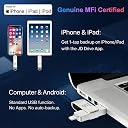
This 128GB Apple MFi Certified USB flash drive offers genuine, reliable external storage for iPhone and iPad users. Featuring dual Lightning and USB 3.0 connectors, it enables fast, secure file transfers without internet or iCloud. With military-grade AES 256-bit encryption and a user-friendly app for one-click or automatic backups, it’s the ultimate companion to free up your device’s memory and safeguard your precious photos, videos, and documents.


| Additional Features | Dual USB Connector Lightning and USB 3.0, Encrypted, Genuine Apple MFi Certified, Genuine Lightning Connector, True Storage Capacity |
| Asin | B07TMNRM9M |
| Best Sellers Rank | #356 in USB Flash Drives |
| Brand | JSL JDTDC |
| Color | silver |
| Compatible Devices | iPhone 14 Pro Max, iPhone 14 Pro, iPhone 14 Plus, iPhone 14, iPhone SE (3rd), iPhone 13 Pro Max, iPhone13 Pro, iPhone13, iPhone13Mini, iPhone 12 Pro Max, iPhone 12 Pro, iPhone 12, iPhone 12Mini, iPhone 11 Pro Max, iPhone 11 Pro, iPhone 11, iPhone SE (2nd), iPhone XR, iPhone XS Max, iPhone XS, iPhone X, iPhone 8 Plus, iPhone 8, iPhone 7 Plus, iPhone 7, iPhone SE (1st), iPhone 6S Plus, iPhone 6S, iPhone 6 Plus, iPhone 6, iPhone 5S, iPad 5/6/7/8/9, Mini 2/3/4/5/6 iPad Air Serie, iPad Pro(Lightning/ USB C connector)(iPhone/iPad/iPad Pro Requires iOS 9.0 or later), iPod touch (6th, 7th), Win11/Win10/Win8/Win7,PC,Laptop,Mac Requires macOS 11.0 or later and a Mac with Apple M1 chip or later. |
| Compatible Phone Models | ['iPhone 13 Pro Max, iPhone Pro, 13, Mini, 12 12, 11 11, SE (3rd), (2nd), XR, XS XS, X, 8 Plus, 8, 7 7, 6S 6S, 6 6, 5S, iPad 5/6/7/8/9, Mini 2/3/4/5/6 Air Serie'] |
| Connectivity Technology | USB |
| Customer Reviews | 4.3 4.3 out of 5 stars (14,572) 4.3 out of 5 stars |
| Flash Memory Type | USB |
| Hardware Connectivity Technology | USB Type A |
| Hardware Interface | Lightning, USB 3.0 |
| Item Dimensions D X W X H | 0.35"D x 0.51"W x 2.56"H |
| Item Weight | 45 g |
| Manufacturer | Shenzhen Jiangda |
| Memory Storage Capacity | 128 GB |
| Mfr Part Number | JD003 |
| Model Name | JD003 |
| Model Number | JD003 |
| Number Of Items | 1 |
| Number Of Packs | 1 |
| Read Speed | 80 megabytes_per_second |
| Unit Count | 1 Count |
| Upc | 614134998791 614134998821 |
| Warranty Description | Lifetime |
| Write Speed | 40x megabytes_per_second |
User
AS GOOD AS IT SEEMS!!!
I’m not kidding when I say that I have ALWAYS struggled with storage issues on my phone. I have over 20,000 photos and 980 videos on my phone. My issue is that I’m not comfortable only relying on google photos or investing in cloud storage. I’ve always wanted to take my photos off and put them on external storage. For years I’ve tried to copy and transfer them with no success. The photos were always corrupted or it simply didn’t work.I saw this product in a TikTok and believed it was probably too good to be true but at this point, I had nothing left to lose so I ordered one. It is amazing. I was quickly able to load almost all of my photos onto this device and then put them all on my external hard drive for safe keeping!! I can finally use my phone again and I’m thrilled!!My only complaint is that I was only able to load 19,000 photos to the device as it did crash when I tried to load all of them. I’ll probably just remove some photos and then get the rest of them off another day! Other than that, it’s perfect. It’s so easy to use and is WELL worth the money.
User
Phone Stick
This external drive—phone storage device by Apple is just what I need. So very happy, less worried about my iPhone 12 losing data now. Device was very easy to use, set and registration was a breeze. I have all my videos and photos backed up. No complaints. I am not the most gifted tech person but the Apple 128 gb storage drive is perfect for me, I have less stress now. Do your research and buy this kind of storage device. There are many products on the market, but I made absolute best choice. Shipping was great
User
I got it to work
I was a little leary about getting this as I am not even a little tech savvy. I wanted to download photos, lots of them, from my iphone to my laptop without stopping and starting, or shutting down. It comes with instructions, instructions also online and several you tube explanations. You do have to download a simple free app. I found it easy to use but that isnt clear when reading the instructions. I think you can do other things with it, but I just wanted ease of the download, 4,000 photos. It did that, which I then downloaded to my laptop just as easily. Not all the photos show up on clicking because they somehow become HEIC images, which are supposed to be better but new quality. You can download something to convert them to regular jpeg. So far I'm pretty happy. Maybe I'll change my mind later but for now it works for me.
User
18 month product warranty
I recently reviewed this product as 1 star bc of loosening of the iPhone/lightening connector causing it to stop working after a few months. It started to have trouble 2 months into the purchase. However, the company reached out to back up their product and tried to diagnose what happened. Ultimately we weren’t able to fix it but they sent me a new one and told me the product has an 18month warranty. Fantastic customer service I was not expecting.I tried to do as much research as I could to figure out what happened and I believe having a keychain hooked to the clip end was even too much weight when dangling from plugged into your phone. So try not to use a keychain as the slight pressure may cause it to become loose at the connector.ORIGINAL REVIEW:Product worked for 2 months then started connecting 50% of the time. I had to unplug it and plug it back in multiple times for it to read. I noticed the lightning connector / iPhone connector was loose in the flash drive casing and I think that’s why it started having issues. At 3 months it completely stopped working ): I should have reached out at 2months but now I don’t have the option to contact seller. I’m just reading other reviews now of other people having the same issue after a couple months. I didn’t think it would last forever but I thought it would at least last a year. Anyway I’d buy Sandisk next time even though it’s a tad pricy. These cheap ones are not worth spending $40 every 2 months.
User
Easy Way to Get Pics From an Old iPhone
A friend of mine needed to get the photos and videos from her deceased mother's iPhone 8. I felt this would be the perfect way to do it. It was! Everything came over and was kept in the original folders making it easy for my friend to catalog the memories.
User
Meh
This was quite difficult (stubborn little thing) to use. At first, I thought it would be simple, so I just stuck the thing in my iphone 11 and attempted to transfer files over to the stick, then over to my laptop. I did not delete anything on my phone in case anything goes wrong. To my surprise, it did not transfer all of it (343 out of 2438 photos/vids). Looking at the instructions, there are just too many pages to go through. I do not have time to read it as I have family over and I need the space on my phone for videos and pics. Those precious moments means no time's a wastin'! When I quickly scanned through the little booklet, I read "formatting", and so I did. That seemed to do the trick as it transferred MOST of the pics. I copied/pasted the files into my laptop's hard drive, went over the pics on BOTH my laptop and phone. If I see any of the photos/vids that were transferred, I deleted them off my phone. So it's good at this point. Problem is...the stick did not pick up ALL of my iphone pics. I've repeated this process with just the photos; for some reason the video files have changed its properties on my laptop's hard drive, but that is my doing and I've solved it (this has a lot to do with the programs your computer already have and NOTHING to do with the stick). I then painstakingly worked on the video files next on my phone and made a separate folder in my laptop's hard drive. This trick seems to work with me; it might be different for others. So far...so good. It's a pain, but I seriously need the space on my phone, like right now.Next thing on my list of problems is ejecting the stick off my laptop. Because it automatically backs up into my Dropbox -- which I'm trying to get out of cause it's a pain -- it takes FOREVER to eject the stick. I do not know how to turn off this feature, but I'm pretty sure someone out there has figured it out.As you can see, I can be quite impatient for something that is SUPPOSED to be easy to use and if it requires a lot of reading, then there's too much time being wasted.Three stars for:- photo transferring is pretty quick- once you get the hang of it and figure it out, then it's golden- convenienceMinus two stars for:- a booklet that can turn into a novel- not as easy as it seems- having to be creative with the way my computer and the stick communicate
User
Great for saving my phone’s pictures!
So easy to use. My old Microsoft computer is no longer compatible with my iPhone for storing my pictures. Just plug the stick in the phone and select what you want to transfer and it actually works! It’s so much easier and way faster than my old computer. And I can plug the stick in my TV and view my pictures. It can be used for backup of other data, but so far I’ve used it for pictures only. I transferred a lot of pictures and still have a great deal of storage space left on the stick.
User
So hot it burned my fingers…& still didn’t work.
If I could provide zero stars, I would.I’ve now spent over 10 hours searching online for answers & trying to use this worthless piece of junk. While it looks nice, the good feelings end there.The website gives steps to follow for when it doesn’t work. None of these steps produce the slightest change in performance or outcome. Multiple online sources offer essentially the same steps. No help. The app has features which are ghosted out…features the instructions require you to be able to access…features which, inaccessible, render this as equally inept a paperweight as it is a backup device.The drive itself gets extremely hot while in use. I pulled it out of her phone after one session trying to get it to work & it literally burned my fingers. I had to put them under cold water after touching it & I can only imagine what it was doing internally to her phone if it was that hot externally.If I could return it, I would. I can’t…& apparently I can’t get a reply to emails or a call back…so this is the only recourse I have. I have zero expectation of any difference being made or of hearing from the company. They’ve not bothered thus far; why besmirch a .1000 average?Mark and avoid.
User
Génial
Très satisfait
User
使いやすい
カバーを無くさなくて済むので便利ですよ
User
Easy to use
I checked YouTube before I bought it to ensure it was easy to move and sort photos into folders.I have an iPhone 15. It came with an additional port attachment for when I upgrade my phone too.I used it straight away and it was easy. I have recommended it to two friends.I would buy again.
User
Awesome
I love this product because it is very easy to use. Download the "JD Drive" app on your phone before you plug in the drive and just follow the directions. If you work with folders and files you will really appreciate the way this drive is set up. This is the third photo stick storage I have purchased and it is the best. Seriously this drive does the work for you. I have no problem moving photos to and from the drive or my notebook. Also KUDOS to the designer/manufacturer for putting the user manual on the flash drive. I normally spend hours searching for a manual that I can download and read without using a magnifying glass . Hey we have all been there trying to read those teeny tiny manuals. I would have given an extra 5 stars just for that bonus. I love this photo stick and definitely recommend it.
User
Tutto come deve essere 👍👌👌perfetta
Va alla grande, cosa aspettate ordinatela subito e non vi pentirete👌
Trustpilot
2 weeks ago
1 month ago