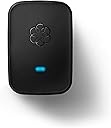
📡 Elevate your home office with wireless freedom and secure calls—because your space deserves smart connectivity.
The Ooma Linx is a wireless phone jack extender designed exclusively for Ooma Telo and Office VoIP systems. Utilizing advanced DECT 6.0 technology, it delivers encrypted, interference-free connections for phones and fax machines anywhere in your home. Lightweight and easy to install, it supports advanced telephony features like caller ID and call waiting, making it an ideal solution for professionals seeking flexible, reliable, and secure home communication without the clutter of wires.


| ASIN | B00A35WSEI |
| Date First Available | November 15, 2012 |
| Is Discontinued By Manufacturer | No |
| Item Weight | 5.6 ounces |
| Item model number | OOMA Linx |
| Manufacturer | D&H |
| Product Dimensions | 7.3 x 4.6 x 2.2 inches |
M**9
Easy Setup
I purchased this so I could use a 2nd phone number I have with my Ooma Premier Service strictly as a fax number. Setup was easy and the fax was working within a couple of minutes.
B**2
Linx and Ooma. Finally a VoIP service that works WELL with a fax and costs less than others
As a current user of multiple Ooma Telos, and multiple Linx units, I'm very satisfied with the Linx performance. For years, I've been forced to keep a traditional land-line available for use with a fax machine. Ooma Linx is a game changer for me with that respect. More on that in my review. First things First - A Linx REQUIRES that you purchase an Ooma Telo and use the Ooma Phone Service. The Linx ties to the Telo,and uses the phone service from Ooma. Because it's wireless, you don't need to run phone lines everywhere. Because it's digital-wireless, you get very good noiseless audio from the system. The Like the Ooma, the Linx has a phone jack which allows you to use traditional land-line type phones with it. These items can be answering machines, fax machines, corded phones, wireless phones, caller ID boxes, and possibly (although I have not tested this) devices like DirectTV boxes or TiVo boxes. In a nutshell, the Linx provides a remote wireless phone jack for your Ooma system. Pros: 1. Wireless. Linx lets you have a phone jack virtually anywhere in your house without running cables. 2. Digital. the wireless communication between the Linx and the Telo is digital, meaning less noise, better range, better security. 3. Encrypted. While some equipment may be "digital", not all equipment is encrypted. Linx uses DECT6.0 encryption. This means nobody can snoop or listen in on any of your calls. 4. Status light on unit. If it's glowing blue, you are good to go, if not, you can determine what's up by the color. 5. Fax machines WORK with Linx. There is a configuration - but they work great! 6. Existing traditional phone equipment works with the Linx. 7. VERY flexible configurations. I could go on and on about what Oomas benefits are but this is a review for the Linx! Cons. 1. If you lose power,you lose your phone line. Ooma & Linx (and your internet as well) require power unlike traditional phone lines. I recommend connecting your internet equipment & ooma to a UPS (uninterruptable power supply). 2. In the pros, I list that a fax machine will work, and that is absolutely true. However, like modems, fax transmissions have evolved to take advantage of better phone lines and can now utilize faster phone line connection speeds than older fax machines could. When using a VoIP service such as Ooma or Vonage, you will not be able to use your fax machine at the fastest possible settings. It's not a bad thing but it is something I should mention. I have had zero issues sending and receiving faxes using a newer type fax machine with Ooma, Just remember this if you are expecting the absolute highest speed from your fax. (If you want/need that, then stick with a traditional land-line - or use a service) In a nutshell, I recommend the Ooma, the Linx, and the service for anyone who wants reliable, inexpensive, and flexible phone service without a traditional land line.
P**3
Good product, but here are some cautionary comments that haven't been included in other Reviews
All the good stuff that people have said about the Ooma Linx is true. No need to repeat it all - however we must add that we heartily concur. That said, there are a few features that could stand improvement, or at least tweaking. The most prominent of these is the LED lighting on the unit. Of course it is absolutely necessary, and serves many important purposes. That said, the LED bulb(s) are simply too bright. As in they could be decreased by a bazilliondy-five candlepower, and still do what they have been designed for. As in, these lights could be used to line the runways at JFK to guide the jets in safely. As in.. oh, never mind. You get the idea. Mind you, this is not always a problem - but when used in a bedroom setting.. the entire room is bathed in an eerie, other-worldly, rather harsh blue glow. This is not akin to the soothing glow of a nightlight - but instead is much more similar to the emergency floodlights that automatically switch on in some public buildings when the primary source of electricity is interrupted. Yes, of course this issue could be resolved with a well-placed piece of electrical tape - but you shouldn't have to make such "fixes" to an item such as this - right out-of-the-box. Ooma would do well to consider incorporating a simple on-off switch to temporarily disable the indicator lights (not the unit itself), when necessary. This unit works incredibly well, but this is not (nor do Ooma claim it to be) groundbreaking or unique technology. As a matter of fact, it is very similar to the Wireless Phone Jack System, which was introduced in the early 1990s by General Electric (if memory serves). If you place this unit anywhere near a radio receiver, be prepared to sacrifice approximately the entire lower half of your AM band (due to interference from the Linx). That doesn't need to be inescapably bad news, however. We simply relocated the Linx to a nearby guest bedroom, and used a cordless phone connection.. keeping the handset in our bedroom, where we originally needed and installed the entire unit (with a corded telephone). Problem solved. Another interesting "feature", though not a bad one - is that we noticed the "protocol" of an incoming call to Ooma... and it's kind of fun. The phones attached to the system do not all ring in unison. They play follow the leader, as they progress from the wired connection to the DSL Modem (plugged directly into the Telo) - then to the Model HD2 Ooma handset (satellite) - and finally on to the cordless phone upstairs (referred to, preceding) connected to the Linx. 3 distinct rings, one after the other. Of course, this has no bearing on the function of the entire set-up, but it is a bit of a tickle to listen to (especially when the phones are placed far apart, and on different levels of the house (as are ours)). Basically a really good purchase. No disappointments or problems.
I**I
Works great with Ooma Telo II! Simply Plug it in in wall outlet near base Press registration button for 3 seconds Ooma will tall "Registration mode is activated" Then will tell registration is complete and one LED will turn blue second LED will blink orange or red for a while (do not unplug it until both LEDS are blue.. Simple and easy as it can be. Check that both devices have dial tone.. if one does not or both at the same time (if you have Premier Subscription you will have 2 phone numbers - I use one as Main which I ported from Vonage and one as fax number. Reboot base station it should work On fax machine Turn off ECM mode and decrease bound rate to lowest possible (on my fax machine it was 0) Switch to Auto-answer Test your fax for sending and receiving by faxing Print test page to HP fax testing number 1-888-473-2963 You should receive fax back in a few minutes and receive fax back from HP. I have no idea why so many people complaining that it doesn't work when it does. You get free fax features for 9.99 a months.. other VOIP companies charge from 12.95 to 29,99 months.. Why you guys complain so much when in reality you should say thank you
B**A
A snap to setup and connect to Ooma base station. Plug, play and forget about it! Works seamlessly.
B**N
I have this set for my fax machine - works perfectly! Since we have the Premier service, I have a second number from OOMA - I use that as a separate fax line. I designated that # to only go to the Linx and it to ignore the main house line - so now I have a dedicated fax machine and fax line.
B**Y
No need to read any directions, it just worked right away. I rarely use a fax any more, so I put the fax on the same line as my home office line. Now, I have my fax working with a dedicated office line. I was using Rogers One Number and a bluetooth headset, but that was a real hassle. I now have a real phone to answer, I have a phone hooked into the back of the fax, as well as an Ooma HD2 handset on the same line. I also get unlimited North American calling because I am on the premier subscription. I was a little hesitant reading some of the other negative reviews, but this works flawlessly and solved my problems. Very happy and would highly recommend.
I**.
The lower rating is really for the cost, and fact that this is even needed in the first place. Based on their website, they imply that using Fax/All-in-One would work with the extra expensive package that Ooma sold us. However, if you have a standanlone AIO fax, such as in your laser printer/copier, you need this Linx box, and Ooma will reward you with another over-priced piece of hardware, that could /should have easily been integrated in the main box. Once purchased, like other Ooma processes, it was not working out of the box, and required support calls, to agents who didn't even really know what this was, what it was for, or how to get it working. Escalating to higher lever support worked, and they had to resolve on their end for it to work. If you need it, you need it. But be warned, and do so when your blood pressure is normal.
Trustpilot
1 week ago
4 days ago