


Desertcart purchases this item on your behalf and handles shipping, customs, and support to SINGAPORE.
💼 Elevate your digital workspace—store more, move faster, stress less!
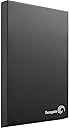
The Seagate Expansion 2TB USB 3.0 Portable External Hard Drive delivers a robust 2TB storage capacity with blazing USB 3.0 transfer speeds up to 625 MB/s. Its compact 2.5-inch design is USB-powered, eliminating the need for external adapters, and offers effortless plug-and-play compatibility with Windows PCs and popular gaming consoles like Xbox One and PS4 (with some modifications). Engineered for quiet, efficient performance, it’s the perfect storage upgrade for professionals and gamers seeking reliable, portable data expansion.
| ASIN | B00ILALU9G |
| Best Sellers Rank | #1,228 in External Hard Drives |
| Brand | Seagate |
| Built-In Media | Seagate ExpansionPortable Drive 2TB USB3.0 |
| Cache Memory Installed Size | 2 |
| Color | Black |
| Compatible Devices | Desktop |
| Connectivity Technology | USB |
| Customer Reviews | 4.6 out of 5 stars 5,649 Reviews |
| Data Transfer Rate | 625 megabytes_per_second |
| Digital Storage Capacity | 2 TB |
| Form Factor | 2.5-inch |
| Global Trade Identification Number | 00763649050286, 00803982823878, 07636490048838 |
| Hard Disk Description | External |
| Hard Disk Form Factor | 2.5 inches |
| Hard Disk Interface | USB 3.0 |
| Hard Disk Rotational Speed | 5400 rpm |
| Hard-Drive Size | 2 TB |
| Hardware Connectivity | USB 3.0 |
| Hardware Platform | PC |
| Installation Type | External Hard Drive |
| Item Weight | 5.92 ounces |
| Manufacturer | SEAGATE |
| Mfr Part Number | STBX2000401 |
| Model Name | Expansion STBX2000401 |
| Model Number | STBX2000401 |
| Number of Items | 1 |
| Specific Uses For Product | Personal |
| UPC | 132018245859 763649050286 696747448474 012300276474 898029659619 012302542676 088022168014 737989665714 803982823878 014445033967 |
T**N
Worked great for upgrading my PS4
After reading an article online about the Seagate STBX2000401 being the best price per gig for using in the PS4, I decided that I'd take my chances and purchase one. I desperately needed a bigger HD as my PS4's HD is almost at its capacity, and this one was the cheapest option that I could find. Since the PS4 doesn't support external storage, the HD must be removed from the plastic case. At first I thought of it as being a daunting task, but it was actually much simpler than I had thought. Once removed, I installed it in my PS4, re-installed the system software, and downloaded all of my purchased content and its working great. Please note that removing the drive from its case will more than likely void the warranty in the event that it would ever fail. It's probably too soon to know if the new drive will fail, but it worked right out of the box and that's definitely good news. I'll be providing updates in the future as to how the drive is performing. Also, it would be a good idea to keep the case and screws so that you can reuse your PS4's 500GB stock HD. You can put it back in the case, reformat it, and use it as a normal portable hard drive. I plan to use mine for my Xbox One since it supports external storage. *Update 8/29/2014* After having a couple of days with no problems, I've gone ahead and put the PS4's stock HD in the empty case and formatted it for use on the Xbox One. Getting it set up on the Xbox One couldn't have been easier. All you have to do is plug it in to one of its three USB ports and the Xbox One will recognize it automatically and do all of the work for you. The storage for both of my consoles has been upgraded considerably and all at the cost of only $89.99!
K**S
Seems to be great for Xbox One storage!
I bought two of these to extend my Xbox One's space. I didn't plug them into a PC at any point so I can't speak to that. Both Xbox Ones immediately recognized the drives and asked to format them. Formatting was finished in seconds and I had 2.3TB of total storage between the internal and external drives on my console (with nothing installed). This is a very small drive, it fits in my hand. I like that it is powered over the one USB cable. They drives are quiet, I can only barely hear them running when I'm within 2 feet of the drives and the room is silent around me. I've permanently stored them behind the consoles so they are essentially silent even when my rooms are quiet. There is one small blue status light that blinks when its being accessed. Luckily its a pretty faint light so it shouldn't be an annoyance in dark rooms. I've been running them for about 2 weeks now with no glitches or issues. The drives seem fast which is a must for gaming, I chose this drive because of other's reviews showing they usually reach their advertised speeds. My only complaint is the short USB cable, its probably 1 foot long. If you're using it on your desk with your PC or just looking to extend your Xbox One's storage it should be fine. Pros: -Small -Quiet -Works great with Xbox One Cons: -Short cable
S**E
Fast, Easy to use and light Ext. Harddrive
It is surprised small and light weight making it easy to slip in your pocket when on the go. Th construct of the device is sturdy although you do feel a little flex in the body when press from on top the device but noting to worry about. It can pick print if your fingers are greasy but is easy to clean with an wipe cloth and there's one tiny blue led light which is hard to find when not plugged in. I ran some test using crystal disk mark 64bit for both usb2 and usb3 with an 50mb test file at 5 test runs which produced these results: USB2: Sequence: Read(32.81MB/s) Write(33.97MB/s) 512k: Read(22.25MB/s) Write(29.83MB/s) 4k: Read(0.565MB/s) Write(1.428MB/s) 4k D32: Read(0.582MB/s) Write(1.409MB/s) USB3: Sequence: Read(79.41MB/s) Write(78.36MB/s) 512k: Read(37.05MB/s) Write(44.40MB/s) 4k: Read(0.565MB/s) Write(1.373MB/s) 4k D32: Read(0.587MB/s) Write(1.425MB/s) When using USB2 you get some decent speeds is when using USB3 you truly get some high performance out the ext.hard drive, although I did see some other reviews getting over 100MB/s with their drive my speed.I'm used an 2011 gigabyte 880GA-UD3H motherboard backIO usb3 slots to run the drive. After run it for an hour there was no heat to mention and as said before the cord is short but not a deal breaker. For a real world test I transferred two High-def movies to it. One at size 3.6GB which took 1min 44seconds at an average speed of 38MB/s and another at size 700MB which took just under 15seconds at an average speed of 47MB/s. Overall I must recommend this drive for anyone looking for fast, easily, silent portable storage this is the external drive for you.
T**D
Seagate(mostly) delivers again
When purchasing a Seagate product, there is inevitably a degree of quality to be expected. The Expansion drives most certainly fill the bill. First impressions of the drive: It arrived(rather oddly) in a large manila envelope. Upon opening it, I found the drive encased in a modest box. Inside, the drive is protected by two contoured bits of cardboard packing material. Along with the main attraction, enclosed is all the paperwork you would expect; a short instruction booklet and the warranty terms. Also included is a USB 3.0 cable, which is a bit short for my purposes(Though I can still easily place it on top of my mid-ATX size tower). The cable itself is around 1-2 ft in length, which is something to keep in mind if versatility is important to you(After a quick search, it appears a 6ft(1.8m) cable can be purchased from AmazonBasics for $5.99 with free shipping on orders of $35). Using the drive: I immediately pulled the drive out of it's box and plugged it straight into one of the two USB 3.0 ports on the back of my computer. Ubuntu Linux recognized it automatically, as does Windows. Included on the drive is a program to register the product with Seagate, along with a 1.06 MB PDF copy of the warranty. The drive works flawlessly, and simple drag-and-drop file movements achieve speeds of 45 mb/sec on average. Pros: Sturdy construction, doesn't feel cheap at all USB 3.0 capability High transfer speeds Fantastic pricepoint Cons: Short cable Due to hard drive manufactures using the '1000' system of measuring data(1000 bytes, 1000 kb, 1000 mb, you get the idea), and computers using the '1024' system(1024 b, 1024 kb, 1024 mb), the drive shows as a 1.81 TB device. Still alright, but that's a good 190 GB lost. Something to keep in mind. 5400 RPM: Though this is fairly standard with external drives of this type, 7200 would be great. Not that much of a con. I would give this drive a 5/5 rating, but the cable is a large nuisance when Seagate could have easily included a longer one. I wouldn't mind an extra few bucks added to the already low price for a longer cable.
G**L
Great drive for a PS4 upgrade.
I got this to upgrade my PS4's hard drive. With some games weighing in at 50gb, and all games being installed, that 500gb hard drive was going to get filled up fast. Sure, you could delete games you haven't played, but I don't like doing that. I want space, lots of it, enough so that I won't have to upgrade again for at least a year. 2gb is currently the largest size that will fit in a PS4, and for some reason, Seagate charges less for the USB external version of the same drive as they do for the bare drive, which goes out of stock pretty quickly when it is available because it's such a good fit as a replacement. Will it fit? Yes, it fits quite nicely. It is noticeably thicker than the default HGST drive, most likely because the HGST has a two-platter 500gb drive, while the Seagate has a three-platter 2gb drive. However, there is still plenty of breathing room in the drive caddy once it goes in, the set screw holes line up, and the connectors slide into place just fine. The drive was recognized right away and after going through the installation process, showed 1767 gb of free space. This makes me very happy. With only five boxed games installed (Tomb Raider: Definitive Edition, The Last of Us Remastered, Wolfenstein: The New Order, Diablo III: Ultimate Evil Edition and Franchise Title: Game Subtitle), a handful of PSN digital games, and two movies from today's flash sale, I have over 200gb of hard drive space filled already. This would be about half the usable space on the default drive, but still leaves me with 1.5tb to play around with, and with 2-3 games a month just from PS+, I'd have been deleting things by next spring if I had started with the less than 400 A note on hard drive space (math to come): Manufacturers use decimal notation to measure size, while computers use binary. The listed size is 2tb, meaning in decimal, 2 trillion bytes (2,000,000,000,000). When the OS looks at the drive, it defines 2^40 (1.1 trillion bytes) as a terabyte. This means that, as the OS measures it, the drive starts with 1863gb (2*10^12/10^30) when empty, before anything is put on it. That's roughly 100gb reserved for the system itself. This is a remarkably small footprint for a system this complex. Most of the difference is due to decimal vs. binary notation. That 1767gb that you have available is 1897 million bytes. You're only losing ~100gb to system software and reserved space. Your PS4, Xbox One, laptop, desktop, and every other electronic device in the world measures size and bandwidth in binary. It's only hardware manufacturers who use decimal. In other words, there's a 100gb used by system software, and 133 by deceptive marketing. If you were careful and lucky with the disassembly of the enclosure, you can put the default PS4 drive into the enclosure, reformat it to NTSF, and you'll have a nice bonus in the form of a 500gb (actual size - 465gb) USB drive.
S**E
Simple but effective storage
I wanted an External Hard Drive to use with my PS3 for playing music and videos. This 1TB (931GB out of the box) hard drive is simple and does everything I need it to. You simply plug it in to your computer and start dragging and dropping files. The first thing I did after setting it up was dividing it into two 465GB partitions; one for simple data storage and one for PS3 use. In order to make it compatible with the PS3 you have to format the hard drive to FAT32. Unfortunately Windows doesn't support this, so I downloaded a quick program ([...]) that formatted it in mere seconds. The problem with FAT32 is that it only accepts files under 4GB, so you can't have Blu-Ray quality DVD rips on here. So far the Hard Drive runs very smoothly. File transfers are reasonably fast, even when using a USB 2.0 port. The unit runs quiet and doesn't generate much heat, and it's small enough to easily fit in a coat pocket. I also think it's important to say that prices on this thing fluctuate like crazy on Amazon. One week the 1TB drive was $100, then $65, and now about $80. So if you can, have some patience and wait for a price drop because the price changes frequently. In conclusion this hard drive is simple and should work for anybody with file storage needs, and it's also proven to work great with the PS3.
W**E
Compact and fast
This external drive is simple. It comes in a small case, not much bigger than the drive itself. It requires no external power supply and uses a single USB 3.0 cable. While it won't allow me to copy files as fast as I can copy between internal drives on a fast computer, it allows me to copy files from other sources to itself at a consistent speed of over 100MB/sec. With a USB 2.0 port, you speed will be limited by your computer's port, not by the drive itself. Read speeds weren't much faster in my tests (about 5%) when copying to an SSD that can support much faster writes. For many users, the need for large external drives is based on the need to store large multimedia files. For practical purposes, a drive needs to be fast enough to stream smoothly and potentially stream several files at once, and possibly even record multiple TV programs at once. It's also helpful if large files can be copied quickly. Although a 7,500,000 KB file for a one hour recorded TV show might seem big, when you stream it in real time over 3600 seconds, it means reading well under 2.5 MB/sec. So using this drive to record four television programs at once while watching a previously recorded one and simultaneously streaming a video to another part of the house in real time will still leave plenty of overhead. And the ability to copy a one hour HD recorded TV show in under 40 seconds makes it practical to use in that capacity without getting bogged down. My tests were made using Microsoft's native WTV format, so if you are using common formats such as MP4, which take up much less space, you will have much more capacity and will be able to copy recordings of similar lengths in a fraction of the time it took me in these tests. The bottom line is that it won't be as fast as an eSATA drive, but makes up for it in practicality, compatibility with any computer with a USB 2.0 port or above, it means that you can use it with just about any current laptop. You will need a USB 3.0 port to get full speeds, and the speed you get might be more or less than what I got, depending on your computer. But if it's less, it's not because of an inherent limitation of the drive.
A**.
Quick, Quiet, Usefull!
Purchased this guy a few months back, and he still runs fine! Transfer speed are indeed full 3.0, as long as you have a USB 3.0 compatible system (I'd recommend purchasing a USB 3.0 PCI-E Express Card if you dont have 3.0 ports already, as it's MUCH faster) I sometimes get write speeds higher than 100mb/s which punches through 20 gigs of data in no time! I use it mostly as a backup device for my main system, as well as for storage of larger files when not in use. Due to the quick speed I can move my 60gig music folder on and off this little guy in just minutes, and because it's portable I can take it on trips and play files through another PC. Thanks to poorly managed quality control there is a large number of hard drive faults and failures for both external and internal hard drives. THIS hard drive, however, as yet to show any negative signs, and still runs like the day I got it, and it's been plugged in most of that time. But I baby it, I always eject it first before unplugging, or I wait til the system is unpowered (which a lot of people don't do). I'll update this review, of course, should anything happen to the drive outside of user error. until then I HIGHLY RECOMMEND THIS!
M**O
Fast, Slim and Very Speedy External Hard Drive
I recently bought this external hard drive following Virgin Media's announcement to withdraw their free Backup and Storage and replace it with a higher priced Cloud based storage. I worked out that under their new pricing structure it would cost me around £24.99 a month to get the storage space I needed whereby to buy this device would cost me less than three times that amount which effectively was less than 3 months cost of the Cloud storage. As the device comes with a 2 year warranty it really was a 'no brainer' for me to choose to pay for this device rather than spend 9 times as much over the same time period. I already have an external hard drive but the idea behind this one is that I will update the stored data on it once every couple of weeks but store it at a family members house in case anything god forbid happens to the one I use at home or my home itself so in effect this is my own off site cloud storage with a one off cost. I am not technologically minded and so can't go into as much depth as some of the other reviews but I can tell you that I downloaded 54.7GB of data (11265 Items) onto this hard drive in one go and it managed to do so in under 58 minutes which I felt was really fast for the amount of data. The unit itself is very compact and measures just 122mm (12.2cm) x 81mm (8.1cm) x 13mm (1.3cm) and is extremely light. There is no additional power plug as the device draws power straight from your laptop/computer via the USB lead that you connect to download/upload data and no separate power button etc. It is so simple to use as you literally just plug the USB into both the hard drive and your laptop/computer and away you go. If you are looking for a bit of piece of mind to backup all of your pictures, videos, documents etc then I can confirm that this is a brilliant little hard drive.
A**A
Bom
Muito bom, ja é minha segunda compra
V**C
Hard disk versatile e prestante
Da me acquistata per sostituire l'hard disk di fabbrica presente nella mia PS4,si adatta perfettamente all'alloggiamento di quest'ultima,non solo espande di molto la memoria del sistema,ma ne velocizza anche le operazioni di installaggio e trasferimento dati in modo considerevole: - con hard disk di fabbrica,tempo di installazione di un videogioco:20-30 secondi (già esiguo a mio dire). -con questo hard disk : 5 secondi scarsi....non so se mi spiego! Le operazioni per prelevarlo dal l'involucro di plastica non sono troppo complesse e quest'ultimo può essere utilizzato per rendere esterno e portatile l'hard disk prelevato dalla PS4. Se doveste utilizzarlo come me per potenziare la vostra PS4,vi ritrovereste con una consolle più veloce e con molta memoria in più rispetto a prima,e con un hard disk esterno da 500 gb ( o 1TB se avete acquistato la corrispondente versione di PS4). Altrimenti si tratta di un ottimo hard disk esterno,prestante e compatto.
G**.
Excellent product
I use computers -- intensively -- since 1993 (Windows system) and external drivers since they become available on the market. I've tried some 3-4 brands before understanding that, for me, it isn't any better than SEAGATE. I save ALL my works and last/replacing backups on external drives (I don't trust clouds) -- so, I have a huge bunch of. Working 12-15 hours by day with my computers, I've killed several internal disks, but Seagate never disappointed me. During these long years, only one of my Seagate drivers ( 2T, USB3) showed some fatigue singes, but I immediately transferred the data from it and have my work intact. One trick to keep an external drive in good health and for long time is to put files in distinct folders without clustering to much. A folder containing folders with files is OK, but a folder containing folders which contains other folders containing folders where are other folders is much less OK. Also, having a driver for backups and another (others) for data is wiser than a mix-all. So, keep your data stored in a simple manner and enjoy the long life and easy to use of your Seagate.
K**D
Idéal pour la PS4
J'ai acheté ce disque pour ma PS4 : à l'intérieur de ce boitier Seagate se trouve un disque... Samsung Spinpoint M9T 2TB (référence ST2000LM03) ! Son avantage : il est le seul disque dur actuel de 2To compatible avec la PS4. Il est simple de trouver les tutos sur Internet (rechercher "PS4 2To" par exemple), et la manipulation est simple aussi (quelques vis). On ouvre le boitier plastique, on sort le disque de 2 To, on échange avec le disque de la PS4, et on a une PS4 2To et un disque externe 500 Go en USB 3. Le tout pour 91€ au moment ou j'écris cet avis, contre 129€ pour le disque vendu seul : cherchez l'erreur. A savoir : * On garde la garantie de la PS4 (changer le disque est autorisé) mais on perd celui du disque (on n'est pas censé le sortir du boitier) ; * La PS4 affiche 1,77 To après installation (ne pas s'attendre à 2 To, c'est dû au formatage et aux partitions système). Sachant qu'une PS4 500 Go neuve n'affiche "que" 408 Go libre, on multiplie ici l'espace utile par 4,3 : intéressant, sachant que certains jeux prennent 50 Go à l'installation ! Attention a bien prendre le disque référencé STBX2000401, j'ai vu d'autres références, je ne sais pas si le disque est identique à l'intérieur.
Trustpilot
3 days ago
2 weeks ago