✍️ Elevate your iPad experience—write, draw, and create without limits!
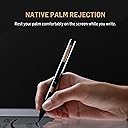
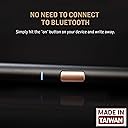
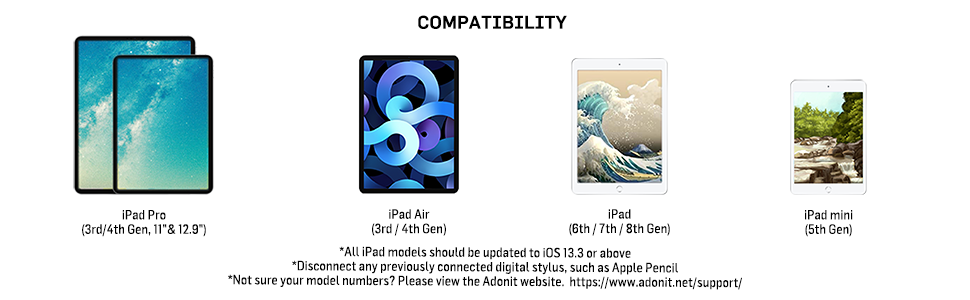
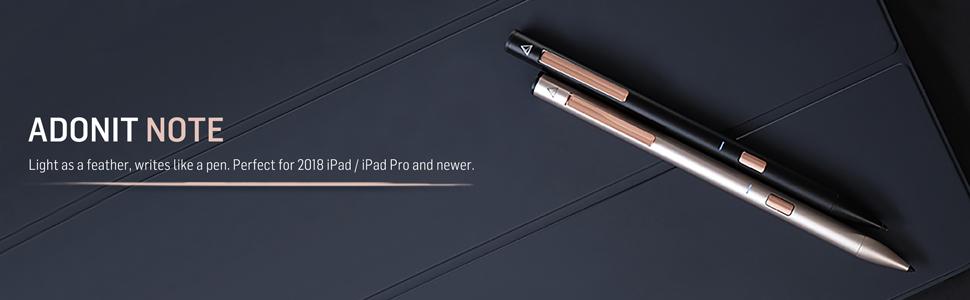
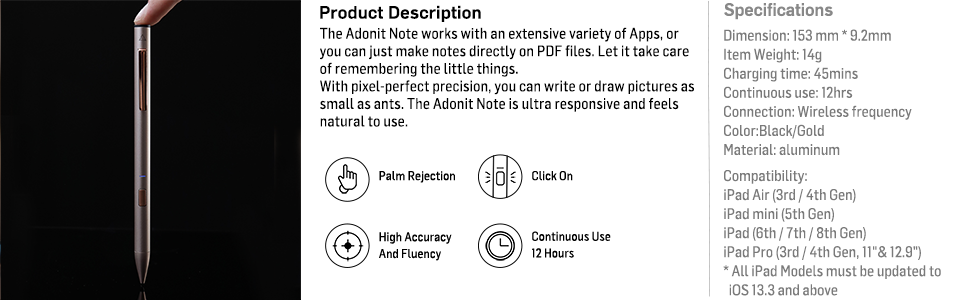
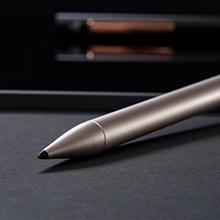
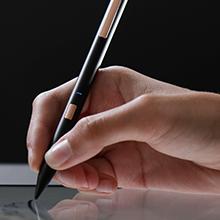
The Adonit Note (Black) is a premium aluminum stylus designed for a wide range of iPad models, featuring a precise 1mm tip, natural palm rejection, and effortless no-Bluetooth connectivity. With up to 12 hours of continuous use and a quick 4-minute charge, it’s built for professionals and creatives who demand accuracy and convenience. Compatible with hundreds of iOS apps, it’s the sleek, reliable alternative to pricier styluses, backed by a 12-month warranty and crafted for durability in Taiwan.


| ASIN | B07R9HPSYN |
| Batteries | 1 Lithium Polymer batteries required. (included) |
| Best Sellers Rank | #193,581 in Cell Phones & Accessories ( See Top 100 in Cell Phones & Accessories ) #3,655 in Styluses |
| Color | Black |
| Customer Reviews | 4.3 4.3 out of 5 stars (2,241) |
| Date First Available | May 20, 2019 |
| Item Weight | 0.106 ounces |
| Item model number | ADNB |
| Manufacturer | Adonit |
| OS | iOS |
| Other display features | Wireless |
| Product Dimensions | 0.36 x 0.36 x 6.02 inches |
| Whats in the box | Adonit Note*1, Micro-USB Cable*1, User Guide*1 |
S**O
Great Apple Pencil and Logitech Crayon alternative
I have only had this for a day, but I’m really enjoying it. I have the second gen Apple Pencil for my iPad Pro, and a Logitech “Crayon” for my iPad mini 5 and the iPad Pro. I use the styli for note taking and annotations, not for drawing. The Crayon and Note don’t have the same feature set as the Pencil, but since I don’t use them for drawing, I don’t miss those features (except the double tap to erase). I really wanted one stylus to use on both my iPads (the second gen Pencil does note work on the mini). That’s why I got the Crayon. It works fine, but it’s fugly looking, feels awkward in the hand, and it takes a prolonged press on the on/off button to turn it on/off. The Note looks great, connects and disconnects instantly with a quick press of the button on the barrel, feels great in the hand, and, importantly for me, has a clip on it for your pocket, or, in my case, clipping it to the cover I have on the iPad Mini. I’m always afraid I’m going to lose the Crayon. They all write about the some, with very little latency and similar feel across the glass. I really love how easy it is to turn on/off the Note, the pocket clip, the feel in the hand, and the price. Can’t beat it!
J**Z
Great alternative to the Apple Pencil
I was looking for something a little cheaper to the Apple Pencil for my 2019 iPad Air as I'm not an illustrator or designer and wanted a simple, but accurate stylus to write notes and for simple sketches. I did some research and found that Adonit was releasing a new stylus to compete against the Pencil and Crayon. After watching some reviews, I decided on the Note for ease of use (just turn it on, no Bluetooth needed to connect), there's a great feel like you're holding an actual pen (with palm rejection) and accuracy with little to zero latency from what I've noticed. It also looks stylish in the black version I got. There are a few downsides if you're looking for something more. There is no pressure sensitivity. Again, it's really for note-takers than artists. There's also a micro USB port (not a big deal for me). And lastly, the placement of the power button can get in the way at first when you grab it and turn it on, but a simple adjustment in your hand and it's out of the way. Again, not a big downside for me because all the pros outweigh the cons for what I need it for. In summary, it's a great stylus for half the price of the Pencil, but it provides a lot of value in its simplicity if you need a good note-taking stylus.
S**.
Great alternative to the Apple Pencil
I (probably like a good number of you readers) have searched for a while for a solid alternative to the Apple Pencil, given its price tag. I've used the Adonit Jot Pro in the past, before bluetooth styluses hit the market, and I really loved that so I was eager to see what Adonit had to offer this time. The pros: The Note has a great pen-like feel to it, with a very simple setup of using the singular button to power on and pair up. The bluetooth connection makes palm rejection a given, and the stylus works great with writing and drawing applications. The cons: The charging port is wide open, which leaves it vulnerable to dust when putting the stylus in a bag or even on a desk for a while. The button also tends to be in some folks' holding position making it tricky to write without turning it off by accident every once in a while. Overall, I use this all the time, and continue to love it. I haven't run into much trouble with it at all. So I'd say for the price and functionality this was a great buy!
S**C
Works great
I was quite amazed that it worked so well on my Ipad Mini 5. It is perfect for my purposes, which is almost exclusively jotting down notes and some simple diagram drawing. Initially I was a little nervous since when I first used it on Note, I got a message that only an Apple Pencil could be used on Note. However, after it was recognized, apparently in a few seconds, it worked fine and has worked without a problem since. Personally I have had no problem with the on/off button being in an awkward position. I guess I don't hold a pen in the same way some others do. It just feels so natural. Tapping twice for Notes works great. You have to enable it in Notes in Settings. Honestly, it is so much better than the Logitech Crayon from the point of view of price and feel. I had to return the Logitech Crayon I ordered since the refurbished product lacked the cap (in addition to everything else other than the Crayon itself) and was slightly damaged at the top end. The Crayon also felt incredibly cheap in hand. If I ever go the Apple approved route again, which I don't foresee, it will be with an Apple Pencil 1 refurbished by Apple, which sells for $85 when available.
A**R
Great pen for a very reasonable price!!
I've recently ordered a different generic pen for my iPad pro 3rd gen (while I wait for my apple pencil to arrive) and it was terribly inaccurate. Did some research and it led me to purchase this pen! I've not had it long (package arrived a couple of hours ago) BUT, I'm already impressed. Came charged, used it in procreate (the main purpose I got it) and the accuracy is on par with the former apple pencil! My only complaint is the pressure sensitivity for the pen is not really there at all but that's fine as this pen will be my highly regarded backup to the apple pencil. If you need something to draw in procreate and don't want to spend 130 for the apple pencil, I'd get this, over and over again (if that's even necessary). Definitely going to recommend this to anyone in search of a primary or backup pen! I've not been coached to say this haha; this is how I feel 🥳
M**A
Worked well...while it worked
I've had this pen for almost a year now. And it worked very well in those 11ish months. Long battery life. Captured my strokes well. All of sudden in the middle of writing on my iPad, it just stopped working. Of course, I simply thought the batter had died, so I went to charge it...or so I thought. I tried to use it again, and it still wasn't working. Come to find, it wasn't even charging. I tried different outlets, different cables and nothing. If a year was the expected lifetime of this product, then it was almost right on the mark, but I would've expected it to last a bit longer.
M**R
I’ve been using this amazing stylus on iPad (7th Generation) for 2 months now and I can positively tell that this stylus is the PERFECT REPLACEMENT for Apple Pencil (1st gen). Things I loved about it: • Palm Rejection works fine: EPIC for drawing and taking notes • On/Off button: Saves battery somewhat. • Charges real quick. • Precise and Accurate Things that might bother you: • No battery indicator to tell the remaining battery percentage unlike Apple Pencil. • Uses microUSB as the charging port. Not lightning or C type. • NO WARRANTY That’s all folks! :)
B**L
طلبته لأختي و تمدحه تقول مرة كويس و السعر رهيب
L**N
The packet arrived on time and in excellent condition and works wonderfully thanks
J**M
Wer, wie ich, keine 100€ übrig hat für einen Apple Pen hat mit dem Adonit Note Stylus die perfekte Alternative gefunden! Der Stift kommt in einem schönen schwarzen und rosegoldenem Design. Er liegt perfekt in der Hand und lässt sich durch den An-/Ausknopf leicht bedienen. Ich nutze den Stift in Kombination mit meinem iPad 2018 und der App Good Notes 5 für die Uni. Der Stift wird inklusive Ladekabel geliefert (ein USB Kabel, es wird kein Adapter für die Steckdose geliefert, aber den hat man üblicherweise sowieso zu Hause). Die Akkulaufzeit ist sehr gut und das Aufladen geht schnell. Allgemein kann ich diesen Stift nur jedem empfehlen der eine Alternative zum Apple Pen sucht und dabei Geld sparen möchte!
C**P
Fonctionne parfaitement avec mon Ipad 7th génération et l'application Nebo pour l'écriture de textes, de notes. La prise ne main est comme un stylo et l'écriture sur l'écran est différente du papier (le glissé notamment), mais on s'y adapte rapidement. Je cherchais un stylo qui me permette d'écrire à la main et de transformer directement mes notes manuscrites en typographie, je ne suis pas déçue avec ce produit. Efficace et moins cher que le stylet Apple. Je recommande.
Trustpilot
3 weeks ago
3 weeks ago