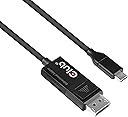
🚀 Elevate your display game with Club3D’s 8K-ready USB-C to DisplayPort cable — because your visuals deserve the best.
The Club3D CAC-1557 is a premium 1.8m USB Type-C to DisplayPort 1.4 cable that supports ultra-high resolutions up to 8K at 60Hz and 4K at 120Hz with HDR. Featuring bi-directional functionality, plug-and-play ease, and broad OS compatibility, it delivers stable, interference-free video and audio transmission. Built with durable connectors and a secure latch, this cable is ideal for professionals and enthusiasts seeking flawless, future-proof display connectivity.


| ASIN | B07R1NBCXK |
| Best Sellers Rank | #4,877 in USB Cables |
| Brand Name | Club 3D |
| Cable Type | USB |
| Color | Chrome |
| Compatible Devices | Laptop, Personal Computer |
| Compatible Phone Models | Potentially compatible with smartphones, specific models unknown |
| Connectivity Technology | Displayport altmode |
| Connector Gender | Male-to-Male |
| Connector Type | USB Type C |
| Customer Reviews | 4.2 4.2 out of 5 stars (123) |
| Data Transfer Rate | 32.4 Gigabits Per Second |
| Frequency | 120 Hz |
| Global Trade Identification Number | 00841615101412 |
| Included Components | USB type c cable |
| Indoor Outdoor Usage | Indoor, Outdoor |
| Item Shape | Round |
| Item Type Name | CAC-1557 |
| Item Weight | 118 Grams |
| Manufacturer | Club3D |
| Model | CAC-1557 |
| Model Name | Club3D CAC-1557 USB Type C to Displayport 1.4 Bi-Directional Cable with 8K 60Hz, 4K 120Hz HDR Video Support 1.8m-6ft M/M |
| Number of Items | 1 |
| Number of Pins | 20 |
| Other Special Features of the Product | High Speed |
| Recommended Uses For Product | Tv |
| Specification Met | RoHS |
| UPC | 841615101412 |
| Unit Count | 1 Count |
| Warranty Description | 2 year manufacturer |
B**E
Full resolution and refresh rate on my work laptop
This adapter works perfectly with my 49 inch Samsung Odyssey monitor. My setup runs from the monitor into a KVM, which then connects to both my work laptop and my home computer. With this adapter, I get full resolution and full refresh rate without any issues. There is no stuttering, no flickering, and no signal drops. Everything is stable and works exactly as expected. It handles the high resolution and refresh rate of an ultrawide monitor without any problems. If you are running a high-end display through USB-C and need reliable DisplayPort output, this adapter does exactly what it claims. Highly recommended.
L**G
works great with LG Ultrafine 4K
works great between my AMD RX 570 (which has full size displayport) and my LG Ultrafine 4K (first edition). running OSX on a hackintosh. only gripe is it takes 2-3 seconds to change resolutions, plus USB hub and light sensor don't work on monitor, but cable is great. the "bidirectional" nature of this cable works fine for me.
V**Y
Works as advertised
Worked great - connected a DP on a 2016-ish Asus motherboard to a portable Dell display. Used an external USB power supply for the display. Display's maximum resolution of 1920x1024 (HD) was supported.
V**R
It works when used correctly! (Read)
An actual USB-C to DP bidirectional cable that works! FYI: the DP end only works with an original DP enabled device such as DP/mDP ports on PCs, laptops, monitors w/DP out, etc. It will not activate with DP from a GPU/video card nor dock (without internal converter). Tested: ✔️1) Mac w TB1/2 to miniDP/DP adapter to this cable going into USB-C (DP Alt Mode) enabled monitor; Mac to Dell MST monitor to this cable going into USB-C (DP Alt Mode) enabled monitor ✔️2) PC mobo DP with this cable going into USB-C (DP Alt Mode) enabled monitor ✔️3) TB3 laptop/Samsung tablet to DP monitor ❌4) TB3 laptop to TB3 dock to this cable into USB-C enabled monitor ❌5) PC GPU DP with this cable to USB-C enabled monitor Cable construction seems sturdy and the thickness is fine since this is USB-C focused wiring. The housing for the DP end is better then some but doesn't look like it will hold up to extended plugging/unplugging (connector can wiggle a bit and have a slight angle to it), so I wouldn't move it much after placement.
M**6
Worked for me
I used this to connect my 4060 with DP port to a portable monitor's "full feature" usb-c port. It worked, while the previous Startech bi-directional cable I purchased did not. Packaged well for a cable. Satisfied.
吳**茗
Compatibility not good
T**N
Display Port (RTX 4060) to USB-C Ex-Monitor WORKS.
I know there’s a lot of mixed reviews about this product working/not working so I figured I should add to that. It works. RTX 4060 Display Port to my Uperfect 16” OLED portable monitor (USB-C). It did take a while to get going and had me worried but it did work and I do get the full 3K @ 120hz unlike the mini hdmi alternative (capped at 100hz). Obviously I’m powering the monitor externally but I’m thrilled to finally have something work given how many cables I’ve purchased.
C**D
Actually works bi-directionally
I'm using this to connect my portable USB-C monitor to my desktop PC that doesn't support DP alt-mode through USB-C and it connects at full resolution without any issue. Recommended.
N**O
I have been looking for a way to enable G-Sync on my monitor paired with a Lenovo Legion 5 laptop that has Geforce RTX 2060. This is the only way to enable it - amazing! I plugged the USB-C end to my Legion type-c port and connected to the display port of my Dell G-Sync compatible monitor and voila! Now I can get refresh rate of 166Ghz and crisp fluid frames when gaming. Also, i can see the difference when watching ultra HD movies.
C**N
Eu tenho um Macbook Pro 2019 e um monitor 34GL750 da LG, a resolução máxima que o cabo chegou foi a de 2560x1080 com 144Hertz.
K**E
Bought this to connect Samsung G7 gaming monitor to my Razor Blade laptop. Achieves 240Hz refresh rate.
K**7
Very good I like it
L**N
Bought this to use with a USB-C monitor, an old Mac Mini with mini display port, and a DP to Mini DP adaptor. The Mac Mini is also hooked up to a graphics tablet through HDMI. Sometimes, when I wake the Mini from sleep, my USB-C monitor shows no signal (even if I unplug the HDMI), and I don't know what component is causing that, but it's pretty good. Edit after two years: I'm still using this cable on my Mac Mini but now it's running Ubuntu and I have zero issues. The component that was causing the problem was MacOS. 🙃
Trustpilot
2 months ago
4 days ago