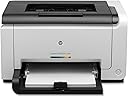
šØļø Small footprint, big impact: Color printing that keeps you ahead of the curve!
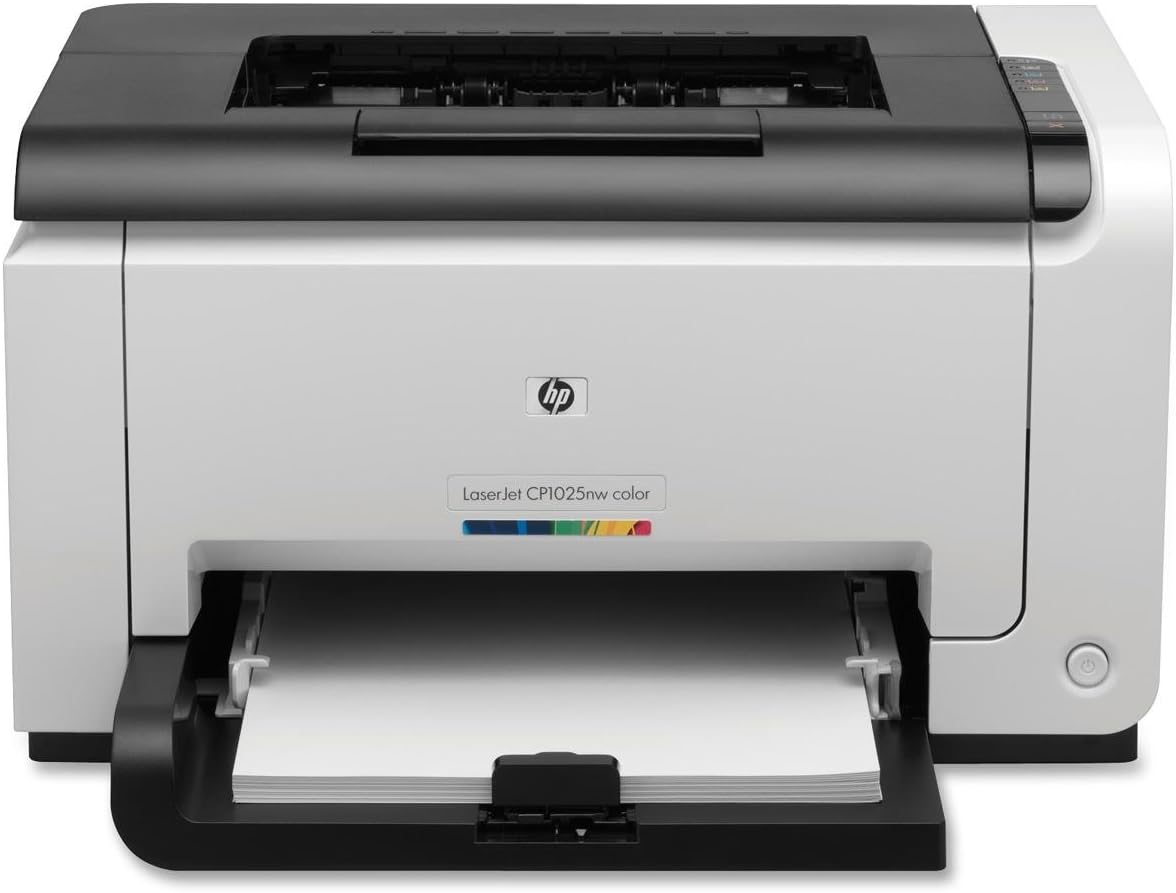
The HP LaserJet Pro CP1025nw is a compact, energy-efficient color laser printer designed for professional and home office use. Featuring wireless and Ethernet connectivity, it enables easy sharing across devices. It delivers high-quality color prints at a low cost per page comparable to black-and-white lasers, with quick setup and simple cartridge replacement. Ideal for document printing with vibrant color, it supports mobile printing via HP ePrint, making it a versatile and budget-friendly choice for millennial managers seeking reliable, stylish office tech.
| ASIN | B0044XSNH6 |
| Additional Printer functions | Scan |
| Best Sellers Rank | #1,503,291 in Office Products ( See Top 100 in Office Products ) #2,519 in Laser Computer Printers |
| Compatible Devices | Laptops, PC |
| Control Method | App |
| Customer Reviews | 3.9 3.9 out of 5 stars (190) |
| Date First Available | October 6, 2010 |
| Department | Electronics |
| Dual-sided printing | No |
| Duplex | No |
| Global Trade Identification Number | 00885631350928, 00887758564493 |
| Hardware Interface | Ethernet |
| Ink Color | Color |
| Is Discontinued By Manufacturer | No |
| Item Weight | 28.6 pounds |
| Item model number | CE914A |
| Language | English |
| Manufacturer | Hewlett Packard Office |
| Max Copy Speed (Black & White) | 17 ppm |
| Max Input Sheet Capacity | 150 |
| Max copy resolution black-white | 600 x 600 dpi |
| Max copy resolution color | 600 x 600 dpi |
| Maximum Black and White Print Resolution | 600 x 600 dpi |
| Maximum Color Print Resolution | 600 x 600 dpi |
| Maximum Media Size | 8.5 x 14 inch |
| Maximum copies per run | 15000 |
| Memory Storage Capacity | 64 MB |
| Model Series | CP |
| National Stock Number | 7025-01-594-6252 |
| Number of Trays | 1 |
| Number of USB 2 Ports | 1 |
| Print media | Card stock, Envelopes, Paper (plain) |
| Printer Ink Type | toner |
| Processor Count | 1 |
| Product Dimensions | 15.1 x 11.7 x 19.6 inches |
| Scanner Type | Sheetfed |
| Series Number | 1000 |
| Sheet Size | 8.5 x 11 inches inches |
| Specific Uses For Product | Office |
| Supported Media Sizes | Legal (8.5 x 14 inches) |
| Total Ethernet Ports | 1 |
| Total USB Ports | 1 |
| UPC | 778889476925 046464749659 886111381821 887632561501 763615888325 887758564493 885631350928 999992526561 |
| Wattage | 295 watts |
M**R
Great printer for seminary (graduate school)!
I'm a seminary student at Concordia Seminary in St. Louis. We write many many papers for our classes. I needed a laser printer as my old HP LaserJet 1100, which in "computer years" was 100 years old, was about to give up the ghost. But I really wanted color because I'm a visual learner and utilize charts and other colorful tools for my Greek and Hebrew and other classes. And, note that from a "cost-per-page" standpoint, lasers just about always beat inkjets, sometimes significantly. Enter the HP LaserJet Pro CP1025nw. I first spotted it at an Office supply store. It has a relatively small footprint compared to the other models. I looked at reviews here on Amazon and found that the only real problem with this printer is speed. And for me, that is not a problem at all. Also, some folks suggest this unit is not a great photo printer, and I would agree with that as far as it goes. But please note that generally speaking, Laser Printers are not interested in being the best at photo printing. **This is a document printer.** That means photos in docs are going to look great. If you want to print photos and then frame them, get an inkjet. Print quality is excellent, on par with the higher dollar color lasers. Wireless setup is okay, although I really wish these manufacturers would ditch the intrusive software installs. There are workarounds for this and once you get the printer's IP address set, you can run the whole thing via the built in Web server, just create a TCP/IP port on your PC or Mac, and just use the barebones driver. The built in Web server is great for checking toner status, etc., and won't slow down your computer with a bunch of software overhead. I agree that speed was clearly not an objective of the designers of this printer. If you need fast, you are going to need to spend more. However, it seems HP's objective was to bring a color laser printer to market that is less than $200 and still prints great...and in that regard they have succeeded very well! If you are someone who wants to print great looking documents that will cost much less than printing them on an inkjet (and look much better than those printed on an inkjet), then this printer is for you. I'm quite blessed (and very thankful) to own mine.
R**M
Adequate Home Color Printer
Pros: Inexpensive initial cost for a color laser with wireless/wired networking, web printing (HP ePrint) and support for Windows, Mac, and iPhone; Good color quality for home needs. Cons: Bad Installation Guide, unfriendly software interfaces; Potential cost of replacement catridges. I had to struggle to setup and install the printer. It came with a CD and one page instructions that simply said to pop in the CD and rest will be guided by the menu. Make sure you connect the USB to your computer and start installing the software. Once configured for wireless printing, it printed without any problems from both Mac and Windows 7 computers. However, there was a glitch. The printer goes to sleep after about 10 minutes and does not wake up by an incoming print job. You had to power cycle the printer to bring it online. Called the HP guys and they could not figure out the reason. Ultimately, I found that the firmware was a year old and tried by upgrading the firmware to the latest one. That fixed the sleep problem. Even the instructions for firmware upgrade were very misleading. It does not tell you to connect the printer with USB cable. If you try to upgrade the FW w/o USB, it gives you a very weird error like file not found and quits. One cool feature is the ePrint. Means you can create a unique email address ([email protected]) for your printer and print by simply sending emails to this address! This is enabled in the latest firmware and may not be present in the older versions. I also heard that printing from iPhone works well also. I recommend this is or home use where you/your kids need color prints for projects and short Black and white documents. It is not a fast printer and emits higher than average noise.
C**S
Great color printer even if you do not use it all the time
I bought this to replace an old black and white printer years ago. The old printer was never designed for casual use and had artifacting on the printed pages. I didn't change when I print (which is to say very rarely) and I haven't had ANY negative issues with this printer. It's still using the starter toner cartridges it came with and the print quality is still great to this day. The only oddity at all with this printer is that after you turn it off post print job it is almost guaranteed to turn itself back on to do some maintenance on the toners or whatever it is doing. When it gets done with that I turn it back off and it stays off until I turn it on for it's next print job. If that is the price to pay for perfection years after purchase I'll gladly pay it. :)
C**T
HP LaserJet Pro CP1025nw Color Printer (CE914A)
This is the second time I've bought this printer. The first time was for myself. It worked so well, and did such a great job that I bought one for my son as a gift. It does everything that it's advertised to do, and does it very well. It is not a photo printer, but it will print pictures pretty good. I had no trouble setting up the wireless function and neither did my son. He really likes his because of the lesser cost of toner versus printer ink.
A**R
Very Good Product ...no problem at all ... working well
M**T
Toit ok
R**Z
Muy en producto, excelente calidad de impresión. Los consumibles se pueden adquirir en compatibles sin perder calidad al momento de imprimir
N**O
Works like a charm.
N**N
good
Trustpilot
3 days ago
4 days ago