


🚗 Unlock your car’s secrets with a tap—diagnostics made smart and simple!
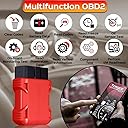
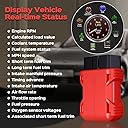
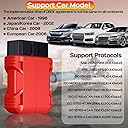
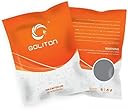
The Supper Mini OBD 2 is a compact, Bluetooth-enabled automotive diagnostic tool compatible with both iOS and Android devices. Supporting nine OBD-II protocols, it offers broad vehicle compatibility and real-time engine diagnostics through downloadable apps. Its wireless design and low-profile form factor make it an essential gadget for proactive car maintenance and avoiding costly repairs.





| ASIN | B009NPAORC |
| Best Sellers Rank | #1,980,555 in Automotive ( See Top 100 in Automotive ) #4,343 in Code Readers & Scan Tools |
| Customer Reviews | 3.5 3.5 out of 5 stars (1,406) |
| Date First Available | October 15, 2012 |
| Is Discontinued By Manufacturer | No |
| Item Weight | 1.76 ounces |
| Item model number | CAR.00.OBD.327.MBL |
| Manufacturer | Goliton |
| OS | Android / IOS |
| Other display features | Wireless |
| Product Dimensions | 3.43 x 1.26 x 3.43 inches |
| Whats in the box | cable |
| Wireless communication technologies | Bluetooth/Wireless |
L**N
GREAT reader, awesome price and SUPER FASTshipping, paid 2nd day, got it next day!!
Worked great! I think I downloaded five different programs to my lenovo tablet before I found one that I liked and had lots of options. There are a TON of programs out there on the android market!! Ironically it took the fourth setup code before I connected to it. I did have one or two programs it couldn't connect to. NOTE!!: UNPLUG it and then plug it back in if you are trying different programs!! If you don't then it won't reset and you will think the software you downloaded doesn't work! The unit is very compact and low profile. I think I might install a little tablet stand in my truck and leave it plugged in all the time! I am using this on a 2008 TOYOTA TUNDRA. I bought this in a rush thinking I had an idiot light on the dash and was paranoid I had a transmission problem! With the right software it told me I had no error codes and that the last error code was reset 40k miles ago. (If I had read the manual for the truck, which I wound up having to do, I would have realized that idiot light was to tell me the oil was overdue to be changed. Apparently when I bought it a few months ago the ford dealership changed the oil but didn't reset the counter. They didn't know either! He he). The last program I used was OBD Car Doctor, its mostly text based but LOTS of data options! Torque (free) was another, lots of graphical GUI goodies but a bit less to work with, at least the free version. I'm going to try a LOT more programs and will update when I do.
R**S
Works Great, When it Boots...
I have had it for a couple of weeks now and i use it with the torque app. It sometimes struggles to connect via bluetooth and i find myself giving up on it often. Pros: Cheep and works easy to set up Cons: Multiple bluetooth codes constantly changing Connection issues. Overall: I love it. Its great for the price i just wished it would work 100% of the time buy hey, You get what you pay for.
I**E
So I’m happy with the device
I bought this OBD Bluetooth for its small profile. It is about half the height of other similar devices. I used it in my Miata. When I purchased it I failed to notice that it wasn't supposed to be compatible with Android 4. However, when I tried it I had no trouble pairing with either of my android 4 devices. There are four codes to choose from, one of which will pair, once I had the right one it went through and now I just plug it in with the phone or tablet nearby and it connects without any problems. I tested both Torque and DashCommand apps and both worked with the ELM setting. So I’m happy with the device. I have custom roms installed on my Galaxy S, Galaxy S3 phones and 10" Asus FHD20 tablet. Android 4.2.2, Android 4.4.1 and Android 4.4.3 and have no problem recognizing the Goliton Bluetooth OBDII adapter. I will not be using it installed all the time, just during regular maintenance and troubleshooting. But real-time response is adequate and it works well enough that I have now purchased the commercial version of DashCommand.
I**.
won't work unless you have old phone
I bought the obd2 scanner off Amazon and just tried to use it and it doesn't work. So I went to company site and it says don't work for android 4.0 and up. What kinda crap is that! No Where on amazons site for the product doest it say that. What a bunch of wasted time and money. Also anyone that is running less then 4.0 android has a old old phone. You need to sell products up to date of say it in the discription on amazons page! I am a big shopper on amazon but recently they have bin slipping on product info and quality. Very unhappy customer
J**N
No iPhone support..but there is a work around, Also works with Appradio 3 Dashcommand app
I just bought this and was excited to install and start using. After installing this in my car (2009 Hyundai) I could not get a Bluetooth signal / connection. I purchased Dashcommand on the app store and found I also need to be jail broken (which I am). I'm going to try this and report back: Update: The solution below worked for me. I have an iPhone 5 with IOS 7 (Jail broken). Install the version(s) of RoqyBT & RoqyODB, version 7 found in Cydia (not the app store) and make sure your factory Bluetooth on the iPhone is turned off. Use the RoqyBT7 Bluetooth app to connect to the ODB II dongle and follow the instructions below...good luck Here is the content from the post I read: Not by me. "So I ordered a cheap $15 ELM 327 Bluetooth OBD2 adapter on eBay. I read that Bluetooth OBD readers couldn't be used with iOS unless you jailbreak. I always jailbreak my devices but there was a long wait for iPhone 5 users. I got an app from Cydia called RoqyBT/RoqyOBD and then I installed Dash Command. RoqyBT allows the OBD2 reader to connect to the iOS device but there is a 5 euro cost. I paid the license fee, and setup using IP in Dash Command. 127.0.0.1 and port 35000 had to be manually entered into Dash Command so RoqyBT can communicate with the Dash Command app. So I have to say it works and it works really well!! Dash Command is a really cool app packed full of information and data logging capabilities. It doesn't have the customization capabilities of Torque but for those that only have an iOS device this is the next best thing. Setup was way easier than I anticipated and there is no lag at all when monitoring information. I was impressed by how accurate and fast the tach is on Dash Command and all of the other gauges work well too. I'm going to make a mount to temporarily mount my iPhone to see how well the accelerometer features work. I was planning on mounting a Nexus 7 tablet permanently for the Torque app and I've had some discussions with @2forme regarding a full android deck so we'll see where this project goes... I've been short on time lately but hopefully in the not too distant future I'll have time to really make something cool to integrate a tablet or android deck with this platform car."
A**R
I really liked the small size of this bluetooth adapter, but as a caution. It is so small that it fits flush with the area under my steering wheel where the OBD2 plug is. It was a nightmare to get it back out. I had to fashion a pull tab from a 3M plastic hook to get it back out. That being said it does work wonderfully and fit perfectly flush if that's what you're after. I live in Edmonton, so I don't think that it is a good idea for it to be left in as it draws power from the battery even when the car is off - not a big deal in warmer climates but an extra draw on my battery in winter is not a great idea, so I don't leave it plugged in.
N**O
Ho acquistato questo dispositivo OBD per la mia Renault Megane 3 GT Line ed è stato un investimento eccellente. Facile da installare (basta collegarlo sotto il cruscotto), si è connesso rapidamente alla mia app sullo smartphone. Ora posso monitorare i dati del motore, leggere i codici di errore e resettarli senza dover andare dal meccanico. È molto preciso e affidabile, e mi ha aiutato a individuare e risolvere piccoli problemi prima che diventassero gravi. Consiglio vivamente a chiunque voglia tenere sotto controllo la propria auto!”. Saluti
C**N
J'ai commandé cet appareil pour investiguer des messages "Alerte panne moteur veuillez réparer votre véhicule" apparus sur une 3008 de 2014. Je soupçonnais que c'était un faux problème du à des tenstatives de démarrer avec une batterie morte, mais je préférais être sûr avant de faire des dégats (je savais parfaitement qu'en l'emmenant chez le concessionnaire, il aurait trouvé de quoi me faire une note de 1000€, aucun doute là-dessus...). L'appareil est fourni sans manuel, juste une adresse emil imprimée sur le paquet (pas essayé). Il n'y a pas vraiment besoin d'info complémentaire car la fonction de l'appareil est extrêmement simple. J'ai utilisé "Torque" comme logiciel sur un Sammsung S7, mais je suis sûr que ça aurait fonctionné avec beacoup d'autres appareils et logiciels Voilà ce que je j'ai fait et qui a marché pour moi: 1. Téléchargé Torque sur mon téléphone (version payante à 3.55€, pas testé la gratuite) 2. Ouvert la trappe à gauche du volant. 3. branché l'appareil sur la prise OBD 4. Mis le contact sur le dernier cran (position "prêt à démarrer" appelé aussi APC) 5. Activé le Bluetooth de mon téléphone, le téléphone recherche les appareils à proximité, et trouve un appareil appelé "OBDII" 6. Cliqué sur "apairer", le téléphone demande un code PIN, j'ai tapé 1234, il l'a accepté. 7. Lancé Torque, je ne sais plus sur quoi j'ai cliqué mais il a trouvé l'appareil "OBDII" rapidement (l'icône "clef Bluetooth" cesse de clignoter quand l'appareil OBD est trouvé. 8. Essayé de télécharger les codes d'erreurs => échec car la voiture est encore affichée clignotante (ECU non réveillé). 9. Mis la clé de la voiture sur le dernier cran (prêt au démarrage), l'icône voiture cesse de clignoter sur torque 10. Relancé la recherche des codes d'erreurs => ça marche! La liste des défauts s'afiche. Certains codes apparaissent avec une description en toutes lettres (en Franglais), comme "P2670 - Groupe Motopropulseur - Actuator Supply Voltage B circuit Low", d'autres avec seulement le code, mais un coup de Google me renseigne tout de suite sur ce que c'est (la correspondance code - type de panne) est disponible absolument partout sur le net. Dans mon cas tout pouvait ête expliqué par une tension batterie descendu trop bas. Un clic sur "effacer les défauts de l'ECU", la liste se vide, l'icône de panne moteur orange sur le moteur disparait (ça fait un bien fou!), la voiture arrête de balancer son message anxiogène appelant à aller se faire plumer par le garage. J'ai payé l'appareil 13€ et l'appli Torque 3.5€. Rien que de serrer la main du garagiste coûte plus cher que ça! Pour info le sois-disant "passage à la valise") d'un concessionaire est facturé dans les 60€. Le diagnostique + nettoyage des erreurs m'a pris, 5 minutes, et encore, si c'était à reaire ça ne m'en prendrait que 3!
P**T
Angeschlossen am Peugeot 307 SW (BJ 2008), BT gleich erkannt (mit zwei verschiedenen Smartphones versucht, Android) und mit TORQUE App erfolgreich mit der ECU verbunden. Fehlerspeicher erfolgreich ausgelesen und habe diesen auch erfolgreich löschen können. Was mir besonders gefällt, der Adapter ist wirklich sehr klein (im Vergleich zu den meisten anderen) und lässt sich somit super anstecken, nimmt dabei kaum Platz ein. Die Signalleuchten sind nach vorne gerichtet (viele andere Adapter haben es seitlich was nicht immer sichtbar sein muss!) Um 12,99€ hat sich dieser Adapter bereits beim ersten Auslesen und Löschen des Diagnosespeichers ausbezahlt und ich habe diesen nun immer im Handschuhfach im Fall das der Wagen irgendwann was haben sollte damit ich den Fehlerspeicher (Diagnose) auslesen kann... Ich empfehle diesen Adapter jeden weiter. Und sollte es mit den älteren Autos mal nicht funktionieren kann dieser Adapter problemlos und kostenfrei zurückgeschickt werden :)
P**N
This unit works well I think. I've used it with a Samsung smartphone and the 'Torque' app to check the coolant temperature in my engine, as the temperature guage in my 2002 VW Golf is only a kind of 'idiot guage' which is designed to lie about the temperature. (Specifically, the car's guage, although a traditional-looking guage with a needle and some numbers indicating temperature, is deliberately designed to show '90 degrees' at any temperature between 75 degrees and 107 degrees. I guess VW want their customers to feel completely relaxed about the coolant temperature unless it falls outside that range, but it does make it rather difficult to diagnose problems.) So, this bluetooth adapter works fine for that purpose. I also love the fact it is so compact as when it is inserted it is almost invisible and doesn't get in the way. There is just one 'quirk' which may be more to do with the Torque app than to do with the adapter, which is that if i switch off the ignition the adapter (or the app!) loses connection, and connection will only be re-eastablished if i close down the app and re-start it again. It's probably an app-thing and nothing to do with the adapter, so I'm in two minds whether to drop a star for that or not. No, it is so good in other regards that I'll give it the benefit of the doubt and give it five stars...
Trustpilot
3 weeks ago
2 weeks ago