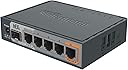
Adoro Mikrotik , non è il primo che compro, secondo me sono prodotti eccellenti, versatili e molto stabili. Alcuni Router sono accesi da anni e non mi hanno mai dato problemi. Cosa mi piace. -Se siete in grado di farlo e ne avete la necessità , potete usare anche configurazioni complesse. -Se siete neofiti , la configurazione di base consente di avere la Wan sulla ethernet 1 e la Lan su tutte le altre porte. Successivamente nulla di vieta di usare configurazioni più complesse una volta capito come funziona. Attenzione, in configurazione base, questo tipo di router non deve essere esposto su internet se non è stato opportunamente messo in sicurezza. Nulla di complicato, con un pò di pratica e sfruttando le numerose guide on line potete renderlo sicuro e stabile. -Se volete migliorare la vostra comprensione sul networking , con due o tre di questi router vi potete divertire parecchio. -Mikrotik ha dei server ddns. Abilitando la funzione cloud , potete raggiungere facilmente il router da remoto, anche con IP dinamico. Non potete decidere il nome host o i dominio , il nome host corrisponderà al numero di serie del router , ma per determinati scopi va benissimo anche così, anzi, si possono implementare configurazioni fantasiose ed utili per gestire le address List , per raggiungere un router remoto senza ricordare il suo ip o il nome host , o per configurare l'' Hairpin Nat , tanto per citarne alcune. -Mi piace molto il firewall, posso avere tutto sotto controllo. Credo di aver letto su internet che il suo funzionamento ricorda vagamente le iptables di Linux, che conosco molto poco, anzi per niente, ad ogni modo i comandi mikrotik, secondo me, sono ben strutturati e molto comprensibili. Usando winbox, il software di gestione del router, si può essere spiazzati inizialmente, ma con il tempo esso fornirà una panoramica chiara , strutturata e comprensibile della configurazione del firewall e di tutte le altre funzioni. Cosa non mi piace -Per ottenere certi risultati ci sono strade diverse per una stessa funzionalità, questo perché il router supporta diversi protocolli e metodi e qui la situazione si complica, e non poco. Ad esempio, per le per le vlan occorre comprendere che alcuni tipi di configurazione hanno un impatto più elevato sulla cpu ma sono semplici da implementare. Altri metodi, invece, sfruttano le capacità hardware del chip che gestisce lo switch e quindi non pasano sulla cpu, ma la configurazione è diversa, più complicata, ed i chip installati in questi router non sono tutti uguali , a seconda dei casi essi possono avere diverse capacità di gestire un certo numero di host table , vlan table e rule table. Per questo motivo , prima di acquistare un router sarebbe meglio andare sul sito Mikrotik , cercare "Manual:Switch Chip Features" , stabilire quali sono le vostre esigenze e le vostre aspettative e soltanto dopo decidere quale tipo di router comprare. Sul sito ci sono informazioni dettagliate su quale tipo di Chip Switch è installato sui vari modelli. Trovo questo metodo e questa trasparentza eccellenti, perché prima di acquistare posso decidere cosa comprare in funzione di ciò che mi occorre , ma questo richiede tempo, pazienza e pò di studio se siete neofiti. Lo stesso discorso vale per altre funzionalità , ad esempio le vpn. Ci sono diversi modi per configurarla, mi vengono in mente wireguard ed openvpn. Ho fatto diversi tentativi con entrambe ma non ci sono riuscito , sicuramente a causa di un mio limite o a causa di errori concettuali. Ho configurato 2 router mikrotik diversi su lan diverse , che si affacciano ad internet con 2 IP pubblici diversi ottenuti via client pppOe (attestati alla stessa linea). Non ci sono riuscito , ma ripeto , sicuramente sbaglio io. Ho successivamente creato un altra vpn, con wireguard ed usando 2 peer, il router stesso ed un cellulare, e qui funziona perfettamente e con ottime prestazioni. In questo modo, raggiungo il NAS senza esporlo direttamente ad internet. - Su Mikrotik , si possono installare funzionalità aggiuntive ma alcuni modelli non hanno memoria sufficiente per installare tutti i pacchetti che vi vengono in mente , ad esempio su questo modello che ha solo 16 MB su scheda madre (hEXs - RB760iGS) ho installato il pacchetto "The Dude" , si tratta di un network monitor con il quale ho sotto controllo tutta la rete. È stato necessario comprare una micro SD per salvare i database (se non ricordo male si può usare anche una pen drive o un hard disk USB) e comunque sia ho esaurito la memoria interna del router e non posso installare altro. Non è consentito installare pacchetti aggiuntivi su micro sd esterna, quest'ultima consente solo di mappare unità da usare come storage di dati. Ad ogni modo , per esigenze particolari si può optare per router più performanti e costosi oppure si possono usare più router ed assegnare a ciascuno un compito diverso, se possibile. In conclusione , se conoscete Mikrotik , sapete di cosa parlo , se non la conoscete , potete tirare su un laboratorio per studiare e mettere in pratica tutto quello che vi viene in mente e comunque sia , avrete un router valido ed affidabile per gestire la vostra rete personale usando il router del vostro ISP solo per ottenere la connettività internet.