Description
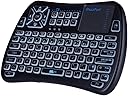
- Bluetooth mini wireless keyboard, the combo of mini keyboard and touchpad and mouse and tv remote, all in one to replace streaming media player and tv remote (Note: Bluetooth Dongle Not Included)
- New Features than others: add IR learning feature, program with tv remote to navigate tv basic function(Power on/off、Volume up/down etc), don't need the tv original remote too
- New layout design, ergonomic keyboard with the new location of touchpad and mouse right/left button, much easy to select、copy and paste; Touchpad and keyboard lock button to prevent the misuse from child
- RGB backlit keyboard, three kinds of backlit color for your option; Rechargeable battery keyboard, work for several months after fully charged (Note:Remove battery cover and take insulation sticker away before using)
- Work for: Mini wireless keyboard for Android tv box、Nvidia Shield TV、xiaomi mi box、Smart TV、Raspberry Pi、HTPC and PC, also work for Fire Stick and Fire TV, Subscribe "iPazzPortfans" channel on youtube to get the video instructions. (Note:All devices should include bluetooth function; Can't work with Hulu and HBO Now due to system compatibility)
How to set IR learning function: 1. On keyboard remote, hold down the power button until the LED lights solid. 2. Put together your keyboard remote and the source IR remote, head to head, approximately 1 inch apart. 3. Press the button on keyboard "+" for example, and the LED will start blinking and be steady on, then press the button V+ on your source IR remote. 4. The LED on the keyboard will blink 3 times quickly, indicating a successful learning . 5. While LED is on solid, repeat steps 3 and 4 to program other target buttons. 6. When the learning process is all completed, just wait for its auto setting process approximately 10 seconds till the LED goes off. 7. It is ready to use, now. Note: Please wait for 3 seconds before programming the next button. Specifications: - Bluetooth connection - Max Distance:10 m (33 ft) - Dimensions: 142.5X97X19.8 mm (5.61x3.82x0.78 in) - Weight: 121g (0.27lb) - Voltage: 3.3V - Power Supply: Working Rechargeable Li-ion battery Package: - 1 x Mini Keyboard more better more cheaper than rii mini wireless keyboard - 1 x User manual - 1 x USB cable FAQ: 1. Q:Keyboard and touchpad can't work? A:Charge keyboard for hours; if still can't work, build bluetooth connection with device again.2. Q:Can't find ipazzport keyboard when search new bluetooth on your device ? A:Remove the existing bluetooth connection on your device, then search again.3. Q:Touchpad respond slowly? A:Charge keyboard for hours; if still can't work, build bluetooth connection with device again.4. Q: IR can't work? A:The IR program only work with tv remote,the basic functions of power/volume/channel/source/mute etc. Program with the buttons for several times until done.