We remain fully operational. Our teams are working around the clock to ensure your deliveries continue safely.

下载应用程序


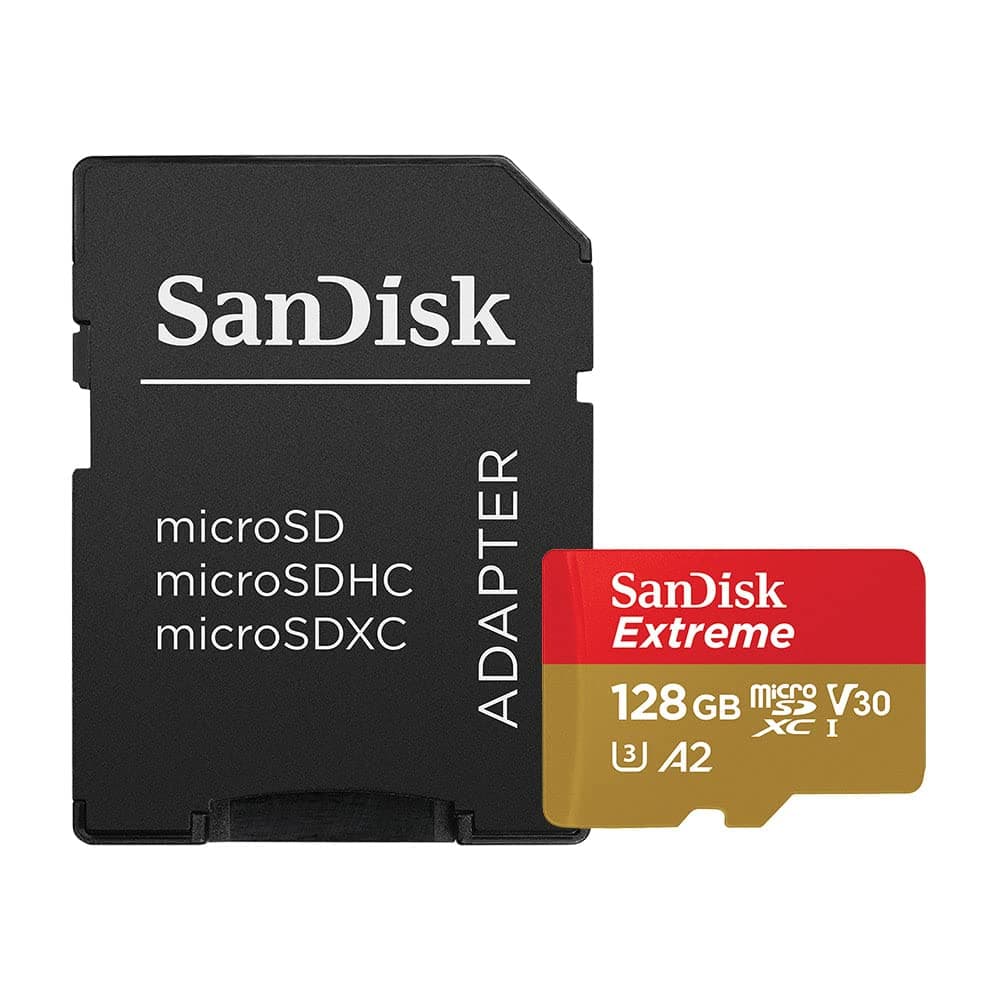
⚡ Store More, Shoot Faster, Stress Less!
The SanDisk Extreme 128GB microSDXC UHS-I card delivers ultra-fast 160MB/s read and 90MB/s write speeds, optimized for 4K UHD video and high-res photography. Rated A2 for enhanced app performance, it’s engineered to withstand extreme conditions—water, shock, temperature, and x-ray proof—making it the perfect companion for smartphones, drones, and action cameras. Includes adapter and supports easy file management via SanDisk’s app and Alexa voice ordering.


| ASIN | B07FCMKK5X |
| Additional Features | Alcohol-Free |
| Best Sellers Rank | #23 in Micro SD Memory Cards |
| Brand | Sandisk |
| Built-In Media | SanDisk Extreme microSD UHS-I Card with Adapter |
| Color | Brown, Red |
| Compatible Devices | Camera, Smartphone |
| Customer Reviews | 4.8 4.8 out of 5 stars (354,463) |
| Flash Memory Type | Micro SD, Micro SDXC |
| Hardware Connectivity | microSDXC |
| Item Dimensions L x W | 0.04"L x 0.59"W |
| Item Type Name | SanDisk Extreme 128GB microSD UHS-I Card with Adapter - 160MB/s U3 A2 - SDSQXA1-128G-GN6MA |
| Item Weight | 4.54 g |
| Manufacturer | Sandisk Technologies, Inc. |
| Media Speed | 90MB/s |
| Memory Storage Capacity | 128 GB |
| Model Name | Extreme |
| Model Number | SDSQXA1-128G-GN6MA |
| Read Speed | 160 Megabytes Per Second |
| Secure Digital Association Speed Class | Class 10 |
| UPC | 619659169688 |
| Unit Count | 41.6 Ounce |
| Warranty Description | Lifetime Limited Warranty |
| Warranty Type | Limited |
R**R
Fast, Reliable, and Perfect for Raspberry Pi 4
This microSD card has been perfect for my Raspberry Pi 4. The speed is excellent — everything runs smoothly and responsively. I installed Kali Linux ARM on it and still have more than enough room for the additional tools I plan to add. The price was great for the performance and storage capacity, and the quality is exactly what I expect from SanDisk. It arrived very well protected in the packaging while still being easy to access. Fast, reliable, and high quality — definitely a five-star purchase.
N**G
Great for Old Digital Camera – Just Know the Card Size Limit
I picked up this 64GB SD card for my Panasonic Lumix DMC-ZS6, and it’s been working flawlessly. Just a heads-up: this camera supports SD, SDHC, and SDXC cards, but it maxes out at 64GB, so don’t go buying one of those huge 256GB cards if you have an old camera. They probably won’t work. 👍 Pros: - Fits perfectly within the camera’s limit and needed the included SD adaptor. - Stores thousands of photos at 12MP resolution. - Can hold hours of 720p video, which is the camera’s top setting. - No setup needed, just plug it in and shoot. 👎 Cons: - Nothing really, exactly what I expected it to do If you’re using an older camera like the ZS6, this card hits the sweet spot. It’s affordable, works great, and gives you way more space than you probably need.
S**R
Works fast with Steam Deck
Got the 512 GB model to expand on the Steam Deck's admittedly limited storage. Even if you got the largest storage model of the Deck (512 GB) it can fill up quickly. Games are just bigger nowadays. I think the newest Call of Duty is like 150 gigs. Just like every storage manufacturer, they advertise the storage in "GB" instead of "GiB", so when you actually plug it into a computer you lose some space in the conversion. In this case, after you format it on the Steam Deck (ext4 I believe) you end up with 468.2 GB of usable space. Which admittedly is a tiny bit bigger than the Deck's own 465.3 GB of usable space on the 512 model. It seems like every storage mfr. has their own way of making this GB/GiB calculation, and it's just plain annoying how they always favor giving you less storage than it says on the label. It's so common now it's pretty much standard practice with them, so what can you do. But losing 9% of your storage space is never fun, so it's always worth complaining about again. The largest game I have loaded on this card is Horizon Zero Dawn Complete Edition, which is 73.48 GB. And the stories are true, it loads pretty much just as fast as the Steam Deck's own SSD. The game's intro comes with a few somewhat lengthy cutscenes, and game developers have gotten pretty good at hiding the loading screens in the background now, but still there was absolutely no wait at all between gameplay sections. In fact, I have another older game "Destroy All Humans!" (2005) on the Deck's SSD that has more hard loading screens, and it just "feels" like it takes longer to launch and load new levels than Horizon Zero Dawn on the micro SD card. HZD had a few times where it would stutter during the intro cutscenes, and drop to 20 FPS very momentarily, but for some reason this seemed to clear up after about 30 mins in, and otherwise ran at around 35-45 FPS. Definitely watchable. Gameplay was much smoother, had absolutely no stutters, and ran really consistently at around 40 FPS. Definitely playable. And not all of that may be down to the card. I'm not sure if Horizon Zero Dawn uses pre-rendered cutscenes or not (basically a video file), but it might explain the odd stuttering that only happened during cutscenes, and not during gameplay. However you would think streaming even a 4k video file should be easy, stutter-less task for this card. Another reason could be Steam's own weird download behavior: if you want to download multiple games at the same time to load your new card up, each time you click "Install" on a new game, Steam will interrupt whatever download it was currently working on and immediately start downloading the game you just clicked on, putting whatever it was downloading before into a queue. As far as I know, there's no way to just add games directly to the queue, to have them each download 1-at-a-time uninterrupted. If there is that option I haven't found it yet. (You would think this would be the default behavior anyway.) This means when I clicked on 8 different games to start downloading at the same time, each time I clicked on the next one it would pause the current download at around 1% complete, and only pick it back up again once the last one I clicked on completed. This causes pretty bad fragmentation in your game data, with the first 1% of 8 different games stored at the beginning of the card. But it could explain the rare stuttering in the intro cutscenes that somehow miraculously cleared up after a little while. Solid-state storage is supposed to have much better random IOPS read performance than HDDs, but no matter what when you've got fragmented data you're going to get slower speeds than continuous reads. FYI, you can transfer games between 2 different micro SD cards directly on the Deck. I was using a temporary 64 GB card while waiting until this one arrived, and my Windows computer couldn't read the ext4 or whatever filesystem Deck uses, and I didn't want to mess around with new drivers to get that to work. But with a few USB-C to USB-A adapters and micro SD card reader, it's easy to do on the Deck itself. It won't show up on the Deck's Storage menu of the main interface, so you have to hold the power button down and switch to Desktop mode, where you can use the standard file browser to copy things over. Keep this in mind before you start troubleshooting your wonky series of daisy-chained adapters/card readers because you think they aren't working. And make sure you format the new card first. Another FYI: I had a little scare thinking I bricked my Deck or something when I first installed this card. I made sure to completely shut down the Deck before swapping SD cards, but I think that confused the bootloader. When I turned it back on the Deck had a completely blank, black screen, and Steam didn't load. It turned out the boot order somehow got switched, and it was trying to find the Steam OS on the new microSD card instead of the Deck's SSD. To fix this is easy, while it's off hold 'Volume Down' and click the Power Button - when you hear the chime, let go of the Volume Down button, and you'll be booted into the Boot Manager. There you can fix the boot order, and I haven't had it happen again since. Just search "steam deck recovery" online for more info, Valve has great instructions.
B**N
SanDisk 128GB Extreme microSDXC UHS-I Memory Card with Adapter
### SanDisk 128GB Extreme microSDXC UHS-I Memory Card with Adapter Review The SanDisk 128GB Extreme microSDXC UHS-I Memory Card with Adapter is a high-performance storage solution designed to meet the demands of professional photographers, videographers, and tech enthusiasts. Here’s a detailed review of its features, performance, and overall value. #### Design and Build Quality SanDisk has built a reputation for reliable and durable memory products, and the 128GB Extreme microSDXC UHS-I card is no exception. The card is constructed to withstand harsh conditions, including water, shock, temperature extremes, and X-rays. Its robust build ensures that your data remains safe and intact even in challenging environments. #### Performance The performance of this memory card is impressive, boasting read speeds of up to 160MB/s and write speeds of up to 90MB/s. These speeds are particularly beneficial for tasks that require fast data transfer, such as shooting 4K UHD videos, burst mode photography, and rapid app loading. The card’s UHS Speed Class 3 (U3) and Video Speed Class 30 (V30) ratings confirm its suitability for high-resolution video recording and smooth playback. #### Capacity With 128GB of storage, this card offers ample space for storing thousands of photos, hours of video footage, and numerous apps and files. This capacity is ideal for users who need to store large amounts of data without frequently swapping out cards. #### Versatility and Compatibility The included adapter enhances the versatility of the SanDisk Extreme microSDXC card, allowing it to be used in a variety of devices, including smartphones, tablets, action cameras, drones, and more. The adapter also makes it easy to transfer data to a computer or other devices with a standard SD card slot. #### Reliability and Support SanDisk provides a lifetime warranty with this memory card, demonstrating their confidence in its longevity and performance. Additionally, the card comes with downloadable RescuePRO Deluxe data recovery software, which can help recover files that are accidentally deleted. #### Pros and Cons **Pros:** - High read and write speeds (up to 160MB/s and 90MB/s, respectively) - Durable design with resistance to water, shock, temperature, and X-rays - Large 128GB storage capacity - Includes adapter for greater compatibility - Lifetime warranty and data recovery software **Cons:** - Actual speeds may vary depending on the device and usage conditions - Higher cost compared to standard microSD cards (justified by performance and durability) ### Conclusion The SanDisk 128GB Extreme microSDXC UHS-I Memory Card with Adapter is a standout choice for anyone needing high-speed, reliable storage. Its combination of fast read and write speeds, robust build quality, and ample storage capacity make it ideal for professional use and demanding applications. While it comes at a premium price, the performance and durability justify the investment, ensuring that your data is both accessible and secure.
Z**Y
Grande capacité pour mon smartphone. Fonctionne bien marqué de qualité. Prix canon grâce à une promotion amazon.
A**.
Comme décrit sur le site.
B**S
SanDisk SDSQXA1 128 GB microSD kart, geniş kapasitesi ile fotoğraf, video ve dosyalarınızı güvenle saklamanızı sağlıyor. Yüksek veri transfer hızı, dosya aktarımını hızlı ve sorunsuz hale getiriyor. Hem akıllı telefon hem de kamera gibi cihazlarda güvenle kullanılabilir. Hem depolama alanını artırmak hem de performanstan ödün vermemek isteyenler için ideal bir seçenek.
X**L
Die SanDisk Extreme 256 GB microSDXC Speicherkarte hat meine Erwartungen weit übertroffen und ist die perfekte Wahl für alle, die hohe Leistung und Zuverlässigkeit suchen. Hier sind meine Eindrücke: Vorteile: Hervorragende Geschwindigkeit: Mit bis zu 160 MB/s Lesegeschwindigkeit und UHS-I, U3, V30 Klassifizierung ist diese Karte extrem schnell. Ideal für 4K UHD-Videoaufnahmen und chnelle Fotoaufnahmen Große Kapazität: 256 GB bieten ausreichend Speicherplatz für Tausende von Fotos, Stunden von 4K Videos und zahlreiche Apps und Spiele. Perfekt für Smartphones, Tablets, Action-Kameras und Drohnen. A2 App Performance: Dank der A2 Bewertung laufen Apps auf dieser Karte besonders schnell und reibungslos, was die Performance von Mobilgeräten spürbar verbesse Rescue Pro Deluxe: Das inkludierte Rescue Pro Deluxe Datenwiederherstellungs-Softwareangebot bietet zusätzlichen Schutz und beruhigt bei der Datensicherheit. Die SanDisk Extreme 256 GB microSDXC Speicherkarte ist eine beeindruckende Speicherlösung, die hohe Geschwindigkeit, große Kapazität und bemerkenswerte Zuverlässigkeit bietet. Ob für professionelle Fotografen, Videografen oder Alltagsnutzer – diese Karte erfüllt alle Anforderungen und übertrifft sie sogar. Klare Kaufempfehlung für alle, die auf Qualität und Leistung setzen!
A**Y
quality is very good and fast. if you are using a action cam or any 4k video cam. then it will be very usefull. using in my osmo action from few days , and fully satisfied .
TrustPilot
2 周前
2 个月前