
下载应用程序


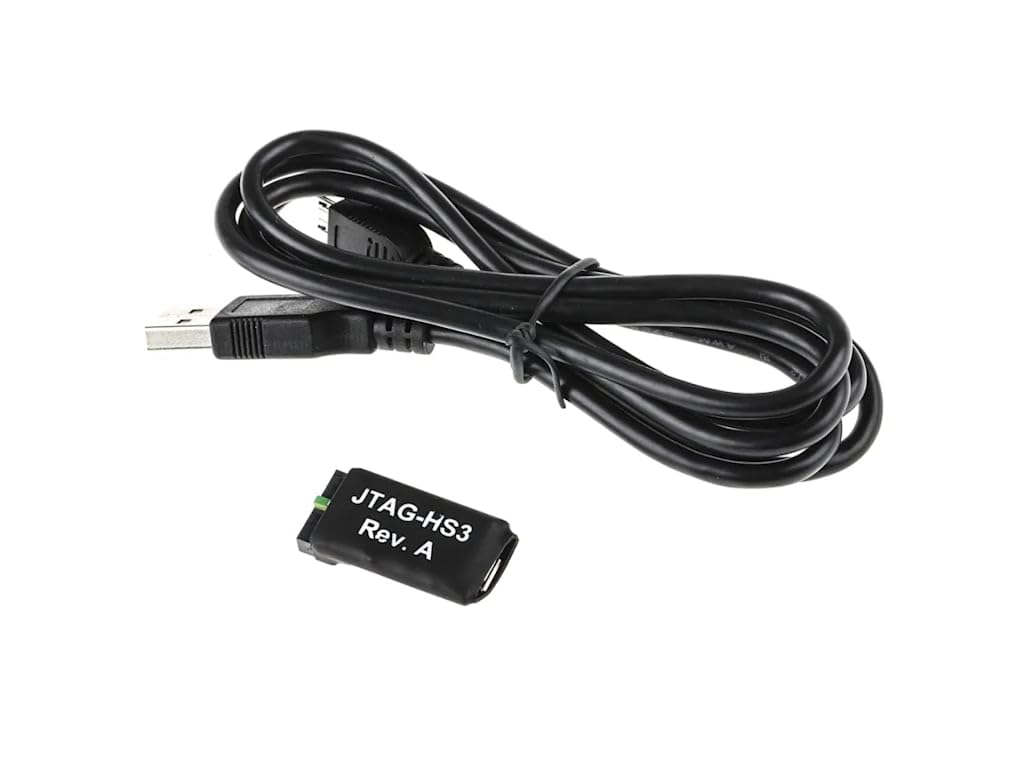
⚡ Power Your FPGA Workflow with Speed & Precision
The Digilent JTAG-HS3 is a compact, high-speed USB2 programming cable designed for Xilinx FPGAs and SoCs. It supports up to 30 Mbit/sec data transfer, plugs directly into Xilinx 2x7 JTAG headers, and features an open-drain buffer on pin 14 for enhanced SoC debugging. USB-powered and compatible with all major Xilinx tools, it offers a reliable, cost-effective alternative to pricier programming boxes, ideal for professional developers and experimental rigs alike.
| ASIN | B0725Z7Q12 |
| Best Sellers Rank | #9,243 in USB Cables |
| Brand | Digilent |
| Cable Type | USB |
| Compatible Devices | PC |
| Compatible Phone Models | No Compatible Phone Models |
| Connector Gender | Male-to-Male |
| Connector Type | Micro USB, USB 2.0 |
| Data Transfer Rate | 30 Megabits Per Second |
| Date First Available | October 8, 2014 |
| Frequency | 3750000 Hz |
| Global Trade Identification Number | 04250798400193 |
| Indoor/Outdoor Usage | Indoor, Outdoor |
| Is Discontinued By Manufacturer | No |
| Item Weight | 0.96 ounces |
| Item model number | JTAG HS3 |
| Manufacturer | Digilent |
| Maximum Voltage | 5 Volts (DC) |
| Model Name | JTAG HS3 |
| Number of Items | 1 |
| Number of Pins | 14 |
| Outer Material | Plastic |
| Product Dimensions | 3 x 5 x 0.5 inches |
| Shape | Round |
| Special Feature | High Speed |
| UPC | 799430212441 |
| Unit Count | 1 Count |
P**R
Works well
Likely have bought a couple dozen of these for work. If you are using the Xilinx red or blue JTAG boxes, please stop. These work as-well (or better?), cost *much* less, are simpler to work into experimental rigs. Working on an experimental radar, so not uncommon to have JTAG into three different FPGAs over a physically large rig, and more than one test rig. Saves time ($$$) when you can leave a rig in-place, and not have to shuffle around pricey Xilinx JTAG boxes.
M**R
Didn't work with Windows 11 out of the box, and not enough docs to help with driver issues.
When I first connected the device, Vivado did not recognize it. When I checked device manager to be sure Windows recognized it as a device, I found that it showed up as a generic RS-232 device. I made sure I installed the cable drivers for Xilinx (ticking the box on the inital Vivado installer), and then I used device manager to uninstall the RS-232 device. Once windows stopped catagorizing it as an RS-232 generic adapter, The Xilinx cable driver was able to use it as a JTAG adapter. So it works, but not without some manual troubleshooting, without any documentation directly mentioning these driver problems, which to Digilent's credit, is not their fault. It works now. I hope this helps someone else wondering why the JTAG device doesn't show up at all in Vivado.
D**I
Good
Good product
T**S
Cheap & simple alternative cost savings
Save a lot of extra $ instead of buying the name brands to program or flash your FPGA devices, or debug. Use with Vivado tools and Xilinx UltraScale+, have had no issues.
E**.
No off-the-shelf adapter to 2.54mm JTAG
I can not believe it, but it turns out that there is no existing adapter from the 2.0 mm pitch connector on HS3 to the common 2x7 0.1" JTAG connector used on many XILINX boards! Plan accordingly.
D**.
Works as expected!
Its exactly in the description, thank you!
E**G
Compact design and works well.
It works well even though the price is not expensive.
A**R
works great
works great as expected
TrustPilot
2天前
2 个月前