We remain fully operational. Our teams are working around the clock to ensure your deliveries continue safely.

下载应用程序




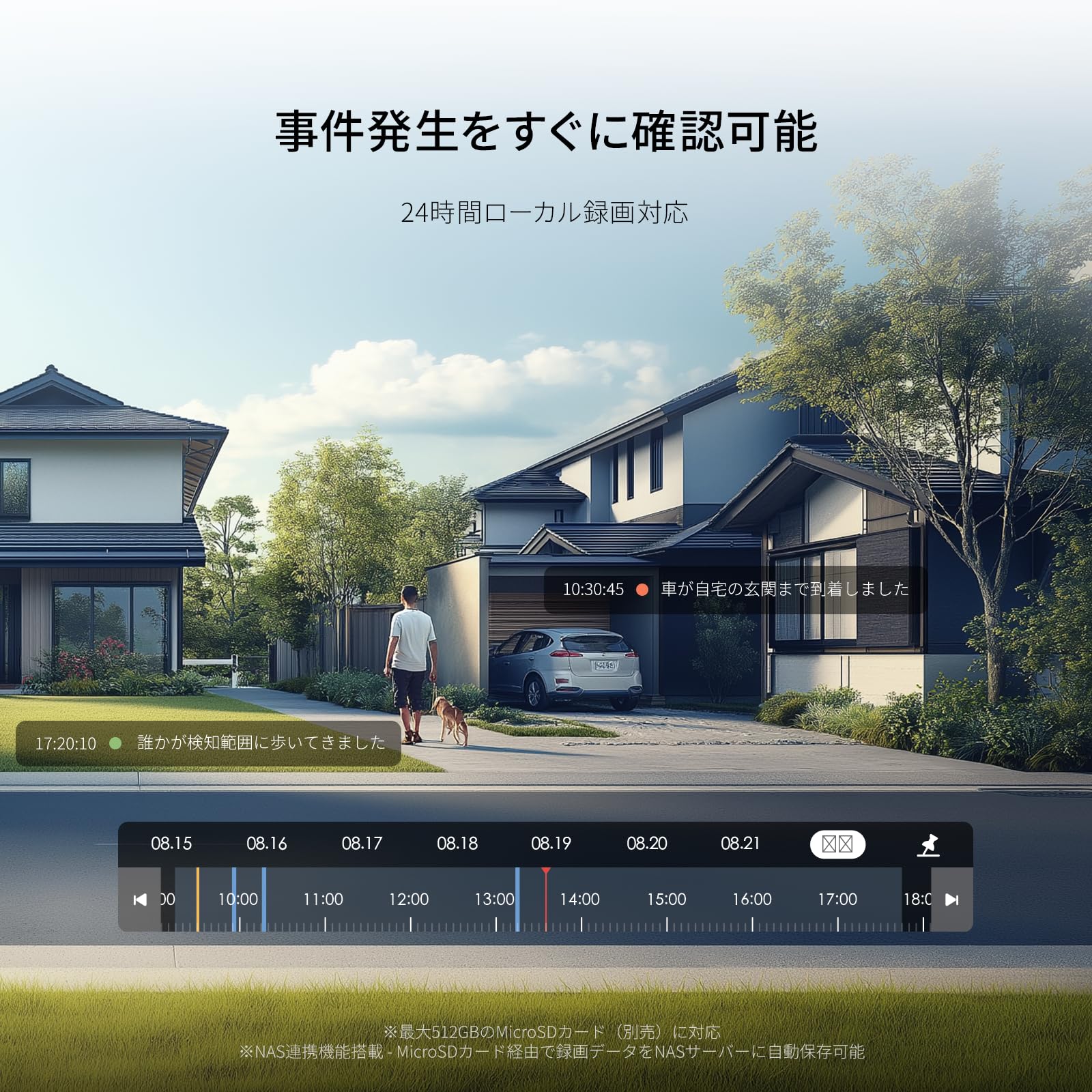
🔒 Stay ahead, stay secure — your smart home’s silent guardian.
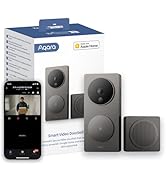
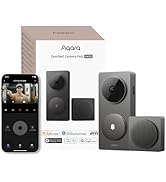
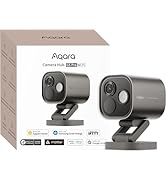
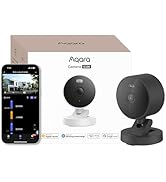
The Aqara Smart Camera G100 White is a compact, Wi-Fi-enabled surveillance camera featuring HD 140° wide-angle video, advanced AI-powered motion and person detection, and flexible local or cloud storage options. Designed for easy installation and seamless smartphone control, it offers reliable 24/7 monitoring with night vision and waterproof durability, making it an ideal smart security solution for modern homes and offices.








| ASIN | B0F6CKH9BB |
| Amazon Bestseller | #10,177 in Electronics ( See Top 100 in Electronics ) #44 in Digital Point & Shoot Cameras |
| Are Batteries Included | No |
| Color | white |
| Customer Reviews | 4.2 4.2 out of 5 stars (971) |
| Date First Available | June 29, 2025 |
| Included Components | Instruction Manual |
| Installation Type | Freestanding |
| Item Weight | 100 g |
| Item dimensions L x W x H | 5.8 x 5.8 x 7.2 cm |
| Laser Class | Built In Light, HD Resolution, Local Recording, Motion Sensor, Time-Lapse |
| Model Number | CH-C08E |
| Number of Channels | 1 |
| Number of Items | 1 |
| Product Dimensions | 5.79 x 5.79 x 7.19 cm; 100 g |
| Viewing Angle | 140 Degrees |
| Voltage | 5 Volts |
| Water Resistance Level | Waterproof |
| Wireless Communication Technology | Wi-Fi |
あ**と
素人でもWi-Fi環境と電源があればどこにでも簡単に1台から設置できます。 本格的なものはHDRがあったりカメラが複数台最初からセットになっていたりで敷居が高いと感じる人もいるでしょう。 こちらはHDRは必要なくスマホのアプリで全て管理ができるのでとにかく楽です。 使い始めるとホームガーディアンという拡張サービスのおためし版が強制的に始まります。 おためし期間終了後はこれに加入しないと使用できる機能が制限されることになりますが、基本的な動体検知・人物検知・クラウドでのイベント再生・SDカードのフル再生・全体のモニタリングなどの機能は普通に使えます。 顔検知・動物検知・車両検出・パッケージ検出・火災検知などの便利機能が使えなくなるだけです。 小型ながら画質はキレイで暗視機能やライト機能は想像以上の性能だったので、サブスク無しでも十分な機能を発揮してくれています。 お試し期間が過ぎてどこまで制限されるのかがよくわからなかったのですが、思った以上の性能で録画と再生と通知ができているので商品価値は価格以上です。 とりあえず2台まで増やしていますが、今後あと2台追加する予定でいます。
S**A
”Aqara G5Pro サトシの趣味部屋”が参考になります。 <取扱説明> 以下はAndroid端末の場合です スマホ1台目: スマホをWiFiにすることを「テザリング」と言います。 設定>接続と共有>パーソナルホットスポット(テザリング)=オン 設定>ディスプレイと明るさ>自動画面オフ=30分 30分でテザリングもオフになる スマホ2台目: WiFiを1台目に接続 Bluetooth=オン microSDカードを本体に入れる。 本体の電源コードの防水キャップを外し、USB電源ケーブルに付けてから接続する。 逆だと接続しにくい。 Aqara Home アプリを2台のスマホにインストール アプリを開きメールアドレスとパスワードを入れる。 Aqara G100の電源を入れる。LEDが黄色点滅になるまで待つ。 (黄色点滅は約3分で消える。その時はリセットボタンを押す) スマホ2台目のアプリ右上の+をタップ>デバイスの追加>QRコードをスキャン 撮影を今回のみ許可 カメラでデバイス裏のAqaraと書いてあるQRコードのみを撮影する。 その他のQRコードは指で隠す。 (番号入力のメッセージは無視して、QRコードの撮影を続ける) ネットワークの選択 スマホ1台目を選ぶ パスワードを入力 次のステップ 追加完了 デバイスの位置をタップ 位置を設定 +をタップ 部屋の名前を入力して保存 入力した名前を選択 次のステップ アイコン選択はそのままで 完了 <参考設定> スマートカメラG100>右上の・・・をタップ デバイス設定>カメラ設定>言語=日本語 電源周波数=60Hz ビデオ設定>ロゴの透かし=オフ AI検知>人物検出 検知感度=高 動体検知 検知感度=中 通知>人物検出=オフ 動体検知=オフ クラウドレコーディング>人物検出=オフ 動体検知=オフ ローカルストレージ>録画モード>イベントを録画する 確定 <録画再生> カメラの前で動き、録画する。 現在は左下のリアルタイム、その右のタイムラインをタップ 録画データがないときは、フロッピーマークをタップ <スマホ1台目> アプリを開き2台目と同じように操作できることを確認する。 画面下の▽をタップして戻ると、下にホームとデバイスがある。 ホームでは、複数台のAqara G100の画面を一度に見れる。
ぱ**ん
防犯目的で購入しました。 まず、このメーカは中国です。 個人的には中国は中国国内の法律的に政府が中国企業のデータを閲覧できると理解しています。 故に、これまで日本・アメリカの製品で検討していましたが、なかなか高いので、断念しておりました。 私は、Apple社製品を保有しており、ここ最近、以下条件を満たしてると判断したので、今回2台購入しました。 1.Apple公式で、Aqara製品が発売されている。 2.Apple製品を保有しているので、Apple Homekitを活用すればセキュリティ担保できる(Aqara純正アプリ使わない) 3.安価であること。 4.Apple Homekitに対応している。 私が構築したネットワーク経路で言うと、以下経路です。 ・MAC /iPhoneなどMAC製品→Homekit(AppleTVなど)→Aqara G100 この場合経路(構成)の場合、中国サーバー(Aqara社が準備してるcloud)を経由しないので、利用者としては、Apple社のセキュリティーポリシーのみを気にすれば良いです。 ※Aqara社が準備してるアプリを使っての設定や利活用する場合は、この限りではないと思います。 もちろん、Apple Homekitで設定できる項目とAqara公式アプリで設定できるアプリに差があるので、 Aqaraカメラの全ての機能を使いたい場合は、公式アプリを使う必要があります。 私の場合は、Apple Homekitでできる範囲での防犯で十分なので、公式アプリを使ってないです。 Homekitのフル機能を使うのは、アップルTVやHomepodが必要ですが、なくてもライブストリーミングで利用できます。カメラの設定もAppleのホームアプリのみで完結します。 ▫️良い点 ・安価な割に綺麗な画質。 ・暗くても暗視スコープみたいな感じで状況確認できる。 ・カメラ内蔵ライトを照らせば、夜でもカラー表示になる。 ・Aqara公式アプリを使わなくても設定・構築できる(Apple利用ユーザー限定) ▫️悪い点 ・検知距離がよくわからない ・夜間の画質がイマイチ ・カメラから10-15メートル離れると、顔判別できない。 個人的には、あと5,000円高くても良いので、カメラ性能を強化してくれると嬉しいです。 この1つ上は、Aqara G5 Pro 約28,000円になるので、気軽には買えないし、この値段出すなら、ロジクールのカメラ買います。 Aqara公式アプリを使わず、Apple homekitアプリを使う前提であれば、セキュアな防犯環境が構築できると思います。 Homekitアプリ、超便利。
ジ**ジ
マキタ18Vバッテリーに Waitleyマキタ18Vバッテリー対応2個セットUSB充電アダプター Type-C急速充電対応2 x USBスマートフォン充電アダプターを使い この商品をビス留めして使ってます! 車のダッシュボードに置いて撮影しています ライトや赤外線機能をオフにして使うと 反射せず綺麗に録画出来ています!
C**E
Apple, iPhoneのホームアプリでそのまま使うことができます。便利
H**O
安全性に心配だったので aqaraのアプリをインストールせずに Apple純正のホームアプリのみで設定出来ました。
欧**生
画像が広角で鮮明ですが設定がちょっと面倒。
N**O
安定性が抜群です。他の監視カメラも使用していますが、低価格のわりに安定性も良く、画質も問題有りません。
G**N
This camera is fair for its price, has sd card slot, and light, and even motion and human motion detections, the only lacking for me was the zigbee hub functionality, however for this price I don't complain especially because it is outdoors too.
M**R
Excellent Apple Home Secure Video camera (HKSV). I got this camera to use in my backyard. I am only using it with Apple HomeKit. It has been perfect. I was able to set it up and add it to Apple Home right out of the box. The picture is clear and crisp. The colors look good. It doesn’t lag or skip or anything like that. I’ve been happy with it. It is also currently -25 degrees Fahrenheit here and it continues to work brilliantly while my battery operated cameras all shut themselves down. Apple Home is limited to 1080P so the Aqara app would probably look even better. That is a limitation by Apple. Whaddya gonna do? The audio is not great though. It’s a tiny camera with a tinny little mic. That is a non-issue for my use case but if audio is important to you, be aware that the audio is poor. That is very common of cameras this size and pricepoint. I would not want to use it at my front door if I needed to communicate with people. Night vision is OK. Better than I expected but not great. But if you want a solid HomeKit camera to see your yard outside, this is the way to go. Just remember that your experience with this camera is heavily influenced by your Wi-Fi. This is true of all cameras. If you don’t have good Wi-Fi, no camera will work very well. If you plan on mounting it on the side of your house, be aware that you will probably need to purchase a longer power cable, depending on where your power connection is.
M**N
Jak za 150zl to kamera zgodna z HomeKit jest bardzo dobra.
J**W
I own two of these for monitoring my garage and my backyard. They have a lot of features for the price. They work flawlessly with Apple Home, albeit at slightly reduced resolution (1080p max). They work in low light very well - the LED light provides enough illumination for colour video at night at a distance of about 3-4 metres or about 10-12 feet, but there is also infrared video which does not require the spot light. One of them is exposed to cold temperatures (about -8C or 18F) and works perfectly. The NAS functionality works but required a bit of effort as they could not recognize my NAS all the time; I had to keep refreshing and checking every day until it showed up and then once connected, they don't seem to have trouble transferring files. The AI functionality could use some work - I may be asking a bit much, but I get false positive for motion when lighting and exposure change; I'd like to see fewer false positives caused by changes in lighting. Overall, I have been impressed with these cameras so far.
F**O
E' ancora presto ma la telecamera Aqara sembra molto affidabile. Buona la qualità video e abbastanza semplice la configurazione e l'integrazione nella domotica di casa, anche con con HomeKit. Ottima la connessione WiFi. Dopo qualche settimana di utilizzo posso dire che è un buon prodotto, con un buon potenziale e un ottimo rapporto qualità-prezzo. Buona l'estetica.
TrustPilot
2 周前
2 周前