We remain fully operational. Our teams are working around the clock to ensure your deliveries continue safely.

下载应用程序






⚡ Upgrade your network, upgrade your status.
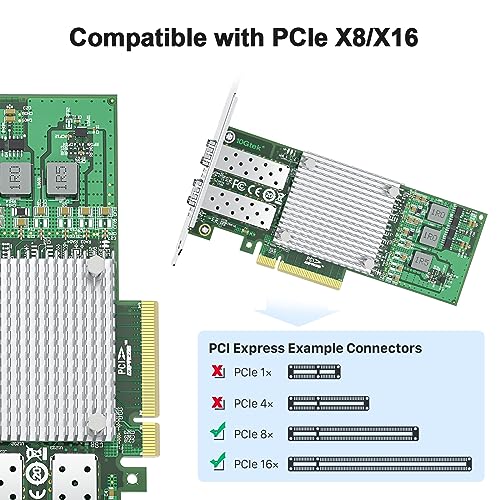
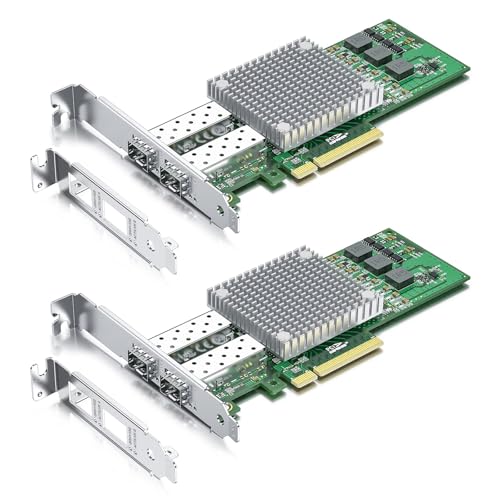
The 10Gtek 10Gb PCI-E NIC Network Card features the powerful Broadcom BCM57810S chipset and dual SFP+ ports, delivering blazing 10 Gbps speeds. Designed for professional-grade environments, it supports a wide range of operating systems including Windows Server, Linux, and VMware. With PCI Express 2.0 x8 compatibility and included low-profile brackets, this adapter fits seamlessly into both full-size and compact systems, making it the ultimate choice for millennial managers who demand speed, reliability, and future-ready connectivity.
| ASIN | B0DSPFLB3M |
| Batteries Included | No |
| Batteries Required | No |
| Brand | 10Gtek |
| Compatible Devices | Desktop, Server |
| Country of Origin | China |
| Customer Reviews | 4.4 4.4 out of 5 stars (8) |
| Data Link Protocol | Ethernet |
| Data Transfer Rate | 10 Gigabits Per Second |
| Date First Available | 14 January 2025 |
| Hardware Interface | PCI Express x8 |
| Item Weight | 440 g |
| Item part number | BCM57810-2S(Broadcom-2pcs) |
| Manufacturer | 10Gtek |
| Package Dimensions | 36.3 x 26.29 x 8.31 cm; 440 g |
B**K
I am in the process of getting 8gigabit fiber internet service. In anticipation of this, I have begun upgrading all my devices to support 10g. I had a bit of difficulty installing this card, but in the end got it to work. First, I had to find the correct drivers as Windows 11 did NOT install the drivers automatically. You will want to make sure to download the "Intel Ethernet Adapter COMPLETE Driver Pack" from Intel's website. Once downloaded, extract and install via the setup executable. Second, I was getting intermittent packet loss utilizing fiber optic sfp+ to a Mikrotik CRS305 switch in SwOS mode. I ended up fixing this issue by 1) upgrading BIOS on motherboard of host PC and 2) upgrading firmware of Mikrotik switch. I still continued having intermittent packet loss after this with the fiber optic coming from my first Mikrotik switch. My LAN architecture was cable modem (still waiting for fiber install) -> GE800 Linksys 10g router , then 10g from router's LAN port _> Mikrotik switch via rj45 Cat 6 cable. Then from mikrotik straight to PC via fiber. Once i installed a second Mikrotik, then routed PC through that second mikrotik router which was connected to the first mikrotik via fiber, all packet loss issues stopped. The PC is connected to the second switch via fiber SFP as well. Due to this, im guessing it was likely a setting either on the ethernet card driver or the first switch that was causing packet loss. regardless, it is working flawless now To summarize, it takes a bit of work and there is NOT a whole lot of detailed information out there. it will likely take you some trial and error but it is well worth the effort. It might shy away some people however. EDIT - forgot to mention, i had tried setting jumbo packet size through the windows driver settings, as well as turning on and off flow control with no effect, so it was definitely a setting with either the driver or the first switch.
F**N
Driver's in windows take a little work, but once setup, it works great!
B**N
I eventually got this to work on Windows 11, but it took hours of searching on google and eventually found a reddit thread for downloading an everything windows 11 driver from Intel. Windows update won't find it and there's no exact driver for this NIC chipset model. If I would still have the link I would paste it here, but it took so long I was just glad it eventually worked.
C**O
They work on windows 11 with the correct drivers. I had to do some digging to find them but once installed I have a great and fast connection to my NAS. On Linux it was pretty much plug and play.
S**D
Gets hot -1 star speeds are crazy fast. Worked in Truenas Scale! No driver needed! buying a 40mmx40mm fan to cool this down. Ill update with results.