Some deliveries may take a little longer than usual due to regional shipping conditions.

下载应用程序




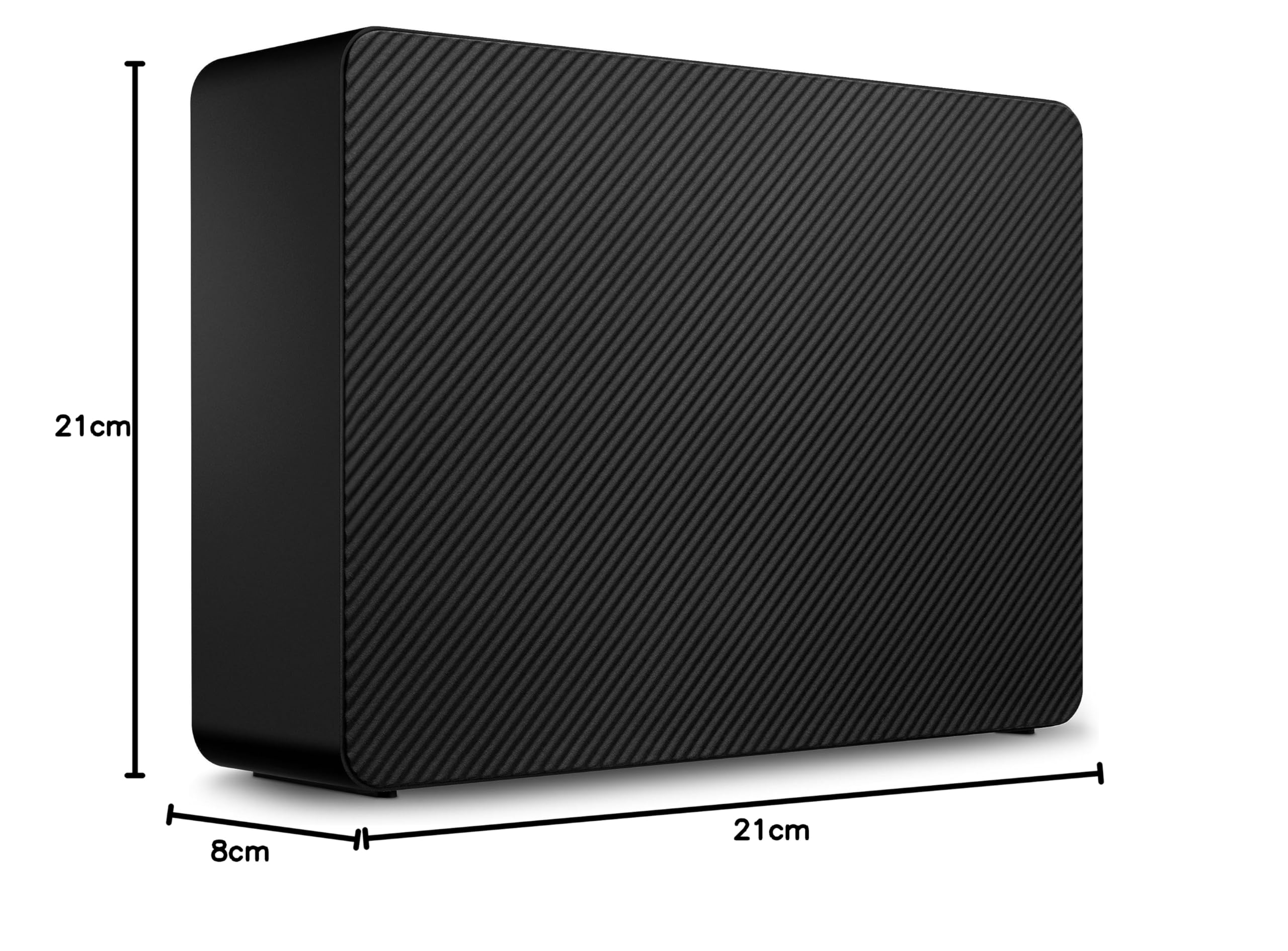
💼 Elevate your digital workspace with storage that works as hard as you do.
The Seagate Expansion 22TB External Hard Drive offers a massive 22TB capacity in a compact 3.5-inch form factor, featuring USB 3.1 for fast data transfers and plug-and-play compatibility with Windows and Mac systems. It includes Rescue Data Recovery Services for added peace of mind, making it an ideal solution for professionals seeking reliable, high-capacity external storage.


| ASIN | B0DW8ZW47C |
| Are Batteries Included | No |
| Batteries | 1 Lithium Ion batteries required. |
| Best Sellers Rank | 80,379 in Computers & Accessories ( See Top 100 in Computers & Accessories ) 286 in External Hard Drives |
| Brand | Seagate |
| Colour | Black |
| Customer Reviews | 4.1 4.1 out of 5 stars (513) |
| Date First Available | 3 April 2025 |
| Form Factor | 3.5-inch |
| Guaranteed software updates until | unknown |
| Hard Disk Description | Mechanical Hard Disk |
| Hard Disk Rotational Speed | 5400 RPM |
| Hard Drive Interface | USB 2.0/3.0 |
| Hard Drive Size | 22 TB |
| Hardware Platform | Mac, PC |
| Item Weight | 1.2 kg |
| Item model number | STKP22000400 |
| Lithium Battery Energy Content | 2 Kilowatt Hours |
| Lithium Battery Packaging | Batteries packed with equipment |
| Lithium Battery Weight | 2 Grams |
| Manufacturer | Seagate |
| Number Of Lithium Ion Cells | 5 |
| Number of Lithium Metal Cells | 5 |
| Product Dimensions | 4.19 x 17.88 x 12.5 cm; 1.2 kg |
| Series | STKP22000400 |
| Voltage | 28 Volts |
| Wattage | 50 watts |
D**C
I have several smaller hard drives I use to store photos and old files but they are getting old and it is hard to organize files, especially photos across several drives so I was in the market for a large hard drive to better organize my old files. I opted for the Seagate 22TB drive because of its' size and, for the size of the drive, it was relatively inexpensive compared to other options. Things I like about the drive: 1) It has a large capacity but is relatively small compared to my other external drives; 2) it is plug and play. I have some drives my system has a hard time identifying sometimes but there are no issues with this drive; 3) everything works out of the box. I have had no issues so far; 4) I use it on 3 systems and it works well on all 3 systems and is easy to move from one to the other. It is not my fastest drive. have a portable Sandisk SSD that is faster but it has not been a problem. You can hear it working but it is not annoying. Overall I am very pleased with the Seagate Drive.
あ**ん
22TBとありますが、実質は20TB使用可能でした。
J**.
Llegó antes de la fecha. Es más pesado y ancho que el modelo anterior probablemente por la capacidad en terabytes. Espero que la durabilidad vaya acorde.
B**H
I recently picked up a 22TB external hard drive, and so far it’s been a great value for amount of storage you get. The capacity is huge for the price, which makes it appealing option if you need a lot of space without spending a fortune. Physically, it’s a typical external drive—nothing oversized or bulky—so it fits easily on a desk or shelf. One thing to note, though: it can get a bit loud at times. I wouldn’t recommend keeping it running full‑time in a quiet space like a bedroom office unless you don’t mind some background noise. My main use is offsite backups, so I only plug it in for short periods. Because of that, it’s too early to say much about long‑term reliability. Performance‑wise, it’s not the fastest drive out there, but it’s perfectly adequate for backup tasks and general storage. Overall, if you need a ton of space at a reasonable price and don’t mind occasional noise, it’s a strong choice.
B**B
Massive external hard drive at a great price! I'm only using it for back-up storage, and it's exactly what you would expect. Very happy with the capacity, speed, heat (barely any), and noise (also barely any). Also, for this size hard drive, it is somehow cheapest to get this external drive than even an internal one. (One note for Mac users is that you may want to disable the "Energy" settings for attempting to put external drives to sleep AND maybe also disabling allowing your Mac to go to sleep, since both of those actions can cause the hard drive to act as though it has disconnected without being ejected first.)