
下载应用程序



🚀 Elevate your command center: 16 devices, 4K clarity, zero hassle!
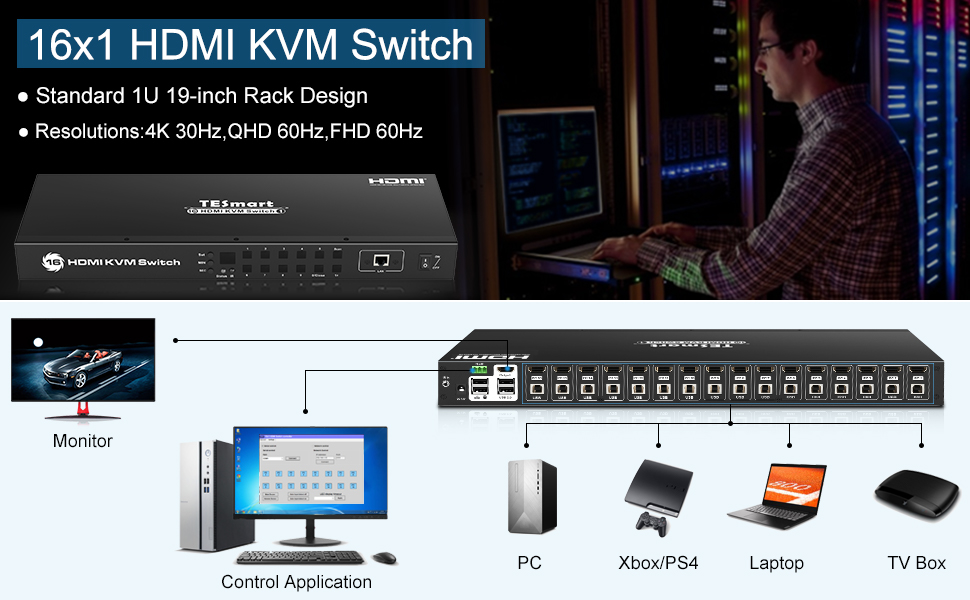
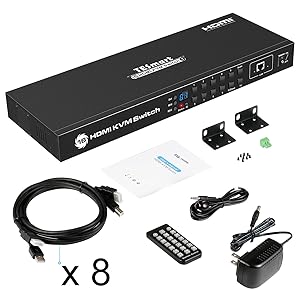
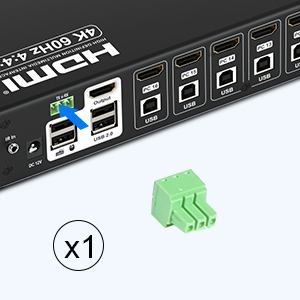
The TESmart 4K UHD 16 Ports HDMI KVM Switch is a professional-grade rack-mountable device that enables seamless control of up to 16 computers or servers via HDMI and USB 2.0. Supporting ultra-high-definition 4K resolution at 30Hz, it includes 8 dedicated 5ft KVM cables and offers multiple switching methods including front panel buttons, remote control, RS232, IP commands, and keyboard hotkeys. Equipped with EDID emulators and USB 2.0 hub ports, it ensures stable display settings and versatile peripheral connectivity. Ideal for IT managers and tech professionals seeking streamlined multi-device management in a compact 1U rack form factor.








| ASIN | B07D2ZMF5B |
| Actuator Type | Push Button |
| Best Sellers Rank | #876 in KVM Switches |
| Brand | TESmart |
| Circuit Type | 16-way |
| Color | Black |
| Compatible Devices | Computers, Servers, DVR/NVR, Laptops, Unix-based systems, Windows, Mac OS X, Linux-based systems |
| Connectivity Protocol | Hdmi |
| Connector Type | Usb 2.0 |
| Contact Material | Metal |
| Contact Type | Normally Open |
| Control Method | Remote |
| Control Type | Full |
| Controller Type | Push Button, RS232, IP, IR, Keyboard Hotkey |
| Current Rating | 2 Amps |
| Date First Available | May 14, 2018 |
| EU Spare Part Availability Duration | 3 Years |
| International Protection Rating | IP54 |
| Is Discontinued By Manufacturer | No |
| Item Weight | 4.19 pounds |
| Item dimensions L x W x H | 17.32 x 5.91 x 1.69 inches |
| Item model number | HKS1601-L23 |
| Manufacturer | TESmart |
| Number of Items | 1 |
| Number of Positions | 16 |
| Operating Voltage | 12 Volts |
| Operation Mode | ON-OFF |
| Product Dimensions | 17.32 x 5.91 x 1.69 inches |
| Terminal | Usb |
| UPC | 663585955181 |
| Unit Count | 1 Count |
P**C
An well built, effective 8-port HDMI/USB switch
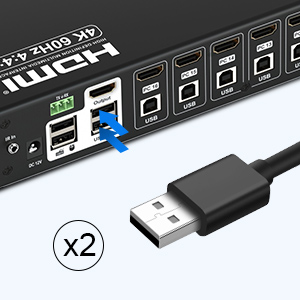
This is an eight port HDMI/USB "KVM" (keyboard/video/mouse) switch. It is solidly built and does its job well. (A sixteen port version is also available; this review is mostly about the eight-port one.) Four combo cables are included. The HDMI and USB cables are lightly bonded together, but you can pull them apart if you need more space between the plugs. If you need more than four cables, you can buy pairs of extra cables (on Amazon, from the vendor) for $10 for two. As long as you realize this, it's not a big deal (just think +$20 if you need eight cables). The cables and plugs are solid. Video quality is good. (It's digital and it works, so I guess it's flawless.) The switch determines and latches EDID correctly, and switching to a previously-seen device takes about one second. I have both PCs and Macs on the switch, and both work fine. You can switch with front buttons, an included remote control, or with keyboard shortcuts. USB works as expected. It's USB 2, so don't expect high speed. There are a total of four USB inputs on the box (keyboard, mouse, and two extra). The device comes with rack ears, so you can mount it into your 19" standard rack without problems. I did that; it's why I picked this device over its (very similar) competitors. The remote is generic but it works fine; it's strong enough that you can just spray the room with it (you don't have to point it exactly). If you have the device in an enclosure or far off to the side, it comes with an IR bug and cable. Kudos for including that. The remote comes without a battery; insert your own CR2025 pill. You can switch using keyboard shortcuts. The shortcut requires double-tapping the (PC keyboard) Scroll-Lock key, so those of you with Mac keyboards are presumably out of luck. The sales page vaguely talks about an OSD (on screen display) capability. I could find no trace of it. I don't miss it. Should you wish it, this device can be controlled by either a serial line or an Ethernet connection (yes, really). This allows you to automate switching from a computer. All this does it control the switch; it doesn't transfer any data. The available software is Windows only, but he protocol is simple and described on the manufacturer's product support page. Should you wish it, this device will automatically rotate between inputs at time intervals you can set. It will skip unconnected or powered-off inputs. CAVEATS AND ISSUES +$20 if you need a full set of cables (order two sets of cables along with this box). Or +$40 for the 16-port version which comes with eight. Hook up your display to the switch before you start plugging in sources. If you connect a source first, it may decide that it sees a 4K display (the maximum resolution supported by the switch), even if your actual display can't handle that. Reboot your source (or otherwise adjust its resolution) to fix that. Switching to a Macintosh source does not wake the display if it's asleep. You have to switch, then tap a key to wake it up. Mildly annoying. The 16-source switch does not have 16 source buttons on the front. You need to press two buttons to select sources #10-16. This is also true for the remote. That's it. Pretty good, all things considered.
M**N
Very good switch
I've had this 16-port KVM switch for over a year now, and so far it's been working flawlessly. I don't have any complaints, except I wish it was less expensive. I didn't mind that it only came with 8 cables as that was enough for my needs when I bought it. Since then I've added about 5 more systems to it, but TESmart didn't have the cable lengths I needed so I bought some other brand of 10-foot KVM cables and they've been working great too. I have a variety of systems on this, most are 2K but a few are 4K. I have systems running the following and they all work perfectly: Fedora Linux v37&38&39, Raspberry Pi OS, Windows 10, Windows 11, MacOS, Red Hat Enterprise Linux 8 & 9, CentOS 7&8, CentOS Stream 9. Nearly every device connected is from a different vendor, so it's a mix of Intel, AMD, Xeon, ARM (Raspberry Pi) processors, and mix of graphics adapters including one data center edge server with VGA to HDMI converter. They all work great. I have a few systems I would like to put farther away, so it'd be great if TESmart or some other vendor made a good cable that was 15 or 20 feet in length. Most of these systems don't run at 4K but only at 2K so the longer length should be okay. What I'd like to see now is a more modern version of this switch, that has dual monitor support, but more importantly USB-C as almost every new device is USB-C only.
R**R
Almost perfect on EDID
Its pricey, but I love the ease of use, and the EDID feature prevents stupid Windows OS from messing up the screen by re-tiling the windows when switching ports while the monitor is on. I turn off the monitor at night, and when I turn it back on in the morning, I found that the port I left selected has the windows all messed up as though the EDID feature has no effect when the monitor is off. The product design should have been keep reporting the same EDID under all scenarios despite the monitor has been turned off to save energy, and report new EDID only when you encounter valid new EDID. One other issue I came across is that when I use the hot keys to switch port by hitting "scroll-lock, scroll-lock number" (number as in port number). the keyboard "scroll-lock" function toggles, and it messes up the arrow keys in microsoft excel. The product design should have left the "scroll-lock" state as it was before using the hot keys to switch port. Other than the 2 issues I cam across, I really love this product, especially if there is a way to fix the issues with firmware update via USB port or ethernet port.
M**K
Doesn't work.
I was really excited when I bought it, the first I order came in and I went installed it into my rack, started to organize the cables but when I turned it on it didn't display anything so tried restarting it and then it outright stopped working and entire thing was glitching. Okay I returned the first one and ordered the second one and waited for the other one to arrive. Second one arrived and I just went straight to testing and I plugged in one computer, and the still nothing on the screen, tried different ports and cables, still nothing on the screen, on top of that the second one came with damaged LCD screen.
D**C
It keeps the PCs connected so the monitor, keyboard and mouse work.
I bought another HDMI/USB 8 port KVM as it came with all 8 cables rather than just 4 - a big mistake. Should have bought this one - you can buy TESmart cables (2 in a pack for about $10). Anyway - it recognizes as soon as you turn on a PC and switches to it so the system sees everything and the KVM remembers the settings so it knows what to send to that system to keep it alive. The wireless remote works as it should, as do the buttons. This KVM switch does what a KVM switch should, without hassle, or fuss. After dealing with the other constantly for a week, before giving up and returning it as defective, this one was breath of fresh air. Set it up, and it works. Viola. If you are tempted to buy another about the same price - don't. This one works.
TrustPilot
1 个月前
1天前