We remain fully operational. Our teams are working around the clock to ensure your deliveries continue safely.

下载应用程序



Buy anything from 5,000+ international stores. One checkout price. No surprise fees. Join 2M+ shoppers on Desertcart.
Desertcart purchases this item on your behalf and handles shipping, customs, and support to SINGAPORE.
🖋️ Elevate your digital creativity—because your ideas deserve the best canvas.
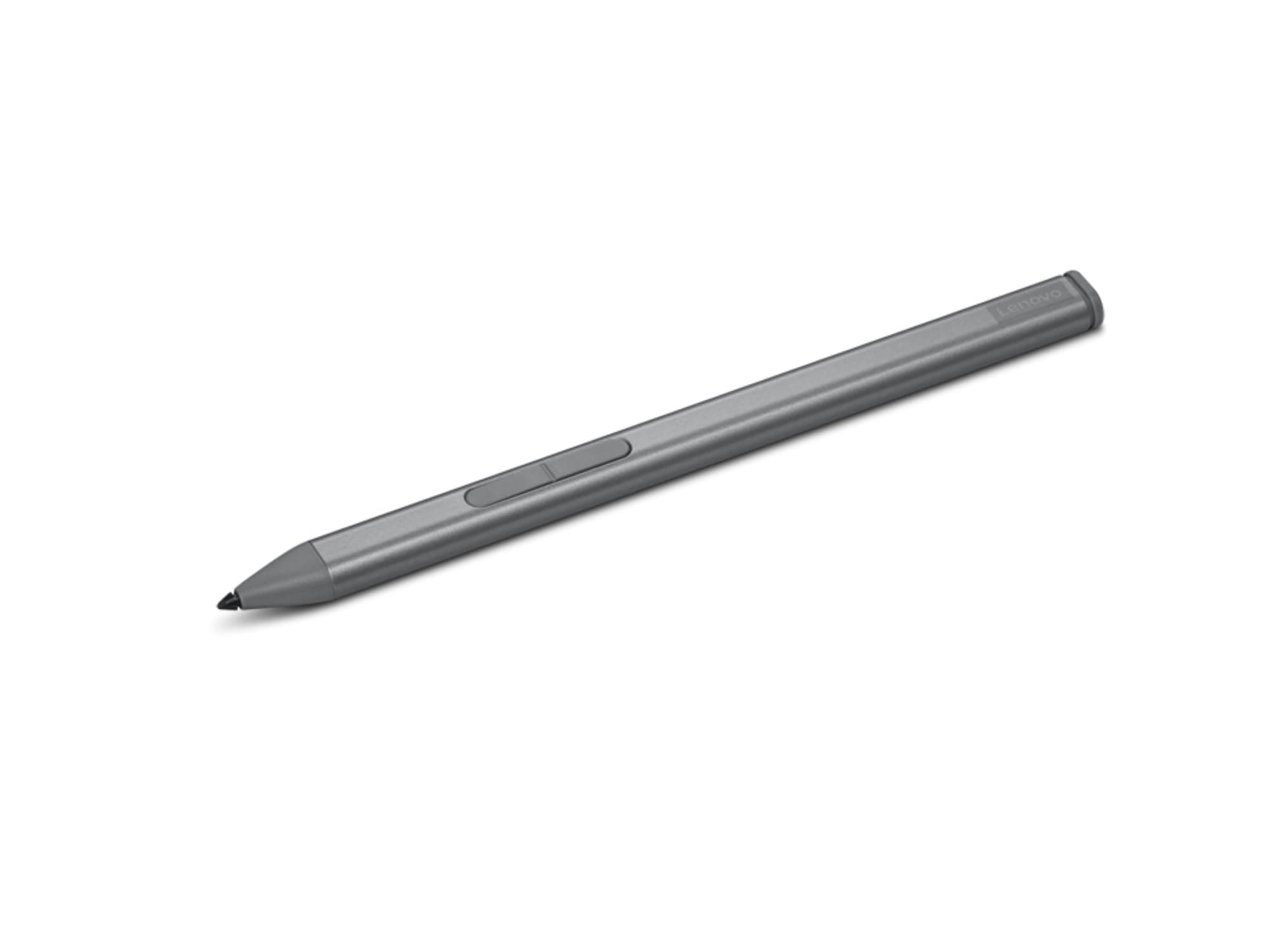
The Lenovo Slim Pen is a rechargeable, ultra-slim digital stylus designed for laptops, supporting multiple protocols (WGP, MPP2.0, AES2.0, AES1.0) for broad compatibility. Featuring advanced tilt and pressure sensitivity, magnetic attachment for secure storage, and USB-C charging, it offers a natural writing experience tailored for professionals and creators seeking precision and convenience.

| ASIN | B0DQJR2VLY |
| Are Batteries Included? | Yes |
| Are Batteries Required | Yes |
| Battery Description | Lithium-Ion Polymer |
| Best Sellers Rank | 125,280 in Computers & Accessories ( See Top 100 in Computers & Accessories ) 65 in Digital Pens |
| Brand Name | Lenovo |
| Colour | Silver |
| Compatible Devices | Laptop |
| Customer Reviews | 3.0 3.0 out of 5 stars (23) |
| Enclosure Material | Metal |
| Item Dimensions | 10 x 6 x 132 millimetres |
| Item Weight | 10.4 Grams |
| Manufacturer | Lenovo |
| Manufacturer Part Number | 195892104780 |
| Minimum Required Operating System Version | Mac OS 13 Ventura, Windows 11 |
| Model Number | 195892104780 |
| Number of Batteries | 1 P76 batteries required. (included) |
| UPC | 195892104780 |
| Unit Count | 1.0 count |
V**S
Works great! It can be pretty sensitive and other times not sensitive enough but I tested it in paint to see how well it can draw it and it pretty decent. For my tablet type needs for my Lenovo Flex 3 laptop, it works perfectly for me to take notes! I love how light it is, the magnetic feature, the side buttons (bottom one is used to erase, can’t figure out how to set the top one yet), and that it’s rechargeable with a basic USB-C cable.
K**B
****SLIM PEN IS NOT COMPATIBLE WITH iPADS OF ANY KIND**** If you are trying to use this with an iPad, don’t bother. It may say in the descriptions it is a compatible stylus for iPads but it is NOT, so don’t waste your time and money. I have an iPad Pro 6th generation and it would not connect. This should have been obvious though because one google search will show you that Lenovo pens are not compatible with Apple—thanks for nothing Amazon!) Going to have to return this and request a refund.
A**N
This product comes in a box w warning pamphlets but doesn’t provide you with a User Manual. Which is slightly annoying bc I could have read the manual while the pen charged! There is nothing online to guide you with the setup process so I was stuck not knowing if my pen was charging and waited for over an hour only for it to finally show up in my Lenovo Yoga 7 laptop but show only a 1/4 charge. Lenovo website is completely useless and only has AI chat which has you repeat/rephrase what you need while never transferring you to an actual person. Searching online for any manual to read has been useless! Even the reviews on Amazon or for multiple different pens! I don’t want to see other reviews for an older or new version. So frustrating. Definitely not sure about this product bc it doesn’t offer basic product set up details and features yet provide 2 useless pamphlets on battery safety. No helpful guides to help new users. Even videos online are only for other versions. I couldn’t find the Slim Pen details anywhere only the new version 2.
A**N
Does not work whatsoever with Asus Z13 2025 (compatible with MPP 2.0)
N**4
Decent feel, seems like it's not all that. Can't tell if it's charging and doesn't have all the features that the pen app says it does. No instructions. Wattage gauge shows zero watts while charging. The cheaper one I got at Best Buy is much nicer, but not rechargeable. Not worth the money for me. I expect better from Lenovo.