Some deliveries may take a little longer than usual due to regional shipping conditions.

下载应用程序


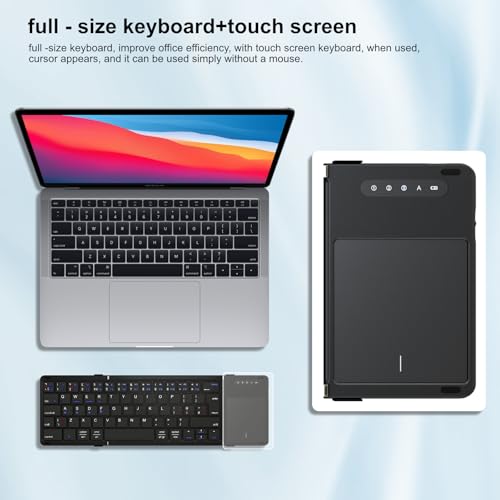
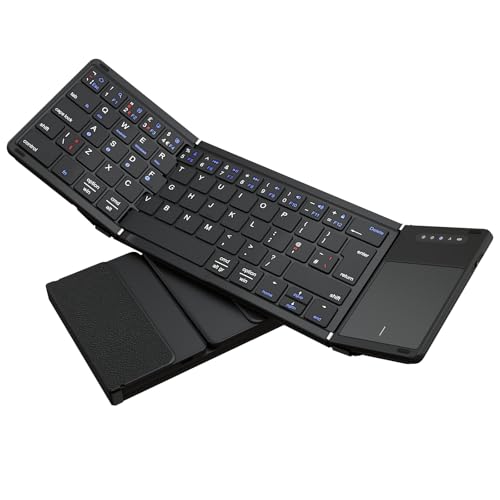
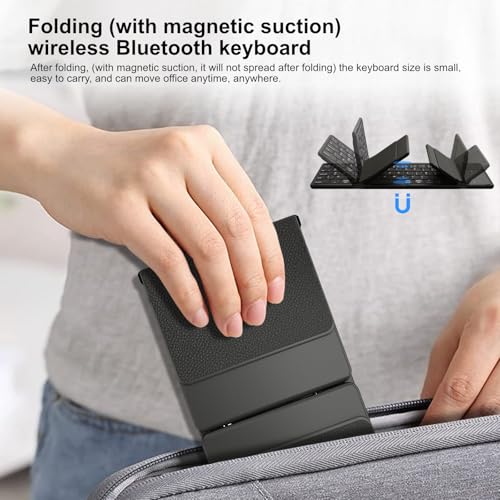

⌨️ Fold, connect, conquer—your ultimate on-the-go keyboard companion!
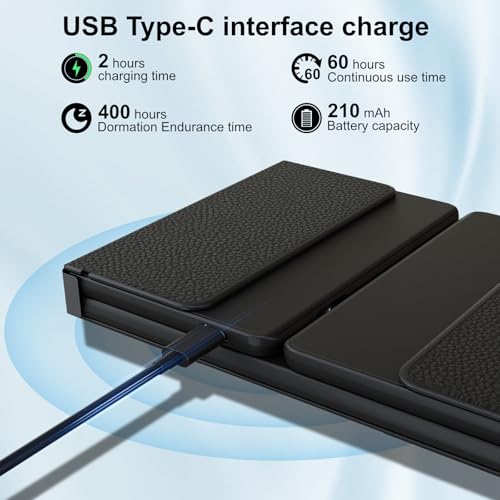
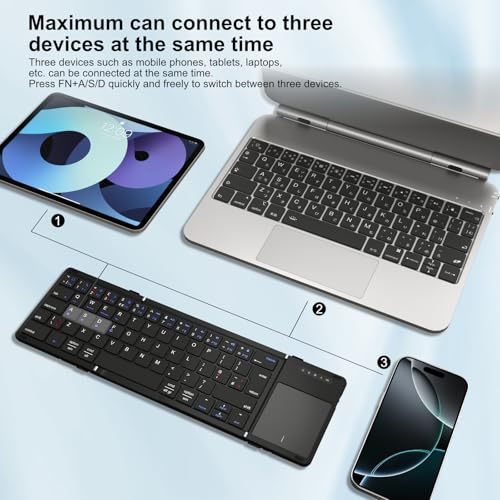
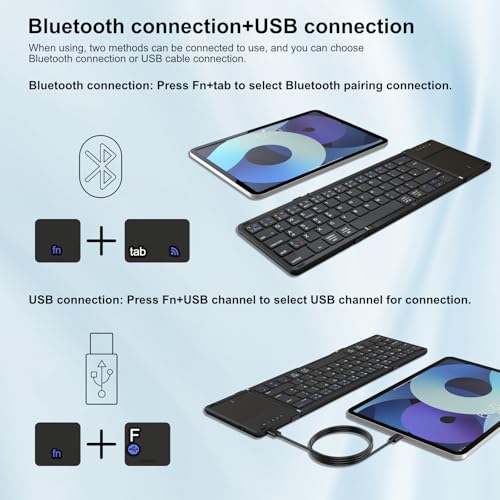
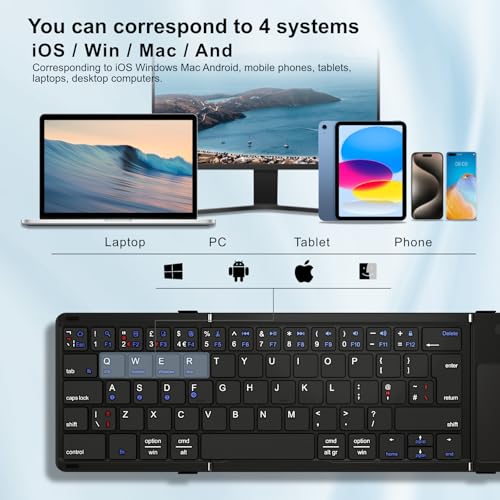
The Echaar Foldable Bluetooth Keyboard with Touchpad is a sleek, leather-finished portable keyboard designed for professionals on the move. It supports seamless switching between 4 devices via Bluetooth 5.1 or USB-C, offers a highly responsive multi-point touchpad, and boasts an impressive 40-hour battery life. Compatible with iOS, Android, Mac OS, and Windows, it fits effortlessly into any bag at just 270g and 18.7x10.6x1.7 cm, making it the perfect blend of style, functionality, and mobility.
| ASIN | B0D8DWBF29 |
| Batteries | 1 A batteries required. (included) |
| Batteries Included | Yes |
| Batteries Required | Yes |
| Battery cell composition | Lithium |
| Best Sellers Rank | #684,668 in Electronics ( See Top 100 in Electronics ) #962 in Tablet Keyboards |
| Brand | Echaar |
| Compatible Devices | Laptop, PC, Smartphone, Tablet |
| Connector Type | Bluetooth, USB-C |
| Customer Reviews | 4.1 4.1 out of 5 stars (58) |
| Date First Available | 2 November 2024 |
| Hand Orientation | Ambidextrous |
| Item Dimensions LxWxH | 18 x 10.5 x 2 Centimeters |
| Item Weight | 270 g |
| Item model number | Dreifach faltbare Tastatur |
| Keyboard Description | Flexible |
| Manufacturer | Echaar |
| Material | leather |
| Model | Dreifach faltbare Tastatur |
| Mounting Hardware | USB Cable |
| Number of items | 1 |
| Power Source | Battery Powered |
| Product Dimensions | 18 x 10.5 x 2 cm; 270 g |
| Special Features | Rechargeable |
Y**G
Ich bin absolut begeistert von diesem dreifach faltbaren, tragbaren Keyboard! Die Verarbeitung ist hochwertig, und das Material fühlt sich robust und langlebig an. Es lässt sich mühelos zusammenklappen und passt perfekt in meine Tasche, sodass ich es überallhin mitnehmen kann. Die Verbindung per Bluetooth ist schnell und stabil, und das Tippen fühlt sich erstaunlich angenehm an – fast wie bei einer normalen Tastatur. Die Akkulaufzeit ist beeindruckend und hält problemlos mehrere Tage durch, auch bei intensivem Gebrauch. Insgesamt ist es eine ideale Lösung für alle, die unterwegs arbeiten und nicht auf eine vollwertige Tastatur verzichten möchten. Ich kann dieses Produkt uneingeschränkt empfehlen!
S**A
Die Tastatur ist ganz gut und funktioniert ohne probleme, die kam heute erst an daher kann ich noch nicht sagen wie die langfristig ist, auch das ein Touchpad dabei ist ist super das war auch mich vorraussetzung, ich nutze die für ein Android Tablet, auf jedenfall kann ich diese Tastatur sehr empfehlen
J**.
Ich nutze die Echaar faltbare Bluetooth-Tastatur mit Touchpad seit mehreren Monaten regelmäßig und bin sehr zufrieden. Sie verbindet sich schnell, das Touchpad reagiert präzise, und der Akku hält lange. Super praktisch für unterwegs – klare Empfehlung!
J**C
Why did you choose this product over others?: So much to love about this keyboard out of the box. It looked like it did everything I needed. Sadly, the touchpad does not present as a touchpad device to Windows 11 or Ubuntu. Instead, it presents as a mouse. Why is this a deal-breaker for me? I hate tap-to-click because my light touch means I'm always accidentally clicking things and closing windows. So the first thing I do whenever I get a new touchpad is DISABLE taps. When I want to click, I'll apply mechanical force to the touchpad button itself. Settings like these can be changed in Windows' touchpad settings ... but only if it thinks it's a touchpad. A mouse has no such settings! Somehow, multi-touch gestures do still work on the touchpad, but I cannot disable or reconfigure them via Settings either; nothing appears, because Windows thinks it's a mouse. I assume it must use some other protocol for sending gestures. But this lack of configurability is a severe con for me. I considered some other products without touchpads. If my keyboard choice is between a non-configurable touchpad and no touchpad, I'd prefer to just skip the touchpad instead. A touchpad is not a mouse. The team responsible for the software portion of the product should make sure to report the full range of touchpad features via touchpad device interfaces, not pretend it's a mouse and thereby restrict the features. Minor flaw: in wireless mode, keys are as advertised, but in wired mode, I think it presents to the operating system as a different keyboard. In wired mode, the "option/Win" key and the "cmd/alt" key next to it are swapped around. So when plugged in, I must press "cmd/alt" to get the Windows menu up. I could tolerate this, but it's not a good sign. Update after 4/5 months: as other reviewers have noted, the keys near the left-hand fold (e, c, a, 3, etc) have stopped working reliably. Usually they do not work while flat, and I have to lift the left-hand fold to 45 degrees to type them which is impractical. Left-hand Win key (swapped to Option key as mentioned) stopped working a while ago but I adapted to the right-hand one instead. There is only one Fn key, on the left, and is necessary (with shift!) to perform Escape (why is this not the default? I never want to use the default "Microsoft speech input" mapped to Esc.) This Fn key also stopped working reliably a few months ago. Basically: use this to cover your short-term urgent need for a portable keyboard replacement, but it'll only buy you two or three months of reliable typing. Would not recommend for anything else, downgraded from 2 to 1 star.
А**R
Leider nach einem Jahr und kaum Nutzung schon defekt. Taste ^/1/q/a/y/TAB funktionieren nicht mehr. es ist mir auch nicht gelungen ein Handbuch zu finden um eventuell tips zu finden
TrustPilot
1 个月前
1天前