We remain fully operational. Our teams are working around the clock to ensure your deliveries continue safely.

下载应用程序


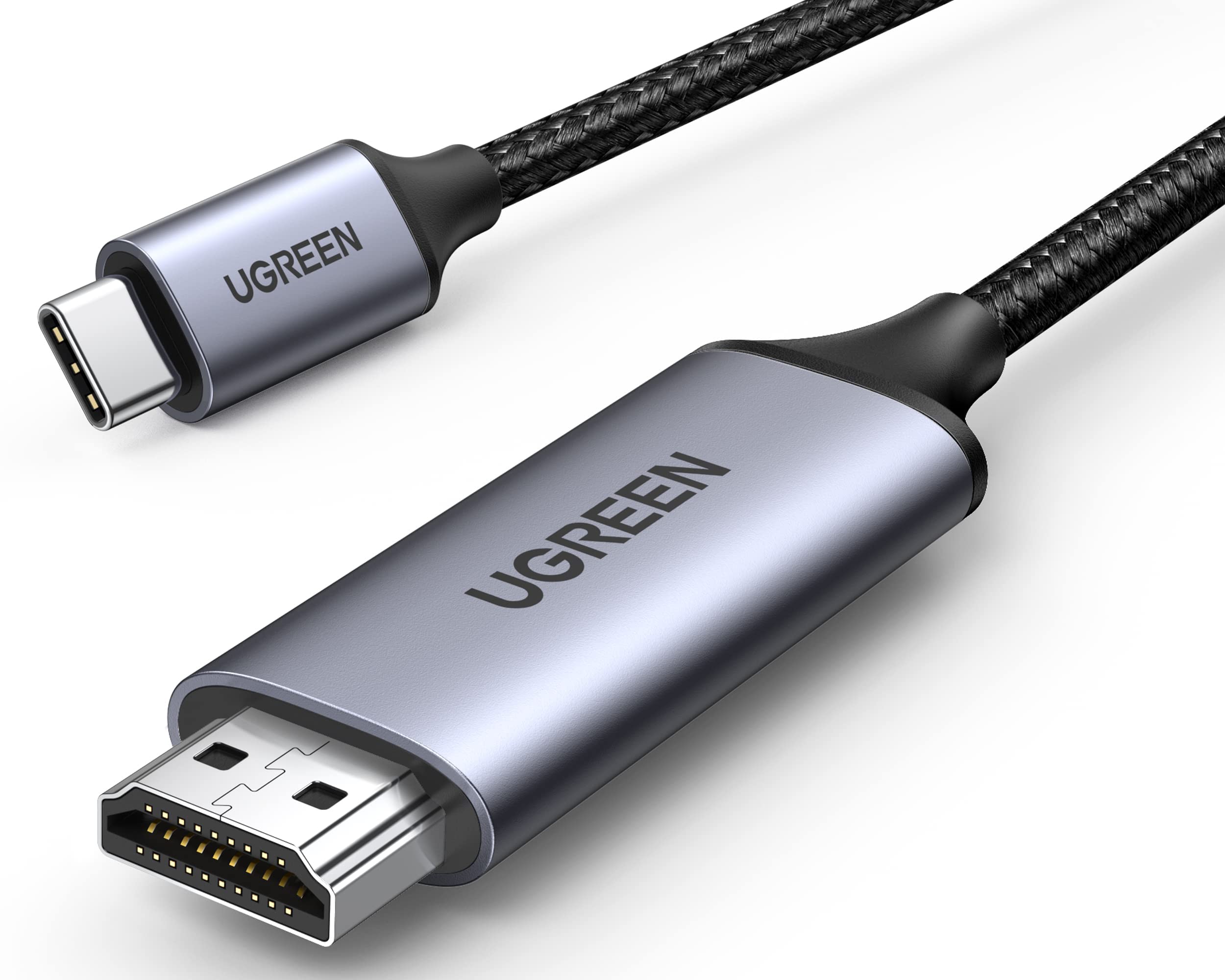
⚡ Elevate your screen game—connect, stream, and dominate in 4K clarity!
The UGREEN USB C to HDMI Cable delivers ultra-high-definition 4K@60Hz video and audio output over a robust 6.6-foot braided nylon cable. Engineered with an advanced IC chip and premium aluminum casing, it ensures stable, corrosion-resistant signal transmission compatible with Thunderbolt 4/3 and DisplayPort Alt Mode devices including the latest iPhone 17 Pro Max, MacBook Pro/Air, Galaxy S25, and more.


| ASIN | B07925J6GY |
| Best Sellers Rank | #5 in DVI-HDMI Adapters #1,477 in Home Theater Accessories |
| Brand | UGREEN |
| Cable Type | USB-C |
| Color | Black |
| Compatible Devices | iPhone 17 Pro Max/17 Pro/Air/17/16 Pro Max/16 Pro/16 Plus/16, MacBook Pro 2024, MacBook Air 2024, Galaxy S25/24 Ultra, iPad Pro 2024, iPad Air 2024, XPS 17/15/13, Dell, HP Chromebook x360, Surface Book 3/2, Samsung Tablet S9, Note 20, LG V40 |
| Compatible Phone Models | S20 FE, S21, Samsung Galaxy S23 |
| Connector Gender | Male-to-Male |
| Connector Type | USB Type C |
| Customer Package Type | FFP |
| Data Transfer Rate | 60 Hz |
| Date First Available | May 6, 2018 |
| Frequency | 60 Hz |
| Indoor/Outdoor Usage | Indoor |
| Is Discontinued By Manufacturer | No |
| Item Length | 200 Centimeters |
| Item Weight | 3.52 ounces |
| Item model number | 50571 |
| Manufacturer | Ugreen Group Limited |
| Maximum Voltage | 20 Volts |
| Model Name | USB C to HDMI Cable |
| Number of Items | 1 |
| Number of Pins | 24 |
| Outer Material | Nylon |
| Recommended Uses For Product | Stream video in up to 4K@60Hz |
| Shape | Round |
| Special Feature | 4K@60Hz higher resolution and refresh rate, Nylon braid jack plus extended wire joint, more durable, Support both video and audio output |
| Specification Met | USB-IF |
| Unit Count | 1.0 Count |
M**I
It’s a name I’ve never heard of, but it was worth taking a chance.
Nice cable. Seems very well made. Coiled nicely, held in place with a fancy little velcro strap. Feels like it will last a long time.
C**L
Drives a SECOND display at 4k 60 Hz on my M3 Macbook air
Good purchase to add a second display to my M3 macbook air. Works good, and indeed drives 4k @ 60Hz.
S**L
Good hdmi cable usb-c
work as expected. I purchased it to use with a MacBook Pro so I could use two monitors at 2 K 120Hz. It has good quality and is still working.
D**Y
Yay! Works with DJI RC 2.
I got this cable working with my DJI RC 2 and UVC capture card. I am able to send the controller video to any other device including my tablet and Meta Quest. Here's how to do it: You must connect the cable to the RC 2 while it is powered off and then turn it on. Connecting the cable while the controller is already on simply doesn't work. Evidently there is some required driver/module that the RC 2 will only load if it detects the cable when it boots up. Also, it will stop working if you unplug the cable. You will have to power down, connect the cable, and boot up again to get it working. NOTE: I am using this cable together with the UGREEN 25854 UVC capture card.
J**E
Very good
Yes good morning Amazon yes a good product very pleased with it anyway it's a good product I like their products and I will always try to buy their products more often anyway have a good day peace out
R**N
Amazing
Works like a charm
H**D
Excelente
Excelente
M**S
Está bien! Muy buen cable
E**A
Werkt perfect icm een Macbook en een Dell 24-inch monitor
D**X
I have lots of UGreen stuff and it’s all really good. So is this cable! It allows me to hook up my iPad to my LG TV and basically act as a monitor. But playing my self-created photos and videos with this cable is fast and the picture is brilliant. No lag, no hiccups or any issues. It just works. It feels well built and if it lives up to its specifications, it’s a grand slam. Well OK, not the least expensive cable available, but why not get one that has a reputation for quality and reliability. Recommended.
S**8
Ho acquistato UGREEN Cavo Tipo C HDMI 4K (Compatibile Thunderbolt 3) da 3 metri per collegare il mio nuovo iMac Pro al televisore. Il cavo si presenta bello esteticamente e robusto (forse leggermente troppo rigido), in una unica soluzione ho collegato direttamente il Mac alla TV e funziona alla grande, oltre al segnale video viene trasmesso anche quello audio. Pienamente soddisfatto.
B**.
Ich nutze das Kabel für mein Galaxy S8+ Da ich eine Flatrate für NETFLIX habe kann ich mittels dieses Kabels die Wiedergabe auf meinem Fernseher genießen und muss nicht mein Handy in der Hand halten... sehr zu empfehlen! Moderne Laptops haben auch mittlerweile Ausgänge die über dieses Kabel wiedergegeben werden können. Ein weiterer Einsatzbereich könnte beispielsweise auch die Wiedergabe über einen Beamer sein. So kann man sogar Präsentationen über sein Handy laufen lassen und muss nicht extra einen Laptop mitnehmen und anschließen...
F**O
Questo tipo di cavo è perfetto se come me avete una postazione fissa con dei monitor e avete necessità di alternare fra il portatile personale e quello dell'ufficio. Questo cavo permette di mandare un segnale video dal vostro portatile ad una TV/Monitor, ma ci sono alcuni fattori da considerare. - Compatibilità delle porte Il cavo è USB-C maschio da un lato e HDMI dall'altro. Questo significa che è largamente compatibile con pressoché qualsiasi monitor, ma potrebbe non essere compatibile con il vostro computer. Prima di tutto lo standard USB-C è compatibile con Thunderbolt a partire dalla versione 3 in avanti, ma l'interfaccia non basta a garantire compatibilità. Se usate il vostro portatile con una docking station e funziona già a dovere, siete a cavallo! La porta USB-C che state utilizzando supporta il canale video. Se non avete mai usato una docking station dovete controllare le specifiche della macchina e assicurarvi che la vostra porta USB-C sia di tipo "DisplayPort", anche indicata come DP Alt Mode. Questo significa che la macchina è in grado di erogare un segnale video attraverso USB-C. Con i MacBook potete stare già tranquilli. - Numero di schermi Sopratutto se siete utilizzatori di Mac state molto attenti. Se usate un MacBook Air con processori Apple Silicon potete usare al massimo due schermi INCLUSO quello del MacBook, indipendentemente che tipo di sistema userete. Potete usare questo cavo in modo diretto per esempio, oppure optare per una docking station con una porta HDMI. Se anche la docking station avesse ANCHE una porta Thunderbolt 3 o 4, non riuscireste a portare il segnale su un ulteriore monitor. Se il vostro Mac possiede un processore di tipo Pro o Max (Mac Mini, MacBook Pro, ecc) il numero di schermi può aumentare. In questo caso allora il cavo in questione è perfetto per voi: non sarete infatti in grado di usare due porte HDMI contemporaneamente, in qualsiasi combinazione, e per avere un terzo monitor dovrete usare la combinazione porta HDMI + porta Thunderbolt. Questo è esattamente il mio caso. Ricapitolando, assicuratevi che la vostra macchina supporti il segnale video su USB-C o che sia una porta Thunderbolt e assicuratevi che non abbiate già raggiunto il numero di schermi limite prima di effettuare questo acquisto. Per il resto, il cavo in questione è perfetto. Rigido, protetto, affidabile. Il segnale è perfetto, i connettori sono precisi.