We remain fully operational. Our teams are working around the clock to ensure your deliveries continue safely.

下载应用程序







🎮 Elevate your stream, command your setup, and never miss a beat!
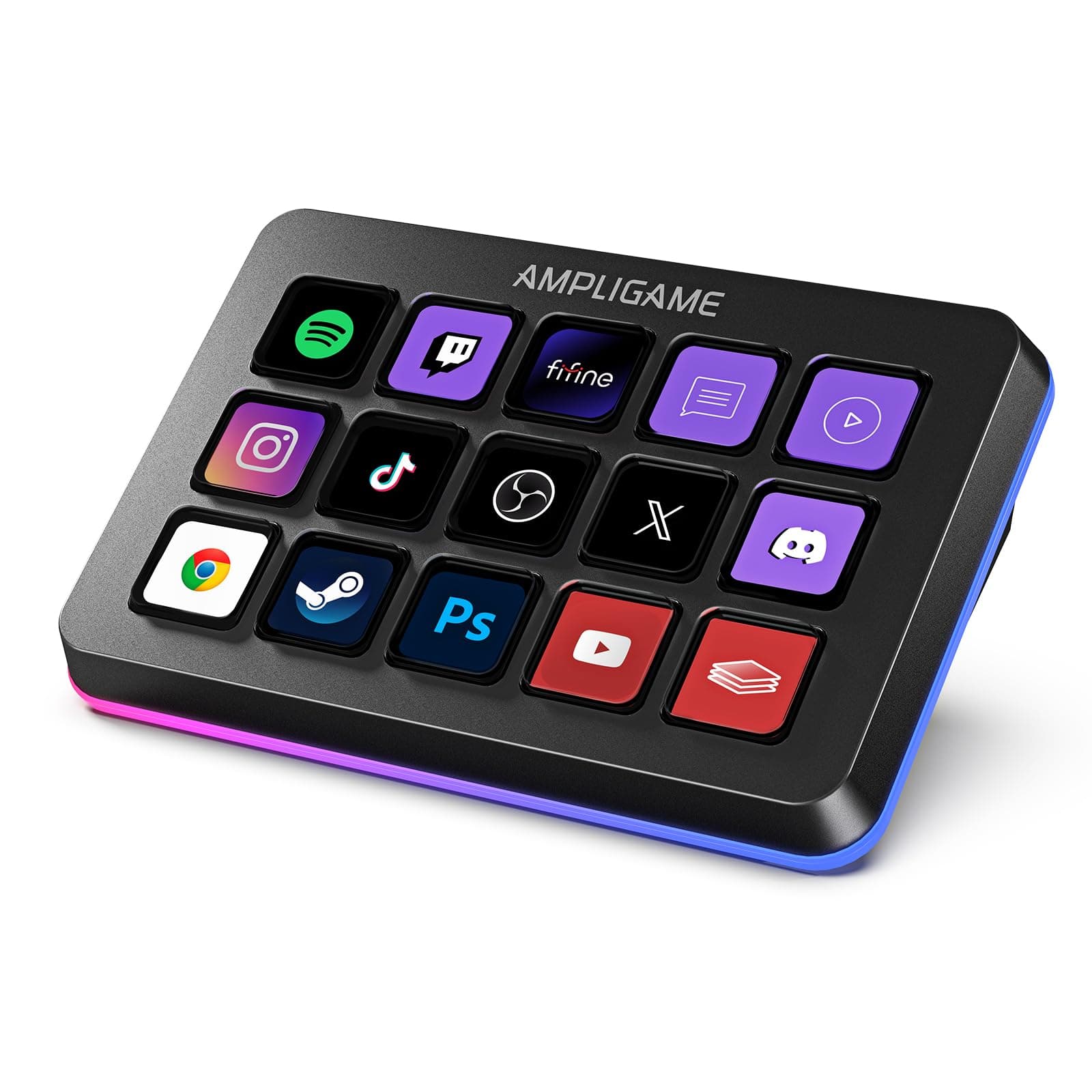
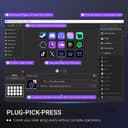
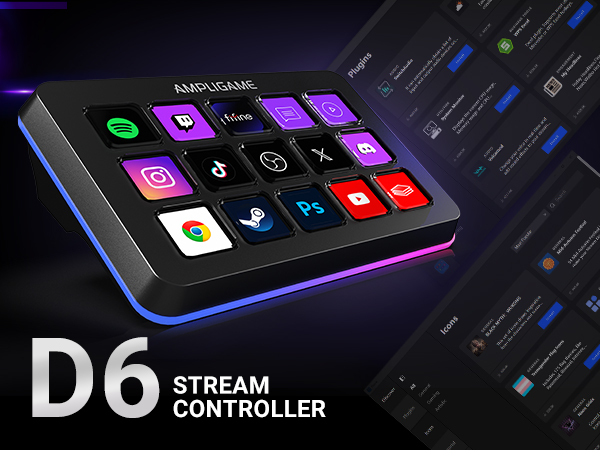
The FIFINE AmpliGame Stream Controller D6 is a sleek, ergonomic keypad featuring 15 customizable LCD macro keys and dynamic RGB lighting. Designed for professional streamers and multitaskers, it integrates seamlessly with popular platforms like OBS, Twitch, and YouTube on both Mac and PC. Its touchscreen interface and wide software compatibility streamline complex workflows, making it an essential tool for gaming, content creation, and productivity.



| ASIN | B0D9JFT7JS |
| Additional Features | 15 Customizable LCD Macro Keys, Compatible with PC/Laptop, Customizable Program, RGB Lighting, Work for gaming, office, streaming |
| Best Sellers Rank | #709 in Video Games ( See Top 100 in Video Games ) #66 in PC Gaming Keyboards |
| Brand | AmpliGame |
| Brand Name | AmpliGame |
| Color | Black |
| Compatible Devices | Laptop, PC |
| Connectivity Technology | USB |
| Connector Type | USB-A to USB-C, USB-C to USB-C |
| Control Method | Touch |
| Control Type | Touch and Push Button Controller |
| Customer Reviews | 4.4 out of 5 stars 575 Reviews |
| Hardware Interface | USB |
| Hardware Platform | PC |
| Human Interface Input | Keypad |
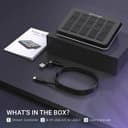
| Included Components | Stream Controller*1, USB Cable*1, User's Manual*1 |
| Instrument | Multiple instruments/MIDI-compatible |
| Instrument Key | Any |
| Item Weight | 7.52 Ounces |
| Keyboard Description | Ergonomic |
| Manufacturer | AMPLIGAME |
| Model Name | D6 Black |
| Model Number | D6 |
| Number of Keys | 15 |
| Platform | Windows |
| Product Style | Modern |
| Special Feature | 15 Customizable LCD Macro Keys, Compatible with PC/Laptop, Customizable Program, RGB Lighting, Work for gaming, office, streaming Special Feature 15 Customizable LCD Macro Keys, Compatible with PC/Laptop, Customizable Program, RGB Lighting, Work for gaming, office, streaming See more |
| Supported Software | OBS/Discord/Games/Editing Software |
| UPC | 850058839370 |
A**S
Reliable and well worth the price.
I have been loving this. I originally got it to have a few extra buttons for playing Star citizens because you never have enough extra for that game. Launching programs, being able to set macros extremely easy and using them in games, such a simple quality of life improvement has been a game changer, (pun intended). The tactile feel of pushing the button, having to push the button just enough that you're not going to have any accidental button pushes, It's been great. The build quality is good, it's heavy enough that it doesn't slide around on my desk, and being able to choose icons for my buttons has made looking at a glance to remember the macro I'm hitting awesome! With the ability to add a next and previous screen buttons you can add layouts for different games, applications, or just an extra screen for more macros. The only con I can give, and to me personally, and it's not a big one, is sometimes the buttons can have just a little wobble due to how much travel distance there is on a button push, but again for me it's worth it to not have accidental button pushes, and once I learned to push the button straight down instead of being in too much of a hurry I don't notice. I don't normally take the time to leave a lot of reviews, but this has made more than a difference than I expected it to and well worth the price.
B**R
Game-Changer for Streaming and Productivity!
I’ve only had the FIFINE AmpliGame Gaming Controller (D6 White) for a few days, but I can already say it’s made a big impact on my setup. The design is super clean the white finish with RGB lighting looks great on my desk, and the build feels solid and high quality right out of the box. The 15 shortcut keys are really easy to set up and have been a huge help for my streaming workflow. In OBS, I’ve already programmed buttons for scene switches, muting, and triggering transitions, and it works flawlessly. Even in just a short time using it, I can tell how much smoother it makes my streams. What surprised me is how useful it is outside of streaming, too. I’ve been using it for quick actions like volume control, launching apps, and media playback, and it saves me from constantly reaching for my keyboard and mouse. The RGB backlighting is a nice touch as well it makes the keys easy to see in low light and adds personality to the setup. Even though I’ve only been using it a few days, I can already tell this controller is going to become a permanent part of my workflow. If you’re a streamer, content creator, or just want to simplify daily tasks, this is a fantastic tool. Highly recommend!
A**R
Game On 🎮✨ — Perfect Stream Controller!
I grabbed this Fifine AmpliGame stream controller thinking it’d be a handy accessory for my gaming setup — and it completely delivered! The 15 programmable buttons give me total control, making streaming, gaming, and shortcuts super convenient. Using it is smooth. The buttons are responsive, the layout is intuitive, and the build feels sturdy without being bulky. I was a little unsure if it would integrate easily with my setup, but setup was quick and seamless. Perfect for streamers, gamers, or anyone who wants customizable control at their fingertips. If you want to level up your gaming and streaming experience, this controller is a total win!
C**Y
Good product that does what you expect
Obviously a lower cost competitor to the Elgato stream deck. But for much less cost. You get just that. A lower cost product. It works well enough for light daily use, An occasional press here, and there. But if you plan to use this for continuations heavy application use, I'd suggest getting the Elgato Not to bash this product, I have it, I use it. But it does have some drawbacks that come into play with heavy use. 1. On boot the icons may not load, 2. The buttons are clunky, and feel like there is something catching. There is a double click that they do, like someone spilled cola in is a week ago and it left a sticky substance inside. 3. After pressing a button to change screens, there is a delay. 4. Pretty sure that nothing is stored on the device at all. Speed is dependent on USB and software. The software works pretty good, takes a while but has a lot of options. Light to moderate use like myself? I'ts a great alternative to Elgato Heavy dedicated application use? Buy the real one buy Elgato. Again, not to bash Fifine, it's good and I love mine. Just buy what is best for your use case.
T**A
Worth it
Honestly blown away by this stream controller. It’s affordable and it is super easy to setup. If you want a streamlined setup and productivity boost. It’s worth it! Buttons are big and high quality, size is perfect and you can customise it to your hearts content!
R**E
This thing is pretty amazing!!
I'm not a streamer, but this thing is very useful to gamers as well. This can basically be a PC button box with endless pages. You can configure each button to keyboard keys or mouse buttons and can make it do macros with keys and mouse clicks together! I have two old school button boxes for my racing/flying rig. This little thing just replaced them both and more. You can configure this thing and have a dedicated page (or pages) for each of your games. This is especially good for simulation games with many controls. I can setup a custom profile for a game like Star Citizen and have page after page of controls that you can just cycle through. The deck is also beautiful with vibrant little screens that can take text or icons. It has weight and feels really well made. It's really pretty slick. At $60 it is a steal with standard button boxes now running around $100. My only complaint (but I just couldn't remove a star for it) is the lack of angle adjustability. I had to buy a separate universal stand to get it at the angle I want.
C**.
Must have for work and play.
The FIFINE AmpliGame Gaming Control is an absolute game-changer ,Setup is super easy—plug it in and you’re good to go in minutes. The controls are smooth, responsive, and intuitive, making it effortless have seamless transitions between apps. The RGB lighting adds a sleek, modern look to any gaming setup without being over the top. Build quality feels solid and durable, especially for the price, which makes this an incredible value compared to more expensive alternatives. Overall, the FIFINE AmpliGame Gaming Control delivers professional-level performance, great design, compatible with any laptop and user-friendly features in a small compact size at an affordable price. Highly recommended for gamers, streamers, and content creators who want reliable app window control.
D**K
An affordable stream deck that's easy to use
I wanted an affordable alternative to the Elgato stream deck and for the price this does not disappoint. Let me just say that I have 2 Fifine products, this stream deck and a mic and both products very well packaged. This stream controller is very easy to use and with OBS integrated it makes content creating and streaming so much more easy. The buttons are nice and bright and the RGB lights are a nice touch. It's not all positive though, sometimes when you push a button it seems like there is a bit of delay or lag, nothing serious but still noticeable. Another issue is lack of a tilting stand, it lays pretty flat and I'd like an option to tilt it up a bit. The only other issue is a lack of plug ins and icons; they don't seem to be updated very often. Overall, I think for the price the Fifine Stream controller is absolutely worth the price, I really only wanted it for streaming, and it makes changing scenes and volume and all the other fun streaming things effortless
TrustPilot
3 周前
2 周前