We remain fully operational. Our teams are working around the clock to ensure your deliveries continue safely.

下载应用程序


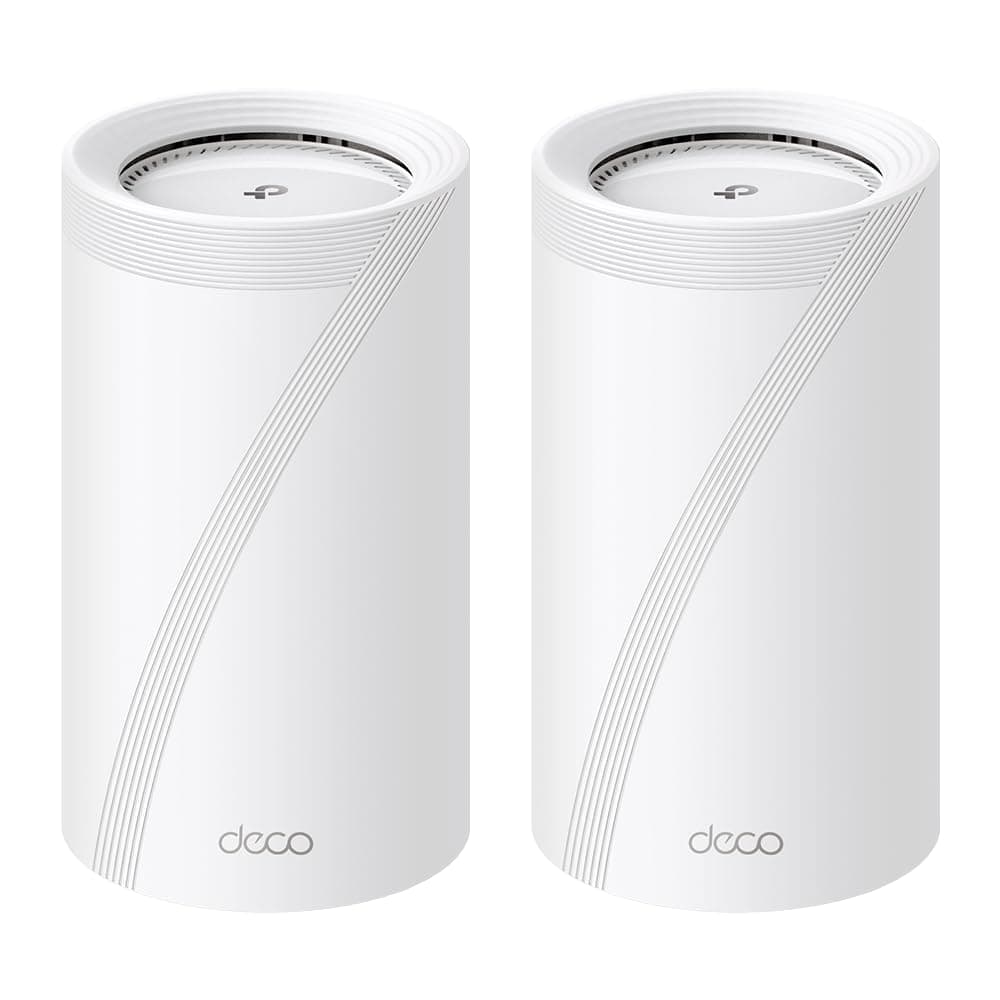





🚀 Elevate your home network to WiFi 7 — because buffering is so last decade!
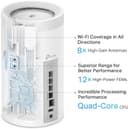
The TP-Link Deco BE75 is a cutting-edge WiFi 7 mesh system delivering up to 17 Gbps tri-band speeds, supporting 200+ devices simultaneously. Featuring pro-grade 10 Gbps wired ports, AI-driven seamless roaming, and combined wireless/wired backhaul, it ensures ultra-reliable, high-performance coverage across 6,300 sq.ft. With easy app and voice control plus advanced security, it’s the ultimate network upgrade for modern smart homes and demanding professionals.


| ASIN | B0CQMH8T7P |
| Antenna Location | Gaming, Home |
| Best Sellers Rank | #37,018 in Computers & Accessories ( See Top 100 in Computers & Accessories ) #434 in Whole Home & Mesh Wi-Fi Systems |
| Brand | TP-Link |
| Built-In Media | 1 RJ45 Ethernet cable, 2 Deco BE75 units, 2 Power adapters, 2 SFP+ Port Dust Plugs, Quick Installation Guide |
| Color | White |
| Compatible Devices | Gaming Console, Personal Computer, Smart Television, Smartphone, Tablet |
| Connectivity Protocol | Wi-Fi, Ethernet |
| Connectivity Range | 6300 Square Feet |
| Connectivity Technology | Ethernet, Optical Fiber Port, USB, Wi-Fi |
| Control Method | App, Remote, Voice |
| Controller Type | App Control, Voice Control |
| Coverage | Up to 6,300 square feet |
| Customer Reviews | 3.6 3.6 out of 5 stars (58) |
| Data Transfer Rate | 17 Gigabits Per Second |
| Frequency | 6 GHz |
| Frequency Band Class | Tri-Band |
| Is Modem Compatible | Yes |
| Item Weight | 5.7 Pounds |
| LAN Port Bandwidth | 10G/2.5G |
| Manufacturer | TP-Link |
| Maximum Upstream Data Transfer Rate | 10000 Megabits Per Second |
| Mfr Part Number | Deco BE75(2-Pack) |
| Model Name | Deco BE75(2-Pack) |
| Model Number | Deco BE75(2-Pack) |
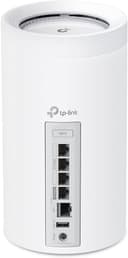
| Number of Ports | 3 |
| Operating System | TP-Link Firmware |
| Other Special Features of the Product | Alexa Compatible, Guest Mode, Internet Security, QoS, Remote Access |
| Security Protocol | WPA-Personal, WPA2-Personal, WPA3-Personal |
| Smart Home Compatibility | Smart Home Compatible |
| UPC | 840030708589 |
| Warranty Description | 2 Year Manufacturer |
| Wi-Fi Generation | Wi-Fi 7 |
| Wireless Compability | 802.11.be, 802.11ac, 802.11ax, 802.11n |
O**8
Worth it! Very easy to set up an GO!
My old AX1100 router had been giving me fits. Video streaming would stall and annoy viewers. After trying various things, I determined the router was the culprit. I ordered these as a way to modernize the WiFi in my house. They arrived quickly and I was ready for them as I already installed the app on my phone and already had a TP-Link account. Out of the box, I grabbed a unit (they are interchangeable) and followed the directions in the app. Within minutes I had the main unit online. I used the same SSID and Password for the "new" network, and almost every device I had connected quickly. Using the App I was able to identify each device and give it a name so that when I view the device connections everything is clear and concise. What a great product! The second unit you basically just power up and a minute or two later is communicating with the main unit and your system is up and running. So easy. My old switch had 8 network ports, and these only have 3, so I ordered a TP-Link TL-SG1008D Switch, connected it to one of the ports and connected the hardwire devices to the switch. They all came up quickly and displayed in the app as hard connected. My Laptop was WiFi-7 compatible, and I tried the connection and it worked perfectly. The web page app for the router is not a powerful as the phone app. Only in the phone app can you name connected devices, which is fine but different from the AX1100. I had to reconnect my Arlo Cameras one at a time, but in doing so I got to name them by MAC/IP so I can tell if they're on line or not now using the app. Every other device connected without any input by me. I was very concerned that switching out routers would be a nightmare when in fact it was fairly easy. Take your time and you will be up and running faster than you would imagine. I highly recommend these devices
B**S
Single unit works great but dual unit doesn't
Single Deco base unit provides great speeds and is reliable. Second unit, a room away has great connection to the base unit, however the second unit resets itself after 24 hours and forgets its SSID/Password bringing 2/3rds the network down. Countless hours with tech support, trying to give TP link a chance, resulted in me loosing the opportunity to return this to Amazon. I hope TP link makes this right. But until then, buy from a different company.
R**M
Work really well and is like 3 times the size of the old one I had haha
Had trouble with WiFi on 2nd floor and this works great double or More WiFi speeds when I used a different WiFi extender this one is Worth the money if you’re lagging
M**K
No difference in coverage from my old router
This system seems to be pretty nice. Very easy set up. I though I would get better coverage and speed than my old router but that is not the case. Same speeds and very slow or sometimes no connection to devices like my iphone if I am farther away than 30 feet. I overspent on something that I though was going to be fantastic. Meh. Not really impressed.
D**K
Easy setup, Great performance!
I noticed some iffy reviews but I think that recent firmware updates must be stabilizing this WiFi system. They are working great for me! I replaced my netgear orbi system because I was having problems with my ISP, which seamed to be a common thing with Fiber ISPs. My ISP router just was not cutting it, way too laggy and spotty. This 2 Unit mesh system is working perfectly for weeks now. Super fast and not a single issue I was having with my previous systems. Super easy setup and great performance.
A**R
Very fast, easy to use, excellent mesh
The best router access point that I have ever used and the experience of all the large brands, TP-LINK product is well above all!
T**B
Model abandoned; poorly designed firmware
TP-Link has effectively abandoned this model, even while they are aware that the WAN/LAN auto-sensing is poorly implemented and breaks LAN connectivity if your home internet connections drops. As an example: if your modem loses its internet connection, the router traps itself in a loop of looking for an internet connection on all LAN ports to the extent that it no longer communicates effectively within your local network. So, no internet? You can't stream off your home server or NAS. Your smart devices don't work now. They also have seemingly abandoned this model for security updates. That eventually happens, sure... But this model only came out in June, 2024. I expect more than a year of support for an electronic this expensive and important.
J**E
Fast but unreliable
When it works, it works well. Its a very expensive unit with some advanced features and some not sufficiently cooked ones. If i was TP-Link i would solve a few items in short order: 1. Add Ethernet link state (speed + duplex) for each port to the app and web page. 2. Individual LED control for some units but not all. 3. Figure out how to deal with the wired back-haul issues when switches are present. 4. Remove some of the advertising / spammy features in the app and stick to the business of configuration there.
J**N
Excellent routers! The coverage is consistent and efficient. I've taken my wifi with my previous ASUS XT8 network from less than 1Gb/s wired speeds up to 3.1Gb/s wired. My wireless coverage is consistently around 1.5Gb/s. I'm super happy with this router. The UI is simple and effective. I'm very pleased with my routers and thrilled to finally be getting the speeds I pay for with my ISP. Highly recommend!
J**0
Absolute garbage... been dealing with these for months now and trying to troubleshoot intermittent connectivity issues - 8-10 times a day, there is a tiny drop in wifi for a few milliseconds to a second, causing my work VPN to cut out on my work devices, dropping me from zoom or any other work that I'm doing, requiring VPN. Ring devices also intermittently disconnect non-stop. MLO is also basically broken even after they pushed out a dev firmware to me early on. Since last year in Jan 2024 no more firmware updates, as if they've given up on the product. HUGE waste of money.
T**H
I recently purchased and installed the TP-Link BE17000 Tri-band WiFi 7 System with the absolutely wonderful help from Aurelia from TP-Link Support out of Singapore. The DECO App that is needed for installation kept giving me an odd error saying the TP-Link device could not connect to the Internet. I needed help from the TP-Link support. I first tried the phone number supplied on the box the BE17000 came in. That was unsuccessful since the number was constantly giving a busy signal. I then sent the Support Group an E-mail through the TP-Link website. Some details of the issue were sent with that, however, you are allowed limited space to do this so you have to be concise (to start with). Within 24 hours I had a response from Aurelia via E-mail. I supplied her my current WiFi setup, more details regarding the problem I was having, a description of what I thought I wanted and a day and timeframe she could call to discuss the situation. I did this early one morning and gave her a timeframe of later today from 5pm till 10pm or if that was not good then the next day with the same timeframe. Aurelia called me back the same day shortly after 5pm. We first discussed the problem briefly. Then we had a more lengthy discussion of what I wanted as far as setup was concerned. She was very knowledgeable on this and convinced me that an installation utilizing the same WiFi name would be possible even though I had concerns around my large IoT environment and having to reinstall devices and also the new security WPA3 offered with the new system. The old system was strictly WPA2. We discussed “mixed mode” WPA3/WPA2 which sounded like the solution. We then went through the setup utilizing the TP-Link DECO App. We breezed through this getting past the place I was hung up at previously. We named the new WiFi a temporary name and then in a subsequent step named it the same name as my current setup. The final step was to put the new system into “Access Point” mode. This is since I have an ISP provided modem that is in bridged mode and my own PC firewall router to control the network specifications. The new WiFi was up. I plugged in the second DECO and it immediately connected up with the main DECO. I started to check my devices that were busy connecting to the new WiFi. All connected successfully and I was elated and voiced this pleasure with Aurelia. Its been about 4 days since the support call with Aurelia and I have setup the new system with a dedicated wired backhaul system and turned on the new MLO (Multi-Link Operation) WiFi 7 option. You can look that one up when you get a new WiFi 7 system. All has gone well and I am completely satisfied with the new BE17000 system, but I am mostly impressed with the TP-Link support staff, Aurelia with her knowledge and determination to get my setup accomplished.
U**R
Tried going from Orbi to Deco thinking it would be an upgrade but it was a mistake. I’ve gone through multiple Deco models including the X60, X75, and BE75. All of them had the same issue with constant drops especially with cameras and smart home devices. I changed every setting possible like fast roaming, beamforming, channels, and band steering. Even with good placement and backhaul the connection just wasn’t stable. I didn’t bother with support because it was clear the problem wasn’t going away. For something that’s supposed to be seamless whole home WiFi it’s been nothing but a hassle. Not worth the time or money. Thankful Amazon allows easy returns.
R**E
Performance not as advertised. I previously used the Netgear RBR50 mesh router and it was very reliable workhorse but unfortunately aged out. I have been experiencing slowdown across all bands 2.4, 5 and 6 GHz. I was hoping for regular firmware updates but nothing so far.