We remain fully operational. Our teams are working around the clock to ensure your deliveries continue safely.

下载应用程序


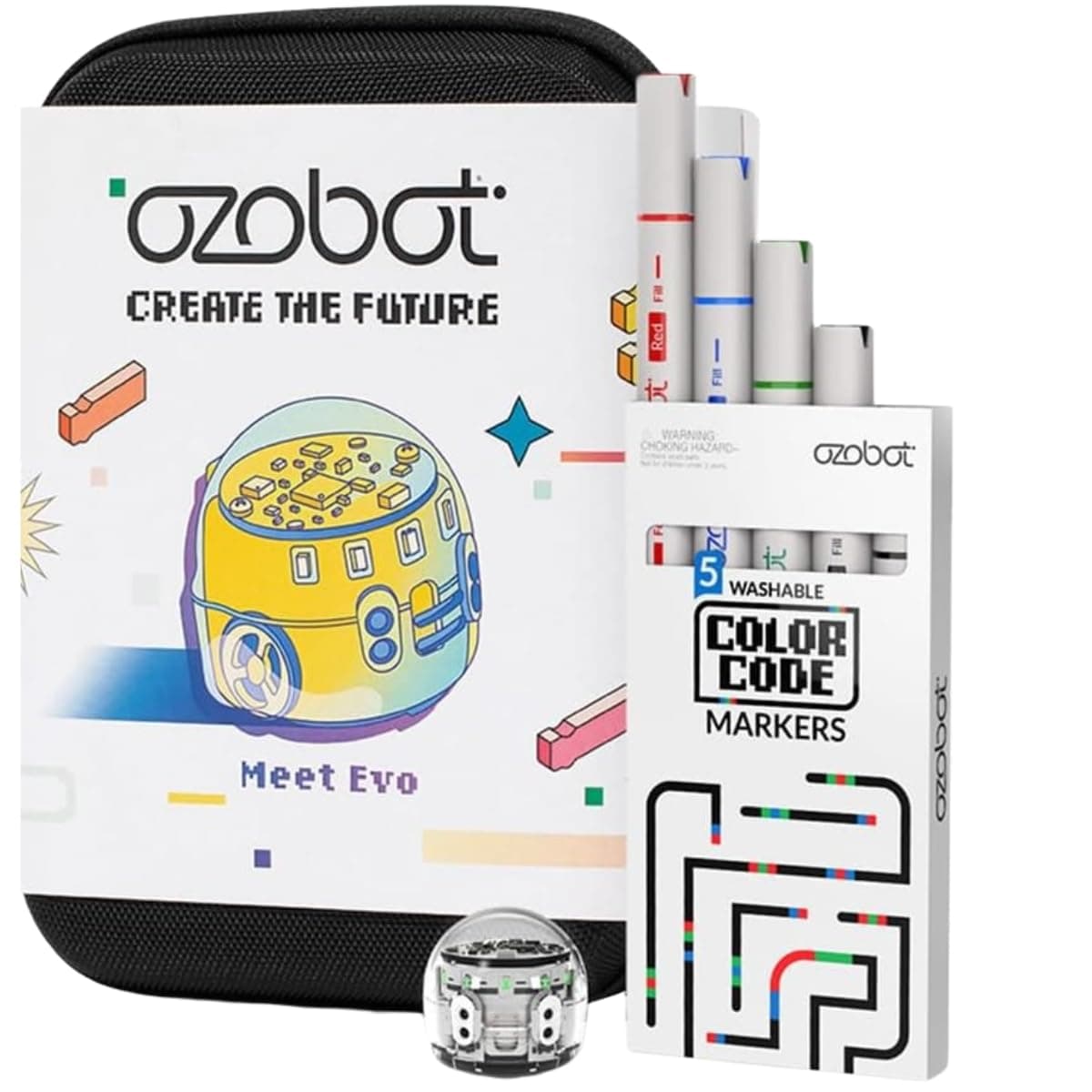
🚀 Code, create, and conquer the future of STEAM!
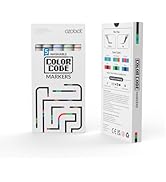
The Ozobot Evo Entry Kit is a versatile STEM learning tool designed for kids ages 5 and up, combining a durable Evo robot with dual-tip Color Code markers to offer both screen-free and online coding experiences. Featuring five progressive skill levels and over 700 free lessons, it supports long-term educational growth in coding and STEAM subjects. Packaged with a charging cable, user-friendly guide, and a protective zip case, this kit is perfect for classrooms and home use, making coding accessible and fun for beginners.





| ASIN | B0CSR53WXV |
| Battery Description | Lithium-Ion |
| Best Sellers Rank | #24,524 in Toys & Games ( See Top 100 in Toys & Games ) #300 in Educational Science Kits |
| Brand Name | Ozobot |
| Customer Reviews | 4.8 4.8 out of 5 stars (52) |
| Educational Objective | STEM |
| Included Components | 1 Evo robot, Get Started activities, 1 Charging Cable, 5 Dual-Tip Color Code Markers, 1 Zip Case |
| Is Assembly Required | No |
| Item Dimensions | 8.5 x 6.5 x 1.8 inches |
| Item Type Name | Robot |
| Item Weight | 0.44 Kilograms |
| Manufacturer | Ozobot |
| Manufacturer Maximum Age (MONTHS) | 1188.0 |
| Manufacturer Minimum Age (MONTHS) | 60.0 |
| Manufacturer Part Number | 050110-01 |
| Material Type | Plastic |
| Size | Small |
| UPC | 850049989039 |
| Unit Count | 1.0 Count |
K**O
Easy to follow instructions
This was purchased as a birthday gift for a very excited boy who loved using it in school. It is pricey but provides hours of fun for a kid who is just started out in steam or coding. It’s easy to use and instructions are easy to follow.
O**S
Educational and Fun
My 4 yr old grandson loved the Ozobot. I did too!!
M**N
Cute little robot to learning about coding
Great little robot to get kids started on learning about coding. A bit touchy with the lines/colors and need to ensure they are right size when coloring when creating your own scratch paper. The booklet comes with different “routes” to try out and color in with stickers to cover them up and try again with new colors. Short power cord also comes with it. Overall great value for the money.
C**N
My daughter loves it!
As a parent, I am always seeking engaging and educational activities for my children. Ozobot is a small, programmable robot that interacts with specially designed color codes on a surface. By drawing different patterns and sequences, my daughter can control Ozobot's movements, teach it logic, and solve puzzles. This hands-on approach makes learning fun and easy. Ozobot empowers children to learn the basics of coding without overwhelming them. The color codes represent different instructions, allowing my daughter to experiment with different commands and create complex routines. Most importantly, my 10-year-old loves playing with Ozobot. It's a perfect blend of education and entertainment that keeps him engaged for hours on end. I highly recommend this educational toy to any parent seeking to foster their child's interest in STEM.
N**Y
Overpriced!!
Grand daughter loves it. The look on her face was well worth the overpriced item
S**.
Really cool but when driving on skinny drawings or two thick drawings it can’t move
I think everyone should have it. It’s really good
E**.
Yes, They Work!
Oh my god, the robots are stupid cute! Love this product and the manual!
M**G
Super cool
Loved the product for my son. Requires a lot of focus and can easily entertain for hours. Very futuristic looking and is not too hard for critical thinkers. Very durable and it does what the listing says. You have to be careful with some of its parts but as long as you take care of it it will last.
TrustPilot
1 个月前
4天前