We remain fully operational. Our teams are working around the clock to ensure your deliveries continue safely.

下载应用程序








🏷️ Stick with the best — label like a pro, every time!
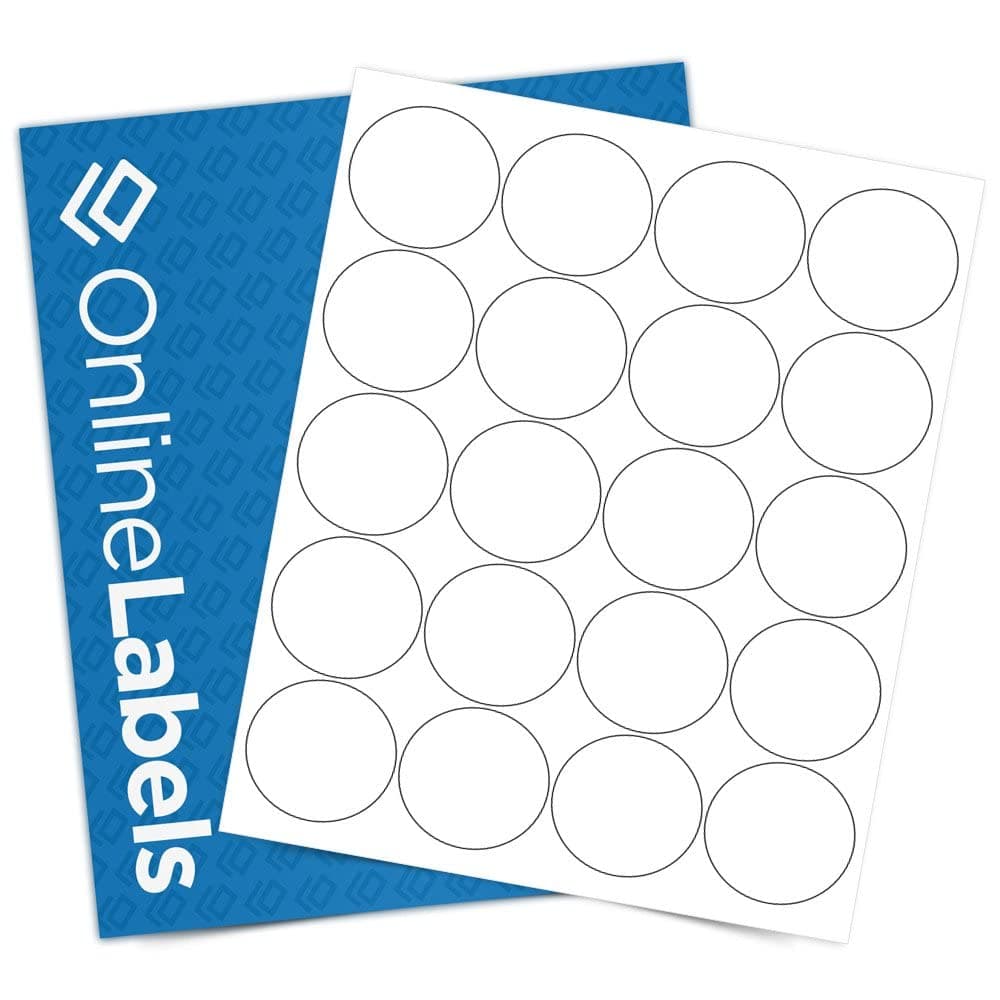
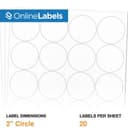
OnlineLabels 2" Round Labels offer 2,000 durable, matte white stickers designed for seamless edge-to-edge printing on both inkjet and laser printers. Featuring a permanent adhesive, these labels stick firmly to a variety of surfaces including glass, plastic, and tin, making them ideal for product packaging, jar lids, and event favors. Each pack includes an activation code for the Maestro Label Designer, enabling easy customization without extra downloads.


| ASIN | B003BLE59M |
| Best Sellers Rank | #24,342 in Office Products ( See Top 100 in Office Products ) #265 in Laser & Inkjet Printer Labels |
| Brand Name | Online Labels |
| Color | White |
| Customer Reviews | 4.5 4.5 out of 5 stars (1,473) |
| Finish Type | Matte |
| Item Shape | Round |
| Manufacturer | Online Labels |
| Material Type | Paper |
| Number of Labels | 2000 |
| Size | 100 Sheet Pack |
| Unit Count | 2000 Count |
K**Y
Great sticker labels, exactly as described!
Arrived quickly and well packaged. Sturdy, easy to write on, and they exceeded my expectations. Perfect for labeling flavors on my packaging. Very happy with this!
A**R
Labels for business
Great quality and value
S**K
GREAT and included template software downloads
this company has a wide range of useable well done printing label sheets. AND best of all they provide for EACH type/variety, a custom template for a variety of processors like PDF, Word etc etc. i opened a Word example, there were the grid over [circles in my case] labels and i simple dragged a .JPG into the first col/row and it centered perfectly. I could resize the pic with pointer arrows and from there I simple R-click, control-c [copy] then control-v [paste] into the remaining labels on the template and viole/bingo, in less that five minutes i had it DONE and PRINtED ADVICE: print the labels the first time on your printer to see the quality, then place [i have an HP, but yours may varry] the LABELS UP in the tray... PRINT A SINGLE EXAMPLE to discover how it goes: my mistake was it printed on wrong side so 'wasted' a sheet, but not again. LOVE this ease and quality.
D**E
Easy
Easy to create online. Very nice looking with different patterns to choose from when designing.
Y**O
Good value for the money
I printed labels for my niece’s wedding. The first batch was a chore. I had a hard time getting them to be centered. The template didn’t help. I am so used to the Avery templates and I was getting frustrated, but finally figured out a way to get them to print the same but using Word measurements. Also I couldn’t change them all at once I had to go one by one. It could have been me and not the templates, but those were my struggles. But for the price, they looked great after I was done. I ended up buying a second set just based on price.
S**Y
Vivid Colors
Vivid colors don't "pop" with this particular label; possibly due to the matte finish. They print out almost as if they are slightly faded or a bit pastel looking. My workaround is not to have highest expectations for this label in all cases. I know that Online Labels offers a higher quality label that would solve this problem. We use the OL5375 in bulk and don't need exacting properties for our labels. For us economy is the priority. As you can see, the label has very bright reds. When printed they are not so vivid. For the price we are happy with the quality. By no means is it a deal breaker. I use the "Maestro" online software offered by Online Labels. I HIGHLY recommend when you buy these labels that you use the activation code provided with your order to activate the Maestro online label software. You will be glad you did. We buy Online Labels exclusively and are VERY happy with brand and free online software (Maestro.)
S**S
Perfection
I LOVE these labels
A**R
Not Cut Properly
DO NOT BUY. Out of 25 sheets, only 3 sheets were die cut properly to peel circle stickers. 22 Sheets were unusable. You can't peel the circle stickers off the sheet.
TrustPilot
1天前
4天前