We remain fully operational. Our teams are working around the clock to ensure your deliveries continue safely.

下载应用程序




🔒 Elevate Your Outdoor Security Game—See More, Know More, Fear Less!
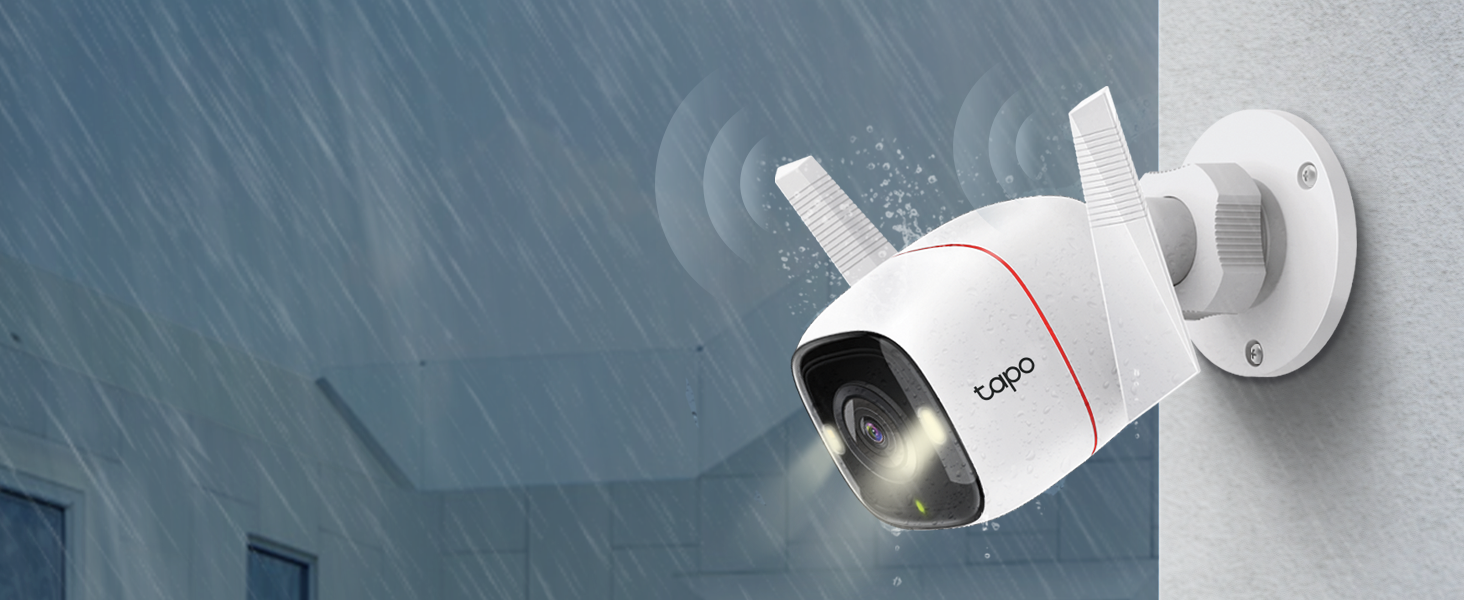
The Tapo TP-Link C320WS is a professional-grade outdoor security camera featuring ultra-clear 2K 4MP QHD video, IP66 weatherproof rating, and advanced AI-powered motion detection. It offers vivid full-color night vision up to 98 feet with dual spotlights and a starlight sensor, two-way audio with a built-in siren, and flexible storage options including microSD and cloud. Compatible with Alexa and Google Assistant, it integrates smoothly into smart home ecosystems, delivering reliable, round-the-clock surveillance for modern homes.






| ASIN | B09ZZJB6VX |
| Batteries Required? | No |
| Batteries included? | No |
| Battery Cell Type | Lithium Ion |
| Best Sellers Rank | 234 in Electronics & Photo ( See Top 100 in Electronics & Photo ) 31 in Bullet Cameras |
| Colour | Red |
| Compatible devices | Smartphone |
| Connectivity protocol | Wi-Fi |
| Controller type | Amazon Alexa |
| Customer Reviews | 4.6 4.6 out of 5 stars (7,023) |
| Date First Available | 25 July 2022 |
| Effective video resolution | 4 |
| Form factor | Dome |
| Included components | Camera Body (Tapo C320WS), Mounting Template, Anchors and Screws, Power Adapter, Quick Start Guide, Waterproof Seal, Waterproof Cable Attachments |
| Indoor/Outdoor usage | Outdoor |
| Item Package Quantity | 1 |
| Item Weight | 210 g |
| Item dimensions L x W x H | 14.2 x 10.3 x 6.4 centimetres |
| Item model number | Tapo C320WS |
| Manufacturer | TP-Link |
| Mounting type | Wall Mount |
| Night-vision range | 98 Feet |
| Number of channels | 1 |
| Number of items | 1 |
| Part Number | Tapo C320WS |
| Power source | Corded Electric |
| Product Dimensions | 14.22 x 10.34 x 6.43 cm; 210 g |
| Size | 2K QHD |
| Special Features | Night Vision |
| Style | Tapo C320WS |
| Type of Bulb | Infrared |
| Usage | Surveillance |
| Video capture resolution | 4 MP |
| Voltage | 12 Volts |
| Water resistance level | Waterproof |
| Wattage | 6 watts |
| Wireless communication technology | Wi-Fi |
A**W
Tapo c320ws
The previous version C310 was far superior, bells and whistles are good if they work, sadly this camera fails here, can't use the night vision without the spotlight being on permanently and the lag in the playback is something else, I've had to set it down to 720p and still get lag on a wired 500mbps fibre connection, I've tried every setting without joy, I regret buying this camera
M**O
Lo tengo hace 2 meses y sigue funcionando sin problema, fácil de instalar y la calidad de video es muy buena tanto de día como en la obscuridad. Detecta casi todo tipo de movimientos y saca sustos cuando hay gatos por la colonia porque los confunde que son personas jaja. Y el campo de visión también es amplio. La aplicación también muy fácil de utilizar para activar, desactivar la alarma y poder ver los archivos.
L**K
Super easy to setup and likes the app which is also easy to use and has all the key features including night view with colour mode, light, speaker/mic and even a choice of object &/or human detection. Picture quality is very good.
M**D
Best Camera
S**R
Don't expect some big tech review here, I just don't care that much about all that. Got this thig back in May and just now got it up and going in August. It's purpose is to watch over my birds for predators or whatever niffy might come around. I'll say this, it was super easy to install and get up and running. Cut the power cord and spliced in wire to tap into my 12vdc bus in the solar shed. Connected to my TP-Link wireless router and it's off to the races. Installed a 512 SD card, skip the cloud junk. Plenty of local storage for my needs. Image quality is awesome! Day and night. May add a little led tag lite to get color at night. Don't like the idea of running the light that comes in the camera all the time. Might be fine but still.... Very little lag in video or audio. Movement detection and alarming is spot on. Caught my kitty climbing around on top of one of my runs and a big ole coon walking by a bit later about 4am. Coyote movement is what I really want to know. Their days are numbered around here, killing my birds and wiping out the fawns. Even the grown deer are taking a beating with scars all over them. I may dig around in the settings and refine some stuff but right out of the box it pretty much does what I want. Only thing is now is that I need about three more of them. Maybe I can get those and install them a little quicker this time around.
T**N
I bought the 2 pack Tapo security camera last month as a upgrade from a similar camera. On my review of that order, I noted that I planned to expand my system with more cameras in the future . About a month has gone by and my feelings for this system are still the same. I added this OUTDOOR camera to replace an older camera on my driveway. The COLOR night time view literally blew me away. At first , I started getting too many false alerts picking up cars on the road. I then made a "BOX" for the motion sensing that didn't include the road...Boom..No more false alerts.. I did notice if I enable the " AI "mode for vehicles..It still picks up the cars that I didn't include in my motion area I chose...it seems Like it overrides the box and looks at the whole screen. This was easily fixed by disabling the AI for AUTOs. Setup was a breeze , just adding it to my other 2 Tapo cameras . Details are clear and I can easily read a license plate anywhere in my driveway. Alerts are sent almost instantly , and I will probably activate the free trial on this camera for offline storage. Remember to buy the 256 gb SD card when you buy these cameras. 2 screws must be removed to put the SD card in , and they are tiny tiny screws. Once you insert the card , you will be good to go. The software will format the card , and you can choose 24/7 recording , or motion activated recording. Record the motion clips that you want , save them to memory , then go to memory and you can view , download , or delete the clips to your phone. You can do all of this without a subscription. It's a great addition to my security system , and I plan to add the Battery Powered cameras in time so I can view my backyard . Tapo has proven to be a great family of security cameras for all situations. Whether it a baby monitor , outdoor , wireless , battery powered, or motion tracking , this collection is great and all work together with one well written ,easy to use app. Keep up the great work Tapo ! UPDATE : After a couple of months use , I thought I would add to this review. Now , someone user left a Lengthy review and 90 percent of it is user error. You can EASILY record video to your phone from the SD card without removing anything. If you get a notification , So .... The way to save videos does actually vary between my indoor and outdoor cameras . The Indoor cameras have 3 dots after the clip , and if you select the 3 dots it gives you the option to DOWNLOAD the clip . Selecting this DOWNLOADS the clip to the MEMORY of your SD CARD ... Then if you look up toward the top of the screen .. You will be able to select " Memory " and all the clips you downloaded will be here .... Selecting the clip you want will give you the option to delete , view , or even Download this video to you phone . NOW ... the Outdoor camera has changed a little bit on how to do this without a subscription....When you are watching the selected video , you must press the little camera button while viewing the video , then press it again to stop the recording ... It will the save the clip you recorded to the " MEMORY " section of the SD CARD.. At this point you can click on the clip to view , delete , or DOWNLOAD it to your phone! It's 2 easy steps to save it on your phone...Once you know how to do it , it's very easy....Don't believe the users that say you can't save clips to your phone .. Now for an actual small issue I had . My outdoor camera has an occasional issue ...I attribute this to the distance from my router. Last week , the spotlight stayed on for a couple days???...I unplugged the unit..Rebooted it...multiple times and it was not working correctly... I will admit I was a little upset..but I decided to do a factory reset by pushing the reset button that's in the SD card cover...That was the best thing I could have done ..I reconnected it to my app ..And the camera is now working correct again.... No dropouts , Motion Spotlight works , and I am happy it was just a factory reset that it took to fix it .. It's been working good for 2 weeks straight now ...We did have a power outage a couple weeks ago , and I think that may have messed my outdoor camera up a bit ..Overall...I still think it's the best budget camera system you can get.. No monthly fees and still does everything I want it to do . After months of use, I came up with the following way to set my camera up as the best for my driveway ,and sidewalk . I DISABLED motion sensing , as ANY motion including trees , shadows , distant cars , would always trigger alerts , I disabled the vehicle sensing as it would alert me of all the cars on the road .. I set " Person " alert and this picks up all " people " riding or walking and works perfect ... The other setting I enabled was " Line crossing " and made a line that gives me a notification if anything crosses the middle of my driveway . The combo of Line crossing , and Person alert has made this system work the way I wanted it to .. I see my driveway , and the road but do not get alerts for the traffic on the road .. Only if they pull in my driveway ... The person detection seems to work great when a person is walking anywhere ... It took a little bit of playing to reduce false alerts ... But now that I have it tweaked out , it is an amazing system to have.