We remain fully operational. Our teams are working around the clock to ensure your deliveries continue safely.

下载应用程序



⚡ Print Fast, Print Smart, Print Big — Own the Future of 3D!
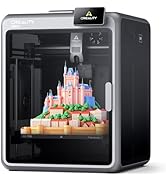
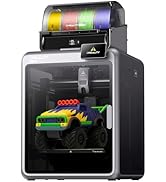
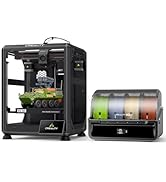
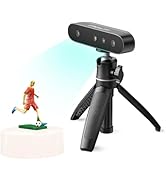
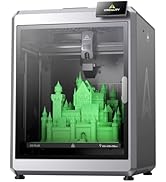
The Creality K1 Max is a powerhouse 3D printer boasting a lightning-fast 600mm/s Core XY system, a large 300x300x300mm build volume, and advanced AI-assisted features including LiDAR bed leveling and real-time print monitoring. Its dual cooling system and high-flow hotend deliver warp-free, high-quality prints with minimal setup—perfect for professionals demanding speed, precision, and reliability straight out of the box.







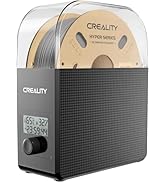

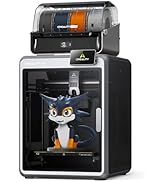


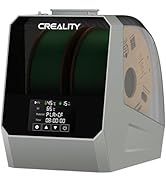




| ASIN | B0C4GGGGWB |
| Batteries Required? | No |
| Batteries included? | No |
| Best Sellers Rank | 1,700 in Business, Industry & Science ( See Top 100 in Business, Industry & Science ) 5 in 3D Printers |
| Colour | K1 Max |
| Customer Reviews | 4.3 4.3 out of 5 stars (2,240) |
| Date First Available | 3 Aug. 2023 |
| Included components | K1 Max 3D Printer kit; |
| Item Package Quantity | 1 |
| Item Weight | 12.5 kg |
| Item model number | K1 Max |
| Manufacturer | Creality |
| Material | Metal |
| Part number | Ender-5 S1 |
| Product Dimensions | 46 x 42.5 x 57 cm; 12.5 kg |
| Style | Smart AI LiDAR |
| Voltage | 240 Volts |
H**R
It's big, it's fast, it's good.
Rarely gets to it's full speed, few fast printers do. But it definitely races along at a fair whack and makes a bed slinging ender 3 look and feel ancient. 8 hair prints on an ender 3 are down to around an hour. Stuff I would never print on an ender 3 is within reach on the k1 max. Good print quality, built in bed levelling via a lidar, inbuilt camera is OK, not stellar but usable. Filament runout sensor built in. It does timelapse on every print, though I haven't worked out how to delete them. Prints over local WiFi, so a bit octoprint like as you can send your files over WiFi instead of using a USB stick, though that USB option is still there if required. Using a USB stick you can also pull timelapse videos direct to the USB stick. Biggest downsides of the k1? No cura profiles at the time of purchase so stuck with creality slicer. Creality slicer works fine but is limited with only 3 profiles, basically high quality slow, medium still slow, and average quality fast. Options are intuitive in creality slicer. Considering it is basically cura they make things difficult when they shouldn't be. You can monitor prints over WiFi, but for me it can't be done from the program itself on the pc, I have to copy the ip address (there is a copy ip option on the print screen so they obviously planned for this issue) to then paste in a browser window which then works fine. If you use a trackball or mouse without a scroll wheel you are in for a miserable time adding custom supports as I cannot find an option to zoom in on the model without that wheel. The only thing to truly HATE with this printer? The phone app. It is full of ads. Ads on ads, ads everywhere. The app is basically an ad app with the printer options you want to access hidden in amongst all the ad misery. Simply put, do not use the phone app if you value your sanity.
A**R
Pretty much print straight out of the box, minimal set up
Needed this printer as I need to print some fairly large parts for a project so wanted high speed and 300x300mm. Also it’s going to be in an unheated and often dusty garage so an enclosure was fairly essential. Also required was higher temperature printing as PLA might be pushing it a bit with regard to structural components on a hot day in summer. First off, packaging is excellent and printer arrived with zero damage. There’s a printed quick start brochure which is adequate but YouTube videos are better. Assembly is basically: unbox, remove protective films of glass panels, fix magnet handle onto door, remove three transit screws from the print bed (big yellow arrows point to these), plug in and mount the screen, mount the supplied reel of filament on the spindle and push through into the print head and switch on. It’s really that simple. Once powered up set up is as easy as it gets. It painlessly connected to wifi and updated the firmware. Levelling etc is fully automated- you do nothing👏👍. It takes about 15 minutes to calibrate itself and sort itself out before you can print your own jobs. I also installed Creality print (slicing software) on a pc and it connected straight away to the printer over wifi. All in, was ready for 1st print well within an hour of opening the box. My first print was a tooling jig I designed myself in CAD. I found the slicing software intuitive and the auto placement and auto supports was fine. I used the default settings for the filament (supplied Creality hyper PLA) and sent the file to the printer and started it going remotely from the pc. Built in webcam shows you the print in progress and status with regard temperatures, time gone and time remaining. Software estimated just over 1.5 hours to print this tooling jig and it was pretty accurate. Printing is fast, very fast and the printer shakes about like some demented lunatic. That said, the print quality was plenty good enough for me and removal of the supports was easy. Oh, did I say this was the 1st time in my life I’ve ever used a 3D printer? It’s quite noisy with the fans and print head traverse motors screaming. And that’s with the door shut and (removable) lid on. In no way is it ear defender territory but you wouldn’t want it in the living room when you’re watching tv. It saves a Timelapse video of the print - remember to turn the interior light on and remove the protective film off the camera lens (not in the instructions). Adhesion. What can I say. I did precisely nothing with regard to prepping the print bed and all 4 prints I’ve done have stuck just fine. They’re also easy to remove by taking off the magnetic metal print bed and flexing it. Size wise, it’s a bit of a beast, you need about 600mm height and depth and about 500mm width space for it. It’s just about small and light enough to wrap your arms around it and carry it if you need to move it. Too early to say about quality and longevity, only done four prints on it so far. I haven’t bothered setting up a Creality cloud account nor putting the app on my phone. Summary. It works, set up is a breeze and you get good quality prints from the get go on default settings. And this is coming from a complete noob. A bit noisy but haven’t tried dialling down the speed to see if that quietens it. Ps. Gave tech support 3 star as I have to put something down even though I haven’t needed to use tech support.
M**.
Impressive Printer
I have just upgraded to the K2 Plus combo and I love it. Its a very solid machine, beautifully engineered and is producing fantastic prints. It auto calibrates when first installed and updates the firmware. No manual adjustment or setting up required. The PEI plate has given perfect adhesion every time with no warping and the prints simply pop off when cold. At 350 x 350 mm, the print surface is huge. I use the Creality slicer and Creality hyper PLA all with the default settings and its quick. Busy printing Gridfinity bins etc at the moment and they are very good.
P**R
Absolute rubbish
Absolute rubbish, this is the second one I have bought as the first went back as it was faulty from the get go. I've had this nearly a month, gave it a while before deciding to return it. First week or so was fine then everything started to go wrong. Kept getting clogged after every print. Changed the extruder and nozzle didn't make a difference. Every print I did more than a few hours long something would go wrong, filament run out and it carries on printing. Then won't load filament have to take everything soart to unblock it. Then the tube keeps popping out of the cfs. Bought a high speed nozzle straight from creality, they don't even have the settings to change to use their so called fast printer, I got faster prints snd better quality from a stock nozzle. It's a nightmare to unclog, you need to inscreww 5 or 7 screws depending on what your taking off. The nozzle hosing is plastic so if your not carefull when changing yhe nozzle you can easily break it. The lost goes on and on. Creality's customer service is the WORSTE I have ever come across in my 59 years on this planet, when they do eventually get back to you they don't know what they are doing and if you send 1 of their printers back it takes upto 2 weeks for a refund DISGUSTING. I am that annoyed with the quality and service im going to make a YouTube review so everybody can see
B**R
Great printer.
Great printer. Massive step up from something like an Ender 3, so much faster. It is quite loud though, you'd struggle to sleep near it. Loses a star only for the fan noise.
E**A
La k1 max è una stampante 3d coreXY, raggiunge velocità impressionanti con un ottima qualità, ho realizzato circa cento stampe prima di scrivere la recensione, cosa mi piace del prodotto: -Velocità 300 mm/s -volume di stampa 300*300*300 mm -adesione del primo strato sempre perfetta -controllo in remoto di più stampanti da pc con visualizzazione di cosa si stampa tramite telecamera. Cosa non mi è piaciuto: -Sostituzione del filamento macchinosa. -il tubo in PTFE che porta il filamento é posto troppo vicino al pannello superiore, questo potrebbe portare a inceppare la stampa, ho risolto questo problema con questo progetto su thingverse: https://www.thingiverse.com/thing:6157655 Ricordatevi di impostare correttamente la temperatura di estrusione del filamento, di default é di 240 gradi per il PLA e mi ha fatto sciogliere il filamento dentro l’estrusore danneggiando gli ingranaggi del motore, l’assistenza mi ha immediatamente riparato il danno da me causato. Si deve usare per forza lo slicer della Creality Print, che oltre a fare da slicer gestisce in remoto anche le stampanti (ne ho due) sono soddisfatto di questo software che è molto simile al Cura, ma il mio preferito rimane il Prusa slicer. Per chi cerca un volume di stampa più grande della norma questa è la scelta giusta.
U**D
Verpackung / Einrichtung: Der K1 kam wie immer schnell versandt und gut verpackt vor drei Wochen bei mir an. Nach dem Auspacken und der Montage des Displays müssen noch drei Sicherungsschrauben für das Druckbett gelöst werden und der Drucker startet einen Selbsttest inklusive Kalibrierung. Das ganze läuft vollautomatisch und ist in einer knappen halben Stunde erledigt. Alles ist gut erklärt und auch für Einsteiger sehr gut geeignet. Ich habe noch die AI Kamera, die beim K1 nicht serienmäßig ist dazu bestellt. Somit ist eine Erkennung ob sich Objekte bei Druckstart auf der Druckfläche befinden, wie auch eine problemlose Fernüberwachung des Druckvorgangs möglich. Druckqualität und Geschwindigkeit: Zugegeben, bisher habe ich mich mit einem Anycubic MegaZero 2.0 herumgeschlagen, dessen Druckqualität bei Standartlayer 0.2mm zwar nicht übel ist, dafür aber auch gerne selbst bei kleineren Projekten mal den halben Tag dauert. Hier kommen die Stärken des K1 ins Spiel. Selbst bei hohen Geschwindigkeiten bleibt das Druckbild sehr gut. Auf den angehängten Bildern ist einmal der Testdruck mit 600mm/sek. zu sehen (gedruckt mit ESun ePLA-SS), ein Halter für Zahnbürsten mit 300mm/sek. (ESUN ePLA-SS), und zuletzt ein Zahnrad (Creality Hyper-PLA). Ohne weitere Anpassungen sind die mitgelieferten Druckprofile bei entsprechendem Material auf 300mm/sek. eingestellt. Filamente: Bisher habe ich sowohl auf Geschwindigkeit angepasste Filamente (Hyper-PLA, Hyper-ABS von Creality, sowie ePLA-SS von ESUN), gedruckt, als auch einige ältere FIlamente, die ich noch hatte (PETG, PLA+, TPU). Alle Filamente ließen sich mit den mitgelieferten Profilen gut drucken. Einzig das TPU war entweder zu alt, oder hätte eine Anpassung benötigt. Software: Creality liefert hier Creality Print mit. Bisher habe ich den Cura Slicer verwendet, aber die Umstellung auf Creality Print ist mir nicht schwergefallen. Meiner Meinung nach bietet der Slicer einen ähnlichen Funktionsumfang und ist leicht zu bedienen. Sowohl Slicer, als auch Firmware des Druckers werden regelmäßig mit Updates versorgt. Fazit: Für relativ kleines Geld bekommt man einen sehr schnellen Drucker, der ohne viel Aufwand sofort einsatzbereit ist und für mein Empfinden sehr gute Ergebnisse abliefert. Was nicht so gut gefällt ist der zu kleine Abstand zwischen Schleppkette des Druckkopfes und der Abdeckung. Hier habe ich eine Erhöhung für den Deckel gedruckt, und dann auch den Filamentschlauch aus der Schleppkette genommen und ihn auf dieser geführt. Wer einen schnellen und unkomplizierten Drucker für adäquates Geld sucht, ist beim K1 sicherlich gut aufgehoben.
P**M
clearity K1で使っていますが 印刷速度と良い品質と良い欠点らしい欠点が全くありません。 特に糸引きなどは皆無で大変気に入りました。 このプリンターとは最強のコンビだと思います。
B**H
Zur Lieferung kam pünktlich und unbeschädigt an. Der Drucker ist jetzt mein 3ter FDM Drucker (CR-10 5S (2017) und Dremel 3D40 mein erster (2016)) und ich bin von der geschwindigkeit in kombination mit der Druckqualität begeistert und werde wenn er wieder im Angebot ist einen 2 ten holen, habe mir noch 2x die B Druckplatte geholt und da ich schon lange denn 3D lack verwende ist die haftung nun damit Mega die Standard Platte ist in Ordnung aber für ABS ist die B Platte mit Struktur zu empfehlen, was ich nicht gut finde war der Abstand zwischen dem Druckkopf mit Anbauten zur oberen Glasplatte da hat er hin und wieder gestreift aber das lässt sich mit einer erhöhung die man natürlich auch drucken kann wie ich es gemacht habe lösen. zweiter punkt schmieren ein 0815 Fett wird mitgeliefert aber obwohl ich es genutzt hatte hat er nach einer weile (1-2 Wochen) angefangen komische geräusche zu machen was aber mit ein paar tropfen öl an denn richtigen stellen wieder weg war. Der Drucker sollte eine W-LAN oder LAN Verbindung bekommen zumindest so lange das man ihn software technisch auf dem aktuellen stand hat, ich habe ihn sofort nach dem Aufbau upgedatet was er auch gleich mit der einrichtung fragt, mit der installierten sofware ohne update kann ich kein fazit geben. Trotz allem bin ich nur begeistert von dem Drucker.
N**S
色合いがどこか安っぽい。 使用には特に問題は見られないため、トライとして使用するなら良コスパ。
TrustPilot
2 周前
3 周前