We remain fully operational. Our teams are working around the clock to ensure your deliveries continue safely.

下载应用程序



Buy anything from 5,000+ international stores. One checkout price. No surprise fees. Join 2M+ shoppers on Desertcart.
Desertcart purchases this item on your behalf and handles shipping, customs, and support to SINGAPORE.
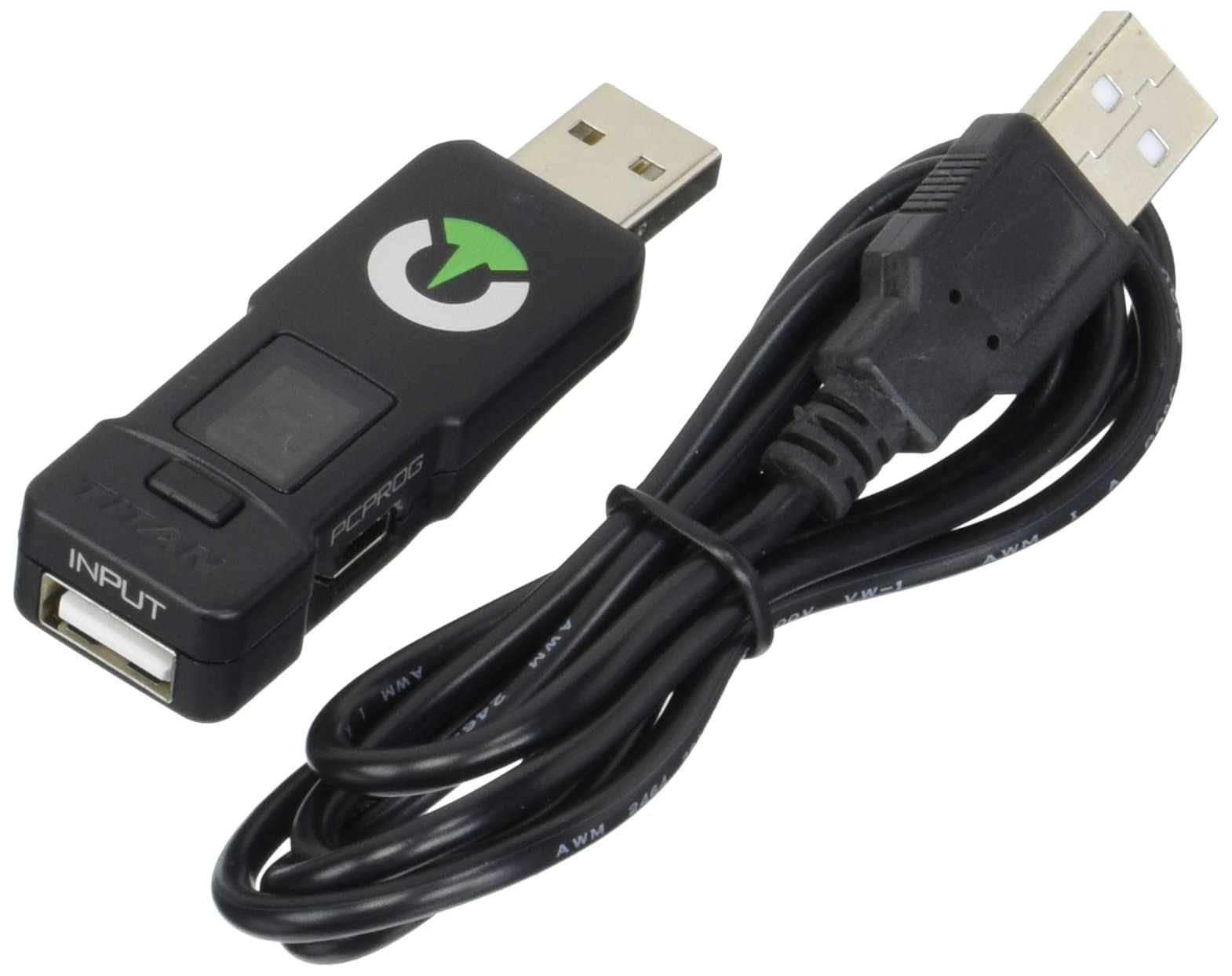
🎯 Dominate every game with Titan One — the ultimate controller transformer!
The ConsoleTuner Titan One is a cutting-edge controller converter and modding device that supports PS4, Xbox One, PS3, Xbox 360, PC, and more. It enables gamers to use any compatible controller across multiple consoles, add rapid fire and anti-recoil mods without hardware modifications, and customize gameplay with an intuitive visual scripting interface. Featuring redesigned firmware for low latency and extended battery efficiency, Titan One is ideal for competitive and casual gamers seeking a versatile, plug-and-play solution to elevate their gaming experience.
| ASIN | B00LH5XZQS |
| Best Sellers Rank | #10,791 in Video Games ( See Top 100 in Video Games ) #594 in PlayStation 4 Accessories |
| Brand Name | CONSOLE TUNER |
| Cable Type | USB |
| Color | Black |
| Compatible Devices | PC |
| Compatible Phone Models | No Compatible Phone Models |
| Connector Gender | Male-to-Female |
| Connector Type | Micro USB, Mini USB, USB Type A |
| Customer Package Type | Standard Packaging |
| Customer Reviews | 3.9 3.9 out of 5 stars (1,042) |
| Indoor Outdoor Usage | Indoor |
| Item Shape | Round |
| Item Weight | 0.15 Pounds |
| Manufacturer | ConsoleTuner |
| Maximum Voltage | 5 Volts (DC) |
| Model | Titan One |
| Number of Items | 1 |
| Number of Pins | 4 |
| UPC | 402508000306 755702188159 |
| Unit Count | 1 Count |
T**E
Solid Converter That is Well Worth the Investment
For those who cannot find comfort in a particular controller to another, the Titan One serves as an excellent remedy. As a controller converter, it does its job well with no lag input. The device's drivers are kept up-to-date on ConsoleTuner's website with community-made mods available. The converter's drivers allows tons of customization for turbo function and controller input. I personally use the Titan One to get my last-gen arcade sticks to work on the Xbox One, and suffice to say, it works very well. There is even a driver option where the device locks itself in a mode called "Tournament Mode" with a "T" displaying on the device's display for those who compete in fighting game tournaments, where turbo function et al are disabled. The converter is made with solid plastic and is pretty durable. I've dropped it once or twice and carried it around a lot in a bag and it still works to this day. The converter fits well into USB inputs and does not budge when wiggled. One thing though is that USBs inserted into the converter's USB input has to go in upside-down. It's not really a problem and is more likely a design choice to make the device itself small and compact. Continuing on with the device's list of caveats: - The initial set-up was a little difficult. Instructions can be found on their website, but it was also a bit difficult navigating ConsoleTuner's site for the instructions. - The device requires a WIRED controller for the console of choice of which you want to get another controller to work on. So for example, if you want to get an Xbox One controller to work on PS4, you will need a PS4 controller. - Every time you remove the converter from the console, the device does not retain the output of the device, so you will have to set-up the converter again if it leaves the console's USB. However, the converter will identify controllers within seconds. - Apparently the PS4 has issues with the converter's compatibility requiring the device to reboot itself every 10 minutes. ConsoleTuners is currently working on a workaround, but PS4 owners will have to deal with that. The rebooting process takes like a second, but in a competitive setting, this is an issue. Other than that, for $70, you can't go wrong with this converter. It's a solid buy if you can get around its caveats. No modding or real computer skills required. ------------------------------------------------------------------------------------------------------------------------------------------------------------------------------------------- To convert a controller: 1: Insert converter into the USB input of console of choice (e.g. PS4). 2: Insert the wired input of the console's controller (e.g. PS4 controller) into converter's USB input upside-down. 3: Wait a bit. The converter will identify the controller and will display a notification that the controller has been identified. 4: Remove controller's wired USB from the converter. 5: Insert the wired input of desired controller (e.g. Xbox One controller) into the USB of the device upside-down. 6: Wait a bit. The converter will identify the Xbox One controller and convert its signal into the console of choice. 7: Test controller.
A**N
Online Documentation Is Your Friend
This is an awesome little device. It can do everything and more that a modded controller can do. The biggest complaints I see about the Titan One are the lack of a comprehensive manual, and trouble connecting an Xbox One controller to a PS4. The reason for them not sending a comprehensive manual, as I see it, is because there is a HUGE amount of documentation on their website, (...). If they made a full manual from this, it would be massive. As far as the Xbox One controller reconnecting itself every few minutes, in my experience, this is because of the USB cable. My controller does this even without using the Titan One, and was fixed by simply using a different cable. I can't guarantee this will fix the problem for everyone, but it worked for me. There also seems to be a few one star reviews saying the device does not work for them. I can't speak to each individuals experience with the device, but I can say this; do not buy this device if you aren't willing to take the time to learn how to use it. Straight out the box, there are NO mods installed on it; NONE. The feature that does work however, is the controller crossover. For this to work, you MUST connect with a controller proven to authenticate on your console. Once authenticated, you can plug almost any other controller into the Titan One, and it will work. The important thing to remember is that you CANNOT use the authenticated controller as a secondary controller as long as the Titan is plugged in. As far as mods go, you have to download the free Gtuner Pro software from consoletuner.com. Installing mods to the device is a simple process, and requires no programming knowledge, thanks to the pre-packaged "Game Packs". One only needs to read the online documentation to learn how to use every feature the Titan One has to offer. Now for the one, single, solitary complaint I have about the Titan One; the complete and utter lack of voice communications through the device. There are workarounds for this, such as using a second controller for chat on the Xbox One, or using a headset that doesn't use the controller for voice chat, but it would be much nicer if this wasn't a problem at all. In short, this device is an amazing piece of hardware. For people with computer or programming experience, this device will take literally seconds to set up properly. For everyone else, the documentation available on consoletuner.com will have you up to speed and ready to rock in minutes. I encourage anyone having issues to go to the website previously mentioned and read through the documentation. If you can't solve your problem after that, feel free to contact them directly through the site. I am in no way affiliated with ConsoleTuner, I am merely a end user of the product who wishes to ensure everyone has as good of an experience as I have had.
E**Z
The problem is getting around the program but that after a while it worked
TrustPilot
1天前
2天前