We remain fully operational. Our teams are working around the clock to ensure your deliveries continue safely.

下载应用程序




Buy anything from 5,000+ international stores. One checkout price. No surprise fees. Join 2M+ shoppers on Desertcart.
Desertcart purchases this item on your behalf and handles shipping, customs, and support to SINGAPORE.
🚀 Elevate your virtual presence with Logitech Brio 4K — because your image deserves the spotlight.
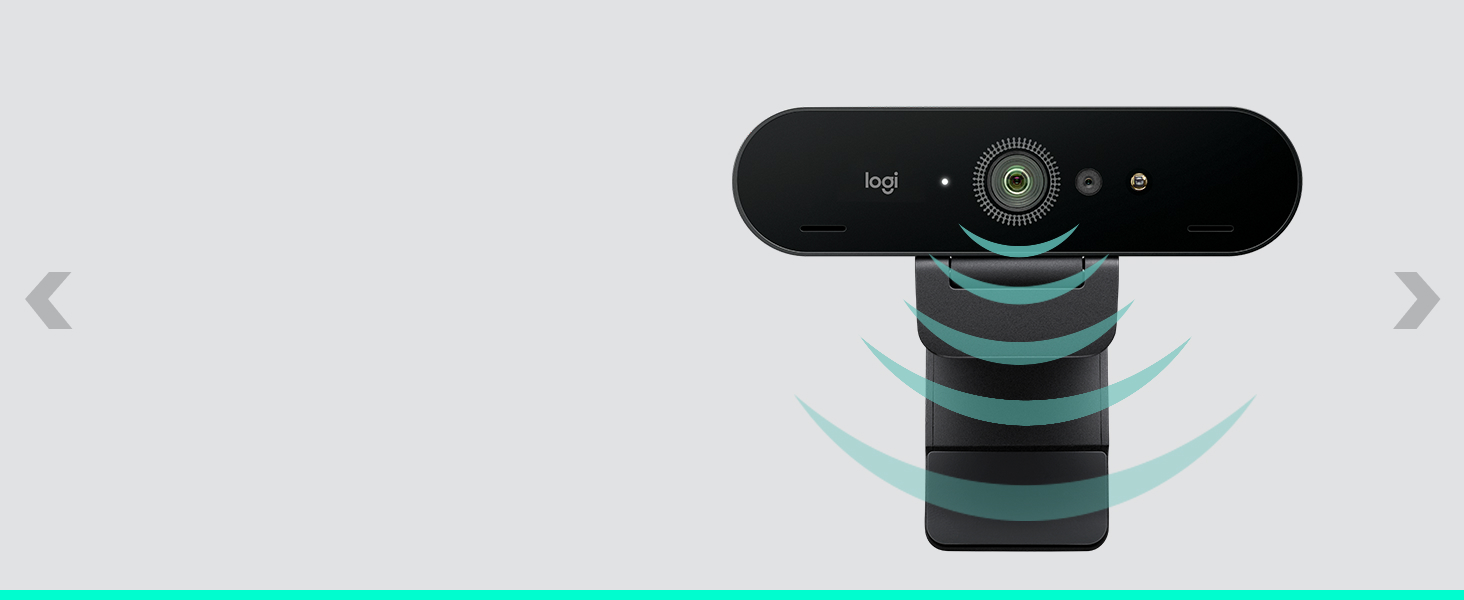
The Logitech Brio PRO X 4K Webcam delivers ultra-high-definition 4K video at 30fps with autofocus and 5x digital zoom, enhanced by RightLight 3 and HDR for perfect lighting in any setting. Its adjustable field of view (65°/78°/90°) lets you customize your framing, while dual omnidirectional noise-cancelling microphones ensure crystal-clear audio. Compatible across Windows, Mac, and ChromeOS, it supports Windows Hello facial recognition and major conferencing platforms like Teams, Zoom, and Google Meet. Designed for professionals demanding premium video collaboration, it includes an attachable privacy shutter and is backed by a 1-year warranty.







| ASIN | B09NBWWP79 |
| Antenna Location | Video conferencing and collaboration in professional and personal settings |
| Are Batteries Included | No |
| Best Sellers Rank | #9 in Webcams |
| Brand | Logitech |
| Built-In Media | Webcam |
| Camcorder Type | Webcam |
| Color | Black |
| Compatible Devices | Personal Computer, Laptop, Tablet |
| Connectivity Technology | USB-A & USB-C |
| Customer Reviews | 4.5 4.5 out of 5 stars (1,160) |
| Digital Zoom | 5 x |
| Display Resolution Maximum | 4K UHD |
| Effective Still Resolution | 13 MP |
| Effective Video Resolution | 3840 Pixels |
| Features | Lightweight, Low Light |
| File Format | MP4, AVI, or MOV |
| Flash Memory Speed Class | C10 |
| Flash Memory Type | Micro SD |
| Flash Memory UHS Speed Class | 3 |
| Flash Memory Video Speed Class | V90 |
| Focus Type | Auto Focus |
| Form Factor | Compact |
| Global Trade Identification Number | 00097855177780 |
| Has Image Stabilization | No |
| Image Aspect Ratio | 16:9 |
| Image stabilization | Dynamic |
| Item Dimensions D x W x H | 1.06"D x 4.02"W x 1.02"H |
| Item Type Name | Webcam |
| Item Weight | 2.22 Ounces |
| Lens Type | Zoom |
| Manufacturer | Logitech |
| Maximum Aperture | 2.4 Millimeters |
| Maximum Focal Length | 1.0 |
| Minimum Aperture | 2.4 Millimeters |
| Minimum Focal Length | 1.0 |
| Model Name | Logitech BRIO PRO X 4K |
| Model Number | 960-001419 |
| Operating System | Windows (Proprietary Firmware With Windows Compatibility) |
| Optical Zoom | 5 x |
| Screen Size | 3 Inches |
| Sensor Type | CMOS |
| Shooting Modes | Low Light |
| Style Name | New: 2022 Version |
| Supported Audio Format | AAC |
| Supported Image Format | JPEG |
| UPC | 097855177780 |
| Unit Count | 1.0 Count |
| Video Capture Format | MP4 |
| Video Resolution | 4K |
| Warranty Description | 1 Year Limited Hardware Warranty |
| Water Resistance Level | Not Water Resistant |
| White Balance Settings | Auto |
| Zoom | Digital |
K**Y
A Must-Have for Therapists Conducting Telehealth/Teletherapy
The Logitech Brio 4K Webcam stands out as an exceptional tool for clinicians who are expanding their practice into the telehealth sector. One of its most commendable features is the ultra 4K HD video calling capability, which ensures that every session with a client is as close to an in-person meeting as possible. This high-resolution clarity is indispensable for sharing emotional expression and and non-verbal cues during therapy sessions. Another pivotal feature for telehealth applications is the noise-canceling microphone, which effectively minimizes background noises. This ensures that conversations remain clear and focused, maintaining the flow of conversation without distractions. If you're like me and practice telehealth from a home office, it is very effective at cancelling out pet noise. Lighting can often be a challenge in video calls, but the Brio's HD auto light correction technology addresses this issue adeptly. It automatically adjusts to the lighting conditions of your environment, ensuring that the video quality remains consistent and clear, even in less than ideal lighting situations. This feature is particularly useful for clinicians who may not always have control over their working environment, as it ensures that the clinician's face is always well lit and visible, fostering a more personal connection during remote sessions. The wide field of view offered by the Logitech Brio is another significant advantage. It provides the flexibility to capture more of the environment, which can be particularly useful in demonstrations or sharing live visual aids (e.g., holding up a book or poster). This feature, coupled with its compatibility with major telehealth platforms such as Microsoft Teams, Zoom, and Google Voice, ensures that the webcam is not only versatile but also easily integrable into a clinician's existing workflow. I use this webcam in combination with my Electronic Health Record (EHR) telehealth feature, and it connects seamlessly. Ease of use is another key factor, with the webcam working seamlessly with both PC and Mac systems, as well as laptops, Macbooks, and tablets. This plug-and-play functionality means that clinicians can get started without the need for complicated setups, allowing them to focus more on their clients and less on technical configurations. I personally have tested it on my work desktop and laptop devices, and quality remains consistent. In conclusion, the Logitech Brio 4K Webcam is a highly recommended product for clinicians venturing into telehealth. Its superior video quality, noise-canceling microphone, and automatic light correction ensure that sessions are as effective and engaging as face-to-face meetings. When combined with its wide field of view and ease of use, this webcam becomes an essential tool for any clinician looking to provide high-quality care in a remote setting. My only complain is that it does get a little hot in back-to-back sessions, but to date this has not impacted sessions or caused a loss in quality of video or audio.
C**A
Love the setting capability and privacy cover
I have been hobbling through telecommuting days with an ancient webcam that was so grainy I looked like a bad 80s movie. This was a necessary upgrade and I really wanted to invest in a webcam that would last more than a year and give me some adjustments in settings to improve the picture and layout. This webcam is fantastic at all these things. I love that I can adjust focus, zoom, pan, and tilt while preserving a high quality picture. It is plug and play with my windows laptop and attaches securely tiny here too if my monitor with ease. It’s a bit spendy but I was happy to invest for higher quality. I haven’t tested the sound as I prefer to use headphones but so far u am very pleased.
W**T
Wish I'd bought it sooner
Nothing like 4K, absolutely nothing. What a sweet little camera. Two thirds the size of the NexiGo HelloCam Pro this is replacing. Obvious huge improvement in image quality, auto focus actually works, and quite well. I think what I like as much or more than anything is the instantaneous Facial Recognition. It's immediate, no moving around so it reads just right, it just works. Could not be more pleased with it. Price has come down some, not inexpensive by any measure, but a solid deal at today's price.
K**K
Great video, hardware quality but the camera privacy system needs work
The camera, as a video camera, is good. Video quality is better than my previous Razer camera and with Windows Hello support it makes system access a breeze. My only gripe with the camera? The privacy shutter is terrible. It comes off way to easy and is just not what I'd expect from Logitech. The privacy cover just clips on (poorly) to the top of the camera and has a little flap/door you swing down to cover the camera. Logitech, you really couldn't just add a privacy shutter and switch? Other than the privacy shutter my only other complaint is with the cord. It's too thick and stiff and makes it hard to position the camera without the cord forcing unwanted movement. Aside from those grips everything else about the camera, you know the camera/video stuff, is great. Logi's software is intuitive, video quality is top notch and runs without a hitch. I really like Windows Hello and that is supported on this camera with it's 3d face supplemental camera. All in all it's one of the top "streaming" cameras on the market with good reason, especially for Windows users with support for Windows Hello.
T**M
The Logitech Brio 4K Webcam has exceeded all my expectations in terms of quality and value. The ultra-high-definition 4K resolution makes a noticeable difference in video calls, capturing sharp, clear images with vivid colors. The HD auto light correction is impressive, adjusting perfectly to different lighting conditions and ensuring I look professional in any setting. The noise-canceling microphone is also a great feature, filtering out background noise for crystal-clear audio. The wide field of view is ideal for presentations or group calls, and it seamlessly integrates with platforms like Zoom, Microsoft Teams, and Google Voice. Setting it up on my PC and laptop was quick and easy, and it works flawlessly across both. Overall, this webcam is a fantastic investment for anyone looking to upgrade their video conferencing experience. Highly recommended for both personal and professional use!
A**O
Best product. No compromise with video quality
J**.
Buen producto nítida la imagen
M**K
Expensive, but works perfectly.
S**L
I could not carry out web camera adjustment for light for my Mac computer. I have not been able to get any help so far. The product costs Rs23.000/- but the service is awful.
TrustPilot
5天前
1 个月前