We remain fully operational. Our teams are working around the clock to ensure your deliveries continue safely.

下载应用程序




Buy anything from 5,000+ international stores. One checkout price. No surprise fees. Join 2M+ shoppers on Desertcart.
Desertcart purchases this item on your behalf and handles shipping, customs, and support to SINGAPORE.
🚀 Elevate your display game—connect, power, and conquer in 4K clarity!
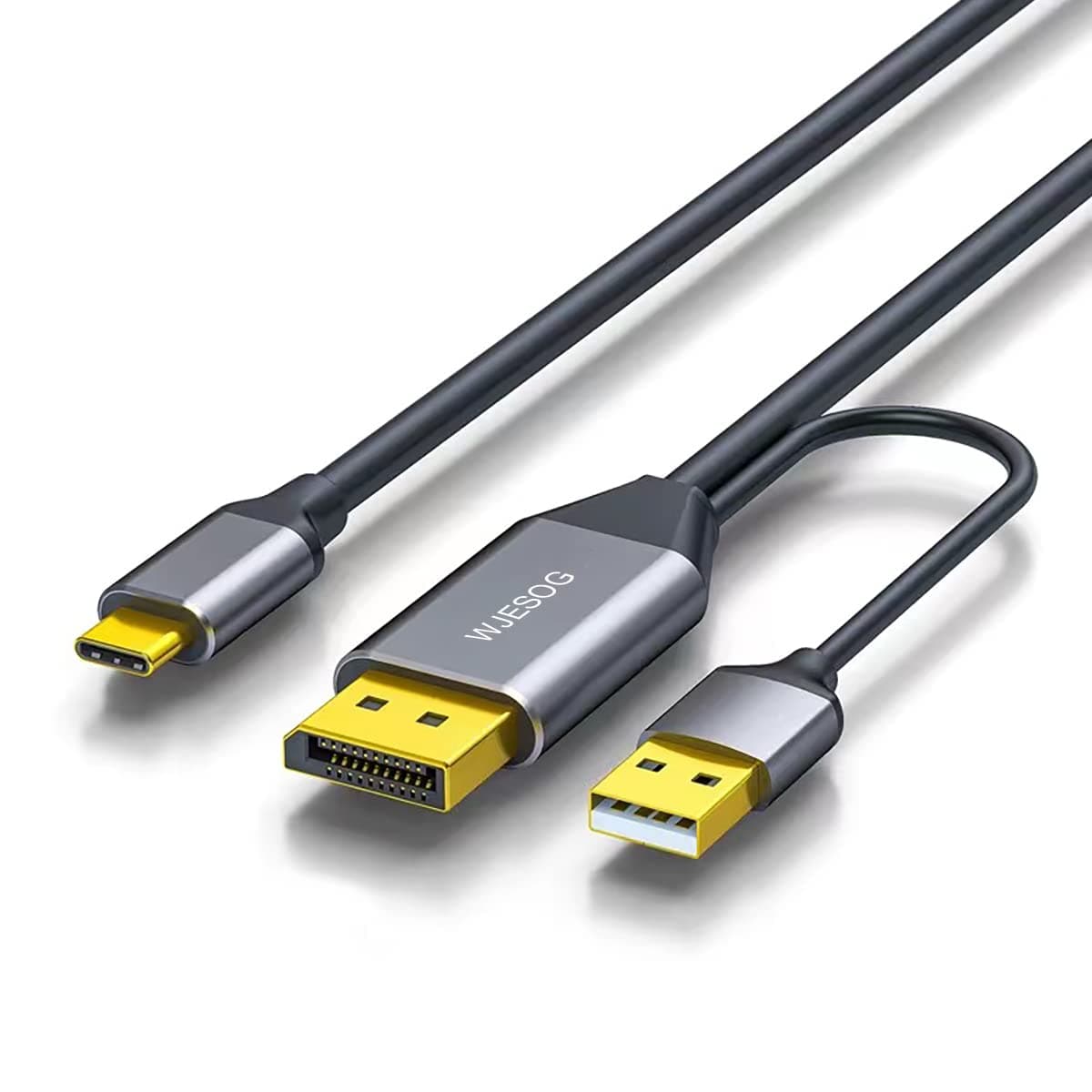
The WJESOG DisplayPort to USB-C Cable is a 6.6ft adapter that converts DisplayPort 1.2 signals to USB-C, supporting up to 4K@60Hz resolution and high refresh rates. It features one-way transmission, USB-powered stable signal delivery, and touch support for compatible displays. Perfect for professionals and gamers using MacBook Pro/Air, iPad Pro/Air, XPS, and VR devices, it offers plug-and-play convenience without driver installation.


| ASIN | B0BNX7MS6N |
| Best Sellers Rank | #55 in Computer DisplayPort Cables #1,551 in USB Cables |
| Brand | WJESOG |
| Color | Black |
| Compatible Devices | Television |
| Connector Type | USB Type C |
| Customer Reviews | 4.3 4.3 out of 5 stars (348) |
| Finish | Matte |
| Input Voltage | 5 Volts |
| Item Weight | 2.4 ounces |
| Manufacturer | WJES Technology |
| Model Number | WJESOG |
| Number of Items | 1 |
| Number of Ports | 1 |
| Package Quantity | 1 |
| Power Plug Type | No Plug |
| Specific Uses For Product | Projector |
| UPC | 717994489260 |
| Unit Count | 1.0 Count |
A**.
It does indeed do exactly as it claims
Why I bought this: I have 3 computers all hooked to 4 monitors. 2 of them use my 4K TV/monitor with HDMI 2.1 for 4K 120Hz. However, my main monitor for my work PC is my 3440x1440 ultrawide. I do not care about the resolution, but the extra real estate so it displaying in 2560x 1080p with a cheap HDMI isn’t a problem. However, as the second monitor or when ultrawide is beneficial in games with my other PC’s, that monitor I want the highest resolution and frame per second I can get. My ultrawide monitor also has a KVM feature The problem: my main gaming computer is the more powerful and as such, utilizes the ultrawide’s only DP port for 3440x1440 144Hz gaming. The HDMI ports only offer 100hz at that resolution but because the HDMI ports on both gaming computers are utilized by the 4K monitor, I tried going DP to HDMI from my backup/second PC but anything that said 2K at 120 or 144Hz would only display the picture in 2560x1080p at those refresh rates. If I change led it to my monitors true resolution, my max refresh rate was 60Hz Why this was the solution: my ultrawide supports USB-C A/V input. Remember I mentioned my monitor also has a KVM switch? That feature that combined with my physical KVM switch I already had, allows me to utilize the same mouse and keyboard with all three computers without adding more wires on my desk from a second manual switch. So, this cable allowed me to utilize my monitors built in KVM function, being able to plug the USB-A into my second computers motherboard to send mouse and keyboard commands and the DP on the video card the other way through the single USB-C into the monitor. I got the resolution (3440x1440p) I wanted as well as the KVM feature. There was a slight performance cost however. This solved my issue of running two cables to have the KVM and A/V, as well as reduced resolution (2560x1080p) when using a 144Hz rated 2K (2560x1440p) cable. In case you don’t know, the extra width of the monitor adds to the pixel count, which increases data for each frame, which lowers the rate at which the cable can transfer more data. To keep the same higher rate, it lowers the pixel count. This cable allowed my to send 3440x1440 A/V through USB-C to my monitor at 95Hz. Its not the full 144Hz my monitor is capable of but it didn’t limit me to 60Hz like DP to HDMI did. So for me, while I will still look for a cable that will meet the KVM and DP to USB-C functionality but support full resolution at the full refresh rate, I will happily use this until I find what I’m looking for or maybe, just maybe the manufacturer will see this and will create or suggest if already available a similar cable with a higher data transfer rate.
T**S
It works for connecting windows audio and video to the Apple Studio Display
The Display Port and USB to USB-C cable worked connecting my new Apple Studio Display to a Windows machine. Without the USB connector, the video work great, but the audio would not work at all.
A**R
Works well for adding a monitor with touchscreen and video with one usb-c cable
My PC did not have a USB-C with display port functionality, so I used this to connect a 12.3 inch monitor with touchscreen capabilities. The video and touchscreen work flawlessly. I was a little concerned with how long the USB and display port cables were as they look very short in the thumbnail, but they could handle a USB port and a displayport that are nearly 20 inches apart. Happy with the purchase as it was much cheaper than adding USB-C 4 port via a PCIE card.
W**R
Works with Apple Studio Display
Everything (speakers, mic, camera, display) works with apple studio display 2022, need other software method for screen brightness
J**N
Works with PC to Apple Studio Display (w/ Speakers, Mic, Camera & USB-C Hub)
After a lot of research, I tried several dongles and cables in my search to find a way to use the Apple Studio Display (Thunderbolt/USB-C input) with my PC and Nvidia 3060Ti graphics card (Display Port out). Most cables would not even give me a signal because they were not bi-directional and were USB-C (laptop) to Display Port (monitor) only. I needed to go the other direction. I was able to get a 5K 60Hz video signal from the bi-directional Cable Creations cable but unfortunately it often introduced random artifacts and screen tearing. Sigh. So my search was on again... This "WJESOG DisplayPort to USB C Cable" works with the Apple Studio Display, but also gives you access to the monitor's speakers, mic, camera & the 3-port USB-C hub (partially). I use the display's hub for my mouse and keyboard, but it doesn't seem to work with any of my portable hard drives (USB-C powered SSD hard drive, USB-C powered NVME hard drive, or wall-powered external hard drive). Missing from the MAC OS experience are Center Stage, Spacial Audio and the ability to switch brightness and display profiles. Note that your video card must support Display Port Alt Mode and Display Stream Compression (DSC). This cable won't work with older graphics cards. YMMV. UPDATE: I had to lower my rating from 5 stars to 4 stars because the random artifacts are back, but not as often as with the Cable Creations cable. I was looking for an 8K DisplayPort 1.4 cable but this only listed 4K DisplayPort 1.2. So the cable may not be able to handle the throughput.
T**R
Perfect for Mac: Reliable 4K DisplayPort to USB-C Cable
This DisplayPort to USB C cable has been a great addition to my setup! It works perfectly with my Mac, allowing me to connect it to a 4K monitor with no issues. The 6.6ft length is ideal for flexibility, and the picture quality is stunning at 60Hz, making it great for both work and entertainment. The included USB cable adapter is a nice bonus, adding more versatility to the connection options. I’ve had no problems with signal loss or lag, and everything runs smoothly. If you’re looking for a reliable and high-quality cable for your Mac, this one is definitely worth it!
A**W
I wanted to connect my desktop PC to my monitor, which has USB-C inputs that act like a dock (receiving Displayport & USB signals over USB-C to connect the display & USB devices attached to it). It's exceedingly rare to come across desktop PC components with the DP over USB-C required to do this (RIP Virtualink). This cable worked perfectly to deliver DP (from the GPU) & USB (from the motherboard) signals over USB-C to the monitor! I no longer have to worry about finding motherboards with Thunderbolt ports to do this.
R**U
I have been searching and trying many cables to connect my virture luma pro glass to my desktop PC that do not have thunderbold or displayport over usbc. This cable works. The USB-A cable that provide power also allow data to pass thru. Which allow the immerse3d and spacewalk app on my desktop pc running windows11 able to detect and communicate the Virture Luma Pro spectacle. You however need thunderbold USBC female to USBC female to join the USBC of this cable to the Virture Luma Glass.
D**!
Für alle, die wie ich lange gesucht haben: Dieser Adapter ist perfekt, um einen ASUS MB169 Mobilen Monitor (oder andere Geräte mit USB-C Display Port ALT Mode) an einen HDMI-Anschluss zu verbinden. Nach vielen Tests ist dies meine bewährte und zuverlässige Lösung, die ich seit über einem Jahr täglich genutzt habe, bis ich den Monitor getauscht habe. Eine klare Empfehlung für jeden mit diesen Anforderungen!
F**K
Intenté otros cables de otras marcas que no pasan suficiente corriente al monitor. Este cable si funcionó conectando una PC con salid display port a un monitor portatil ASUS. - Hay que conectar los cables en orden. - Hay que conectar el USB A a una fuente de poder que pueda pasar mas de 25 watts, no a un puerto de la PC. - Es unidireccional: De dispositivo Display Port a monitor portatil con puerto USB-C.
C**.
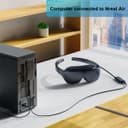
This cable is the best for my Xreal One Pro AR Glasses. When connected to a desktop PC with no DP.Alt mode, this cable supports 1080P @120Hz, and the Xreal One/Pro 60Hz ultra-wide resolutions, too. It plugs in to the DisplayPort output on my RTX 7800XT, along with a Type-A USB connection for powering the glasses. I tried the other HDMI adapter that's aluminum and it was limited to 60Hz and did not support the ultra-wide resolutions. I'm glad that I took another look and found this product.
TrustPilot
2 个月前
1 周前