We remain fully operational. Our teams are working around the clock to ensure your deliveries continue safely.

下载应用程序


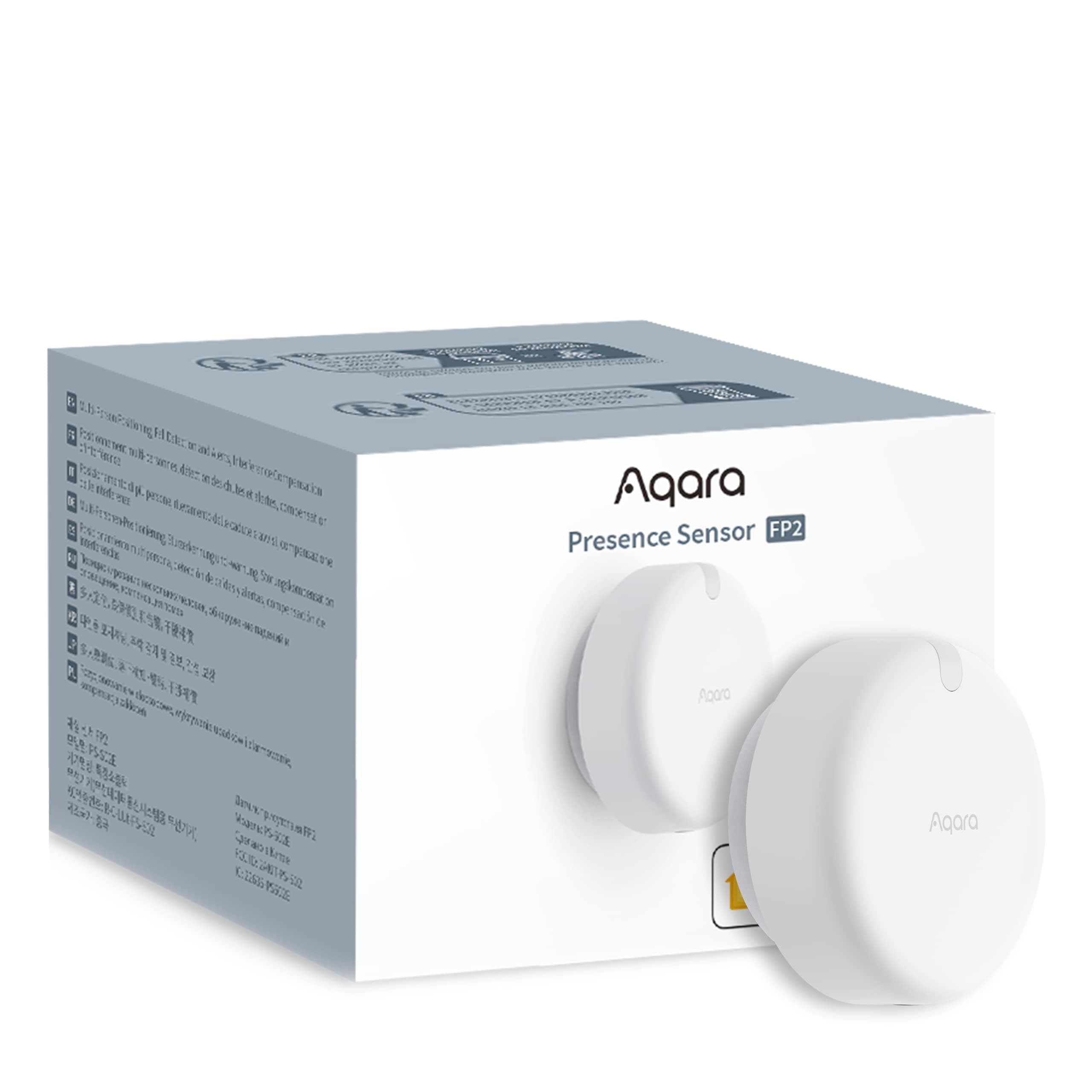
🚀 Elevate your smart home with radar precision and next-level safety.
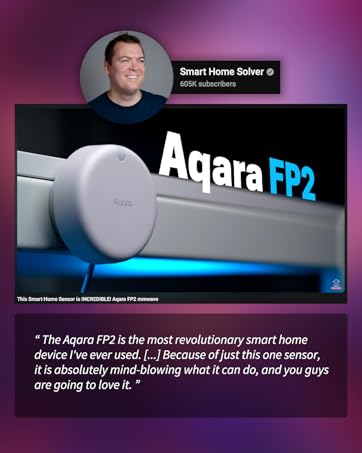
The Aqara Presence Sensor FP2 is a wired mmWave radar motion sensor designed for professional-grade smart home automation. It covers up to 40㎡ with 30 customizable zones, detects multiple people simultaneously, and features fall detection alerts when ceiling-mounted. Compatible with major ecosystems like HomeKit, Alexa, Google Home, and Home Assistant, it offers privacy-first sensing without cameras and supports local automations powered by USB-C wired connection.








| ASIN | B0BXWZMQJ3 |
| Antenna Location | Presence Sensor for Moving and Still Detection, mmWave Presence Sensor Home Automation, mmWave Presence Sensor for Fall Detection, mmWave Presence Sensor for Light Detection, mmWave Presence Sensor for Sleep Monitoring |
| Battery Description | Battery not included |
| Best Sellers Rank | #4,838 in Electronics ( See Top 100 in Electronics ) #15 in Motion Detectors (Electronics) |
| Brand | Aqara |
| Built-In Media | Presence Sensor FP2 ×1, User manual ×1, USB-C to USB-A Cable × 1, Metal Plate × 1, Sticker × 1, Screw Kit × 1 |
| Color | White |
| Compatible Devices | Alexa |
| Customer Reviews | 3.7 out of 5 stars 2,400 Reviews |
| Frequency | 60 Hz |
| Item Dimensions D x W x H | 2.51"D x 2.51"W x 1.14"H |
| Item Type Name | Human Precense Sensor |
| Item Weight | 0.17 Pounds |
| Lower Temperature Rating | 14 Degrees Fahrenheit |
| Manufacturer | Lumi United Technology Co., Ltd |
| Maximum Range | 8 Meters |
| Mfr Part Number | PS-S02E |
| Model Number | PS-S02E |
| Mounting Type | Ceiling Mount |
| Operating Temperature | 14 Degrees Fahrenheit |
| Power Source | DC |
| Smart Home Compatibility | Smart Home Compatible |
| Temperature Range | 14 Degrees Fahrenheit |
| UPC | 192784000830 |
| Unit Count | 1.0 Count |
| Upper Temperature Rating | 104 Degrees Fahrenheit |
I**.
Amazing sensor, easy for techy people to operate.
This product is absolutely amazing. I love having the ability to set multiple zones and each having different routines/automations. It is very easy to use and not having to worry about batteries is a major plus. If it's this good now, I can't wait to see the company's future products. Well worth the price! Update, still works very well. Once in awhile it has detection issues where one person won't be detected. I would like to see a microwave sensor that would really add functionality. With this one sensor I was able to remove 4 motion sensors. I can't wait to see the next version of this amazing sensor. No batteries required+++
J**B
Great Device That Needs Tweaking
I've been incredibly excited for this to come out. I was able to purchase an FP1 model from Alibaba a few months back, which was never sold in the US, and it had promise but the motion detection capabilities were very lacking. I had to pair it with an Aqara motion sensor to get the best results. So when they talked about this version I was excited to see the updates made. Overall I really like this product but be warned, it's not perfect and definitely needs to be tweaked, hopefully future software updates will fix some of the things I ran into when setting it up. You really need to set up your zones in the Aqara app before you start messing with it in Homekit. I was able to purchase 2 of these, one for my kitchen/living room and the other in my master bathroom to replace the FP1 and Aqara motion sensor. For the kitchen one I've set up 4 total zones to control my Homekit devices, the main one being in the kitchen where I have 2 NanoLeaf lightstrips under my cabinets. When you walk into the kitchen the lights will turn on and when you walk out they'll turn off. Took a bit of time to get the zones worked out correctly but after messing with it I was able to get a good result. It's not perfect as it sometimes doesn't register that you've entered the kitchen or left but I'd say since tweaking everything in the beginning it works 90-95% of the time as I'd expect. In the master bathroom I set up 4 zones with 2 primarily being used to control devices. The bathroom area turns on the main lights from my Meross dimmer switch and the shower area turns on the shower light and shower fan with both regular Meross switches. Initial placement didn't work out very well as the bathroom mirror seems to mess with the sensor so I moved it to be over the mirror to get it out of the sensor's view and that seems to have fixed a lot of the initial issues I was having. The glass shower door seems to mess with it a little bit but overall like the kitchen one it's working 90-95% of the time as I would hope. I think after some more software updates this will be even better over time. The motion sensing actually works really well when it's functioning properly. It's incredibly fast, even faster than the regular Aqara motion sensors. The design of the FP2 is better than the FP1 as it's flatter and you can remove the cord from the sensor itself which uses USB C. The mount is very smart in my opinion as it is magnetic. So you get an adhesive sticker that you put the included metal disk on and your sensor sticks to the magnet which makes it so much more convenient to take off if needed. All in all I'm happy with the purchase but I will say it's a bit overpriced. I was hoping for this to cost around $50 so when I saw $82.99 I was in shock, thankfully at launch they did have a 15% coupon that helped a bit but I'd say if you can wait I'd wait for the price to drop a bit.
C**E
Not ready. Someone should be fired
Tldr: not that you have a choice since this is backordered, but don't buy this yet. Update 2: after the new firmware update I was excited to see what would happen. It's garbage. Plain and simple. They made the tracking distance 1 meter, which means when someone is walking next to you they steal the tracking. This thing is useless if you live with anyone....including plants, pets, people, TV's, fans, shiny countertops, tile, windows, or doors that open and close. All cause horrible interference, and you cannot simply mark out those places on the map. Aqara is already removing promised features from their website. Don't buy from companies that push products before they are even close to ready...it's embarrassing. Update as this might save someone days of their life: it might work in the future but currently if you tilt this device at all the results aren't good. My best results are 6 feet off the ground and completely horizontal. If you have one of these play with the placement as much as you can before you automate around it. Some places worked initially but degraded over a few days. Increased one star now that I have found a good placement. Will update more as errors get resolved with ota. I've played with the fp2 for 4 days now almost continuously. It's not ready, not even close. The app is horrible. It is slow and locks up all of the time. It's not only not updating my location in the app, sometimes if it is detecting me at all I just fall off of the radar standing 6 feet in front of it. I check in home assistant and I'm not in the zone I'm standing in. Clear view of sight, 6 feet away. This isn't ok. Setting up the devices was also a nightmare. I'm on an Samsung phone (s23) so maybe that had something to do with it but it took over 3 hours to set up both devices (the first time). Constant errors, even though everything was correct. The solution was the just keep trying...tried about 20 times in a row. Also, Bluetooth isnt showing up as a binding option 99% of the time, which is a shame because it works instantly when it comes up. Which brings me to another point...if you remove this device from home assistant, it never resends the homekit info. You have to remove the device from aqara and the readd it. Again...another headache getting everything reconnected. I bought these for the zone detection, which works great when it works and is abysmal other times. I could have achieved my goals quite well with cheaper sensors but the posture detection was an added benefit that I was looking forward to. If aqara launched it like this I don't have much hope. And that brings me to the most frustrating part of this...it was working flawlessly 2 days ago and not skipping a beat. And over the course of two days it started putting me in the wrong locations and only detecting me randomly. At the time of writing this it isn't detecting anything at all and there are 3 of us and a large dog in the room. No the sensor hasn't moved. Hasn't drifted or anything like that. Nothing has changed. There are so many other things that I've found that should have never made it past production. Most of this is bad programming. No clue if the hardware is to blame.
E**Z
Well worth the money. Amazing device
I've watched a lot of YouTube reviews on this sensor. Being on a tight budget made me hold off and try less expensive options. They all failed so I cut back on a few things and ordered this one. MIND BLOWN! This thing is amazing! Most of my house is automated and run by voice via the excessive number of Alexa devices, plugs, and bulbs I have. I was so excited when this arrived that I just plugged it in and balanced it on my TV so I could play around. I haven't even gone through the proper setup for it yet and it's crazy good. I created a few zones and it's truly blown my mind. After dark, when I pass from the livingroom zone to the kitchen zone, a light automatically turns on at a dim level so I don't get blinded in the dark. I return to the livingroom and the light goes off. I'm fortunate to have an open floor plan so the sensor covers a fair amount of my living space. It seems very good at presence detection. When someone else is in the house I pull up the app and you see the other person. I walk away and within a second or two I can see that I've moved away from the other person and we started walking around and the sensor kept updating our location. I can't wait to actually put it in a permanent location and go through the proper setup. I love home automation and will probably make a video about this thing. I haven't tried the ceiling mount for fall detection yet, but I will test that because I've got an elderly father who is a high fall risk and it would bring great piece of mind knowing if he falls, yet again. Especially if he were unable to call for help or he was home alone. If other Aqara devices are as good as this sensor, this will be my new go-to. As finances allow, I'll be adding additional sensors and devices to my nerd ecosystem. I gave it 5 stars for value because you get so much functionality and integrations are simple. Time is money and you could spend far more than the price of this sensor trying, like I did, to find something less expensive only to realize how much money you've spent and how many frustrated hours you've spent trying to get different cheap thing to work or properly integrate.
R**N
Lots of Potential, But Firmware Needs Improvement
The Aqara Presence Sensor FP2 is a promising device which has the potential to transform smart home automation. I will echo the reviews of others who feel this device is in a beta state. I consider myself very technical, but there has been a lot of trial/error and tinkering to get the FP2 configured properly. I am currently using the device with the Aqara app, and exposing the zones to Home Assistant via the HomeKit integration. The FP2 is very quick to detect when someone enters/exits a room and trigger automations. Each zone created in the Aqara app comes into Home Assistant as its own presence sensor which can be used to trigger automations. The light sensor is also exposed to Home Assistant, so lighting automations can only run if the light level is below 100 lux, etc. While $82.99 is steep for one sensor, combining multiple zones with the lux sensor opens the door to some incredibly powerful automations, with the potential for big electricity savings in the long term. However, multi-person detection is flaky and inaccurate at best. I have these set up in the corners of a bedroom and living room mounted approx. 5’-3” above the floor, with edges, entrances/exits, interference sources, stickers, and zones all configured in the Aqara app to match my room layout. Aqara’s support recommends a wall mounting height of 1.4-1.8m, and corner placement gets you the best coverage due to the sensor’s 120 degree FOV. Frequently, I will get up and leave the room while my wife is in bed or on the couch, and the sensor will turn off all the lights while she is still in the room. In its current state, I cannot fully recommend this device as a replacement for PIR motion sensors, at least for scenarios where tracking multiple occupants is important. I’m hopeful that this will be improved via future firmware updates. Aqara’s other sensors are great and the company has a good track record of improving their products, so we’ll see what happens. As exciting as the potential of this device is, it’s not quite ready for primetime yet.
M**O
New tech to identify a fall with out device on the pearson.
Got the products next day. Able to set up the system with few minutes. Aqara pressed Sensor FO2 able identify fall accurately. Hope there is a system to call a phone number when it detect a fall or movement in a room. After installing it, I came to learn this is not at all effective system for any thing. This never generate alarm to check for anything. Not able use as monitoring to identify a fall because the system do not have provision for alerting. Who need system where you have observe 24 hrs to identify a fall. If you are going to install on ceiling where you get your power source? If you don’t have a power source in the ceiling you need to spend lot money to install a power plug to power it.
J**E
The UI is awful
It works, sort of. This presence sensor was very frustrating to set up and not user-friendly at all. The corner mounting instructions were unclear, and there is no proper mount included, so you basically need a separate or 3D-printed piece. Detection was inconsistent depending on placement, and I had trouble getting reliable results. The biggest issue is the Aqara app and hub. The initial room boundary setup works once, but if you need to reposition or redo it, the process is confusing and nearly impossible to restart. I tried factory resets, unpairing, and reinstalling, and still couldn’t get back to the original setup. While motion detection works and Alexa integration is decent, cheaper sensors perform just as well with far less hassle. Overall, not worth the money. I would not recommend it.
P**T
Enhanced Home Automation
Since setting up my Aqara FP2 presence sensor, the enhanced presence detection has expanded my automation possibilities. The initial setup is a challenge. The Aqara App is not the most intuitive and requires a bit of learning and acclimatizing. It also takes detailed forethought for the initial mounting and positioning of the sensor. The benefit is improved automation. Now that I've completed the user configuration, the FP2 indicates presence or nonpresence in each zone and in the overall area. Automations that I could not accomplish using standard motion detectors are now possible. One example is lights that are needed to stay on no longer automatically turn off because of sitting or standing still. The ability to detect with surety when I am home, away, or have gone to bed allows me to reimagine my key automations, making them even better. Besides improved automation, more advantageous features of the FP2 sensor include: - Presence detection does not require a video camera - Although presence detection requires WiFi, it does not require cloud connectivity - The ability to reconfigure zones without moving or adding additional sensors
TrustPilot
1 周前
1 周前