Some deliveries may take a little longer than usual due to regional shipping conditions.

下载应用程序


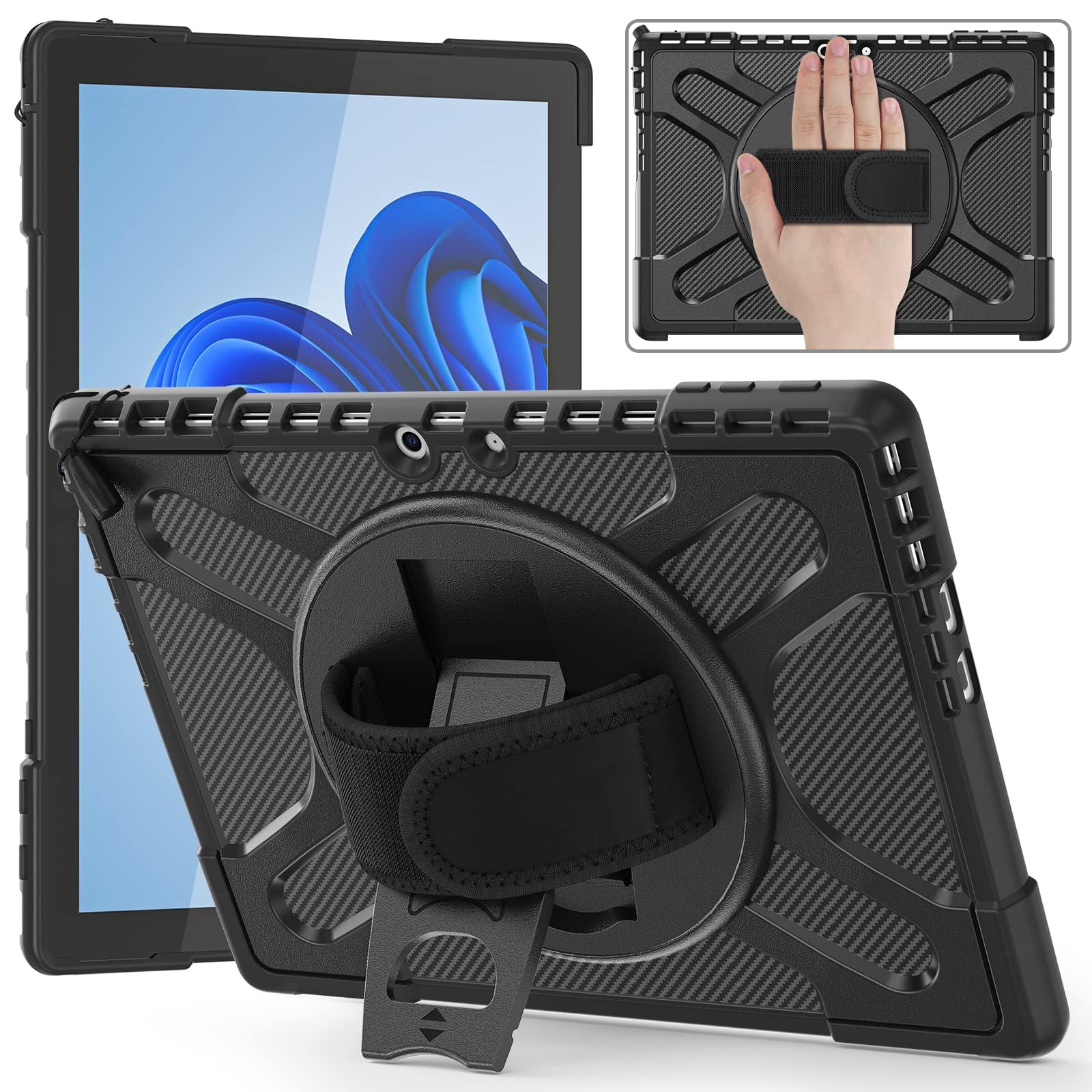
🖥️ Elevate your Surface Pro experience with rugged style!
This rugged protective case is specifically designed for the Microsoft Surface Pro 11 (2024), Pro 10, and Pro 9 (2022) models. It features a triple-layer construction for maximum protection, a 360° rotating kickstand for versatile use, and an adjustable hand strap for easy handling. The case also includes a built-in holder for your Surface Pen, ensuring you have everything you need at your fingertips.


| ASIN | B0BJPWZ7XH |
| Best Sellers Rank | #742 in Tablet Cases |
| Color | Black |
| Customer Reviews | 4.4 4.4 out of 5 stars (618) |
| Date First Available | October 19, 2022 |
| Form Factor | Case |
| Item Weight | 12.3 ounces |
| Item model number | TB-M-Pro9-BLA |
| Manufacturer | zenrich |
| Product Dimensions | 11.61 x 13.78 x 0.98 inches |
| Special features | Adjustable Stand |
| Whats in the box | case |
D**R
It works
Great product, looks good & also protects laptop; and the flip down support does its job.
L**�
Great semi rugged case
"Long Story Short"Solid and well made caseIt is semi rugged case and will protect device from some serious drops, as long as they aren't screen facing down.Fits perfectly but need a bit of wiggle to get device inIt sits tight inside so device is well fitted inGood silicone/plastic comboGreat handle on the back.Great case and will keep your device well protected.Value for money 10 out of 10
A**S
Rugged Surface Pro 9 case.
Surface pro 9 only case: It arrives in minimal packaging.It certainly is rugged, and has that sort of quasi-military look like a lot of these supa-tuff cases have, plus you get the two way 'kickstand' as they insist on calling it, as if it was a Harley-Davidson. You can see who they think their target market is. Theres also a velcro handstrap, and a hugely unneccessary turntable integrated to turn it from landscape to portrait, increasing it's considerable bulk even further.It's not really to my taste then, being hugely overdesigned for what it needs to do it has a lot of, to me, pointless bulk. But it does do what it says it does, and you can use the keyboard without removing it, so four stars
M**4
excellent Surface Pro case, low price
This is Great Surface Pro case, it has a nice handle to which makes it easy to hold and use. It is of a high quality and the price of it is low. The overall look and colour of it is nice to.
V**A
Must have it
Great case for a good price.Fits well, lighweight and comfy to hold it.Also nice colour and good desing.Worth to buy it for such price.Highly recommending to all.
S**D
Nice versatile case
ZenRich Surface Pro 9 Case======================Nice rugged case. The back of the case has a velcro handle as well as a kickstand. Both are on a circular base which moves allowing for the surface pro to be held or stood on the stand in both portrait and landscape. It does make the surface pro a little chunky but then you get the extra protection it affords. Just remember to get it for the correct version (won’t fit older surface pros. Currently selling for 24.99
TrustPilot
4天前
2 周前